Introduction
Thank you for choosing the Grundig Wireless LED Spot Lights. This 4-pack of battery-operated LED lights offers versatile and convenient illumination for various indoor spaces. Featuring multi-color options, a timer function, and remote control operation, these lights are designed for easy installation and use. Please read this manual carefully before installation and operation to ensure proper use and longevity of your product.
Safety Information
- Keep out of reach of children and pets.
- Do not mix old and new batteries, or different types of batteries.
- Insert batteries with correct polarity (+/-). Incorrect insertion can cause damage.
- Remove batteries if the product is not used for an extended period.
- Do not expose the lights to extreme temperatures, direct sunlight, or moisture.
- This product is for indoor use only.
- Do not attempt to disassemble or modify the lights or remote control.
- Dispose of used batteries according to local regulations.
Package Contents
Verify that all items listed below are included in your package:
- 4x Grundig Wireless LED Spot Lights
- 1x Remote Control
- 1x Adhesive Mounting Tape (for all 4 lights)
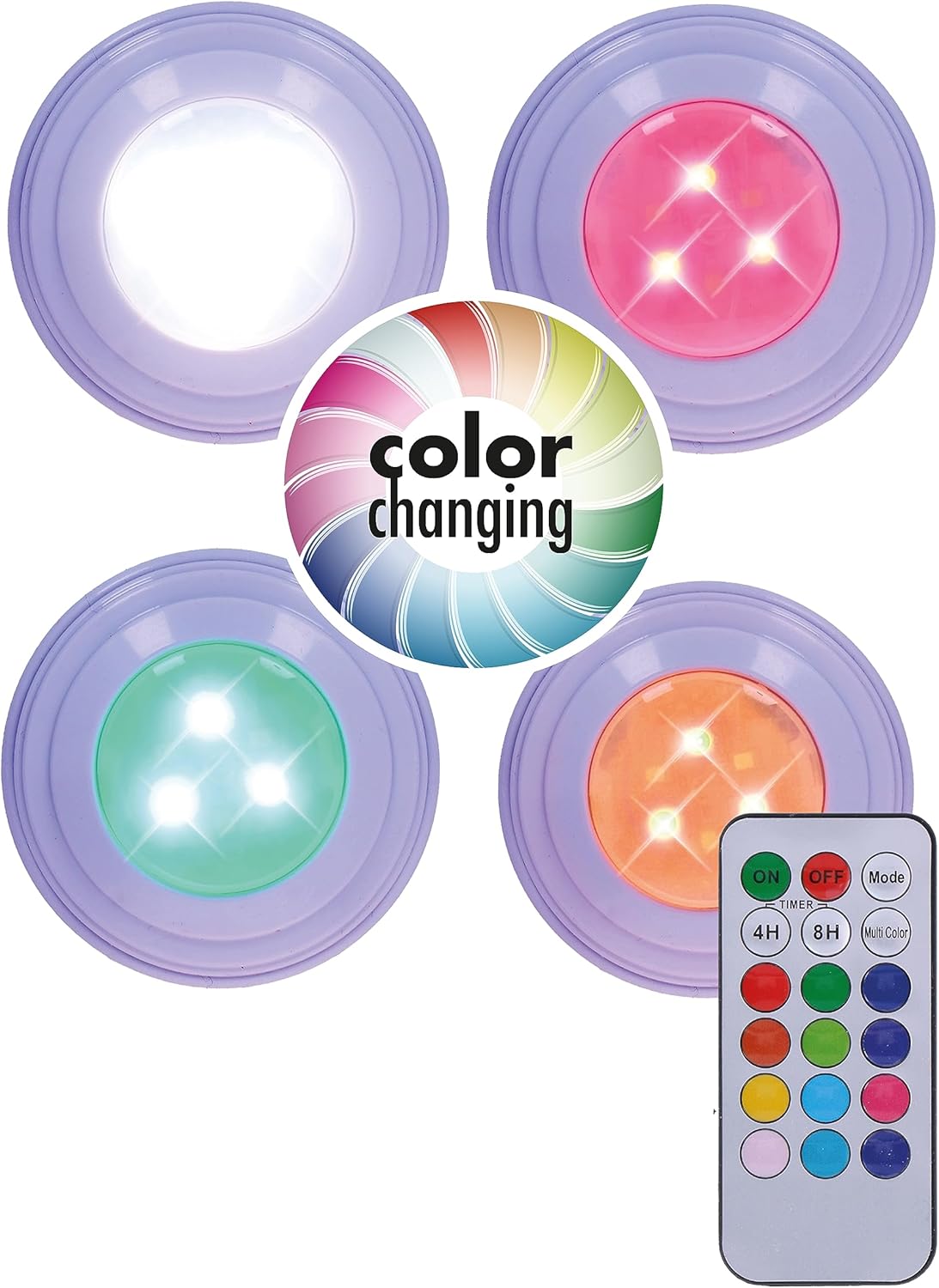
Image: Overview of the Grundig Wireless LED Spot Lights package, including four lights, a remote control, and a "color changing" graphic.
Setup
1. Battery Installation
- Gently twist the back cover of each LED spot light counter-clockwise to open the battery compartment.
- Insert 3x AAA batteries (not included) into each spot light, ensuring correct polarity (+/-).
- Replace the back cover by twisting it clockwise until securely closed.
- For the remote control, slide open the battery compartment cover on the back. Insert 1x CR2025 battery (typically included, but verify) with correct polarity. Close the cover.

Image: A single Grundig LED spot light, illustrating the light output. The battery compartment is on the reverse side.
2. Mounting the Lights
- Clean the surface where you intend to mount the lights. Ensure it is dry and free of dust or grease.
- Peel off the protective film from one side of the adhesive mounting tape.
- Apply the adhesive tape firmly to the back of the LED spot light.
- Peel off the protective film from the other side of the adhesive tape.
- Press the LED spot light firmly onto the desired surface for at least 30 seconds.
- Repeat for all four lights.

Image: Grundig LED spot lights installed on furniture, demonstrating their wireless nature and adhesive mounting capability.
Operating Instructions
The Grundig Wireless LED Spot Lights are controlled using the included remote control.
Remote Control Functions:
- ON/OFF: Press the ON button to turn the lights on, and the OFF button to turn them off.
- Brightness Adjustment: Use the brightness buttons (often represented by sun icons or up/down arrows) to increase or decrease the light intensity.
- Color Selection: Press any of the colored buttons (e.g., Red, Green, Blue, White, etc.) to change the light color.
- Multi Color (Mode): Press the "Multi Color" or "Mode" button to cycle through various color-changing modes or effects.
- Timer Function:
- Press the 4H button to set the lights to automatically turn off after 4 hours.
- Press the 8H button to set the lights to automatically turn off after 8 hours.
- To deactivate the timer, press the OFF button or turn the lights on again manually.
Image: The remote control for the Grundig LED spot lights, showing buttons for power, timer, brightness, and multiple color options.
Maintenance
- Cleaning: Wipe the lights and remote control with a soft, dry cloth. Do not use abrasive cleaners or immerse in water.
- Battery Replacement: When the lights dim or the remote control becomes unresponsive, replace the batteries in the respective devices following the "Battery Installation" steps.
- Storage: If storing the lights for an extended period, remove all batteries to prevent leakage and corrosion.
Troubleshooting
| Problem | Possible Cause | Solution |
|---|---|---|
| Lights do not turn on. |
|
|
| Remote control is unresponsive. |
|
|
| Lights dim or flicker. |
|
|
Specifications
| Brand | Grundig |
| Model Number | 8711252244907 |
| Product Dimensions (L x W x H) | 7 x 7 x 2.5 cm (each light) |
| Item Weight | 123 g (total for 4 lights, approximate) |
| Number of Items | 4 |
| Color | White (housing) / Multi-color (LED) |
| Shape | Round |
| Material | Polystyrene (PS) |
| Power Source | Battery Powered (3x AAA per light, 1x CR2025 for remote) |
| Voltage | 1.5 Volts (per battery, total 4.5V per light) |
| Bulb Type | LED |
| Special Features | Remote Control, Timer Function, Multi-color |
| Installation Type | Adhesive Mount (Ceiling, Wall, Cabinet) |
| Country of Origin | China |
Warranty and Support
Specific warranty information for this product is not available in the provided data. For warranty claims or technical support, please refer to the retailer's return policy or contact Grundig customer service directly through their official website or the point of purchase.
Please retain your proof of purchase for any warranty-related inquiries.


