1. Introduction
Thank you for choosing the Greenote GSC60 Cordless Vacuum Cleaner. This manual provides essential information for the safe and efficient operation, maintenance, and troubleshooting of your device. Please read this manual thoroughly before first use and keep it for future reference.
Safety Information
Always follow basic safety precautions when using electrical appliances to reduce the risk of fire, electric shock, or injury. This appliance is for household use only. Do not use outdoors or on wet surfaces. Keep hair, loose clothing, fingers, and all parts of the body away from openings and moving parts.

Image: The Greenote GSC60 Cordless Vacuum Cleaner displayed with its main body, extension tube, floor brush, and various attachments, illustrating the complete product package.
2. Product Components
The Greenote GSC60 comes with a comprehensive set of components designed for versatile cleaning. Please ensure all parts are present before assembly.
- Main Unit (GSC60)
- LED Electric Floor Brush
- Metal Telescopic Rod
- Flexible Extendable Hose
- Extension Tube
- Wall Mount Bracket
- Accessory Pouch
- Crevice Tool
- Pet Hair Brush
- Dusting Brush
- Bed Brush
- HEPA Filters (x2)
- Power Adapter
- Instruction Manual

Image: An exploded view diagram showing all the individual components and accessories included with the Greenote GSC60 vacuum cleaner, each clearly numbered and labeled for identification.
3. Setup and Charging
Assembly
- Attach the Extension Tube: Insert the metal telescopic rod into the main unit until it clicks into place.
- Connect the Floor Brush: Attach the LED electric floor brush to the other end of the extension tube, ensuring it locks securely.
- Install Battery: Ensure the battery is fully charged before first use. Insert the battery into the main unit until it clicks.
- Attach Accessories: For specific cleaning tasks, attach the desired accessory directly to the main unit or the extension tube.
Charging the Battery
The GSC60 features a detachable battery for convenient charging. A full charge takes approximately 2.5 hours.
- Charging on the Unit: Connect the power adapter to the charging port on the main unit.
- Charging Separately: Remove the battery by pressing the release button and connect the power adapter directly to the battery.

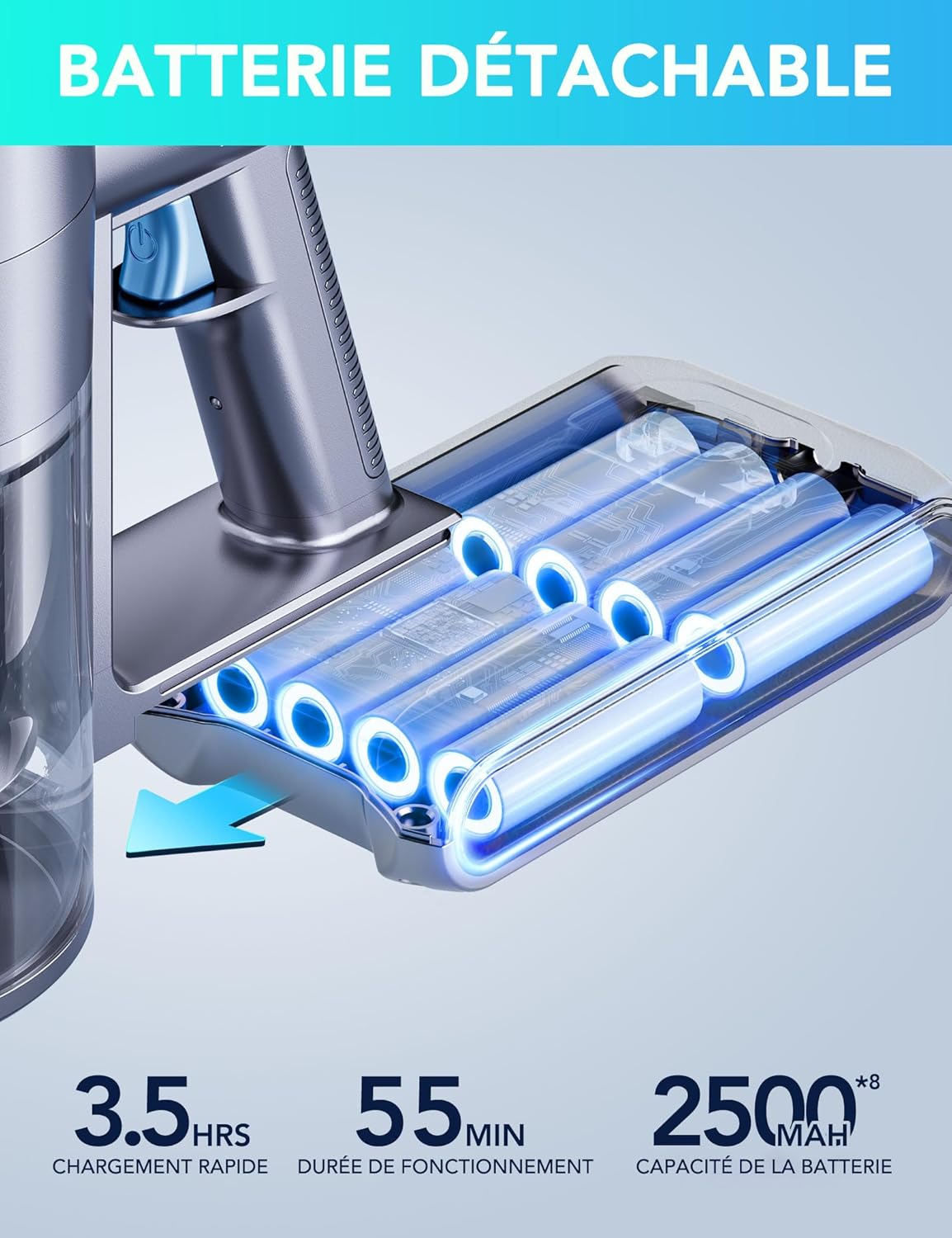
Image: Left: Illustration showing two ways to charge the Greenote GSC60 battery: either while attached to the vacuum cleaner or as a standalone unit. Right: A detailed view of the detachable battery pack, highlighting its design and connection points.
4. Operation
Powering On/Off and Mode Selection
The GSC60 features an intuitive LED touch screen for easy control.
- Power On: Press the power button on the handle. The LED screen will illuminate.
- Adjust Suction Mode: Tap the mode selection icon on the LED touch screen to cycle through the three suction modes: Standard (up to 55 min runtime), Power (up to 35 min runtime), and MAX (up to 20 min runtime). The screen will display the current mode and remaining battery percentage.
- Power Off: Press the power button again to turn off the vacuum.


Image: Left: A close-up of the advanced LED touch screen on the Greenote GSC60, showing the battery percentage and current operating mode. Right: A woman using the Greenote GSC60 vacuum cleaner on a carpet, with an overlay illustrating the three distinct suction modes (10KPA, 24KPA, 33KPA) for different cleaning needs.
Using Attachments
The 10-in-1 multi-accessories allow for versatile cleaning across various surfaces and areas.
- LED Electric Floor Brush: Ideal for hard floors, tiles, carpets, and wooden floors. The integrated LED lights illuminate dust and debris in dark areas.
- Metal Telescopic Rod: Adjust the length for comfortable cleaning of floors or high areas. This design reduces muscle strain.
- Flexible Extendable Hose & Crevice Tool: Perfect for reaching tight spaces, car interiors, and corners.
- Pet Hair Brush & Bed Brush: Designed to effectively remove pet hair from upholstery, carpets, and mattresses.
- Dusting Brush: Use for delicate surfaces, shelves, and blinds.


Image: Left: A visual comparison demonstrating the ergonomic benefits of the Greenote GSC60's telescopic rod, showing how it can be adjusted to suit different user heights and reduce physical strain compared to a fixed-length rod. Right: The Greenote GSC60 vacuum cleaner being used with its flexible hose and crevice tool to clean hard-to-reach areas, such as between sofa cushions and along baseboards.

Image: A close-up view of the Greenote GSC60's floor brush with its integrated LED lights, effectively illuminating dust and debris on a dark floor surface for thorough cleaning.
5. Maintenance
Regular maintenance ensures optimal performance and extends the lifespan of your vacuum cleaner.
Emptying the Dustbin
The 1.2-liter dustbin should be emptied regularly, especially when full, to maintain suction power.
- Position the dustbin over a trash can.
- Press the dustbin release button to open the bottom flap and empty the contents.
- Close the flap securely after emptying.

Image: A visual guide demonstrating the one-click dustbin emptying mechanism of the Greenote GSC60, showing how easily collected debris can be released into a trash receptacle.
Cleaning the Filters
The 4-stage HEPA filtration system captures 99.9% of fine particles. Filters should be cleaned regularly to prevent blockages and maintain suction.
- Twist and pull to remove the filter assembly from the dustbin.
- Separate the cyclonic filter, gitter filter, and HEPA filters.
- Tap off loose dust. Rinse washable components under cold water.
- Allow all parts to air dry completely for at least 24 hours before reassembling.

Image: An exploded diagram illustrating the four-stage HEPA filtration system of the Greenote GSC60, detailing each filter layer (cyclonic, gitter, and two HEPA filters) and their respective functions in capturing dust and expelling clean air.
Cleaning the Brush Roll
The anti-tangle brush roll should be inspected and cleaned periodically to remove tangled hair or debris.
- Locate the brush roll release tab on the side of the floor brush.
- Push the tab to release and slide out the brush roll.
- Remove any tangled hair or debris using scissors or a cleaning tool.
- Slide the brush roll back into place until it clicks.

Image: A close-up view demonstrating the one-click release mechanism for the brush roll on the Greenote GSC60's floor brush, making it easy to remove for cleaning and maintenance.
6. Troubleshooting
If you encounter issues with your Greenote GSC60, refer to the following common problems and solutions:
| Problem | Possible Cause | Solution |
|---|---|---|
| Vacuum does not turn on | Battery not charged or not properly installed. | Ensure battery is fully charged and securely clicked into place. |
| Low suction power | Dustbin full, filters clogged, or brush roll tangled. | Empty dustbin, clean/replace filters, clear brush roll of debris. |
| Brush roll stops spinning | Obstruction in the brush roll or motor protection activated. | Turn off the vacuum, remove any obstructions from the brush roll. |
| Short battery runtime | Battery not fully charged or operating in MAX mode. | Ensure battery is fully charged. Use Standard or Power mode for longer runtime. |
| LED screen displays error | Indicates a specific issue like clogged brush or nozzle. | Refer to the LED screen indicators for specific maintenance cues and address the indicated problem. |
If the problem persists after attempting these solutions, please contact Greenote customer service.
7. Specifications
| Feature | Detail |
|---|---|
| Brand | Greenote |
| Model Number | GSC60 |
| Color | Blue |
| Product Dimensions (L x W x H) | 42.93 x 19.81 x 33.02 cm |
| Item Weight | 2 Kilograms |
| Dustbin Capacity | 1.2 Liters |
| Power | 480 Watts |
| Suction Power | Up to 33 kPa |
| Voltage | 29.6 Volts |
| Noise Level | 69 dB |
| Max Runtime | 55 minutes |
| Charging Time | Approx. 2.5 hours |
| Filter Type | HEPA Filter |
| Special Features | Lightweight, Pet Brush, Hard Floor Brush, Cyclonic, Pet Hair, LED Touch Screen, Extendable Tube, Anti-tangle |
| Power Source | Battery Powered |
8. Warranty and Customer Support
Greenote is committed to providing excellent customer service and product support.
Warranty Information
Greenote offers a 24-month warranty on the GSC60 Cordless Vacuum Cleaner, covering manufacturing defects and malfunctions under normal use. Additionally, spare parts availability is guaranteed for 2 years.
Customer Service
For any questions, concerns, or assistance with your Greenote GSC60, please do not hesitate to contact our customer service team. We offer:
- 24/7 Quick Response Service
- 30-Day Money-Back Guarantee
- Fast Shipping from Local Warehouses
If you are not satisfied with your product for any reason during the service period, you may return it or contact us for original accessory replacement to ensure your vacuum continues to function correctly.

Image: A graphic outlining Greenote's customer service policy, including 24/7 quick response, a 30-day money-back guarantee, up to 24 months warranty, and fast shipping from local warehouses.


