
Introduction
This manual provides detailed instructions for the proper use, setup, and maintenance of your Retevis EHK012 Two-Way Radio Headset. Please read this manual thoroughly before using the product to ensure optimal performance and longevity. Keep this manual for future reference.
Product Features
- Excellent Noise Reduction: The headset features noise-reduction earmuffs designed to minimize ambient noise, ensuring clearer communication in loud environments and protecting your hearing.
- Comfortable Wear: Equipped with soft, comfortable noise-reduction sponge earmuffs and an adjustable headband, suitable for extended wear and various head sizes.
- Adjustable Volume: Includes an adjustable volume button on the headset, allowing users to set the appropriate sound level for different situations. The maximum sound threshold is 82dB.
- Durable and Stretchable Wire: Features a strong coiled wire with an unstretched length of 3.81 inches (116 cm) and a stretched length of 9.19 inches (280 cm), designed for increased durability.
- 260° Rotatable Microphone: The microphone rod can be rotated 260 degrees, making it suitable for use on either the left or right ear.
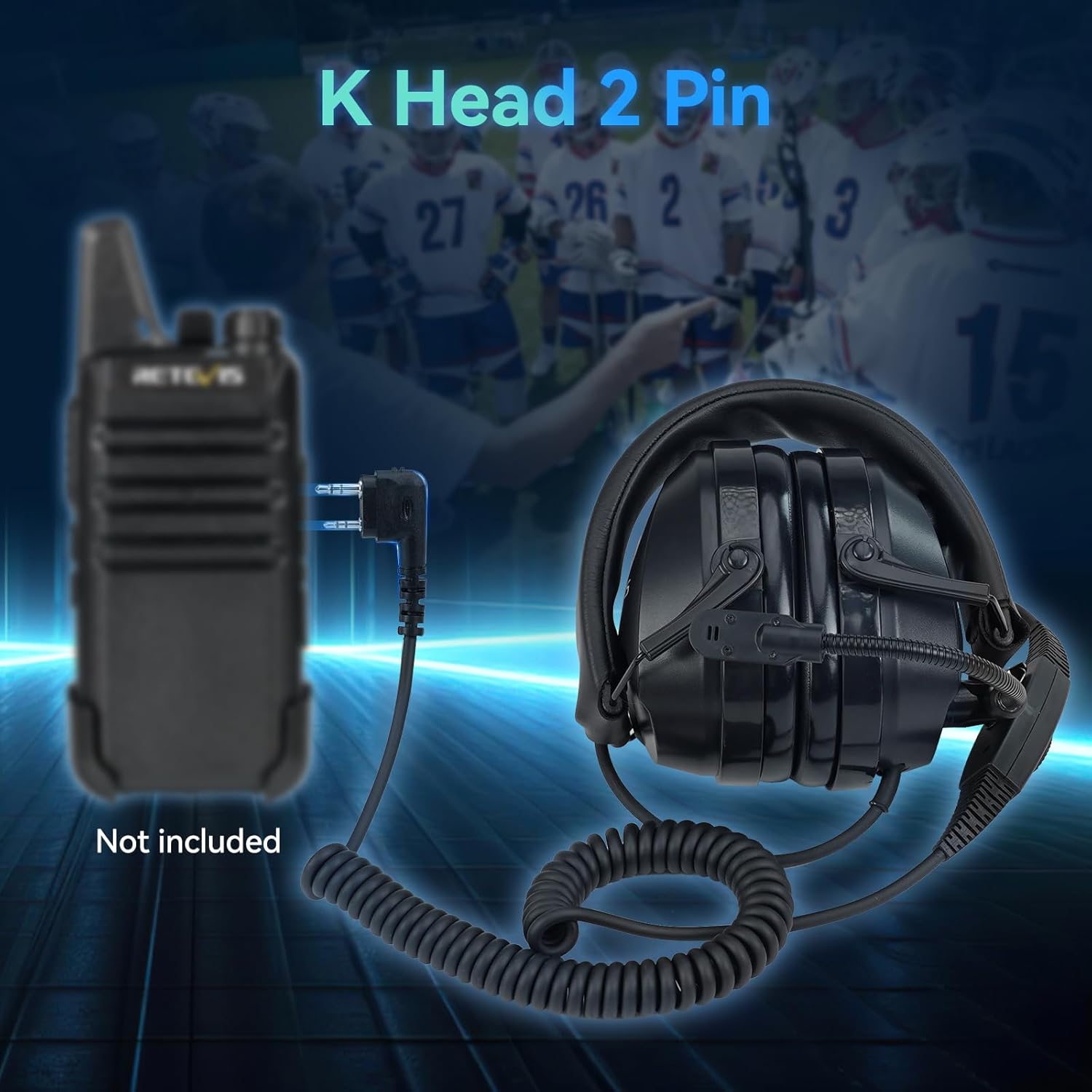
- K-Head 2 Pin Compatibility: Designed with a K-head 2-pin connector for broad compatibility with various two-way radios.
Component Identification


Setup Instructions
- Connect to Radio: Locate the K-head 2-pin connector on your Retevis EHK012 headset. Align the pins with the corresponding ports on your compatible two-way radio (e.g., Retevis RT22, Baofeng UV-5R). Gently push the connector firmly into the radio's accessory port until it is securely seated.
- Adjust Headband: Place the headset on your head. Adjust the headband by sliding the earcups up or down along the metal frame until the ear pads comfortably cover your ears and the headset feels secure without excessive pressure.
- Position Microphone: Rotate the microphone rod 260 degrees to position the microphone in front of your mouth. Adjust the flexible rod to ensure the microphone is approximately 1-2 inches from your mouth for optimal voice pickup.
Operating Instructions
- Power On/Off: The headset does not have a separate power button. It powers on automatically when connected to a powered-on two-way radio.
- Adjust Volume: Use the volume adjustment knob located on one of the earcups to increase or decrease the listening volume. Rotate clockwise to increase and counter-clockwise to decrease.
- Transmit (PTT): To transmit your voice, press and hold the Push-To-Talk (PTT) button, typically located on the cable. Speak clearly into the microphone. Release the PTT button to stop transmitting and listen for replies.
- Receiving Audio: When the PTT button is not pressed, the headset will receive incoming audio from the connected radio.
Video: Retevis Overhead Noise Reduction Walkie Talkie Headset Overview. This video demonstrates the key features and usage of the Retevis EHK012 headset, including its noise reduction, adjustable headband, rotatable microphone, and K-head 2-pin connection.
Maintenance
- Cleaning: Use a soft, damp cloth to clean the exterior of the headset and ear pads. Do not use harsh chemicals or abrasive cleaners. Ensure no moisture enters the electronic components.
- Storage: When not in use, store the headset in a cool, dry place away from direct sunlight and extreme temperatures. The foldable design allows for compact storage.
- Cable Care: Avoid sharp bends or excessive pulling on the cable to prevent damage. The coiled design provides flexibility and reduces tangling.
Troubleshooting
| Problem | Possible Cause | Solution |
|---|---|---|
| No audio from headset | Headset not properly connected; Radio volume too low; Radio not powered on. | Ensure K-head 2-pin connector is fully inserted. Increase radio volume. Verify radio is powered on. |
| Microphone not transmitting | Microphone not positioned correctly; PTT button not pressed; Radio issue. | Adjust microphone closer to mouth. Press and hold PTT button firmly. Check radio's microphone settings or functionality. |
| Uncomfortable fit | Headband or earcups not adjusted. | Adjust the headband length and earcup position until a comfortable and secure fit is achieved. |
Specifications
- Item Model Number: FC9241AX2
- Item Weight: 2.05 pounds (approximately 930 grams)
- Package Dimensions: 9.02 x 8.27 x 5.79 inches
- Connector Type: K-head 2 Pin
- Maximum Sound Threshold: 82dB
- Cable Length (Unstretched): 3.81 inches (116 cm)
- Cable Length (Stretched): 9.19 inches (280 cm)
- Date First Available: September 6, 2023
Compatibility
The Retevis EHK012 headset is compatible with two-way radios featuring a K-head 2-pin connector. This includes, but is not limited to, the following models:
- Retevis: RT22, RT21, H-777, RT68, RT22S, H777S, RB29, RT86, RB85, NR10, RT86S, RA79, RT68B
- Baofeng: UV-5R, BF-F8HP, BF 5RM
- Pxton: PX-777S
- Kenwood: Various models with K-head 2-pin connector
Warranty and Support
Specific warranty information for the Retevis EHK012 Two-Way Radio Headset is not provided within this manual. For details regarding warranty coverage, technical support, or service, please refer to the product packaging, the official Retevis website, or contact your point of purchase.


