
Introduction
This manual provides detailed instructions for the installation, operation, and maintenance of your treewell 300W Low Voltage Landscape Transformer. This transformer is designed to convert standard 120V AC household voltage to a safe 12V or 15V AC for outdoor landscape lighting systems. It features a built-in photocell sensor and a programmable timer for automated operation.

Image: The treewell 300W Low Voltage Landscape Transformer, showcasing its compact design and control panel.
Safety Information
Please read and understand all safety instructions before installing or operating this transformer. Failure to follow these instructions may result in electric shock, fire, or other hazards.
- Electrical Hazard: Always disconnect power at the circuit breaker before installing or servicing the transformer.
- Outdoor Use Only: This transformer is designed for outdoor use and must be mounted in a location protected from direct water spray.
- Proper Grounding: Ensure the transformer is properly grounded according to local electrical codes.
- Wire Gauge: Use appropriate low-voltage wire gauge for your lighting system to prevent voltage drop and overheating. Refer to the specifications for terminal capacity.
- Overload Protection: The transformer includes a circuit breaker for overload and short-circuit protection. Do not bypass or tamper with this safety feature.
- Mounting: Mount the transformer at least 1 foot (30 cm) above ground level to prevent water damage.
Package Contents
Verify that all items are present in the package:
- treewell 300W Low Voltage Landscape Transformer
- Mounting Screws
- Mounting Hole Template
- User Manual (this document)
Product Features
The treewell 300W Low Voltage Landscape Transformer offers the following key features:
- Voltage Conversion: Converts 120V AC input to 12V AC or 15V AC output, suitable for various low-voltage landscape lighting fixtures. The 15V output compensates for voltage drops over longer wire runs.
- Photocell Sensor: Built-in dusk-to-dawn sensor automatically turns lights on at sunset and off at sunrise.
- Countdown Timer: Programmable timer allows lights to turn off 1, 2, 3, 4, 5, 6, 7, 8, or 9 hours after dusk.
- Memory Function: Retains the last mode setting after a power outage, eliminating the need for re-programming.
- Durable Construction: Constructed with a 304 stainless steel housing and black waterproof coating for corrosion, heat, and rust resistance, ensuring longevity in outdoor environments.
- Safety Certified: ETL Listed, providing assurance of safety and quality standards. Includes an automatic circuit breaker for overload and short-circuit protection.
- Multi-tap Terminals: Features common, 12V, and 15V terminals, allowing for multiple lighting zones and flexible wiring configurations. Terminals accept up to 10AWG wires.
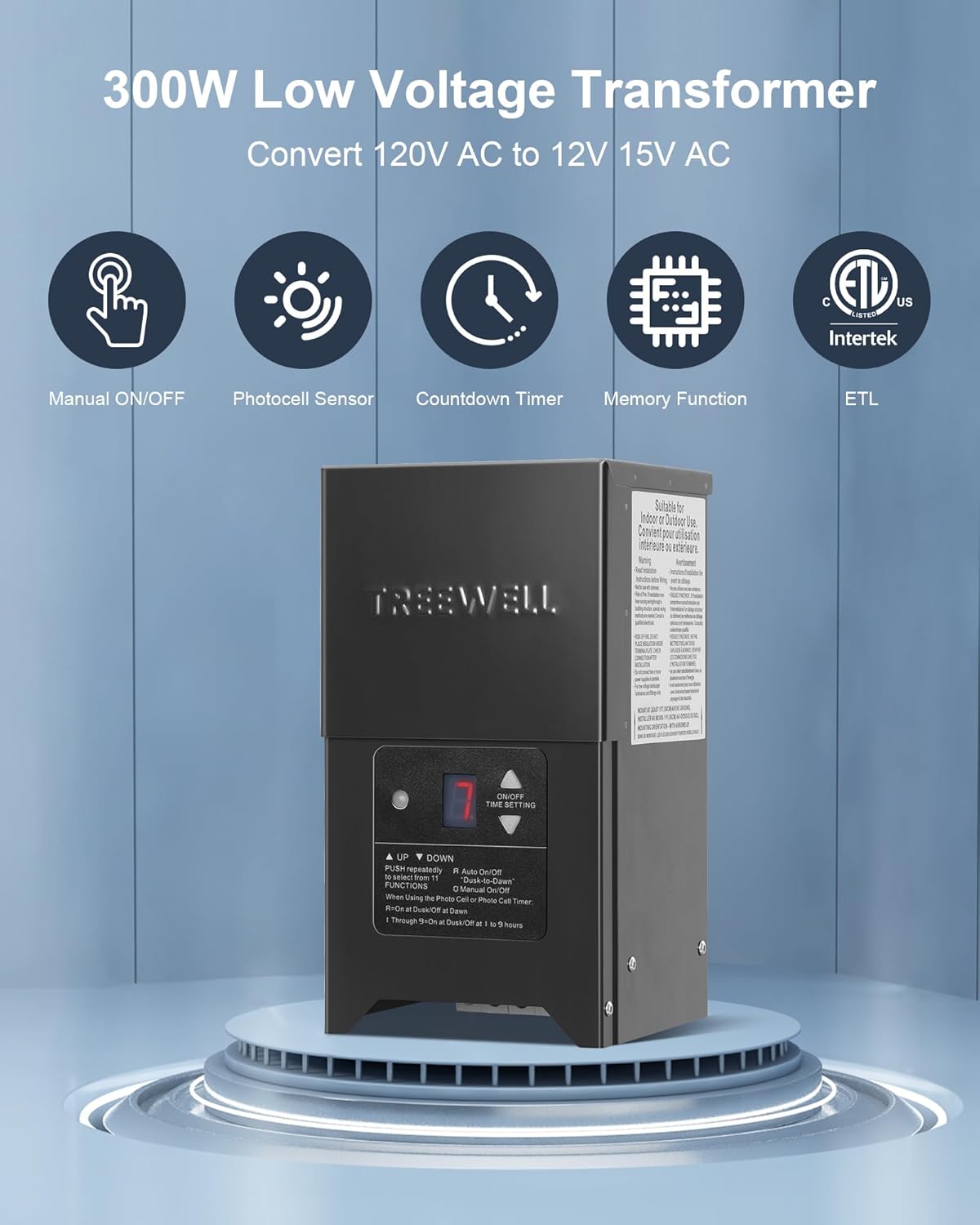
Image: Visual representation of the transformer's key features including manual control, photocell, timer, memory, and ETL certification.

Image: Diagram illustrating the robust construction of the transformer with a 304 stainless steel shell and black waterproof coating, highlighting its weather, corrosion, heat, and rust resistance.
Setup and Installation
Follow these steps for proper installation of your landscape transformer:
- Choose a Mounting Location: Select a suitable outdoor location near a 120V AC GFCI (Ground Fault Circuit Interrupter) protected outlet. The location should be protected from direct water spray and allow for proper ventilation. Mount the transformer at least 1 foot (30 cm) above ground level.
- Mount the Transformer: Use the provided mounting hole template to mark the drilling points on the wall or post. Drill pilot holes and secure the transformer using the included mounting screws.
- Connect Low-Voltage Wiring: Route your low-voltage landscape lighting cables to the transformer. Strip approximately 1/2 inch (1.27 cm) of insulation from the ends of the low-voltage wires. Insert the bare wires into the appropriate terminals (Common, 12V, or 15V) and tighten the screws securely. The terminals are compression-style and can accept up to 10AWG wires. Ensure all connections are tight to prevent arcing and ensure proper conductivity.
- Power Connection: Plug the transformer's 6ft SJTW 18AWG heavy-duty cord into a GFCI-protected 120V AC outlet.

Image: Details on mounting the transformer using the provided template and screws, along with the 6ft SJTW 18AWG heavy-duty power cord.
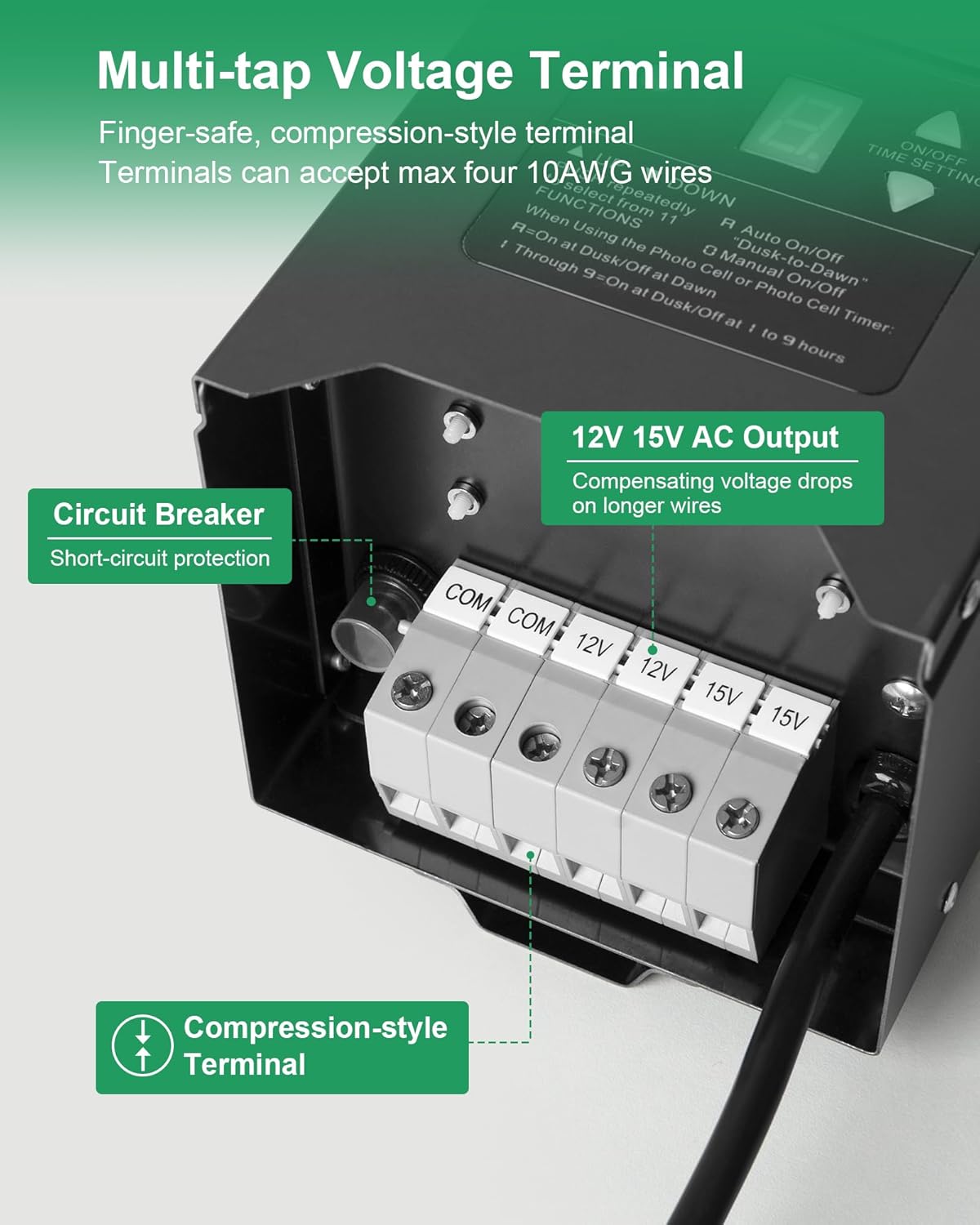
Image: Close-up view of the multi-tap voltage terminals (Common, 12V, 15V) and the integrated circuit breaker for short-circuit protection. The terminals are finger-safe and compression-style, accepting up to 10AWG wires.
Operating Instructions
The transformer features an intuitive digital display and control buttons for setting operating modes.

Image: The digital display and control buttons, showing how to select different operating modes: '0' for Always On, 'A' for Auto On/Off (Dusk-to-Dawn), and '1' through '9' for Countdown Timer.
- Power On: Once plugged in, the transformer will power on.
- Setting the Mode: Press the "▲" or "▼" button repeatedly to cycle through the available functions/modes displayed on the digital screen:
- 0 (Always On): The lights will remain on continuously.
- A (Auto On/Off - Dusk-to-Dawn): The built-in photocell sensor will automatically turn the lights on at dusk and off at dawn.
- 1 through 9 (Countdown Timer): The lights will automatically turn on at dusk and turn off after the selected number of hours (1 to 9 hours).
- OFF: The lights will remain off.
- Memory Function: The transformer is equipped with a memory function. In the event of a power interruption, the transformer will automatically resume its last selected operating mode once power is restored. No re-setting is required.

Image: An example of landscape lights automatically turning on at dusk, demonstrating the functionality of the photocell sensor.
Maintenance
To ensure optimal performance and longevity of your treewell landscape transformer, follow these maintenance guidelines:
- Regular Cleaning: Periodically wipe the exterior of the transformer with a damp cloth to remove dirt and debris. Ensure the photocell sensor is clean and unobstructed for proper dusk-to-dawn operation.
- Inspect Wiring: Annually inspect all low-voltage wiring connections for corrosion or damage. Tighten any loose connections.
- Ventilation: Ensure the area around the transformer remains clear to allow for adequate ventilation and prevent overheating.
- Avoid Harsh Chemicals: Do not use abrasive cleaners or solvents on the transformer's housing.
Troubleshooting
If you encounter issues with your transformer, refer to the following troubleshooting guide:
| Problem | Possible Cause | Solution |
|---|---|---|
| Lights do not turn on. |
|
|
| Lights stay on continuously (in AUTO or Timer mode). |
|
|
| Lights flicker or are dim. |
|
|
| Circuit breaker trips repeatedly. |
|
|
Specifications
| Specification | Detail |
|---|---|
| Model Number | TSLT03B |
| Power Rating | 300W |
| Input Voltage | 120V AC |
| Output Voltage | 12V AC / 15V AC |
| Frequency | 50-60 Hz |
| Housing Material | 304 Stainless Steel with Waterproof Coating |
| Mounting Type | Wall Mount |
| Power Cord | 6ft SJTW 18AWG Heavy Duty Cord |
| Certifications | ETL Listed |
| Dimensions (L x W x H) | 30.61 x 19.89 x 19.2 cm (approx. 12.05 x 7.83 x 7.56 inches) |
| Weight | 5.89 kg (approx. 13 lbs) |
Warranty and Support
For warranty information or technical support, please refer to the contact details provided with your purchase or visit the official treewell website. Keep your purchase receipt as proof of purchase for any warranty claims.