
TooQ TQCLKC0035-G
TooQ TQCLKC0035-G Nano Slot Security Cable User Manual
Model: TQCLKC0035-G | Brand: TooQ
1. Product Overview
The TooQ Nano Slot Security Cable with 4-Digit Combination (Model TQCLKC0035-G) is designed to provide exceptional security for electronic devices without compromising convenience. This cable is specifically created for devices equipped with 2.5x6mm NANO type security slots, offering a reliable and versatile solution to protect your laptops, monitors, TVs, and other valuable equipment in various environments.
Constructed with a heavy-duty 1.5-meter steel cable, it ensures robust resistance against theft. The cable features a durable vinyl coating to prevent damage to your devices. Its 4-digit combination lock system allows for up to 10,000 different passwords, providing a high level of security.

Figure 1: The TooQ Nano Slot Security Cable, showing the combination lock and the steel cable with its loop end.
2. Setup and Compatibility
Before using your security cable, ensure your device has a compatible security slot. This cable is designed for devices with 2.5mm x 6mm Nano-Lock slots. It is also compatible with devices featuring Kensington-style security slots. Please note, it is not valid for T-LOCK or WEDGE slots.

Figure 2: Compatibility diagram illustrating the dimensions of Nano-Lock, T-Lock, and W-Lock slots. Ensure your device's slot matches the Nano-Lock type for proper fit.
The cable comes with a default combination, typically 0000. It is highly recommended to change this combination immediately after initial setup for enhanced security.
3. Operating Instructions
3.1. Locking and Unlocking Your Device
- Set the combination dials to your current code (default is 0000).
- Insert the lock head into the security slot on your device.
- Rotate the lock head 90 degrees to secure it in place.
- Scramble the combination dials to lock the cable.
- To unlock, set the dials to your correct combination, rotate the lock head back, and pull it out of the slot.

Figure 3: The security cable properly inserted into a laptop's Kensington-style security slot, ready to be locked.
3.2. Setting or Resetting the Combination
It is crucial to set a new, memorable combination immediately after acquiring the cable. Follow these steps carefully:
- Set the lock to the open position by dialing the current combination (default is 0000).
- Locate the reset mechanism. On this model, this typically involves pinching the top of the cable where it meets the lock and pulling it down slightly.
- While holding the reset mechanism (cable pulled down), set your desired new 4-digit combination on the dials. Choose a combination that is easy for you to remember but difficult for others to guess.
- Release the reset mechanism. The new combination is now set.
- Scramble the dials to test the new combination. Ensure it unlocks only with your new code.

Figure 4: The product packaging often contains visual instructions for setting the combination. Refer to this diagram for precise details on locating and operating the reset mechanism.
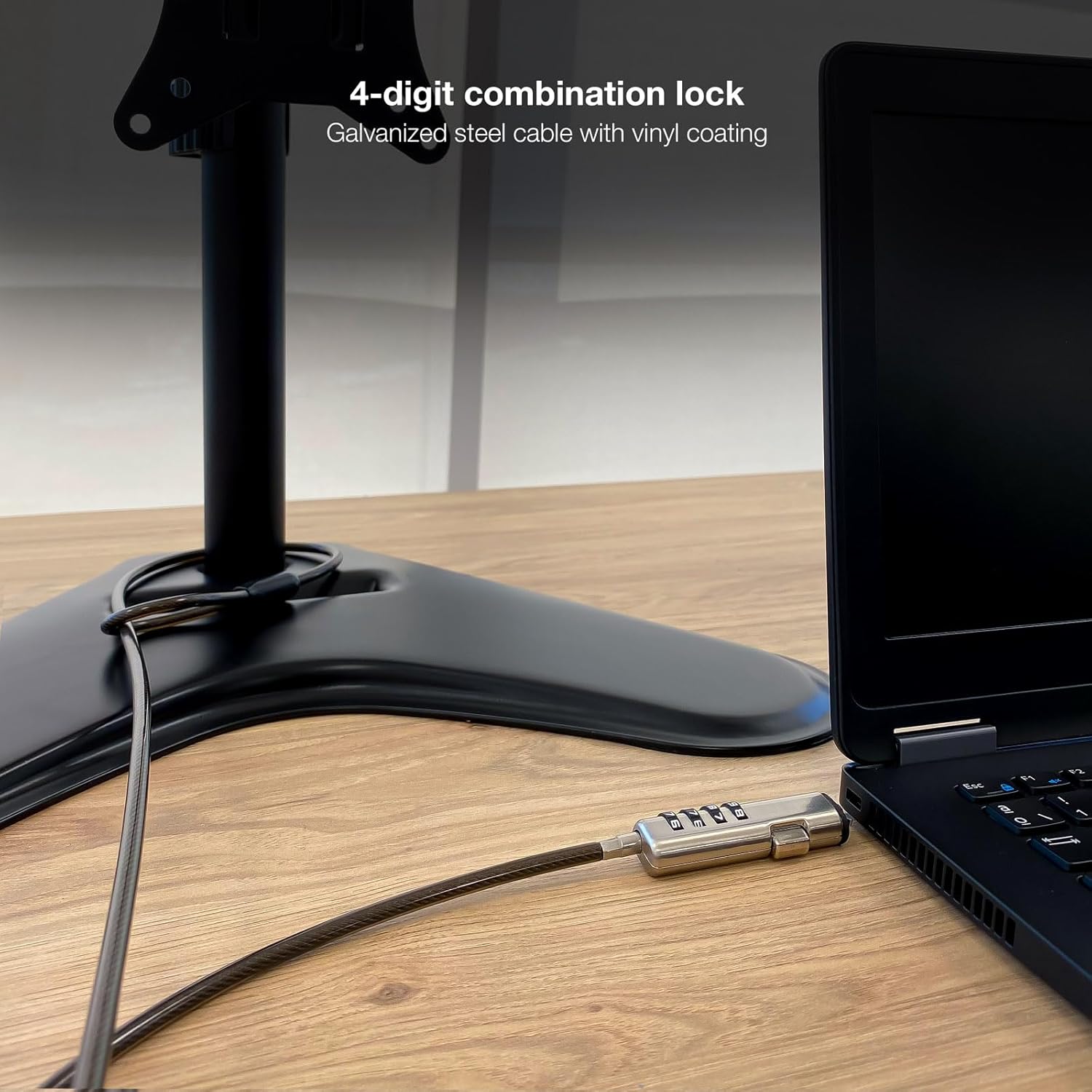
Figure 5: The security cable in use, demonstrating how it can secure a laptop to a fixed object, providing physical theft deterrence.
4. Maintenance
- Keep the combination dials clean and free from dust or debris. Use a soft, dry cloth for cleaning.
- Avoid exposing the lock mechanism to excessive moisture or extreme temperatures, which can affect its functionality.
- Do not apply excessive force when inserting or removing the lock head from the security slot.
- Regularly check the cable for any signs of wear or damage. If the cable or lock mechanism appears compromised, replace the unit.
5. Troubleshooting
5.1. Lock Not Engaging or Disengaging
- Incorrect Combination: Ensure the correct 4-digit combination is precisely aligned on the dials.
- Improper Insertion: Verify that the lock head is fully inserted into the security slot and rotated correctly (90 degrees) to engage.
- Slot Compatibility: Double-check that your device has a Nano-Lock (2.5x6mm) or compatible Kensington-style slot. This cable is not compatible with T-Lock or Wedge slots.
- Debris in Slot: Inspect the device's security slot for any obstructions that might prevent proper insertion.
5.2. Cannot Remember Combination
Unfortunately, if you have forgotten your combination and did not record it, there is no master key or backdoor to reset the lock without knowing the current code. The only way to regain access is to try all 10,000 possible combinations (0000-9999), which is time-consuming. It is highly recommended to store your combination in a secure, memorable location.
6. Specifications
| Feature | Detail |
|---|---|
| Model Number | TQCLKC0035-G |
| Brand | TooQ |
| Cable Length | 1.5 meters (approx. 59.06 inches) |
| Cable Diameter | 4.5 mm |
| Lock Type | 4-Digit Combination Lock |
| Material | Galvanized Steel Cable with Vinyl Coating |
| Compatibility | Devices with 2.5x6mm Nano-Lock slots, Kensington-style slots (Not T-Lock or Wedge) |
| Item Weight | 3.98 ounces |
| Product Dimensions (Packaging) | 59.06 x 0.71 x 0.39 inches |
| First Available Date | September 6, 2023 |
Note: Product specifications are subject to change without prior notice.
7. Warranty Information
TooQ products are manufactured to high-quality standards. This product comes with a standard manufacturer's warranty against defects in materials and workmanship. The specific terms and duration of the warranty may vary by region and retailer. Please retain your proof of purchase for warranty claims.
For detailed warranty information, please refer to the documentation provided with your purchase or visit the official TooQ website.
8. Customer Support
If you encounter any issues or have questions regarding your TooQ TQCLKC0035-G Nano Slot Security Cable that are not covered in this manual, please contact TooQ customer support. You can typically find contact information on the TooQ official website or through your product retailer.
When contacting support, please be prepared to provide your product model number (TQCLKC0035-G) and a detailed description of the issue.
Related documentsTQCLKC0035-G


Ask a question about this manual
Ask about setup, troubleshooting, compatibility, parts, safety, or missing instructions. Manuals+ will review the question and use this page’s manual context to help answer it.