
1. Introduction
This manual provides essential information for the safe and efficient operation, maintenance, and care of your Veleco SHARPY mobility scooter. Please read this manual thoroughly before using the scooter to ensure proper understanding of its features and functions. Retain this manual for future reference.
Product Overview
The Veleco SHARPY is a robust and user-friendly mobility scooter designed for comfortable and secure personal transportation. It features a powerful 750W motor, a rotating captain's seat with adjustable backrest and headrest, and intuitive controls. Key design elements prioritize stability, ease of use, and safety.

Figure 1: Front-side view of the Veleco SHARPY Mobility Scooter in blue.
Safety Information
- WARNING: A mobility scooter is not designed to carry passengers in other vehicles.
- CAUTION: The drive system should be re-engaged before an occupant is left unattended or attempts to operate the mobility scooter.
- Always wear the safety belt provided.
- Ensure the scooter is stable before mounting or dismounting.
- Do not operate the scooter under the influence of alcohol or medication that impairs judgment.
- Adhere to all local traffic laws and regulations.
2. Setup
The Veleco SHARPY mobility scooter is delivered fully assembled and ready for immediate use. However, a few initial checks and adjustments are recommended before your first ride.
Initial Checks
- Battery Charge: Ensure the battery is fully charged before initial use. Refer to the charging instructions in the Maintenance section.
- Seat Adjustment: Adjust the rotating captain's seat, backrest, and armrests to your preferred driving position for optimal comfort and control. The seat can be rotated for easier mounting and dismounting.
- Handlebar Adjustment: Adjust the handlebar position for comfortable reach and steering.
- Tire Pressure: Verify that all tires are adequately inflated according to the recommended pressure (if applicable, check scooter for label).
- Safety Belt: Familiarize yourself with the safety belt mechanism.
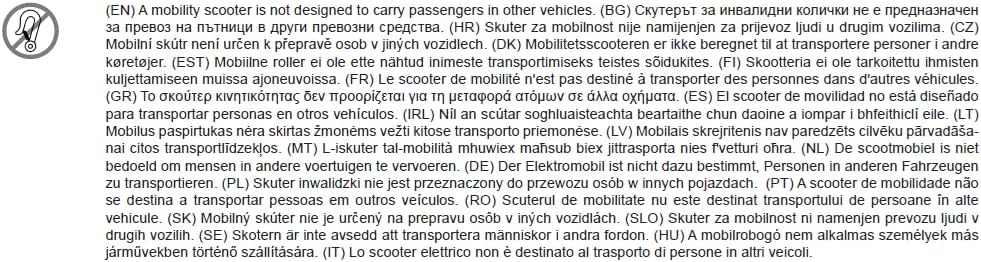
Figure 2: Side view highlighting the adjustable captain's seat and armrests.
3. Operating Instructions
The Veleco SHARPY is designed for intuitive operation. Follow these steps for a safe and enjoyable ride.
Starting the Scooter
- Power On: Insert the key into the ignition and turn it to the 'ON' position. The digital display will illuminate.
- Seat Belt: Fasten your safety belt securely.
- Drive System: Ensure the drive system is engaged. If disengaged (e.g., for manual pushing), re-engage it before attempting to drive.
Driving Controls
- Rocker Lever: The scooter is controlled using a rocker lever on the handlebars. Push the lever forward to accelerate and backward to decelerate or reverse. This can be operated with either the left or right hand.
- Steering: Use the handlebars to steer the scooter.
- Braking: Releasing the rocker lever will engage the electromagnetic brake, bringing the scooter to a smooth stop.
- Lights: Use the designated switch on the handlebars to turn on the LED headlights and vehicle lighting for improved visibility.
- Mirrors: Adjust the rearview mirrors for optimal rear visibility.

Figure 3: Close-up of the handlebars, digital display, and rocker lever controls.
Parking and Power Off
- Bring the scooter to a complete stop.
- Turn the key to the 'OFF' position and remove it.
- Engage the parking brake if available (refer to scooter specific features).
4. Maintenance
Regular maintenance ensures the longevity and optimal performance of your Veleco SHARPY mobility scooter.
Battery Care
- Charging: Charge the battery fully after each use, or at least once a week if not used frequently. Use only the charger provided by Veleco.
- Storage: If storing the scooter for an extended period, ensure the battery is fully charged and disconnect it if possible. Store in a cool, dry place.
- Avoid completely draining the battery, as this can reduce its lifespan.
Cleaning
- Clean the scooter regularly with a damp cloth and mild detergent. Avoid using abrasive cleaners or high-pressure water jets.
- Ensure all electrical components remain dry during cleaning.
General Checks
- Periodically check all nuts, bolts, and fasteners for tightness.
- Inspect tires for wear and proper inflation.
- Ensure all lights and indicators are functioning correctly.
5. Troubleshooting
This section addresses common issues you might encounter with your Veleco SHARPY mobility scooter.
- Scooter does not power on:
- Check if the key is fully inserted and turned to the 'ON' position.
- Ensure the battery is charged.
- Verify all electrical connections are secure.
- Scooter moves slowly or lacks power:
- The battery may be low; recharge it fully.
- Check for any obstructions around the wheels or motor.
- Unusual noises during operation:
- Stop the scooter immediately and inspect for loose parts or foreign objects.
- If the noise persists, contact customer support.
For issues not covered here, or if troubleshooting steps do not resolve the problem, please contact Veleco customer support.
6. Specifications
Below are the technical specifications for the Veleco SHARPY mobility scooter.
| Feature | Specification |
|---|---|
| Brand | VELECO |
| Model Name | VELECO SHARPY |
| Motor Power | 750 W |
| Maximum Speed | 8 Miles per hour |
| Maximum Weight Recommendation | 160 Kilograms |
| Item Weight | 135 Kilograms |
| Product Dimensions (L x W x H) | 57.1 x 27.6 x 58.3 cm |
| Material | Aluminium |
| Brake Style | Electromagnetic |
| Color Options | Black, Blue, Red, White |
7. Warranty and Support
As an official distributor of Veleco products, Velobike is committed to providing exceptional service and support for your SHARPY mobility scooter.
- Customer Service: For any questions, technical assistance, or warranty claims, please contact Velobike customer service.
- Online Support: Visit the official Veleco brand store on Amazon for additional resources and product information: Veleco Brand Store.

Figure 4: Velobike, official distributor of Veleco products.


