
Tribit BTS12
Tribit StormBox Micro 2 Portable Bluetooth Speaker User Manual
Model: BTS12
1. Product Overview
The Tribit StormBox Micro 2 is a compact and powerful portable Bluetooth speaker designed for robust outdoor and indoor use. It features advanced Bluetooth 5.3 connectivity, XBass technology for enhanced low frequencies, and an IP67 waterproof and dustproof rating. Its built-in strap allows for versatile attachment to various objects, making it an ideal companion for activities like biking, hiking, and camping. The speaker also offers an impressive 12 hours of playtime and a convenient reverse charging function.

2. What's in the Box
- Tribit StormBox Micro 2 Portable Bluetooth Speaker
- USB-C Charging Cable (not explicitly listed but standard for charging)
- 3.5mm audio cable
- Built-in strap
- User Manual (this document)
3. Setup
3.1 Initial Charging
Before first use, fully charge your StormBox Micro 2 speaker. Connect the speaker to a power source using a compatible USB-C cable. The LED indicators will show charging progress and battery level. A full charge provides up to 12 hours of playtime.

3.2 Bluetooth Pairing
- Power on the speaker by pressing and holding the power button until the LED indicator flashes blue.
- On your device (smartphone, tablet, etc.), enable Bluetooth and search for available devices.
- Select "Tribit StormBox Micro 2" from the list.
- Once connected, the LED indicator will turn solid blue, and you will hear an audible confirmation.
3.3 TWS (True Wireless Stereo) Pairing
For an immersive stereo sound experience, you can pair two StormBox Micro 2 speakers together.
- Ensure both StormBox Micro 2 speakers are powered on and not connected to any other Bluetooth device.
- On one speaker, press and hold the Bluetooth button for 3 seconds until you hear a prompt.
- The two speakers will automatically search for and connect to each other. Once connected, the LED indicators on both speakers will turn solid blue.
- Now, connect your device to one of the speakers via Bluetooth as described in Section 3.2. Both speakers will play audio in stereo mode.

4. Operating Instructions
4.1 Basic Controls
- Power Button: Press and hold to power on/off.
- Volume Up (+): Press to increase volume.
- Volume Down (-): Press to decrease volume.
- Multi-function Button (O):
- Press once to Play/Pause music.
- Press twice to skip to the next track.
- Press three times to go to the previous track.
- Press once to answer/end a call.
- Press and hold to reject a call.
- Bluetooth Button: Press and hold to enter pairing mode or initiate TWS pairing.
4.2 XBass Technology
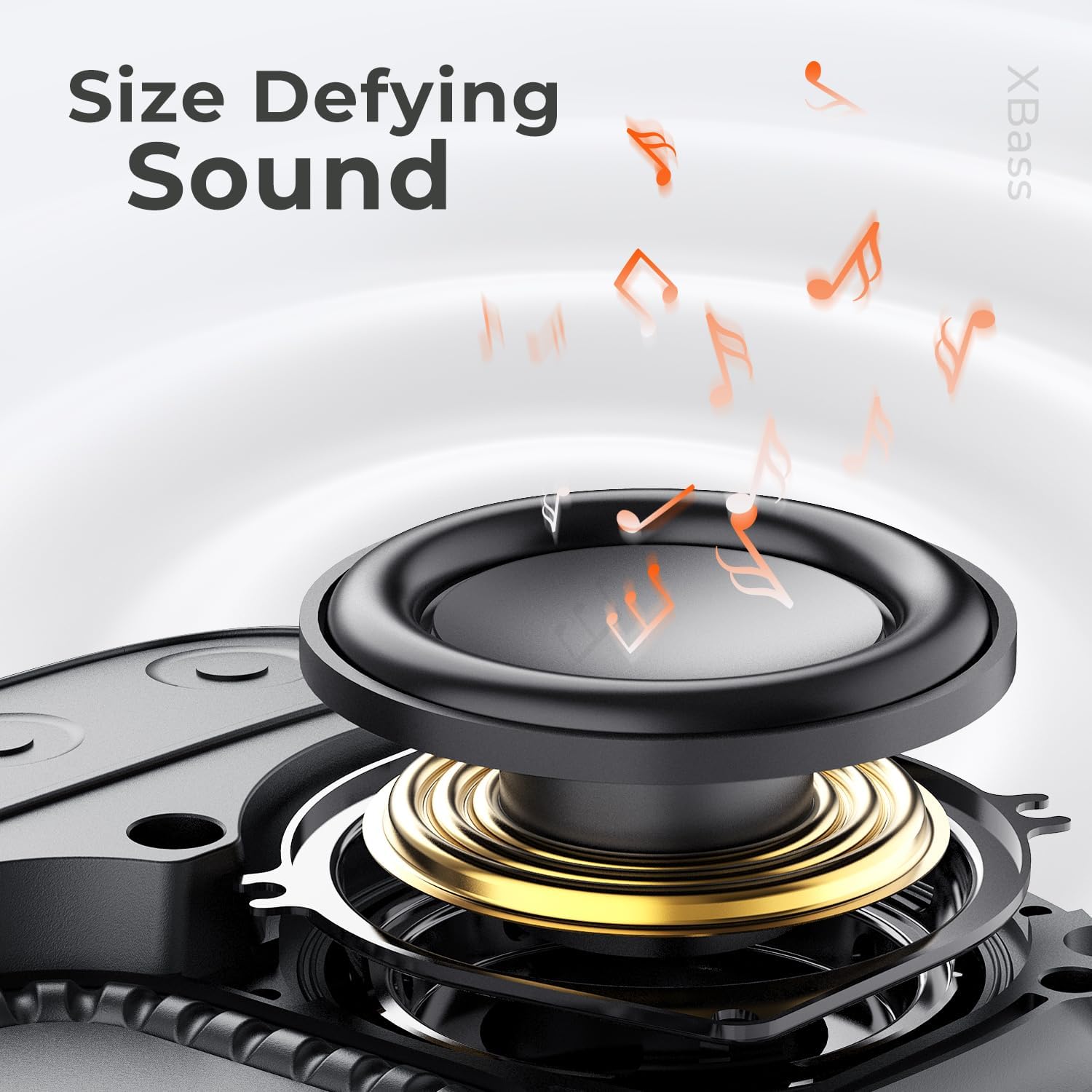
The StormBox Micro 2 features XBass technology, which enhances the bass output for a richer, deeper sound experience. This is automatically active and contributes to the speaker's powerful audio despite its compact size.
4.3 Reverse Charging Function
The StormBox Micro 2 can act as a power bank to charge other devices. Simply connect your device to the speaker's USB-C port using a compatible cable. The speaker will begin charging your device.

4.4 Built-in Strap
The integrated strap allows for easy attachment of the speaker to various items such as backpacks, bicycle handlebars, or tree branches, enhancing its portability and usability during outdoor activities.

5. Maintenance
5.1 Cleaning
Due to its IP67 waterproof and dustproof rating, the StormBox Micro 2 can be rinsed with water if it gets dirty. For general cleaning, wipe the speaker with a soft, damp cloth. Do not use harsh chemicals or abrasive cleaners.
5.2 Storage
When not in use for extended periods, store the speaker in a cool, dry place away from direct sunlight and extreme temperatures. It is recommended to charge the battery to about 50% before long-term storage to preserve battery health.
5.3 Battery Care
To maximize battery lifespan, avoid fully discharging the speaker frequently. Recharge the speaker when the battery level is low. Using the speaker in extremely hot or cold conditions can affect battery performance and longevity.
6. Troubleshooting
- Speaker does not power on: Ensure the battery is charged. Connect the speaker to a power source and try again.
- No sound: Check the volume level on both the speaker and your connected device. Ensure the speaker is properly paired via Bluetooth. If using TWS, ensure both speakers are correctly paired to each other and then to your device.
- Bluetooth pairing issues: Make sure the speaker is in pairing mode (flashing blue LED). Turn off Bluetooth on your device and turn it back on. Forget the speaker from your device's Bluetooth list and try pairing again. Move the speaker closer to your device and away from other electronic interference.
- Poor sound quality: Ensure your device is within the Bluetooth range (up to 150 ft). Move away from obstacles or sources of interference. Try playing audio from a different source or device.
- Speaker not charging: Ensure the USB-C cable is securely connected to both the speaker and the power source. Try a different USB-C cable or power adapter.
7. Specifications
| Feature | Detail |
|---|---|
| Model Name | StormBox Micro 2 |
| Model Number | BTS12 |
| Dimensions (D x W x H) | 4.1" x 3.9" x 1.6" |
| Weight | 9.6 ounces |
| Battery Life | Up to 12 Hours |
| Bluetooth Version | 5.3 |
| Water Resistance | IP67 (Waterproof & Dustproof) |
| Speaker Output Power | 10 Watts |
| Audio Driver Size | 49 mm |
| Connectivity Technology | Bluetooth |
| Special Features | XBass, Built-in Microphone, Built-in Strap, Reverse Charging |

8. Warranty and Support
8.1 Warranty Information
The Tribit StormBox Micro 2 comes with a limited warranty. Please refer to the warranty card included with your product or visit the official Tribit website for detailed warranty terms and conditions.
8.2 Customer Support
For any questions, technical assistance, or support inquiries regarding your Tribit StormBox Micro 2 speaker, please contact Tribit customer service. Contact information can typically be found on the official Tribit website or on the product packaging.
Related documentsBTS12


Ask a question about this manual
Ask about setup, troubleshooting, compatibility, parts, safety, or missing instructions. Manuals+ will review the question and use this page’s manual context to help answer it.