
Introduction
Welcome to your TOZO T6 Wireless Earbuds. This manual provides detailed instructions for the proper use, setup, and maintenance of your earbuds to ensure optimal performance and longevity. Please read this manual thoroughly before using the product.
What's in the Box
- TOZO T6 Wireless Earbuds (Left and Right)
- Wireless Charging Case
- Multiple Sizes of Eartips
- USB Charging Cable (USB-A to Micro USB)
- User Manual
Product Overview
Familiarize yourself with the components of your TOZO T6 Wireless Earbuds.

Image: The TOZO T6 Wireless Earbuds in their open charging case, showcasing the earbuds and the case's LED indicators.

Image: An exploded diagram illustrating the internal components of a TOZO T6 earbud, highlighting the speaker driver and Bluetooth 5.3 chip.
Setup
1. Charging the Earbuds and Case
Before first use, fully charge the charging case and earbuds.
- Wired Charging: Connect the provided USB charging cable to the Micro USB port on the charging case and a USB power source. The LED indicators on the case will show charging status.
- Wireless Charging: Place the charging case on a compatible wireless charging pad. The LED indicators will illuminate to confirm charging.
- The earbuds charge automatically when placed inside the charging case.

Image: Depicts the TOZO T6 charging case being charged both wirelessly on a charging pad and via a USB-C cable.
2. Bluetooth Pairing
- Open the charging case, and the earbuds will automatically enter pairing mode.
- On your device (smartphone, tablet, etc.), enable Bluetooth.
- Search for "TOZO T6" in the list of available Bluetooth devices and select it to connect.
- Once connected, you will hear a confirmation tone, and the earbuds will be ready for use.
Note: If pairing fails, place the earbuds back into the case, close the lid, and repeat the steps. For single earbud use, simply take one earbud out of the case and connect as usual.
Image: A smartphone screen showing the Bluetooth settings with "TOZO T6" listed as an available device for connection.
3. Proper Fit
For optimal sound quality and comfort, ensure a proper fit.
- Choose the eartips that best fit your ear canals. Experiment with different sizes for the best seal.
- Insert the earbuds into your ears and gently twist them until they feel secure and comfortable.
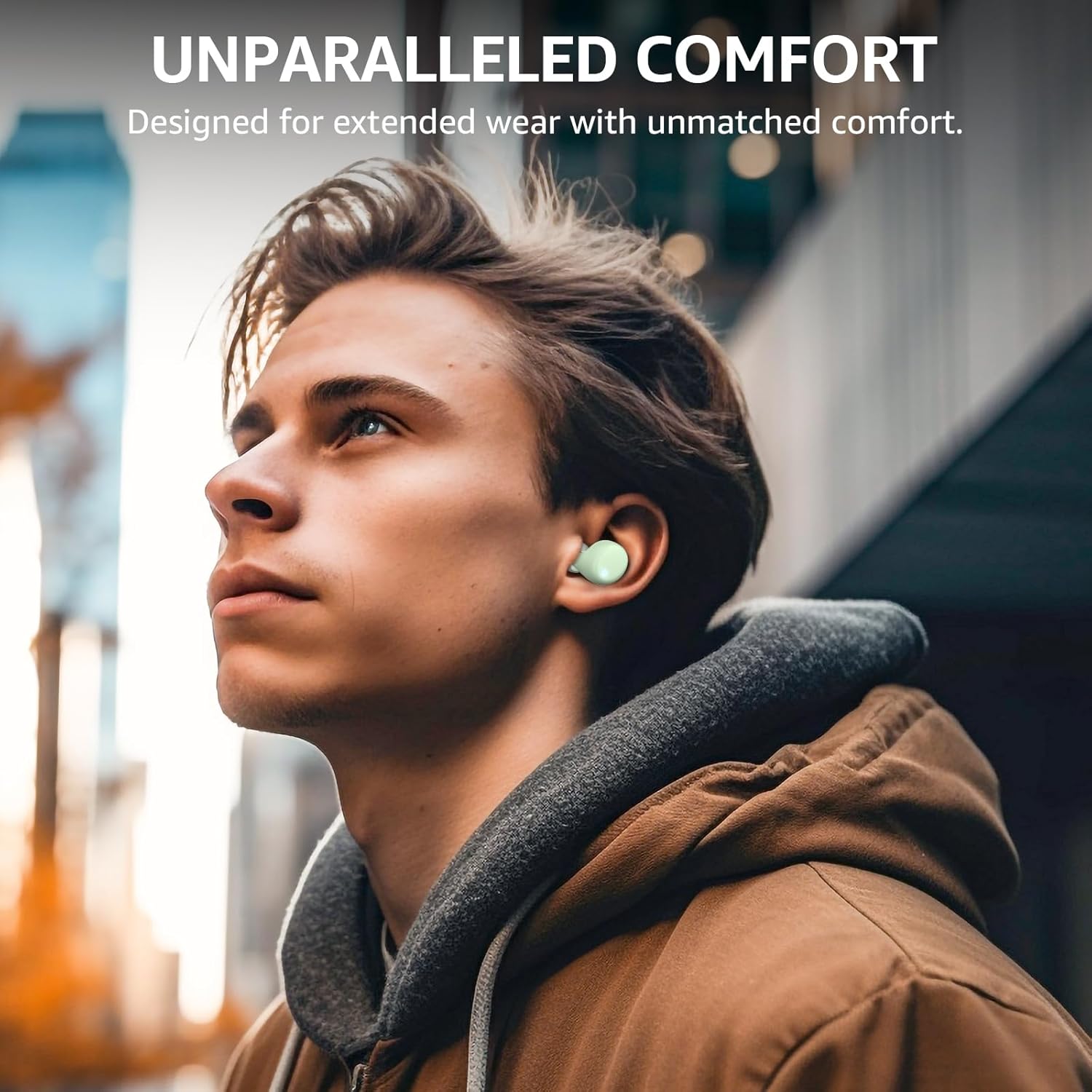
Image: A person wearing the TOZO T6 earbuds, demonstrating a comfortable and secure fit in the ear.
Operating Instructions
Touch Controls
The TOZO T6 earbuds feature intuitive touch controls. The following table outlines the common functions:
| Action | Left Earbud | Right Earbud |
|---|---|---|
| Play/Pause | Single Tap | Single Tap |
| Next Track | Double Tap | Double Tap |
| Previous Track | Triple Tap | Triple Tap |
| Volume Up | Press and Hold | N/A |
| Volume Down | N/A | Press and Hold |
| Answer/End Call | Single Tap | Single Tap |
| Reject Call | Press and Hold | Press and Hold |
| Activate Voice Assistant | Quadruple Tap | Quadruple Tap |
TOZO App Compatibility
Enhance your listening experience by downloading the TOZO App. The app allows for:
- Customizable Equalizer (EQ) settings with 32 preset modes.
- Access to over 100 white noise tracks.
- Firmware updates for your earbuds.
- Battery level information for each earbud.
- Customization of touch controls.

Image: Screenshots of the TOZO App interface showing options for EQ customization and white noise selection, with the earbuds and case in the foreground.
Maintenance
- Cleaning: Regularly clean the earbuds and charging case with a soft, dry cloth. Avoid using harsh chemicals or abrasive materials.
- Eartips: Remove eartips periodically and clean them with water and mild soap. Ensure they are completely dry before reattaching.
- Storage: When not in use, store the earbuds in their charging case to protect them and keep them charged.
- Water Resistance: The earbuds are IPX8 waterproof, meaning they can withstand immersion in water under specific conditions. However, the charging case is not waterproof. Ensure earbuds are dry before placing them back in the case.

Image: TOZO T6 earbuds submerged in water, illustrating their IPX8 waterproof capability.
Troubleshooting
If you encounter issues with your TOZO T6 earbuds, refer to the following common solutions:
- Earbuds not pairing:
- Ensure both earbuds are fully charged.
- Place both earbuds back into the charging case, close the lid, wait a few seconds, then open the lid and try pairing again.
- Forget "TOZO T6" from your device's Bluetooth settings and re-pair.
- Only one earbud working:
- Ensure both earbuds are charged.
- Try resetting the earbuds (refer to the full user manual for specific reset instructions if needed).
- Place both earbuds in the case, close, then open.
- Low volume or poor sound quality:
- Adjust the volume on both your device and the earbuds.
- Ensure the eartips provide a good seal in your ear canal. Try different eartip sizes.
- Clean any debris from the earbud nozzles.
- Charging issues:
- Check the charging cable and power adapter for damage.
- Ensure the charging case is properly placed on the wireless charging pad.
- Clean the charging contacts on both the earbuds and inside the case.
Specifications
| Feature | Detail |
|---|---|
| Model | T6 |
| Bluetooth Version | 5.3 |
| Bluetooth Range | Up to 20 meters (66 feet) |
| Playtime (Single Charge) | Up to 10 hours |
| Total Playtime (with Charging Case) | Up to 50 hours |
| Charging Time (Case) | Approx. 55 minutes (wired), under 2 hours (wireless) |
| Water Resistance Rating | IPX8 (Earbuds only) |
| Frequency Response | 18 Hz - 20,000 Hz |
| Sensitivity | 120 dB |
| Impedance | 16 Ohm |
| Audio Driver Size | 6 mm |
| Control Type | Touch Control, TOZO App |
| Material | Acrylonitrile Butadiene Styrene (ABS), Polycarbonate (PC) |
Warranty and Support
TOZO products come with a standard warranty. For detailed warranty information, product support, or technical assistance, please visit the official TOZO website or contact their customer service. Keep your purchase receipt for warranty claims.
Official TOZO Website: www.tozostore.com