
iWALK DBL4500NC
iWALK DBL4500NC Portable Charger Instruction Manual
Model: DBL4500NC
Introduction
Thank you for choosing the iWALK DBL4500NC Portable Charger. This compact and efficient power bank is designed to provide fast charging for your USB-C compatible devices, including the latest iPhone models and various Android smartphones. This manual will guide you through the setup, operation, and maintenance of your new portable charger.
Product Features
- 20W Fast Charging: Delivers 20W power output, capable of charging an iPhone 15 Pro from 0% to 50% in approximately 30 minutes.
- Compact and Lightweight Design: Designed to be ultra-compact, similar in size to a lipstick, making it easy to carry in a pocket or purse for convenient on-the-go charging.
- Built-in USB-C Connector: Features a direct plug-in USB-C port, eliminating the need for extra cables when charging compatible devices.
- Wide Compatibility: Compatible with iPhone 15, iPhone 16, iPhone 17 series (including Plus, Pro, Pro Max models), iPad, AirPods, and Android phones such as Samsung Galaxy S22/S23/S24/S25 series, Pixel, OnePlus, and Huawei devices.
- 4,500mAh Capacity: Provides sufficient power to charge an iPhone 15.
- Safety Features: Incorporates a self-developed safe circuit design to minimize heat generation and ensure a secure charging experience.
- LED Indicator Lights: Displays the remaining battery level of the power bank.

Image: The iWALK portable charger demonstrating its 20W fast charging, capable of charging an iPhone 16 Pro to 50% in 30 minutes.

Image: The iWALK portable charger shown next to a lipstick, illustrating its compact and lightweight design for easy portability.
Package Contents
- 1x iWALK 4,500 mAh Power Bank
- 1x USB-C to USB-C Cable
- 1x User Manual
Setup
- Initial Charge: Before first use, fully charge your iWALK Portable Charger using the provided USB-C to USB-C cable. Connect one end of the cable to the power bank's USB-C input port and the other end to a compatible USB-C power adapter (not included).
- Check Battery Level: Press the power button on the side of the power bank to check the current battery level via the LED indicator lights.
Operating Instructions
Charging the Power Bank
To recharge your iWALK Portable Charger:
- Locate the USB-C input port on the side of the power bank.
- Connect the provided USB-C to USB-C cable to this port.
- Plug the other end of the cable into a USB-C power adapter (e.g., your phone's charger or a wall adapter).
- The LED indicator lights will illuminate to show the charging progress. Once all lights are solid, the power bank is fully charged.

Image: A close-up view of the iWALK portable charger, highlighting the USB-C input port used for recharging the device.
Charging Your Device
To charge your smartphone or other compatible device:
- Remove the protective cap from the built-in USB-C connector on the power bank.
- Carefully insert the built-in USB-C connector directly into your device's USB-C charging port.
- The power bank will automatically begin charging your device. The LED indicator lights will show the power bank's remaining charge.
- Once your device is charged, or when you wish to stop charging, gently pull the power bank out of your device's port and replace the protective cap.

Image: The iWALK portable charger directly connected to the charging port of a smartphone, illustrating its cable-free design for device charging.

Image: A woman holding a smartphone with the iWALK portable charger attached, demonstrating how the device can be used comfortably while charging.
LED Indicator Lights
The LED lights on the power bank indicate its remaining battery capacity:
- Three Solid Lights: 67% - 100% charged
- Two Solid Lights: 34% - 66% charged
- One Solid Light: 1% - 33% charged
- Flashing Lights: Indicates the power bank is currently charging.
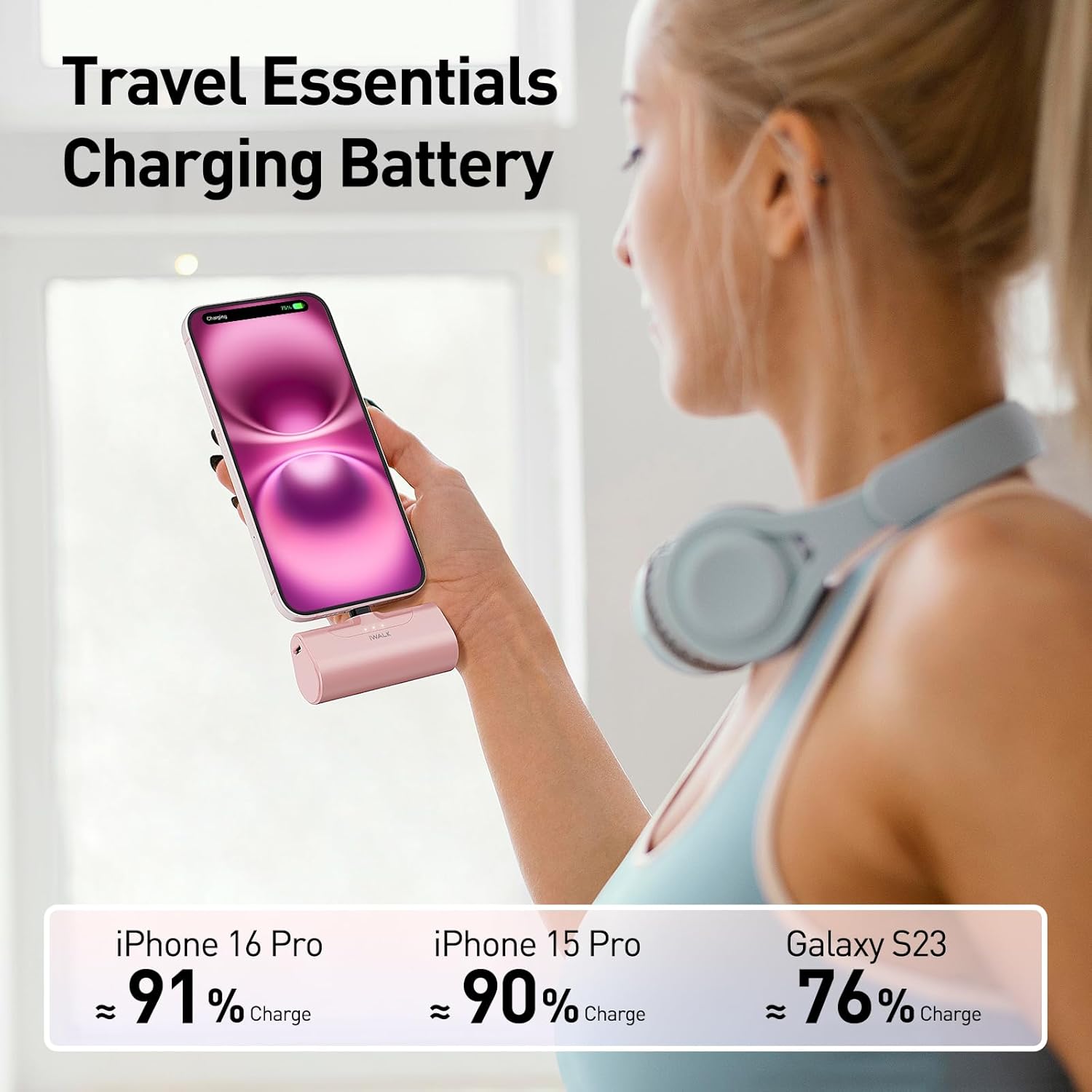
Image: The iWALK portable charger with three illuminated LED lights, indicating a high battery charge level.
Maintenance
- Keep the power bank dry and away from moisture.
- Avoid extreme temperatures.
- Clean the device with a soft, dry cloth. Do not use harsh chemicals or abrasive materials.
- Store the power bank with a partial charge (around 50%) if not used for extended periods to prolong battery life.
Troubleshooting
- Device not charging:
- Ensure the power bank is sufficiently charged. Check LED indicators.
- Verify the USB-C connector is fully and correctly inserted into your device.
- Confirm your device is compatible with a USB-C charging port.
- Power bank not recharging:
- Check if the USB-C to USB-C cable is securely connected to both the power bank and the power adapter.
- Try a different USB-C power adapter or wall outlet.
- Slow charging:
- Ensure your power adapter supports 20W fast charging for optimal speed when recharging the power bank.
- For device charging, ensure your device supports 20W fast charging.
Specifications
| Model Number | DBL4500NC |
| Battery Capacity | 4500 Milliamp Hours (mAh) |
| Output Power | 20W Fast Charging |
| Connector Type | USB Type C (Built-in) |
| Recharge Input | 18W USB-C (via included cable) |
| Product Dimensions | 1 x 1 x 1 inches (Approximate) |
| Item Weight | 6.4 ounces |
| Special Features | Fast Charging, LED Indicator Lights, Lightweight, Pocket Size, Short Circuit Protection |

Image: A visual guide detailing the broad compatibility of the iWALK portable charger with various USB-C enabled devices, including iPhone 15/16/17 series, Samsung, Motorola, Google Pixel, and iPad models.
Official Product Video
Video: An official iWALK video showcasing the iPhone 15 Portable Charger, demonstrating its features and ease of use.
Warranty and Support
iWALK provides an 18-Month After-sales service for this product. For any inquiries or support, please follow these steps:
- Visit the product's page on Amazon.
- Click on the "iWALK Direct" seller name (usually found near the "Add to Cart" button).
- On the seller's page, locate and click the "Ask a question" button.
- Describe your issue and provide your order number for faster assistance.
The iWALK service team aims to respond within 24 hours to provide a solution.
Related documentsDBL4500NC


Ask a question about this manual
Ask about setup, troubleshooting, compatibility, parts, safety, or missing instructions. Manuals+ will review the question and use this page’s manual context to help answer it.