
1. Introduction
Thank you for choosing the Peiyuu Portable Handheld Fan M36. This versatile device offers multiple functionalities, serving as a handheld fan, a desk fan, and a neck fan. It features 6 adjustable wind speeds, a 4000mAh rechargeable battery, an LCD digital display, and a power bank function for charging other devices. This manual provides essential information for safe and efficient use of your fan.
2. Package Contents
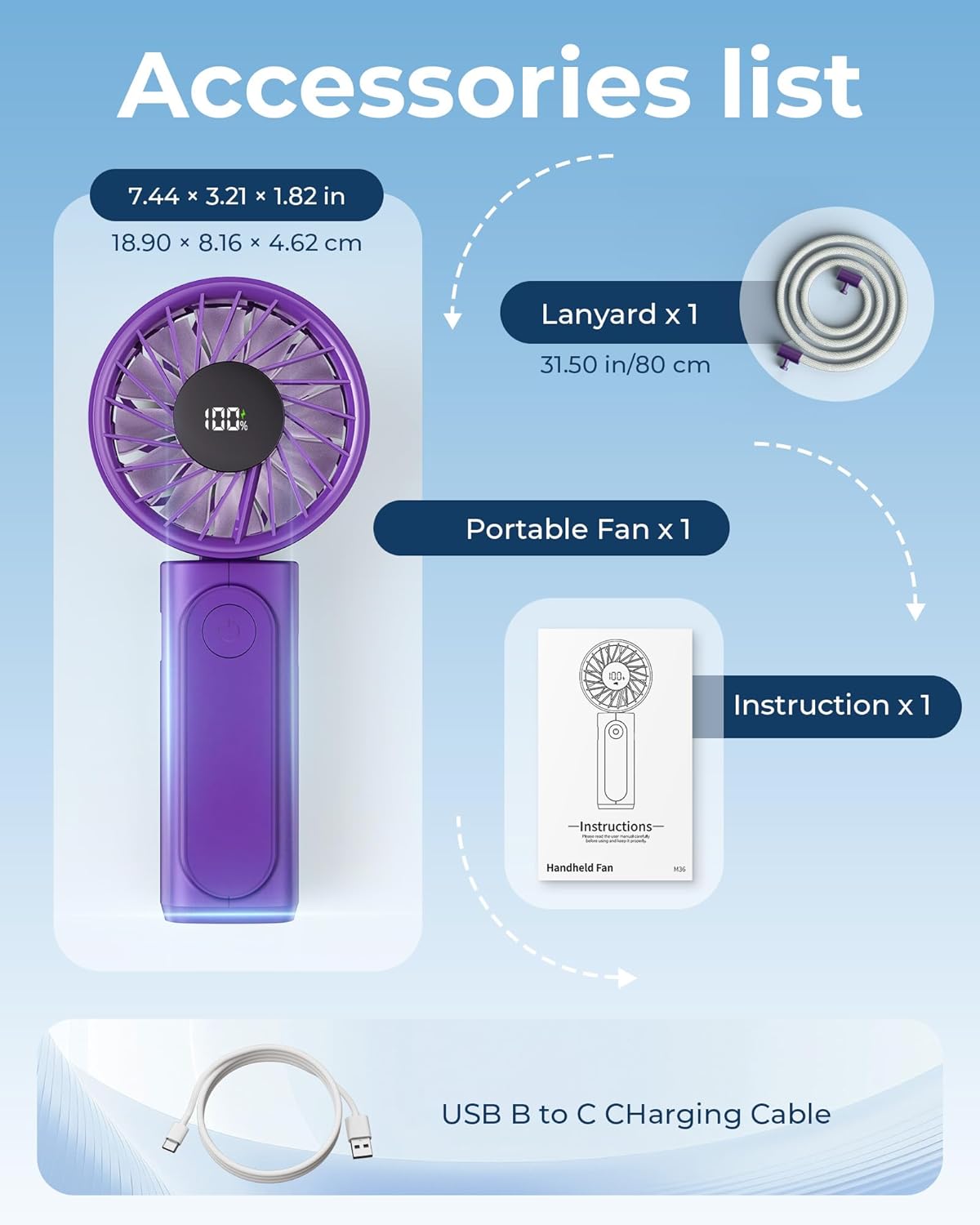
Please check the package to ensure all items are present:
- 1 x Peiyuu Portable Handheld Fan M36
- 1 x Type-C Charging Cable
- 1 x Lanyard
- 1 x User Manual
3. Product Overview and Features
The Peiyuu M36 fan is designed for portability and versatility. Key features include:
- 6 Wind Speeds: Adjustable settings for varied cooling needs.
- 4000mAh Battery: Provides extended operating time and acts as a power bank.
- LCD Digital Display: Shows current wind speed and battery percentage.
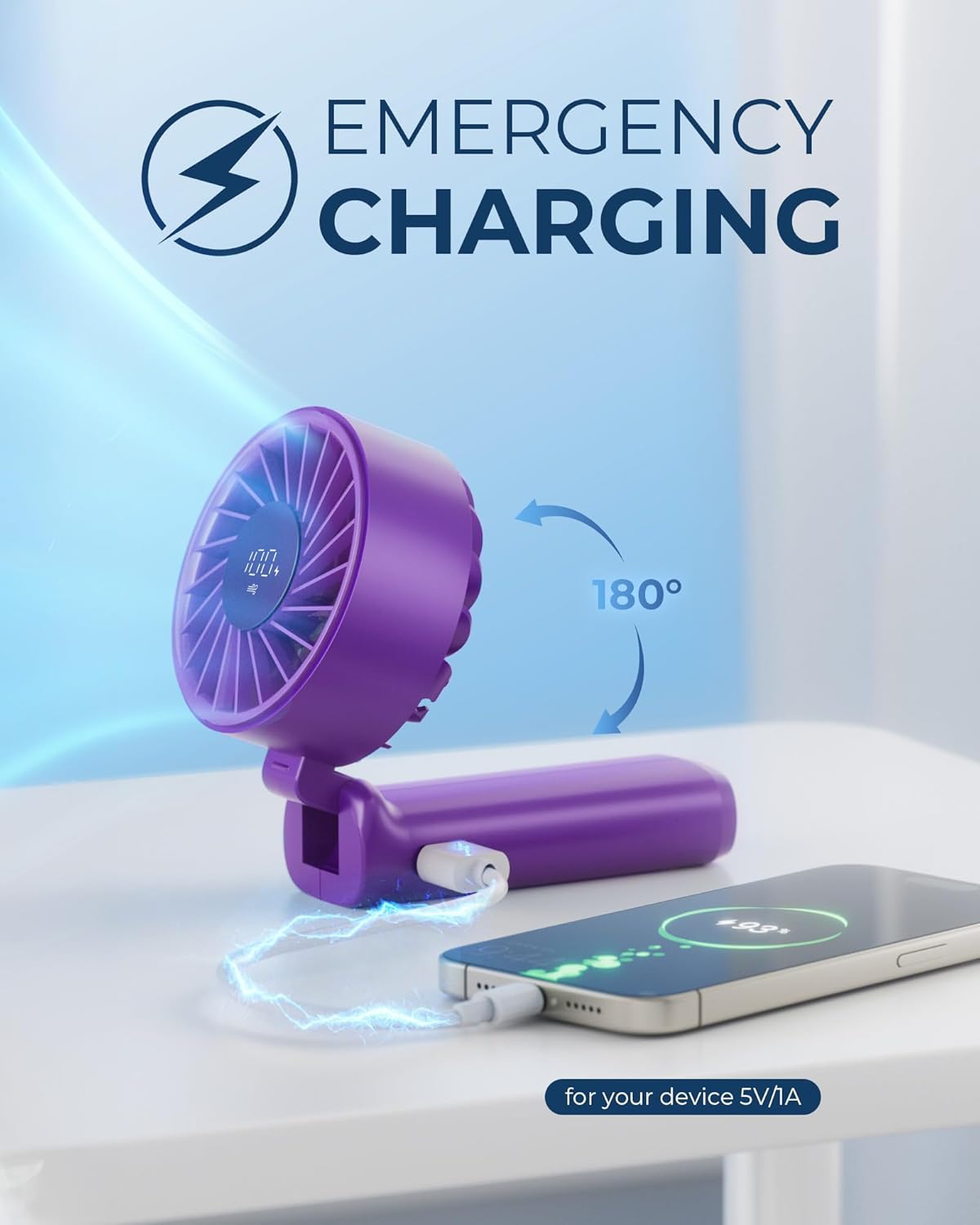
- 180° Foldable Design: Easily converts between handheld and desk fan modes.
- Ultra-Quiet Operation: Brushless motor ensures minimal noise, less than 20dB at highest speed.
- Compact and Portable: Lightweight design for easy carrying.
- Detachable Mesh Cover: For convenient cleaning of the fan blades.


4. Setup
4.1 Initial Charging
- Before first use, fully charge the fan.
- Connect the provided Type-C charging cable to the fan's charging port.
- Connect the other end of the cable to a USB power adapter (not included) or a computer's USB port.
- The LCD display will show the charging status. A full charge typically takes about 1.5 hours.
4.2 Attaching the Lanyard
- Locate the lanyard hole on the fan's handle.
- Thread the loop of the lanyard through the hole.
- Pass the rest of the lanyard through the loop and pull to secure.
5. Operating Instructions
5.1 Power On/Off and Speed Adjustment
- To power on the fan, press the power button located on the handle. The fan will start at speed 1.
- To increase the wind speed, press the power button repeatedly. Each press will cycle through speeds 1 to 6.
- After speed 6, pressing the button again will turn the fan off.
- The LCD display will show the current wind speed (Gear) and battery percentage.

5.2 Using as a Desk Fan
- Gently fold the fan head 180 degrees backward until it forms a stable base.
- Place the fan on a flat surface.
5.3 Using as a Neck Fan
- Ensure the lanyard is securely attached to the fan.
- Wear the lanyard around your neck, positioning the fan for optimal airflow.
5.4 Using as a Power Bank
The fan can be used to charge other USB-powered devices (5V/1A output).
- Locate the USB-A output port on the fan's handle.
- Connect your device's charging cable to this port.
- The fan will begin charging your device.
5.5 LCD Digital Display
The LCD screen provides real-time information:
- Battery Percentage: Indicates the remaining charge.
- Wind Speed (Gear): Displays the current fan speed setting (1-6).
- Charging Status: An icon may appear when the fan is being charged.

6. Maintenance
6.1 Cleaning the Fan
To ensure optimal performance and hygiene, regularly clean your fan.
- Ensure the fan is powered off before cleaning.
- Gently twist the front mesh cover counter-clockwise to detach it.
- Wipe the fan blades and the inside of the cover with a soft, dry cloth. For stubborn dust, a slightly damp cloth can be used, ensuring no water enters the motor.
- Allow all parts to dry completely before reattaching the mesh cover.
- Align the mesh cover and twist clockwise to secure it back in place.

7. Troubleshooting
If you encounter issues with your Peiyuu Portable Handheld Fan M36, please refer to the following common problems and solutions:
| Problem | Possible Cause | Solution |
|---|---|---|
| Fan does not turn on. | Low battery or no charge. | Charge the fan fully using the provided Type-C cable. |
| Fan does not charge. | Faulty cable or power adapter. | Try a different Type-C cable or USB power adapter. Ensure connections are secure. |
| Weak airflow. | Low battery or obstructed fan blades. | Charge the fan. Clean the fan blades and mesh cover as per maintenance instructions. |
| Unusual noise during operation. | Obstruction in fan blades or loose components. | Turn off the fan and check for any foreign objects obstructing the blades. Ensure the mesh cover is securely attached. |
| LCD display not working. | Device malfunction. | Ensure the fan is charged. If the issue persists, contact customer support. |
8. Specifications
| Feature | Detail |
|---|---|
| Brand | Peiyuu |
| Model Name | M36 |
| Battery Capacity | 4000mAh (Lithium Polymer) |
| Wind Speeds | 6 Levels |
| Noise Level | 20 Decibels (at highest speed) |
| Product Dimensions | 7.7"D x 3.6"W x 2"H (19.56 x 9.14 x 5.08 cm) |
| Item Weight | 150 Grams (5.3 ounces) |
| Power Source | Battery Powered |
| Voltage | 3.7 Volts (DC) |
| Wattage | 14.8 watts |
| Motor Type | Brushless |
| Control Method | Push Button / Touch |
9. Safety Precautions
- Do not immerse the fan in water or other liquids.
- Keep the fan away from open flames or high temperatures.
- Do not allow children to operate the fan unsupervised.
- Avoid placing fingers or other objects into the fan blades while it is operating.
- Do not attempt to disassemble or repair the fan yourself. Contact qualified service personnel.
- Use only the provided charging cable or a certified Type-C cable for charging.
- Store the fan in a cool, dry place when not in use for extended periods.
10. Warranty and Support
Peiyuu products are manufactured to high-quality standards. For warranty information, technical support, or service inquiries, please refer to the contact details provided with your purchase or visit the official Peiyuu website. Please retain your proof of purchase for warranty claims.
