1. Introduction
Thank you for choosing the Balimo 3L Automatic Cat Food Dispenser. This device is designed to provide a convenient and reliable feeding solution for your pet, ensuring they receive meals on a consistent schedule. With programmable feeding times, portion control, and a dual power supply, you can maintain your pet's healthy diet with ease, even when you are away.
This manual provides detailed instructions for the setup, operation, and maintenance of your automatic pet feeder. Please read it thoroughly before use to ensure proper functionality and safety.

2. Important Safety Information
Please observe the following safety precautions to prevent injury or damage to the device:
- Read all instructions carefully before operating the feeder.
- Keep the feeder away from children and pets when not in use or during assembly.
- Do not immerse the main unit (base) in water or any other liquid.
- Use only dry pet food with a diameter between 2-12mm. Larger kibble may cause blockages.
- Ensure the power adapter is securely connected and placed in a dry area.
- If using batteries, ensure they are inserted correctly and replace them when low to prevent power interruptions.
- Do not attempt to disassemble or repair the feeder yourself. Contact customer support for assistance.
3. Package Contents
Verify that all items are present in the package:
- Balimo Automatic Pet Feeder Main Unit
- Food Storage Container
- Stainless Steel Food Bowl
- Power Adapter
- Desiccant Bag
- User Manual

4. Product Overview
Familiarize yourself with the components of your Balimo Automatic Pet Feeder:

Key Features:
- Secure Twist-Lock Lid: Prevents pets from accessing food and maintains freshness.
- Desiccant Bag Compartment: Keeps food dry and fresh.
- Anti-Clog Design: Dispensing mechanism reverses rotation if a clog is detected, minimizing jamming.
- Sealed Outlet: Helps maintain food freshness and prevents pests.
- 304 Stainless Steel Bowl: Food-grade, durable, and easy to clean, preventing allergic reactions common with plastic bowls.
- Dual Power Supply: Operates via AC adapter or 3x D batteries (not included) for uninterrupted feeding during power outages.


5. Setup Instructions
- Unpack the Feeder: Carefully remove all components from the packaging.
- Assemble the Bowl: Place the stainless steel bowl into its designated slot at the base of the feeder.
- Power the Device:
- AC Adapter: Connect the power adapter to the feeder's power port and plug it into a wall outlet.
- Battery Backup (Optional): For backup power during outages, insert 3 D-size batteries (not included) into the battery compartment at the bottom of the feeder. Ensure correct polarity.

The feeder supports dual power supply via AC adapter and 3 D-size batteries (not included) for reliable operation. - Insert Desiccant Bag: Open the lid and place the desiccant bag into the designated compartment on the underside of the lid. This helps keep the food fresh.
- Fill the Food Container: Open the lid and pour dry pet food into the food storage container. Ensure the lid is securely closed and twisted to lock after filling.
6. Operating Instructions
6.1 Setting a Feeding Schedule
The Balimo feeder allows you to program up to 6 meals per day, with 1 to 15 portions per meal. Each portion is approximately 9g (±2g).
- Access Programming Mode: Refer to the specific instructions on the feeder's control panel or accompanying quick start guide to enter programming mode.
- Set Current Time: Adjust the current time to ensure accurate meal delivery.
- Program Meal Times: For each meal (up to 6), set the desired feeding time.
- Set Portions: For each programmed meal, select the number of portions (1-15) to be dispensed.
- Save Settings: Confirm and save your programmed schedule.
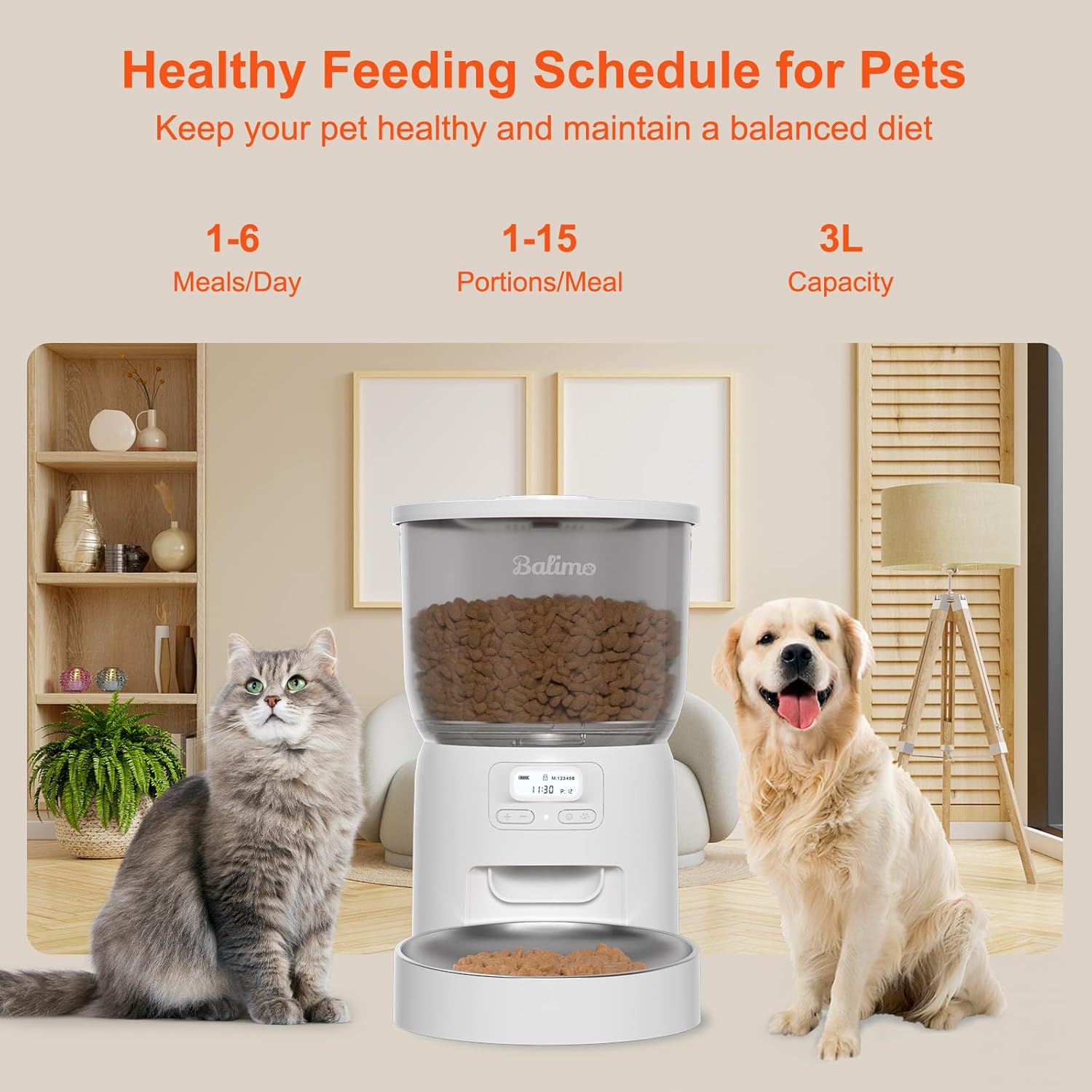

6.2 Manual Feeding
To dispense food instantly outside of the programmed schedule, press the manual feed button on the control panel. Each press will dispense one portion.
6.3 Recommended Food Types and Portions
For optimal performance and to prevent jamming, use dry pet food with a diameter between 2mm and 12mm.
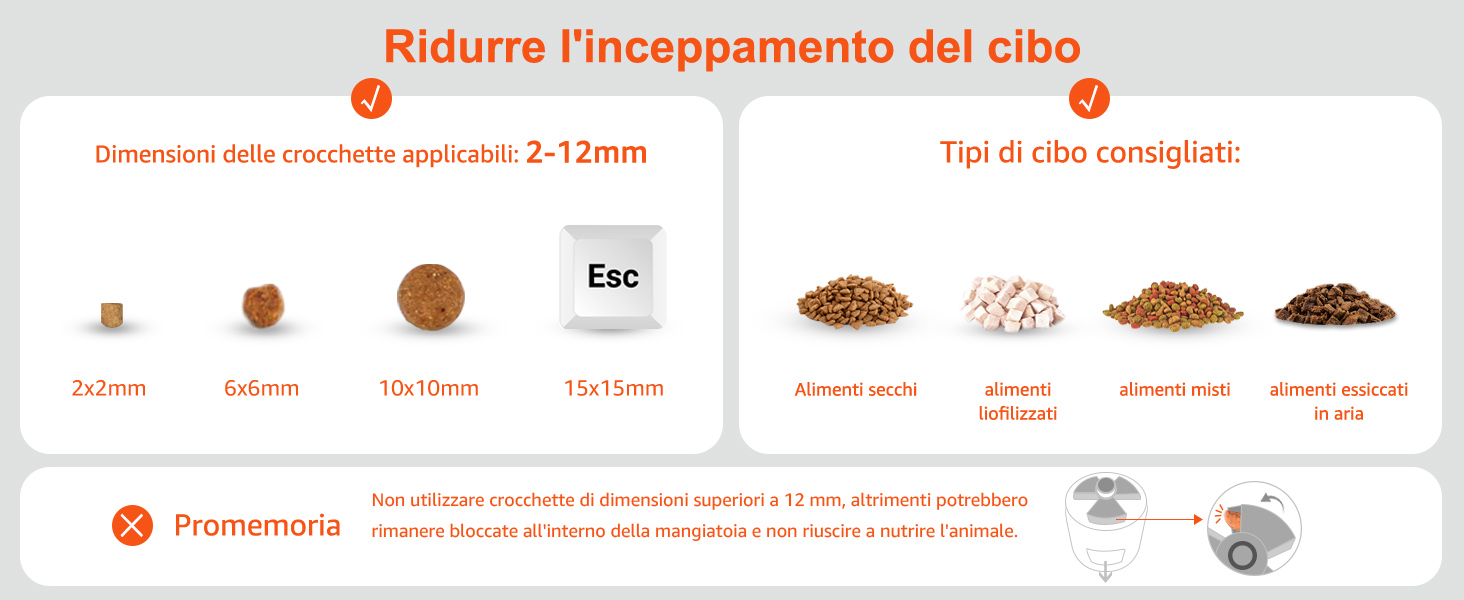
Recommended Daily Portions:
| Recommended Portions | Daily Intake (grams) |
|---|---|
| 1 portion | 9g |
| 3 portions | 27g |
| 5 portions | 45g |
| 10 portions | 90g |
| 15 portions | 135g |
Note: This table is a reference. Actual food intake may vary based on pet's needs and food density.
7. Maintenance
7.1 Cleaning
Regular cleaning ensures hygiene and extends the life of your feeder. The food container and stainless steel bowl are detachable for easy cleaning.
- Disconnect Power: Unplug the power adapter and remove any backup batteries before cleaning.
- Disassemble: Remove the food container and stainless steel bowl from the main unit.
- Wash Components: Wash the food container and stainless steel bowl with mild soap and water. Rinse thoroughly.
- Dry Completely: Ensure all washed parts are completely dry before reassembling. Moisture can affect food quality and device function.
- Clean Main Unit: Wipe the main unit (base) with a soft, damp cloth. DO NOT wash the main unit or immerse it in water.
- Reassemble: Once all parts are dry, reassemble the feeder.

7.2 Desiccant Bag Replacement
The desiccant bag helps keep food fresh. Replace it every 1-2 months, or as needed, depending on humidity levels.
8. Troubleshooting
If you encounter issues with your Balimo Automatic Pet Feeder, refer to the following common problems and solutions:
| Problem | Possible Cause | Solution |
|---|---|---|
| Feeder does not power on | No power supply; loose connection; dead batteries. | Check AC adapter connection. Ensure batteries are correctly inserted and not depleted. |
| Food not dispensing | Food container empty; kibble jammed; dispensing mechanism blocked; incorrect programming. | Refill food container. Check for kibble jams and clear them. Ensure kibble size is 2-12mm. Verify feeding schedule settings. |
| Incorrect portion size | Kibble density variation; incorrect portion setting. | Adjust portion settings as needed. Note that portion weight can vary slightly based on kibble type. |
| Lid not closing securely | Food overflow; foreign object. | Do not overfill the food container. Check for any obstructions preventing the lid from locking. |
9. Specifications
- Model Number: DU-F06K
- Capacity: 3 Liters
- Dimensions: 19.3 x 19.3 x 24 cm (7.6 x 7.6 x 9.4 inches)
- Weight: 1.67 kg (3.68 lbs)
- Material: Stainless Steel (bowl), Food-grade Plastic (container)
- Power Supply: 5V DC Adapter (included), 3x D Batteries (not included)
- Recommended Kibble Size: 2-12 mm
- Meals per Day: Up to 6
- Portions per Meal: 1-15 (approx. 9g per portion)

10. Warranty and Support
Balimo products are designed for reliability and performance. This product comes with a standard manufacturer's warranty. For specific warranty details, please refer to the warranty card included in your package or contact our customer support.
If you have any questions, require technical assistance, or need to report an issue, please contact Balimo Customer Support through the retailer's platform or via the contact information provided on our official website.
We are committed to ensuring your satisfaction and the well-being of your pet.


