
CITYSPORTS ZX1
User Manual for CITYSPORTS Walking Pad
Model: ZX1
Brand: CITYSPORTS
1. Introduction
Thank you for choosing the CITYSPORTS Walking Pad. This 2-in-1 under desk treadmill is designed to help you maintain an active lifestyle whether you are at home or in the office. Its compact and portable design allows for easy storage and versatile use, providing a convenient way to incorporate walking or light jogging into your daily routine. This manual provides essential information for the safe and effective operation, maintenance, and troubleshooting of your new walking pad.

Image: A user demonstrating the CITYSPORTS Walking Pad in use with a standing desk, highlighting its compact design for home or office environments.
2. Safety Information
Please read all instructions carefully before using the CITYSPORTS Walking Pad. Adhering to these safety guidelines will help prevent injury and ensure the longevity of your device.
- Ensure the walking pad is placed on a flat, stable surface.
- Keep children and pets away from the device during operation.
- Do not exceed the maximum user weight of 110 kg (242 lbs).
- Always wear appropriate athletic footwear when using the walking pad.
- Do not use the walking pad if you feel dizzy, lightheaded, or experience any pain. Consult a medical professional if necessary.
- Unplug the device from the power outlet when not in use or before cleaning and maintenance.
- Keep hands and feet clear of all moving parts.
- The power cord should be placed away from heated surfaces and not be walked on or pinched.
3. Setup
3.1 Unboxing and Placement
Carefully remove the walking pad from its packaging. Place the unit on a level, hard surface. Ensure there is adequate clear space around the device for safe operation.
3.2 Power Connection
Connect the power cord to the walking pad and then plug it into a standard electrical outlet. Ensure the power switch on the walking pad is in the "OFF" position before plugging it in.
3.3 Initial Checks
Before first use, inspect the walking belt for any signs of damage or misalignment. Ensure all components are securely in place.
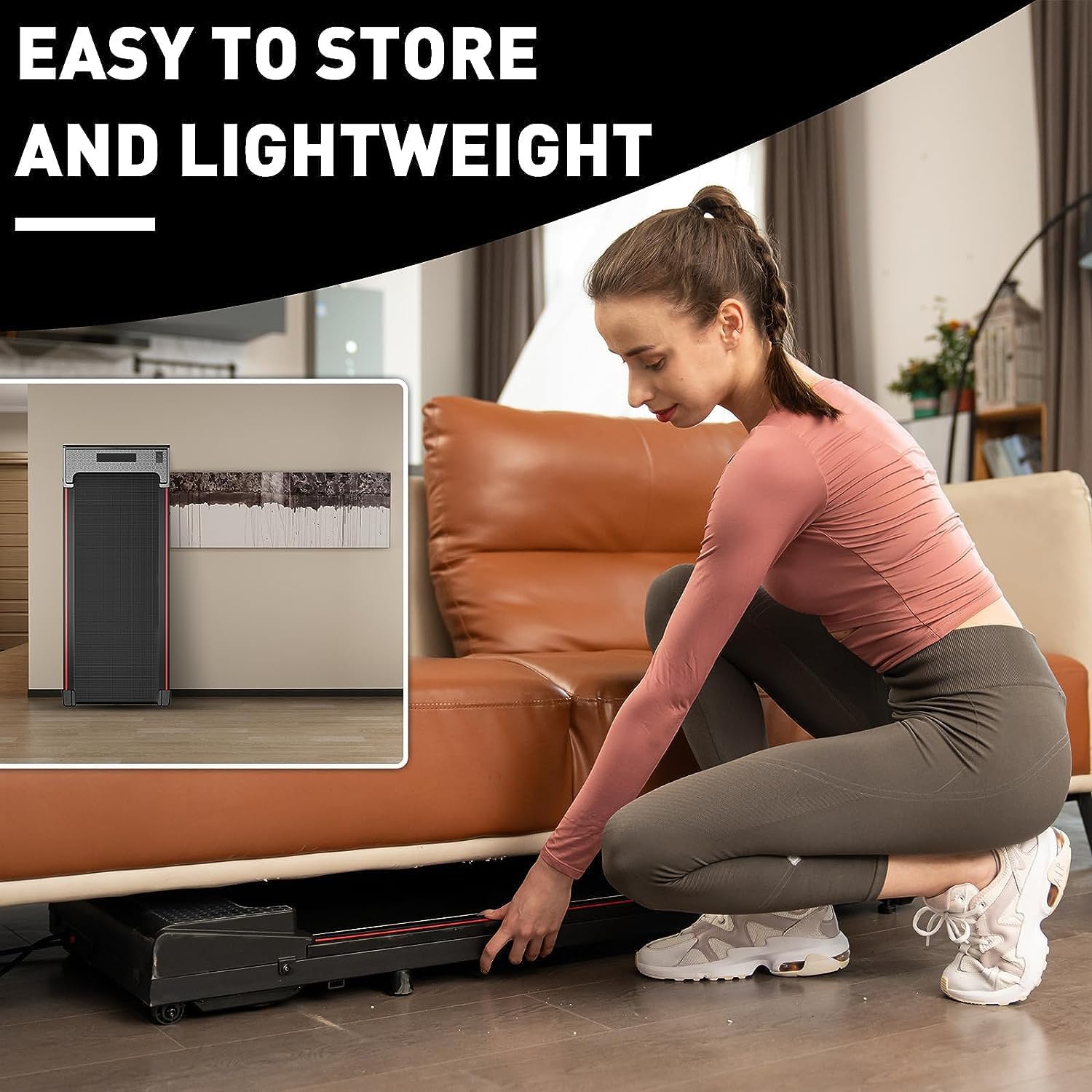
Image: A woman demonstrating how easily the walking pad can be stored under furniture, emphasizing its space-saving design.
4. Operating Instructions
4.1 Remote Control
The CITYSPORTS Walking Pad is operated using the included remote control. This lightweight remote allows for easy adjustment of speed and starting/stopping the device.
- Press the ON/OFF button to start or stop the walking pad.
- Use the + button to increase speed and the - button to decrease speed. The speed can be adjusted in 0.2 KM/H increments.
4.2 LCD Display
The integrated LCD display provides real-time feedback on your workout. It tracks the following metrics:
- Time: Duration of your workout.
- Speed: Current walking/jogging speed.
- Distance: Total distance covered during the workout.
- Calories: Estimated calories burned.

Image: A close-up view of the multi-function LCD display, illustrating the various workout data points it tracks, including time, speed, distance, and calories.
4.3 Usage Modes
The walking pad supports various modes of use to suit your activity level:
- Walking Mode: Ideal for light activity, typically 0.6-1 MPH.
- Working Mode: Suitable for use while working at a desk, typically 1-2.5 MPH.
- Jogging Mode: For more intense activity, typically 2.5-3.8 MPH.

Image: A visual representation of the three primary usage modes: Jogging, Working, and Walking, each with suggested speed ranges and corresponding user postures.
4.4 Official Product Video
Video: An official product video from the seller demonstrating the ZX1 Walking Pad Treadmill in operation, showcasing its features and functionality.
5. Maintenance
Regular maintenance ensures optimal performance and extends the lifespan of your walking pad.
5.1 Cleaning
Wipe down the walking pad with a damp cloth after each use. Avoid using abrasive cleaners or solvents that could damage the surface. Ensure the device is unplugged before cleaning.
5.2 Belt Lubrication
The walking belt requires periodic lubrication to reduce friction and wear. Refer to the specific instructions provided with your lubrication oil for frequency and application method. Generally, apply silicone lubricant under the belt every few months, depending on usage.
5.3 Belt Adjustment
Over time, the walking belt may shift or become loose. If the belt is not centered or slips during use, it may need adjustment. Use the provided Allen wrench to make small, incremental adjustments to the rear rollers. Turn the adjustment bolts clockwise to tighten the belt or move it to the right, and counter-clockwise to loosen or move it to the left. Adjust in small increments (e.g., quarter turns) and test the belt after each adjustment until it runs smoothly and centrally. Incorrect adjustment can lead to further issues, so proceed with caution.
6. Troubleshooting
If you encounter issues with your CITYSPORTS Walking Pad, refer to the following common problems and solutions:
| Problem | Possible Cause | Solution |
|---|---|---|
| Walking pad does not start. | Not plugged in; power switch off; remote control battery low. | Ensure power cord is securely plugged in. Turn on the power switch. Replace remote control battery. |
| Belt stops or slips during use. | Belt too loose; insufficient lubrication; user weight exceeds limit. | Adjust the walking belt tension (refer to Section 5.3). Lubricate the belt. Ensure user weight is within specifications. |
| Unusual noise from the unit. | Lack of lubrication; loose components; belt misalignment. | Lubricate the belt. Check for and tighten any loose screws. Adjust belt alignment. |
| LCD display not working. | Loose connection; display malfunction. | Check all connections. If problem persists, contact customer support. |
7. Specifications
Key technical specifications for the CITYSPORTS Walking Pad Model ZX1:
| Feature | Detail |
|---|---|
| Brand | CITYSPORTS |
| Model Name | ZX1 |
| Product Dimensions | 46.46"D x 19.29"W x 4.72"H |
| Item Weight | 20 Kilograms (approx. 44 lbs) |
| Material | Aluminum |
| Maximum Speed | 6 Kilometers per Hour (approx. 3.7 MPH) |
| Maximum Weight Recommendation | 110 Kilograms (approx. 242 lbs) |
| Motor Horsepower | 550 Watts |
| Display Type | LCD |
| Special Features | Portable, Lightweight, Brushless Motor, Shock Absorption |
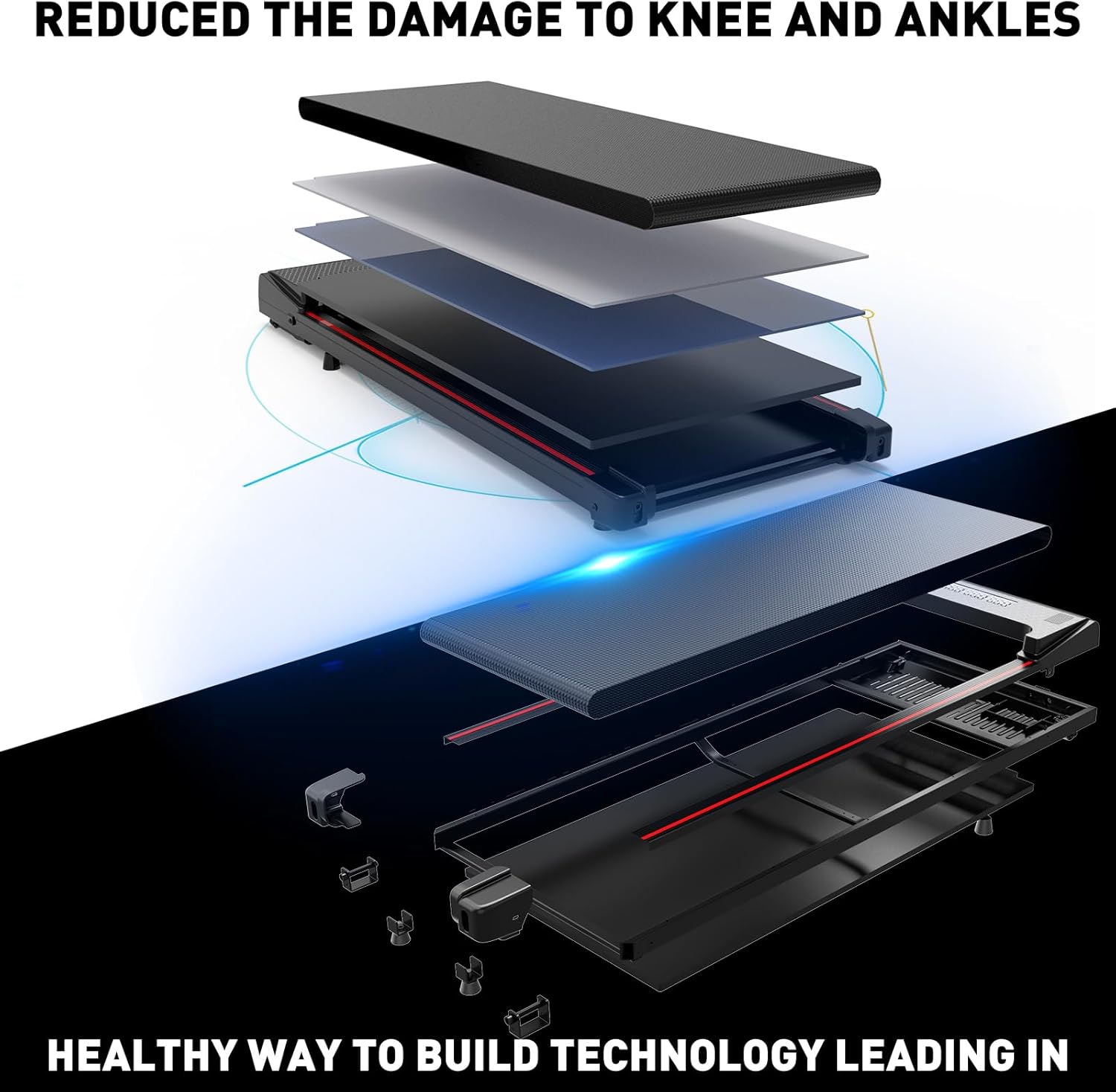
Image: An exploded view diagram illustrating the multi-layer construction of the walking pad's platform, designed for shock absorption and joint protection.
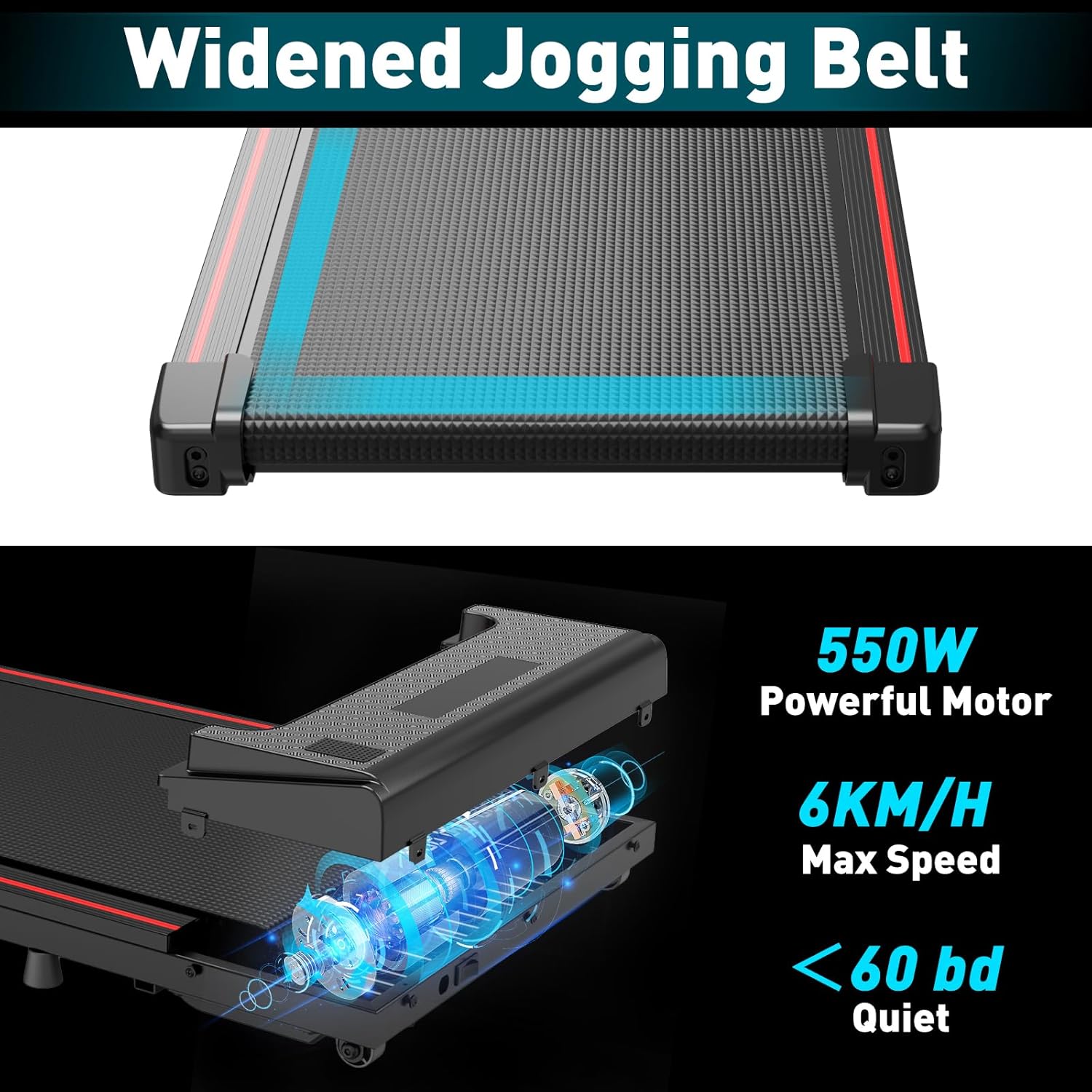
Image: A detailed view emphasizing the widened jogging belt and the powerful 550W motor, noting its quiet operation (below 60 dB) and maximum speed of 6 KM/H.
8. Warranty
The CITYSPORTS Walking Pad comes with a manufacturer's warranty. Please refer to the warranty card included in your product packaging or visit the official CITYSPORTS website for detailed warranty terms and conditions.
9. Customer Support
For any questions, technical assistance, or service requests, please contact CITYSPORTS customer support. Contact information can typically be found on the product packaging, the official CITYSPORTS website, or through your retailer's support channels.
Related Documents - ZX1
 |
CITYSPORTS CS-WP2 Treadmill Product Instruction Manual Comprehensive product instruction manual for the CITYSPORTS CS-WP2 treadmill, covering safety precautions, technical specifications, assembly, operation, maintenance, and troubleshooting. |
 |
CITYSPORTS CS-WP6 Treadmill User Manual Comprehensive user manual for the CITYSPORTS CS-WP6 Treadmill, covering security cautions, product parts, assembly, operation, maintenance, and error codes. |
 |
CITYSPORTS CS-WP6 Treadmill User's Manual Comprehensive user manual for the CITYSPORTS CS-WP6 Treadmill, covering safety precautions, assembly, operation, maintenance, and troubleshooting. |
 |
CITYSPORTS CS-WP9 Treadmill User Manual Comprehensive user manual for the CITYSPORTS CS-WP9 Treadmill, covering safety precautions, product instructions, installation steps, and maintenance. Learn how to safely set up and operate your CITYSPORTS treadmill. |
 |
CITYSPORTS CS-WP3 Treadmill Product Instruction Manual Comprehensive product instruction manual for the CITYSPORTS CS-WP3 treadmill, covering safety precautions, warranty, configuration, assembly, operation, maintenance, and troubleshooting. |
 |
CITYSPORTS CS-WP2 Treadmill Product Instruction Manual Comprehensive product instruction manual for the CITYSPORTS CS-WP2 treadmill, covering safety precautions, technical specifications, assembly, operation, maintenance, and troubleshooting. |