
1. Introduction
This manual provides essential information for the safe and efficient use of the CBBEXP S7-1200 CPU 1215C Programmable Logic Controller (PLC), model 6ES7215-1AG40-0XB0. It covers product overview, setup, operating instructions, maintenance, troubleshooting, and technical specifications. Please read this manual thoroughly before installation and operation.
2. Product Overview
The CBBEXP S7-1200 CPU 1215C is a compact and powerful Programmable Logic Controller designed for industrial automation tasks. It features integrated inputs and outputs, communication interfaces, and is suitable for a wide range of control applications. This unit is a new, sealed product, ensuring optimal performance and reliability.
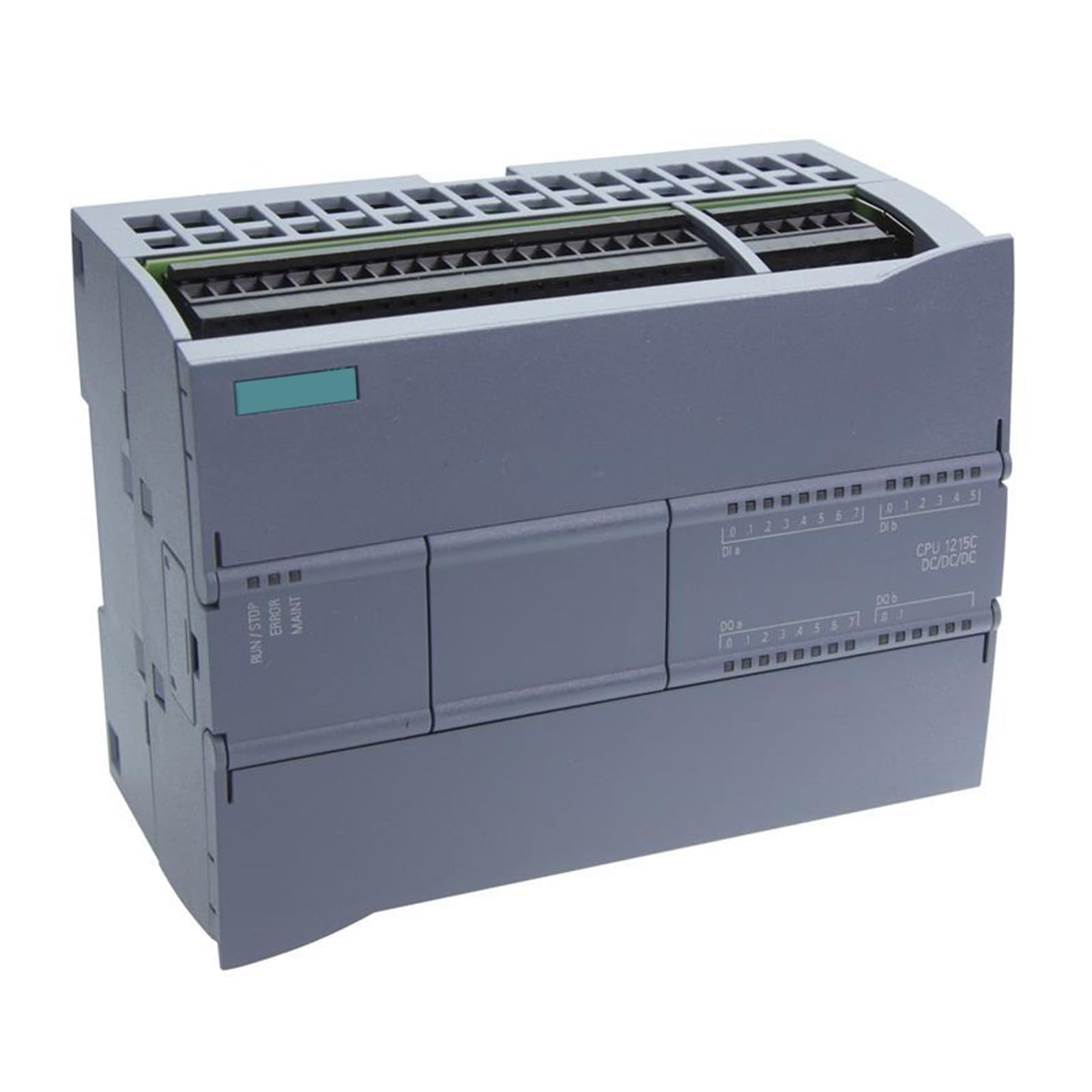
Figure 1: Front view of the CBBEXP S7-1200 CPU 1215C Programmable Logic Controller, showing ports and indicators.
Key Features:
- Model: 6ES7215-1AG40-0XB0
- Type: Programmable Logic Control Product
- Integrated inputs and outputs for versatile control.
- Designed for reliable performance in industrial environments.
3. Setup
3.1 Safety Precautions
- Ensure power is disconnected before installation or wiring.
- Only qualified personnel should perform installation and wiring.
- Adhere to all local electrical codes and safety regulations.
3.2 Mounting
The CPU 1215C is designed for DIN rail mounting. Securely attach the PLC to a standard 35mm DIN rail within an appropriate control cabinet, ensuring adequate ventilation.
3.3 Wiring
- Power Supply: Connect the appropriate DC power supply to the designated terminals. Refer to the specifications for voltage requirements.
- Input Wiring: Connect sensors and input devices to the digital and analog input terminals as per your application design.
- Output Wiring: Connect actuators and output devices to the digital and analog output terminals. Ensure correct load ratings are observed.
- Communication: Connect an Ethernet cable to the integrated PROFINET port for programming and communication with other devices.
3.4 Software Installation and Initial Connection
Install the Siemens TIA Portal software on your engineering workstation. Connect the PLC to your computer via an Ethernet cable. Use the TIA Portal's 'Accessible devices' function to detect the PLC and establish an online connection for initial configuration and program download.
4. Operating Instructions
4.1 Programming and Downloading
Develop your control program using the TIA Portal. Once complete, compile the program and download it to the CPU 1215C. Ensure the PLC is in 'STOP' mode before downloading a new program.
4.2 Run/Stop Modes
The PLC can operate in 'RUN' or 'STOP' mode. In 'RUN' mode, the PLC executes the loaded program. In 'STOP' mode, the program execution is halted. You can switch between modes via the TIA Portal or, if available, a physical switch on the CPU.
4.3 Monitoring and Diagnostics
Use the TIA Portal's online functions to monitor the status of inputs, outputs, and internal variables. Diagnostic buffers and LED indicators on the CPU provide information about the PLC's operational status and any detected errors.
5. Maintenance
5.1 Regular Inspection
Periodically inspect the PLC and its wiring for any signs of damage, loose connections, or excessive dust accumulation. Ensure proper ventilation around the unit.
5.2 Cleaning
Clean the exterior of the PLC with a soft, dry cloth. Do not use liquid cleaners or solvents. Ensure power is off before cleaning.
5.3 Firmware Updates
Check the manufacturer's website for available firmware updates. Apply updates as recommended to ensure optimal performance and security. Follow the provided instructions carefully during the update process.
6. Troubleshooting
6.1 Power Issues
- No Power LED: Check power supply connections and voltage. Verify circuit breakers or fuses.
6.2 Communication Problems
- Cannot Connect via TIA Portal: Verify Ethernet cable connection, IP address settings, and network configuration. Ensure the PLC is powered on.
6.3 I/O Errors
- Input Not Responding: Check sensor wiring, sensor functionality, and input status in TIA Portal.
- Output Not Activating: Check actuator wiring, actuator functionality, and output status in TIA Portal. Verify program logic.
6.4 CPU Fault LED
If the CPU's fault LED is illuminated, consult the diagnostic buffer in the TIA Portal for detailed error messages and recommended actions.
7. Specifications
| Attribute | Value |
|---|---|
| Model | 6ES7215-1AG40-0XB0 |
| Type | Programmable Logic Control Product |
| Manufacturer | CBBEXP |
| ASIN | B0CH5DBX85 |
| Item Model Number | 6ES7215-1AG40-0XB0-NEW |
| Date First Available | September 2, 2023 |
| Brand | CBBEXP |
| UPC | 762668924530 |
8. Warranty and Support
8.1 Warranty Information
This CBBEXP S7-1200 CPU 1215C PLC comes with a One-Year Warranty from the date of purchase. This warranty covers defects in materials and workmanship under normal use. Please retain your proof of purchase for warranty claims.
8.2 Technical Support
For technical assistance, troubleshooting, or warranty inquiries, please contact your vendor or the CBBEXP customer service department. Provide your product model number (6ES7215-1AG40-0XB0) and a detailed description of the issue when seeking support.