
1. Introduction
This manual provides essential information for the safe and efficient installation, operation, and maintenance of the CBBEXP SITOP PSU100S 6EP1336-2BA10 Stabilized Power Supply. Please read this manual thoroughly before using the device and keep it for future reference.
2. Safety Instructions
- Ensure all electrical connections are made by qualified personnel in accordance with local and national electrical codes.
- Disconnect power before performing any installation, maintenance, or troubleshooting.
- Do not operate the device if it is damaged or if any components are missing.
- Protect the device from moisture, dust, and extreme temperatures.
- The power supply contains hazardous voltages. Do not open the casing.
3. Product Overview
The CBBEXP SITOP PSU100S 6EP1336-2BA10 is a stabilized power supply designed for industrial applications, providing a reliable DC 24V output with a 20A current capacity. It features robust construction and essential indicators for operational status.
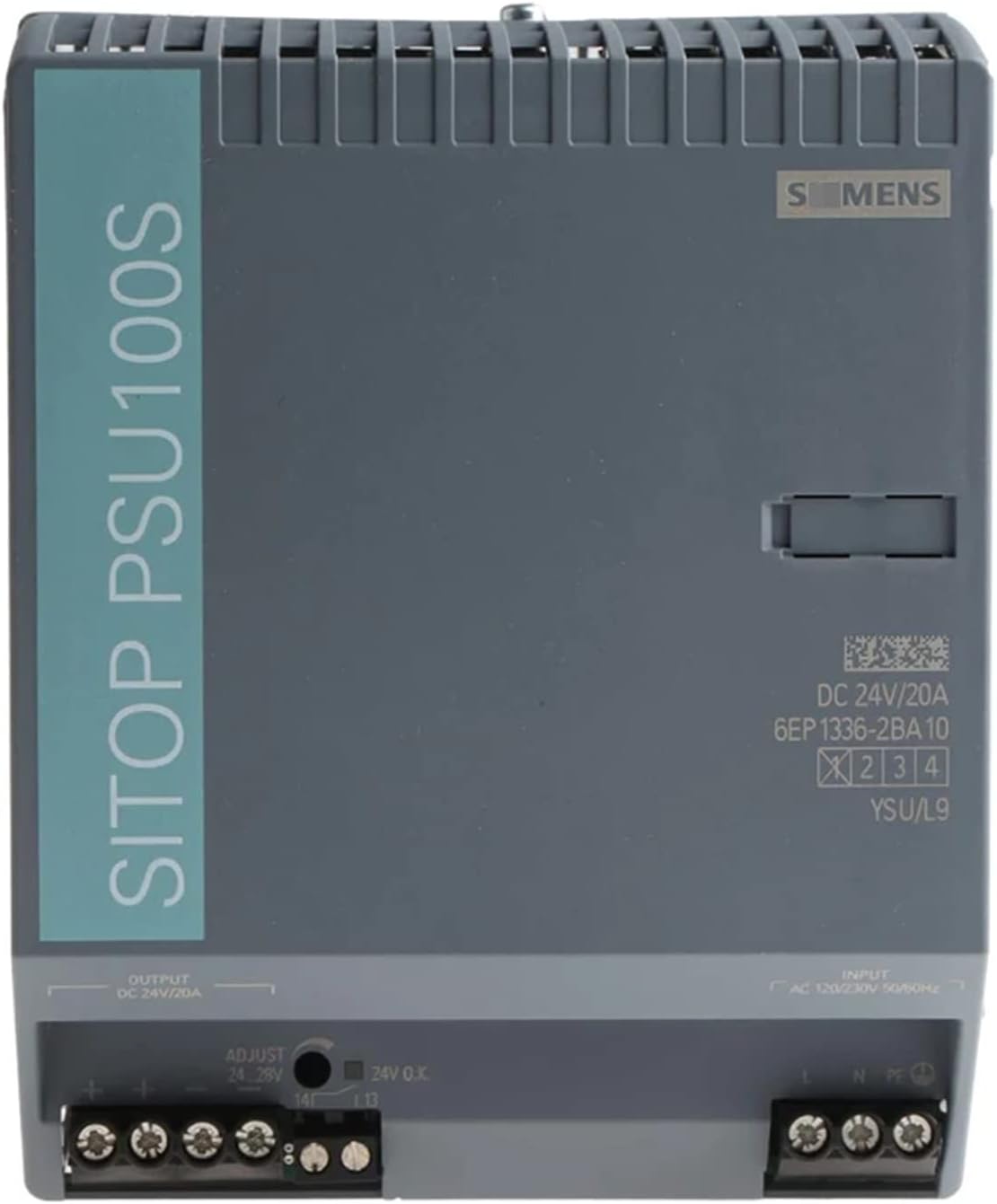
Figure 1: Front view of the CBBEXP SITOP PSU100S 6EP1336-2BA10 Power Supply. The image shows the grey casing with "SITOP PSU100S" printed vertically on the left side. The Siemens logo is visible on the top right. Input and output terminals are located at the bottom, along with an adjustment knob for output voltage and a "24V O.K." indicator. Product details like "DC 24V/20A" and "6EP 1336-2BA10" are printed on the right side.
Key Features:
- Model: 6EP1336-2BA10
- Output: DC 24V/20A
- Input: AC 120/230V, 50/60Hz
- Adjustable output voltage (24-28V)
- "24V O.K." status indicator
4. Setup and Installation
The power supply is designed for DIN rail mounting. Ensure adequate ventilation around the unit.
4.1. Mounting
Securely attach the power supply to a standard DIN rail in a vertical orientation to ensure proper heat dissipation.
4.2. Electrical Connections
- Input Power (AC): Connect the AC input (L, N, PE) to the terminals labeled "INPUT AC 120/230V 50/60Hz" at the bottom right of the unit. Ensure correct polarity and a proper ground connection.
- Output Power (DC): Connect the DC output (+, -) to the terminals labeled "OUTPUT DC 24V/20A" at the bottom left of the unit. Observe correct polarity for your connected devices.
- Terminal Tightening: Ensure all terminal screws are tightened securely to prevent loose connections and potential hazards.
5. Operating Instructions
5.1. Powering On
Once all connections are secure, apply AC power to the input terminals. The "24V O.K." indicator LED should illuminate, indicating stable output voltage.
5.2. Output Voltage Adjustment
The output voltage can be adjusted between 24V and 28V using the "ADJUST" potentiometer located near the output terminals. Use a small screwdriver to carefully turn the knob to the desired voltage. Monitor the output voltage with a multimeter during adjustment.
5.3. Status Indicator
The "24V O.K." LED indicates that the output voltage is within the specified tolerance. If this LED is off, it may indicate an issue with the input power, output overload, or a fault within the unit.
6. Maintenance
- Cleaning: Periodically clean the exterior of the power supply with a soft, dry cloth. Do not use liquid cleaners or solvents. Ensure the ventilation openings are free from dust and debris.
- Inspection: Regularly inspect all wiring connections for tightness and signs of wear or damage. Check for any discoloration or unusual odors from the unit.
- No User-Serviceable Parts: The unit contains no user-serviceable parts. Refer all servicing to qualified personnel.
7. Troubleshooting
| Problem | Possible Cause | Solution |
|---|---|---|
| No output voltage / "24V O.K." LED off | No input power Input fuse blown Overload on output Internal fault | Check AC input connections and power source. Check external input fuse (if applicable). Reduce load on output. Disconnect load and re-power. Contact support if problem persists. |
| Output voltage incorrect | Adjustment knob setting Internal fault | Adjust the "ADJUST" potentiometer. Contact support if problem persists. |
8. Specifications
| Parameter | Value |
|---|---|
| Model Number | 6EP1336-2BA10 |
| Brand | CBBEXP |
| Input Voltage | AC 120/230V, 50/60Hz |
| Output Voltage | DC 24V (Adjustable 24-28V) |
| Output Current | 20A |
| ASIN | B0CH5BW6K |
| UPC | 762668921348 |
| Date First Available | September 2, 2023 |
9. Warranty Information
This CBBEXP SITOP PSU100S 6EP1336-2BA10 power supply comes with a One-Year Warranty from the date of purchase. This warranty covers defects in materials and workmanship under normal use. It does not cover damage caused by improper installation, misuse, unauthorized modifications, or external factors.
For warranty claims, please retain your proof of purchase and contact customer support.
10. Customer Support
For technical assistance, troubleshooting, or warranty inquiries, please contact Zhengbang Automation, the seller of this product. They are dedicated to providing excellent customer service and can assist with any questions regarding the product's operation or functionality.
You can typically find contact information for Zhengbang Automation through your purchase platform or by visiting their seller page.