
YUHANUS YH-K03-P9-500-RT
YUHANUS Door Access Control System Instruction Manual
Model: YH-K03-P9-500-RT | Brand: YUHANUS
1. Product Overview
The YUHANUS Door Access Control System is a comprehensive security solution designed for controlled entry and exit. This kit includes an RFID keypad, a 1200lb electric magnetic door lock, and an exit button, providing multiple methods for secure access. It is suitable for various applications requiring robust access management.

Figure 1: Overview of the YUHANUS Door Access Control System components, including the magnetic lock, RFID keypad, exit button, power supply, and remote controls.
2. Safety Information
- Electrical Safety: Installation should be performed by qualified personnel. Ensure power is disconnected before wiring.
- Voltage: The power supply operates with AC110V-240V (1A) 50HZ input and provides DC12V (4A) output. Verify correct voltage before connection.
- Hazardous Voltage: The power supply unit contains hazardous voltage. Do not open the power supply cover.
- Proper Installation: Securely mount all components to prevent accidental detachment or malfunction.
- Environmental Conditions: Avoid exposing components to extreme temperatures, moisture, or direct sunlight unless specified for outdoor use.
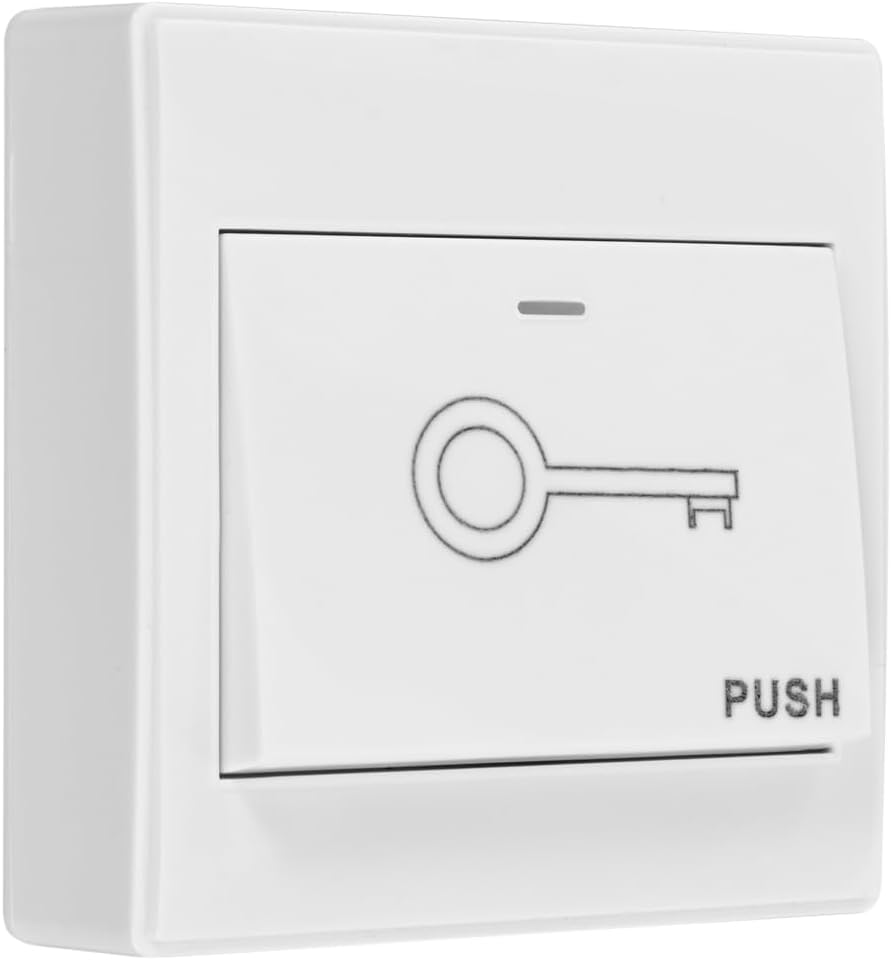
Figure 2: The power supply unit, clearly showing the hazardous voltage warning and input/output specifications.
3. Package Contents
Verify that all items listed below are included in your package:
- 1 x Electric Magnetic Door Lock (1200lb)
- 1 x RFID Keypad
- 1 x Exit Button
- 1 x Power Supply Unit
- 2 x Remote Controls
- 5 x RFID Key Fobs
- Mounting Hardware (screws, brackets, etc.)
- User Manual (this document)
4. Setup and Installation
4.1 Component Identification
Familiarize yourself with each component before beginning installation.

Figure 3: RFID Keypad (CU-K03)

Figure 4: Magnetic Door Lock with armature plate
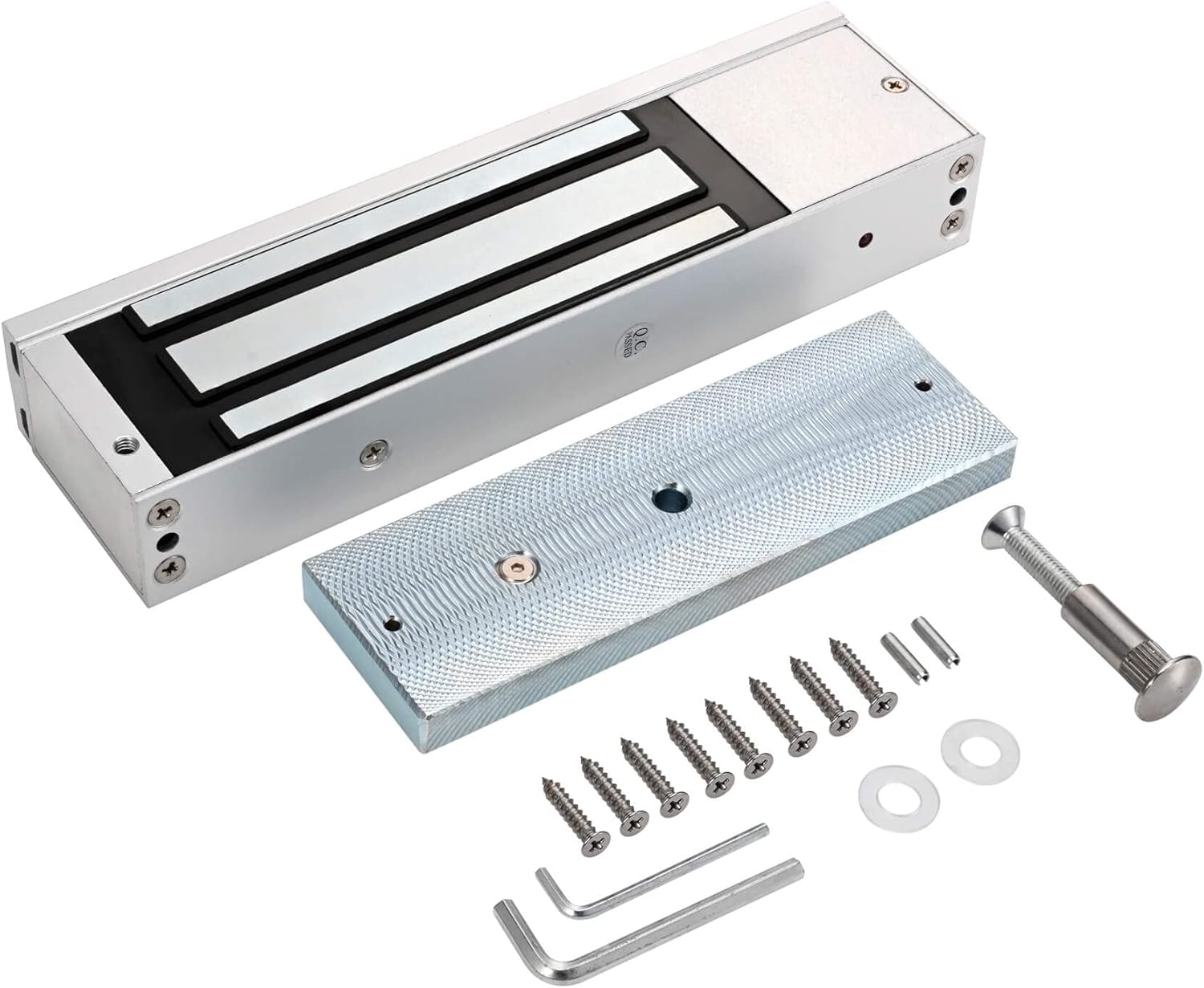
Figure 5: Exit Button (Push to Exit)
4.2 Wiring Diagram
Follow the wiring diagram carefully for proper system functionality. Incorrect wiring can damage components or pose safety risks.

Figure 6: Detailed wiring diagram showing connections between the access control keypad, magnetic lock, power supply, exit switch, and remote control receiver.
Important: Ensure all connections are secure and insulated. Refer to local electrical codes for installation requirements.
4.3 Magnetic Lock Installation
The 1200lb magnetic lock is designed for surface mounting. Ensure the door frame and door are strong enough to support the lock's holding force.
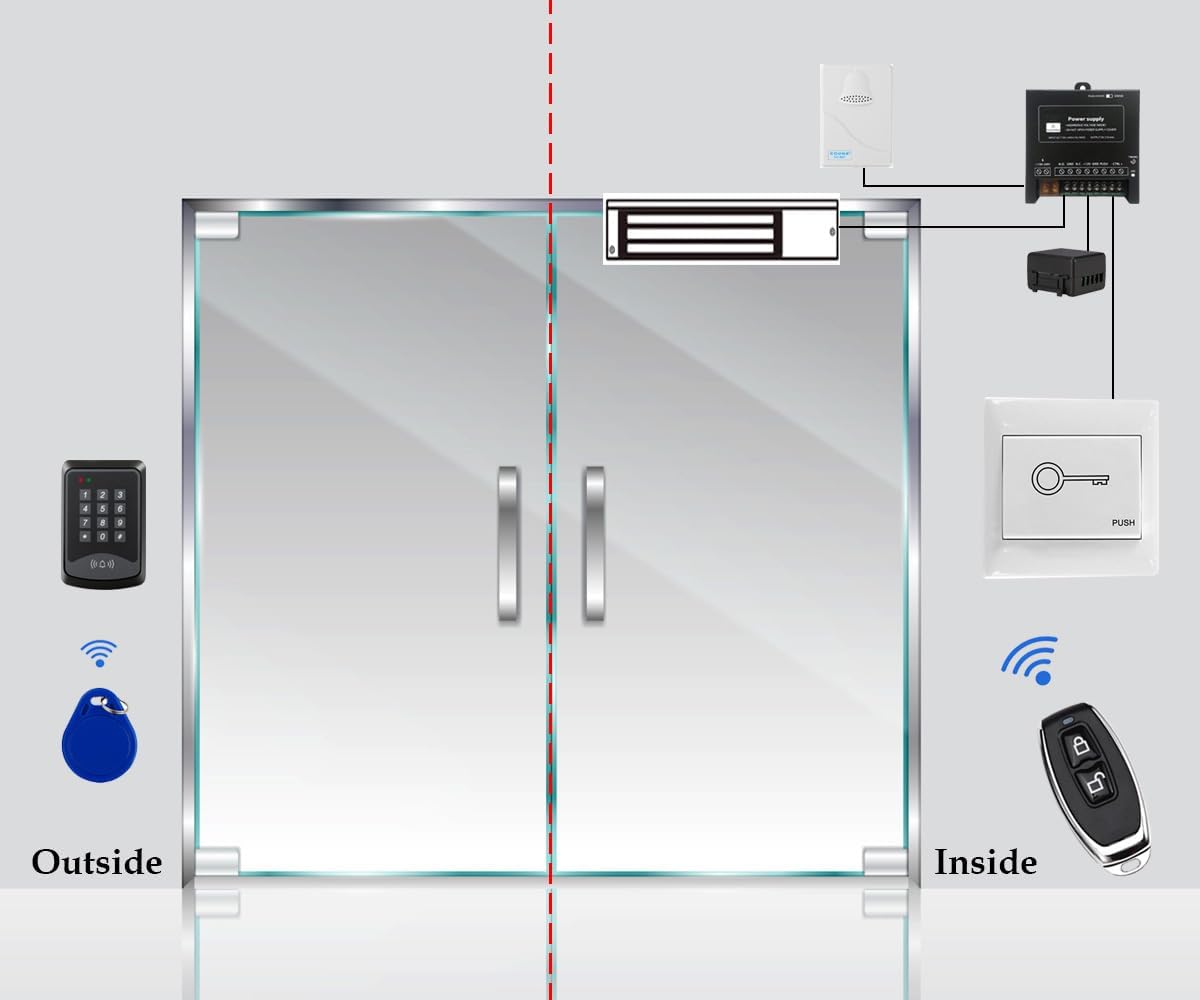
Figure 7: Dimensions of the magnetic lock and armature plate for precise installation.
- Mount the main magnetic lock body to the door frame using the provided screws. Ensure it is level and securely fastened.
- Attach the armature plate to the door. The plate should align perfectly with the magnetic lock body when the door is closed. Use the included L-brackets or Z-brackets if necessary for proper alignment on different door types (e.g., inward/outward swinging doors).
- Adjust the armature plate to allow for slight pivoting, ensuring full contact with the electromagnet when the door is closed.
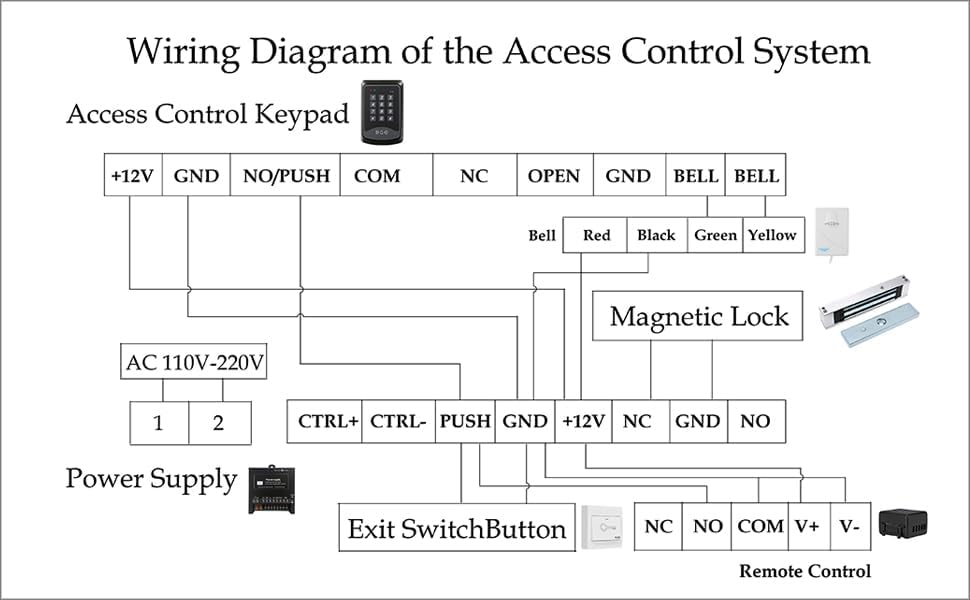
Figure 8: Example of magnetic lock installation on a door frame and door.
5. Operating Instructions
5.1 System Overview and Basic Operation
The system allows entry via RFID card, PIN code, or remote control, and exit via the exit button.

Figure 9: Diagram illustrating the typical setup and flow of the access control system, showing external and internal components.
Watch the video below for a demonstration of the system's basic functions, including doorbell, exit button, PIN code, RFID card, and remote control operation.
Video 1: Demonstration of the 1200 lbs magnetic lock remote control door access system in operation, showing various unlock methods.
5.2 Programming the Keypad
The default Master Code is 9999. It is highly recommended to change this code immediately after installation.
5.2.1 Changing the Master Code (PIN)
- Press * 9999 # 5 New PIN # New PIN # *
- The keypad will beep to confirm the new PIN has been set.
- Test the new PIN to ensure it unlocks the door.
5.2.2 Enrolling RFID Cards
- Press * 9999 # 1 Swipe Card # *
- Swipe each RFID card you wish to enroll. The keypad will beep for each successful enrollment.
- Press * to exit enrollment mode.
- Test each enrolled RFID card to ensure it unlocks the door.
5.2.3 Deleting RFID Cards
To delete a single card, you will need its unique ID. To delete all cards, follow the reset procedure in the troubleshooting section.
- Press * 9999 # 2 Card ID # * (Replace Card ID with the specific card's ID).
- The keypad will beep to confirm deletion.
6. Maintenance
- Cleaning: Use a soft, dry cloth to clean the keypad and magnetic lock. Do not use abrasive cleaners or solvents.
- Connection Check: Periodically inspect all wiring connections to ensure they are secure and free from corrosion.
- Magnetic Lock Alignment: Ensure the magnetic lock and armature plate remain properly aligned for optimal performance. Misalignment can reduce holding force.
- Firmware Updates: Check the manufacturer's website for any available firmware updates for the keypad or other components.
7. Troubleshooting
| Problem | Possible Cause | Solution |
|---|---|---|
| System not powering on. | No power to the power supply; faulty wiring; power supply malfunction. | Check power outlet and connections. Verify power supply output voltage. Consult a qualified electrician if necessary. |
| Magnetic lock does not engage/disengage. | Incorrect wiring; insufficient power; misalignment of lock and armature plate; faulty lock. | Review wiring diagram (Figure 6). Ensure power supply is providing stable 12V. Adjust lock and plate alignment. Replace lock if defective. |
| Keypad not responding or beeping incorrectly. | Incorrect wiring; keypad malfunction; incorrect programming sequence. | Check keypad wiring. Re-enter programming sequences carefully. If issues persist, consider a factory reset. |
| RFID cards not working. | Cards not enrolled; faulty cards; RFID reader malfunction. | Ensure cards are properly enrolled (Section 5.2.2). Try a different card. Contact support if reader is suspected faulty. |
| Remote control not working. | Remote battery low; remote not paired; receiver malfunction. | Replace remote battery. Refer to remote pairing instructions (usually involves pressing a button on the receiver). Check receiver wiring. |
7.1 Factory Reset
If persistent issues occur or you forget the Master Code, a factory reset can restore the keypad to its default settings. Warning: This will erase all enrolled PINs and RFID cards.
- Disconnect power from the keypad.
- Press and hold the # key.
- While holding #, reconnect power.
- Release the # key after hearing a long beep.
- The keypad is now reset to factory defaults (Master Code: 9999).
8. Specifications
| Feature | Detail |
|---|---|
| Brand | YUHANUS |
| Model Number | YH-K03-P9-500-RT |
| Power Source | Corded Electric |
| Input Voltage | AC110V-240V (50HZ) |
| Output Voltage | DC12V (4A) |
| Magnetic Lock Holding Force | 1200 lbs |
| Connectivity Technology | Wired |
| Installation Type | Screw-In |
| Sensor Technology | RFID |
| Control Method | Touch (Keypad) |
| Item Dimensions (L x W x H) | 11.81 x 7.09 x 3.15 inches |
| Item Weight | 11.27 pounds |
9. Warranty and Support
This product is covered by the standard return policy. For specific warranty details, please refer to the purchase platform or contact YUHANUS customer support.
- Return Policy: Typically 30 days from purchase for refund/replacement.
- Protection Plans: Additional protection plans (e.g., 2-Year, 3-Year) may be available for purchase separately.
- Manufacturer Support: For technical assistance or warranty claims, please contact YUHANUS directly.
Ask a question about this manual
Ask about setup, troubleshooting, compatibility, parts, safety, or missing instructions. Manuals+ will review the question and use this page’s manual context to help answer it.