
1. Introduction
This manual provides detailed instructions for the safe and efficient operation of your Pomya A4 Portable Thermal Printer. Please read this manual thoroughly before using the device and retain it for future reference.

Image 1.1: The Pomya A4 Portable Thermal Printer, a compact and inkless printing solution.
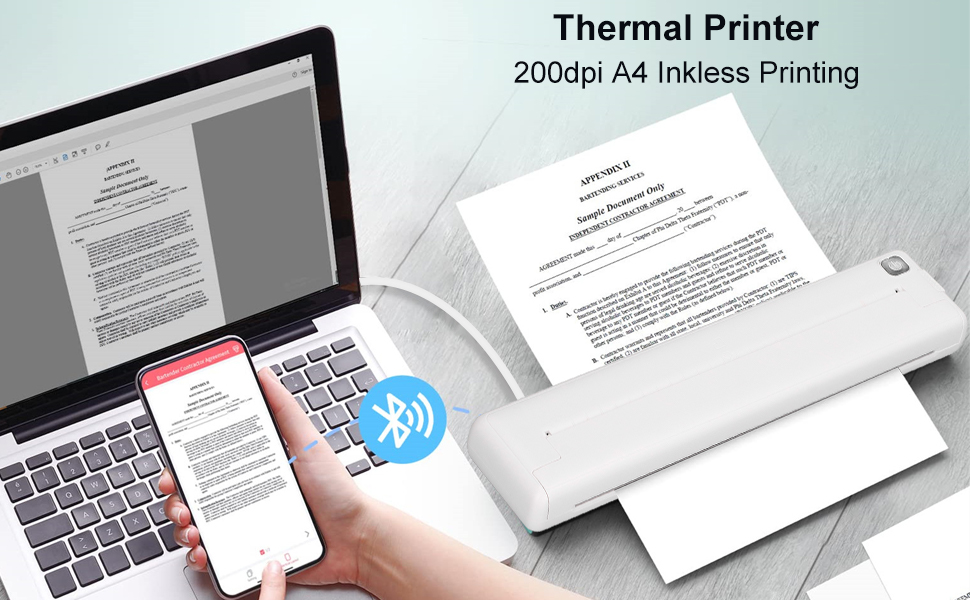
Image 1.2: The printer features 200dpi resolution for A4 inkless thermal printing.

Image 1.3: The compact design allows for easy portability, enabling printing anywhere.
2. Package Contents
Please verify that all items are present in the package:
- 1 x A4 Thermal Printer
- 1 x USB Cable

Image 2.1: The printer and its included USB charging cable.

Image 2.2: Close-up of the USB charging cable.
3. Setup
3.1 Charging the Printer
The printer is equipped with a built-in 1000mAh rechargeable lithium battery. Before initial use, fully charge the device using the provided USB cable. A full charge takes approximately 1.5 hours and allows for continuous printing of up to 90 sheets of A4 thermal paper.
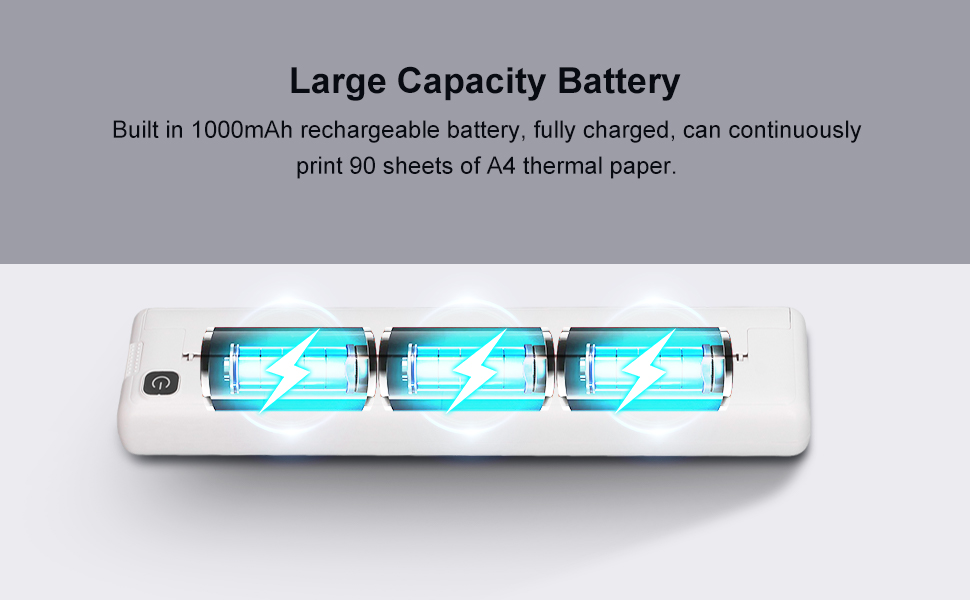
Image 3.1: The printer features a large capacity battery for extended use.
3.2 Loading Thermal Paper
This printer uses thermal paper with a width of 210mm or 218mm (A4 paper width). Ensure the paper is inserted correctly for optimal printing results.
Video 3.1: This video demonstrates the process of loading thermal paper into the printer.
3.3 App Installation and Bluetooth Connection
To use the printer, download the 'iprint' application from your device's app store. The app is compatible with both iOS and Android smartphones. Once installed, enable Bluetooth on your smartphone and pair it with the printer.
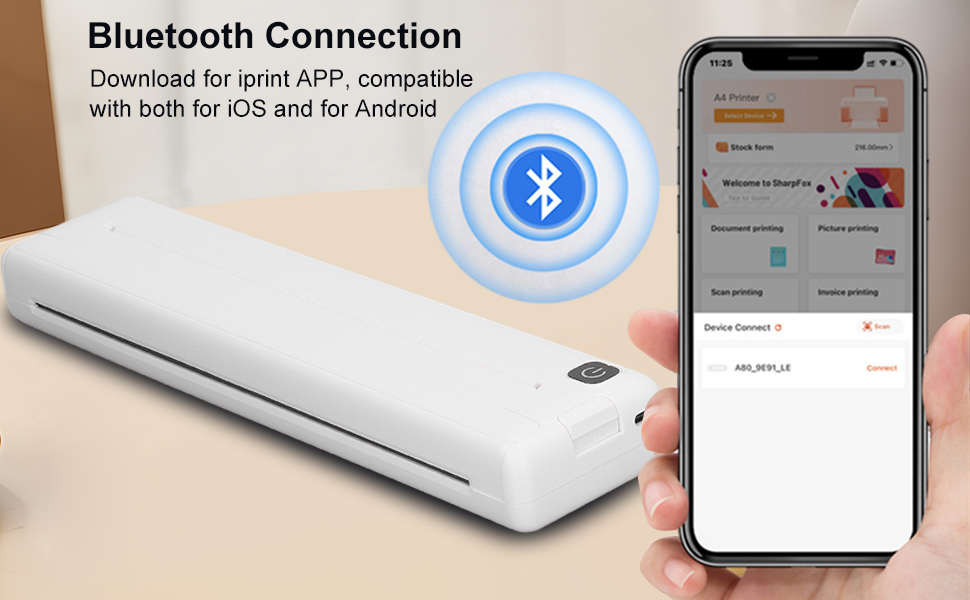
Image 3.2: The printer connects wirelessly via Bluetooth to your smartphone.
Video 3.2: This video illustrates how to connect the printer via Bluetooth and navigate the 'iprint' app.
4. Operating Instructions
4.1 Printing from the App
After connecting your printer via Bluetooth, open the 'iprint' app. You can select various printing options:
- Photo Printing: Print images directly from your phone.
- Graphic Editing: Utilize in-app tools to modify graphics before printing.
- To-do List: Print organized lists for tasks.
- Label: Create and print custom labels.
- Text Extraction: Extract text from images for printing.
- Document Printing: Print various document types.
- Web Printing: Print content directly from web pages.
- Banner Printing: Create and print banners.

Image 4.1: The printer can be used for various educational materials like test papers and notes.

Image 4.2: The printer outputs documents at a speed of 10mm/s.
5. Maintenance
The Pomya A4 Portable Thermal Printer utilizes inkless thermal printing technology, eliminating the need for ink cartridges or toner. This simplifies maintenance significantly.
- Cleaning: Gently wipe the exterior of the printer with a soft, dry cloth. Avoid using abrasive cleaners or solvents.
- Paper Storage: Store thermal paper in a cool, dry place away from direct sunlight to preserve its quality.
- Battery Care: For optimal battery life, avoid fully discharging the battery frequently. Charge the printer regularly.
6. Troubleshooting
If you encounter issues with your printer, please refer to the following common solutions:
- Printer not turning on: Ensure the printer is fully charged. Connect it to a power source using the USB cable and try again.
- Unable to connect via Bluetooth: Make sure Bluetooth is enabled on your smartphone and the printer is within range. Restart both devices and try pairing again. Check the 'iprint' app for connection status.
- Poor print quality: Ensure you are using compatible A4 thermal paper. Check if the paper is loaded correctly and not creased or damaged.
- Paper jam: Carefully open the paper compartment and remove any jammed paper. Ensure paper is loaded smoothly and not overfilled.
- App not responding: Close and restart the 'iprint' app. If the issue persists, try reinstalling the app.
If these steps do not resolve the issue, please contact customer support.
7. Specifications
| Feature | Detail |
|---|---|
| Brand | Pomya |
| Model Name | Pomya01tdasp2xk |
| Printing Technology | Thermal |
| Connectivity Technology | Bluetooth 4.0, USB |
| Maximum Black and White Print Resolution | 200 dpi |
| Maximum Media Size | A4 (210mm - 218mm width) |
| Max Input Sheet Capacity | 90 sheets |
| Printing Speed | 10mm/s |
| Battery Capacity | 1000mAh rechargeable lithium battery |
| Charging Time | Approx. 1.5 hours |
| Continuous Printing Battery Life | 90 sheets A4 thermal paper |
| Automatic Power off | 30 minutes |
| Compatible Devices | PC, Smartphones (Android, iOS) |
| Control Method | App |
| Item Weight | 1.34 pounds |
| Dimensions | Approx. 265x58x32mm (10.4x2.3x1.3in) |
8. Warranty Information
This product comes with a limited warranty. Please refer to the product packaging or the seller's website for specific warranty terms and conditions. Keep your purchase receipt as proof of purchase for any warranty claims.
9. Customer Support
For further assistance, technical support, or inquiries regarding your Pomya A4 Portable Thermal Printer, please contact the seller or manufacturer through the platform where the product was purchased. You may also visit the official Pomya store for additional resources and contact information.