Download PDFFree PDF. The Save button below keeps a bookmark and private notes in your account.
Dpofirs 10x42 Digital Binoculars with Camera and Video Recording User Manual
Model: Dpofirspzy5erfqgd
1. Product Overview
The Dpofirs 10x42 Digital Binoculars combine powerful optical magnification with integrated camera and video recording capabilities. Designed for various outdoor activities, these binoculars allow users to observe distant objects with clarity and capture high-resolution photos and videos.
Package Contents
1 x Dpofirs 10x42 Digital Binoculars
1 x Cleaning Cloth
1 x Neck Strap
1 x Storage Bag
1 x User Manual
(Note: Micro SD card and charging cable may be included separately or integrated.)
Figure 1: The Dpofirs 10x42 Digital Binoculars shown with its standard accessories.
Component Identification
Familiarize yourself with the main components of your binoculars:
Figure 2: Detailed diagram highlighting features such as rotatable eyecups, strap hole, circular thumb grip, and tripod attachment point.
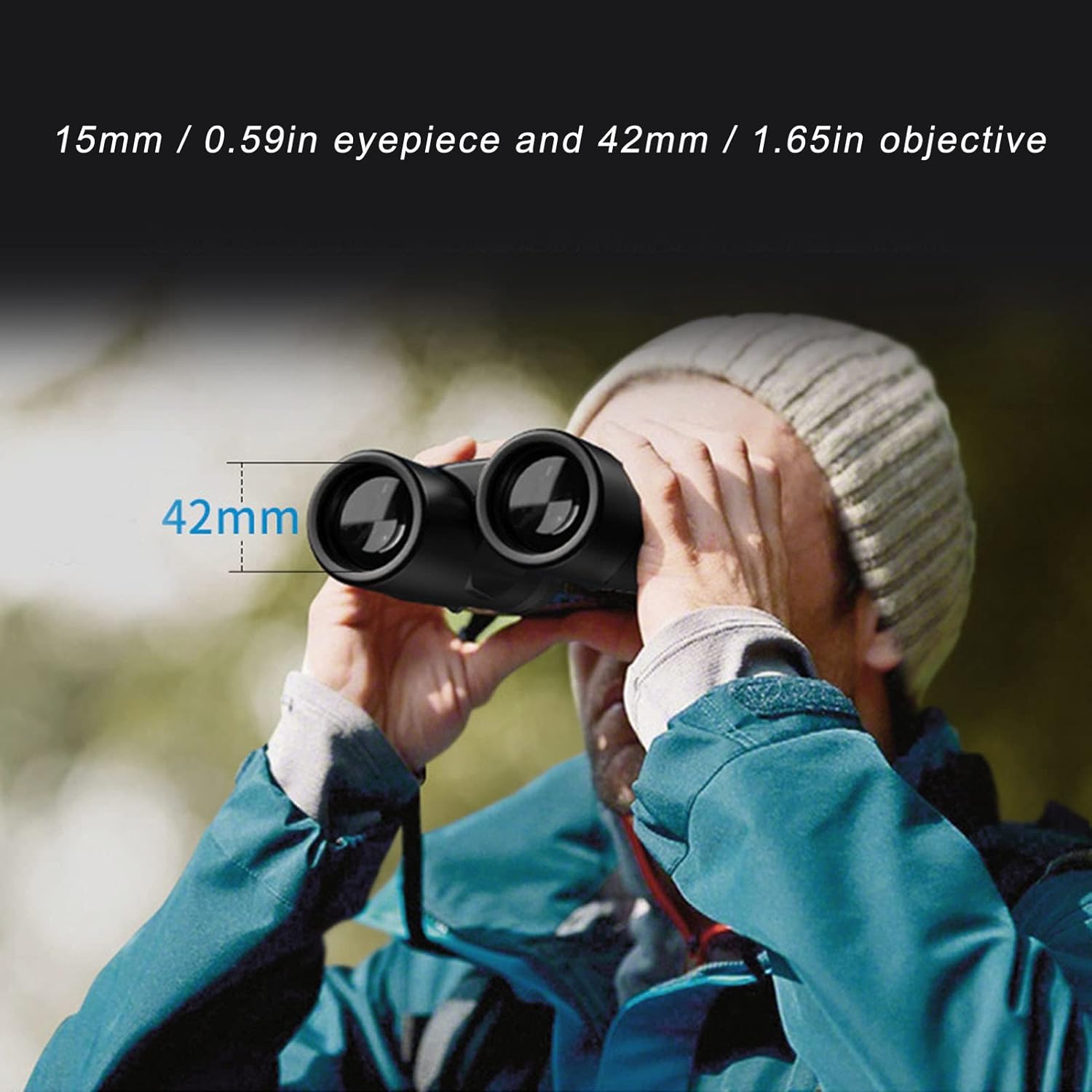
Figure 3: Side view illustrating the 15mm eyepiece and 42mm objective lens diameters.
2. Setup
2.1 Charging the Device
Before first use, ensure the binoculars are fully charged. Connect the charging cable to the Micro USB port on the device and to a compatible USB power source. The LED indicator will show charging status.
2.2 Inserting a Micro SD Card
To store photos and videos, a Micro SD card (not included) must be inserted. Locate the Micro SD slot, typically on the side or bottom of the device. Gently push the card into the slot until it clicks into place. Ensure the card is inserted correctly to avoid damage.
Video 1: This video demonstrates the general setup and operation of a digital binocular camera, including inserting the SD card and basic controls. Note that the specific model shown in the video (12x32) may differ slightly from your 10x42 model, but the operational principles are similar.
2.3 Adjusting Eyecups and Interpupillary Distance
Adjust the rotatable eyecups to your comfort. If you wear glasses, you may prefer to keep them retracted. Adjust the interpupillary distance by folding the mirror body to match the distance between your eyes for a single, clear circular field of view.
Figure 4: A user observing through the binoculars, highlighting the 42mm objective lens.
3. Operating Instructions
3.1 Power On/Off
Press and hold the Power On/Off button (refer to Figure 2) to turn the device on or off. The display screen will illuminate upon power-on.
3.2 Focusing
Use the Focusing Wheel (refer to Figure 2) to achieve a sharp image. Rotate the wheel until the object in view appears clear. For fast-moving objects, the binoculars feature a precise fixed focus optical standard, allowing observation without constant refocusing.
3.3 Camera and Video Functions
The binoculars offer both photo and video recording modes.
Mode Button: Press the Mode Button to switch between photo mode, video mode, and playback mode.
Zoom: Use the Zoom (+)/Up and Zoom (-)/Down buttons to adjust the digital zoom (up to 8X).
Taking Photos: In photo mode, press the Camera/OK button to capture a still image.
Recording Videos: In video mode, press the Camera/OK button to start recording. Press it again to stop recording.
Video 2: This video demonstrates the digital zoom, video recording (2.5K UHD), and photo capture (48MP) features of a digital binocular camera. Note that the specific model shown in the video may differ slightly from your 10x42 model, but the operational principles are similar.
3.4 Playback
In playback mode, use the navigation buttons (Up/Down) to browse through your captured photos and videos. Press the Camera/OK button to view a selected item or play a video.
3.5 Menu Settings
Press the Menu Button to access settings such as resolution, date/time, and other preferences. Use the navigation buttons to select options and the Camera/OK button to confirm.
4. Maintenance
4.1 Cleaning
Use the provided cleaning cloth to gently wipe the lenses and body of the binoculars. Avoid using abrasive materials or harsh chemicals, which can damage the optical coatings and surface finish. For stubborn smudges on lenses, a specialized lens cleaning solution can be used sparingly with the cleaning cloth.
4.2 Water Resistance
The binoculars are designed to be resistant to light splashes, sprays, and light rain. They are not intended for use in heavy rain or for submersion in water. Prolonged exposure to moisture should be avoided.
4.3 Storage
When not in use, store the binoculars in the provided storage bag in a cool, dry place, away from direct sunlight and extreme temperatures. Ensure lens caps are in place to protect the optics from dust and scratches.
5. Troubleshooting
Problem
Possible Cause
Solution
Device does not power on.
Low battery; device malfunction.
Charge the device fully. If problem persists, contact support.
Blurred image.
Improper focus; dirty lenses.
Adjust the focusing wheel. Clean the objective and eyepiece lenses.
Cannot take photos/videos.
No Micro SD card; card full or corrupted; incorrect mode.
Insert a Micro SD card. Delete old files or use a new card. Format the card (this will erase all data). Ensure you are in the correct photo/video mode.
Display screen is blank or flickering.
Low battery; software issue.
Charge the device. Try resetting the device (if a reset button is available, refer to Figure 2).
6. Specifications
Feature
Detail
Magnification
10X
Objective Lens Diameter
42mm / 1.65in
Eyepiece Diameter
15mm / 0.59in
Prism Type
BAK-9
Lens Coating
FMC Multi-coating
Field of View
5.8° (304ft/1000yds or 101m/1000m)
Digital Zoom
Up to 8X (based on video demonstration)
Water Resistance
Resistant to light splashes and rain (not submersible)
This product comes with a standard manufacturer's warranty. Please refer to the warranty card included in your package or contact the retailer for specific details regarding warranty duration and coverage. Keep your purchase receipt as proof of purchase for any warranty claims.
7.2 Customer Support
For technical assistance, troubleshooting, or general inquiries, please contact Dpofirs customer support. Contact information can typically be found on the product packaging, the official Dpofirs website, or through your retailer.
Ask a question about this manual
Ask about setup, troubleshooting, compatibility, parts, safety, or missing instructions. Manuals+ will review the question and use this page’s manual context to help answer it.