
1. Introduction and Overview
The Waring Commercial Ellipse Professional Blender is engineered for high-performance blending in commercial foodservice environments. This innovative appliance features a unique dual motor system, combining an electric motor with a rechargeable lithium-ion battery pack, providing a fully automated blending solution. Its design promotes efficient blending by creating a vortex that pulls ingredients down towards the blades, ensuring consistent results and reducing blend times. The integrated sound enclosure minimizes operational noise, making it suitable for various settings. The sealed programmable keypad offers precise control with auto-start and pre-programmed options for ease of use.

Figure 1: The Waring Commercial Ellipse Blender with its sound enclosure.
2. What's in the Box
Upon unboxing, verify that all components listed below are present and in good condition:
- Blender Base
- Cylindrical Jar Assembly (32 oz. Copolyester Container)
- Lid & Dasher System
- Lithium-Powered Drive
- Sound Enclosure
- Docking Station
- Charging Station
- Jar Pad & Adaptor Ring

Figure 2: All components included with the MXE2000 blender.
3. Key Features
- Innovative Dual Motor Design: Features both an electric motor and a rechargeable lithium-ion battery pack for enhanced blending power and efficiency.
- Quiet Sound Barrier: A detachable polycarbonate shield significantly reduces operational noise, ideal for noise-sensitive environments.
- Sealed Programmable Keypad: Includes auto start mode, infrared sensor, and pre-programmed keys for automated blending cycles (10-20 seconds). Settings can be customized.
- Durable 32oz BPA-Free Jar: Constructed from robust copolyester, designed for high-volume commercial use.
- Integrated Dasher System: The snap-in dasher, driven by the Ellipse drive, scrapes container walls to ensure all ingredients are incorporated into the blend, eliminating air pockets.
- Convenient Docking Station: A cradle for storing the Drive when not in use, with flexible positioning options (front, left, or right of the base).

Figure 3: The 32 oz. copolyester jar with the dasher system designed to scrape contents back into the blade.
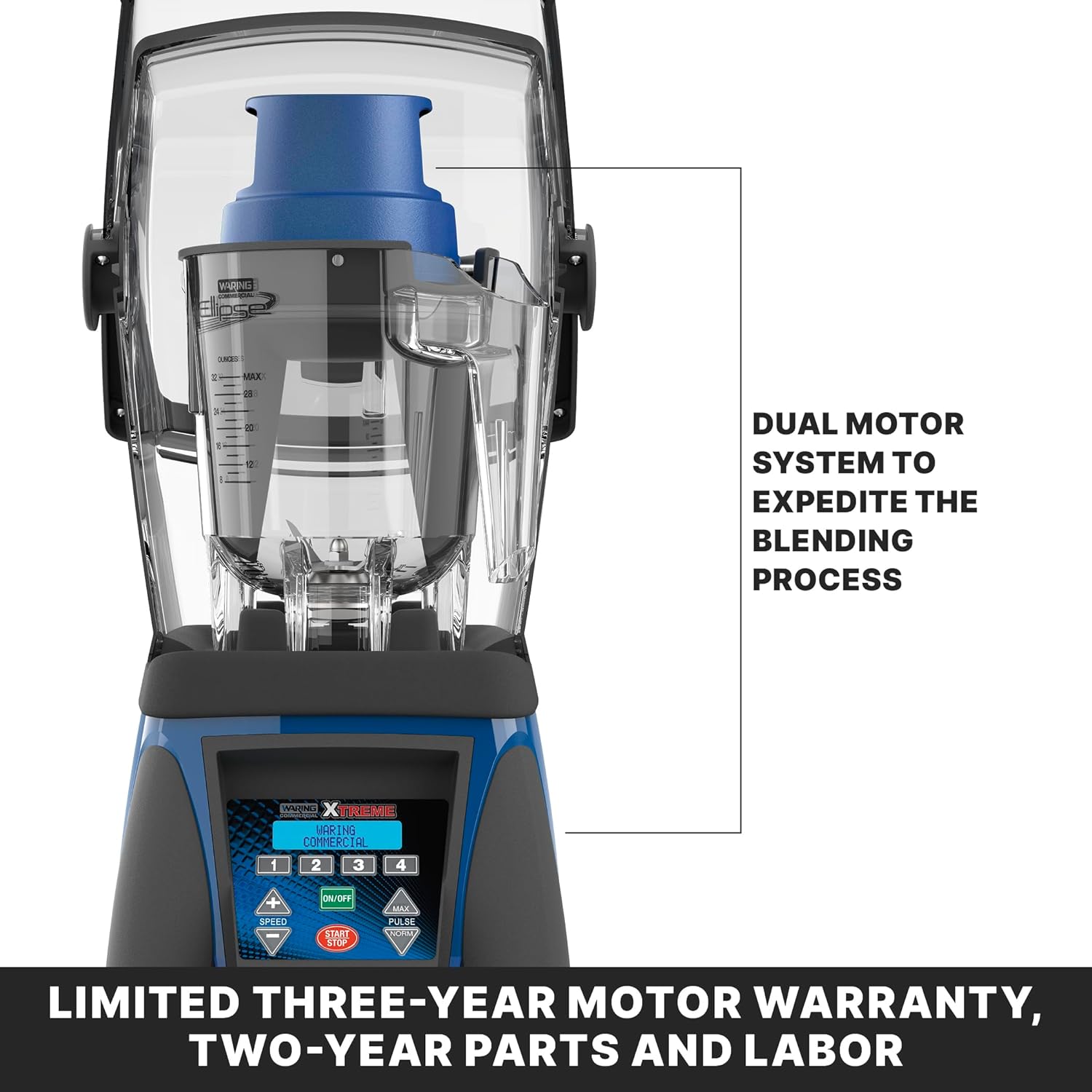
Figure 4: The dual motor system expedites the blending process for consistent results.
4. Setup Instructions
- Unpack Components: Carefully remove all parts from the packaging and ensure all items listed in "What's in the Box" are present.
- Position the Base: Place the blender base on a stable, flat, and dry surface. Ensure adequate ventilation around the unit.
- Assemble the Jar:
- Ensure the blade assembly is securely seated in the bottom of the jar.
- Place the jar pad and adaptor ring onto the blender base.
- Carefully place the cylindrical jar onto the blender base, aligning it properly.
- Install the Dasher System: Insert the dasher into the jar, ensuring it fits correctly over the blade assembly.
- Charge the Lithium-Powered Drive:
- Connect the charging station to a power outlet.
- Place the Lithium-Powered Drive onto the charging station.
- Allow approximately 2.5 to 3 hours for a full charge. The indicator light will change from blinking red/orange/green to solid green when fully charged. A full charge can last up to 8 hours depending on usage.
- Position the Docking Station: Place the docking station in a convenient location near the blender base, either in front, to the left, or to the right, to store the Drive when not in use.
- Install the Sound Enclosure: Carefully place the sound enclosure over the assembled blender jar and base. Ensure it is securely seated to effectively reduce noise during operation.
- Connect Power: Plug the blender's main power cord into a grounded electrical outlet.
5. Operating Instructions
The Waring Commercial Ellipse Blender offers intuitive controls for various blending needs.
5.1. Control Panel Overview
The sealed programmable keypad features an LCD display and various buttons for precise control:
- Pre-programmed Keys (1-4): These keys activate pre-set blending cycles, typically running for 10-20 seconds at 70% power. These settings can be reprogrammed to suit specific recipes.
- ON/OFF Button: Powers the unit on or off.
- START/STOP Button: Initiates or halts the blending cycle.
- SPEED +/- Buttons: Adjust the blending speed in 1% increments, displayed on the LCD.
- PULSE Button: Activates a momentary high-speed blend. The blender features a dual pulse feature: Normal (100% power) and Maximum (150% power), which can also be adjusted.
- Infrared Sensor: Detects the presence of the jar and dasher system, enabling auto-start mode.
- Drink Counters: The LCD displays both daily and total drink counts, which can be reset as needed.
5.2. Blending Process
- Prepare Ingredients: Add desired ingredients to the 32 oz. copolyester jar. Ensure ingredients do not exceed the maximum fill line.
- Place Jar: Securely place the jar with the dasher system onto the blender base. Ensure the sound enclosure is properly positioned.
- Select Program or Adjust Settings:
- For pre-set blends, press one of the pre-programmed keys (1-4). The blender will automatically start.
- For manual control, use the SPEED +/- buttons to set the desired speed.
- Use the PULSE button for short bursts of high power.
- Start Blending: Press the START button to begin the blending cycle. The dual motor system will engage, and the dasher will ensure thorough mixing.
- Monitor Blending: Observe the blending process. The sound enclosure will help maintain a quieter environment.
- Stop Blending: Press the STOP button to end the blending cycle, or allow pre-programmed cycles to complete automatically.
- Remove Jar: Once blending is complete, carefully remove the jar from the base.
Note on Dual Motor Operation: The Lithium-Powered Drive (upper motor) can operate either manually or automatically, working in conjunction with the main electric motor to optimize blending efficiency.
Overload Protection: The blender is equipped with overload protection. If the motor overheats due to excessive load, the unit will automatically shut down to prevent damage. Allow the unit to cool before resuming operation.
6. Maintenance and Cleaning
Regular cleaning and maintenance will ensure the longevity and optimal performance of your Waring Commercial Ellipse Blender.
6.1. Daily Cleaning
- Unplug the Blender: Always disconnect the blender from the power outlet before cleaning.
- Clean the Jar and Dasher:
- Remove the jar and dasher system.
- Rinse thoroughly under warm running water.
- For stubborn residue, fill the jar with warm water and a small amount of mild dish soap. Run the blender on low speed for a few seconds, then rinse.
- The 32oz BPA-free copolyester jar and dasher are dishwasher safe (top rack recommended) or can be washed by hand.
- Clean the Sound Enclosure: The detachable polycarbonate shield can be wiped clean with a damp cloth and mild detergent. Do not immerse in water.
- Clean the Base: Wipe the blender base and control panel with a damp cloth. Do not immerse the base in water or spray directly with liquids. Ensure the sealed keypad is wiped gently.
- Clean the Charging Station and Docking Station: Wipe with a damp cloth as needed.
- Dry All Parts: Ensure all components are completely dry before reassembling or storing.
6.2. Periodic Maintenance
- Inspect Blades: Periodically check the blender blades for any signs of wear, dullness, or damage. Replace if necessary.
- Check Cords: Inspect the power cord and charging station cord for any cuts, fraying, or damage.
- Lubrication: No user lubrication is required for this appliance.
7. Troubleshooting
This section addresses common issues you might encounter with your Waring Commercial Ellipse Blender.
| Problem | Possible Cause | Solution |
|---|---|---|
| Blender does not turn on. |
|
|
| Ingredients are not blending smoothly or are stuck. |
|
|
| Blender is excessively noisy. |
|
|
| Lithium-Powered Drive not charging. |
|
|
If the problem persists after attempting these solutions, please contact Waring Commercial customer support.
8. Specifications
| Attribute | Detail |
|---|---|
| Model Number | MXE2000 |
| Product Dimensions (D x W x H) | 14.5" x 10" x 25" |
| Weight | 23 Pounds |
| Capacity | 32 Fluid Ounces (Jar) |
| Power | 3.5 HP (Peak) |
| Battery Type | 1 Lithium Ion (included) |
| Color | Black |
| Special Features | Adjustable Speed Control, Adjustable Time, Auto Shut Off, Heavy Duty, Multiple Speeds, Sound Enclosure, Dual Motor System |
| Manufacturer | Waring Commercial |
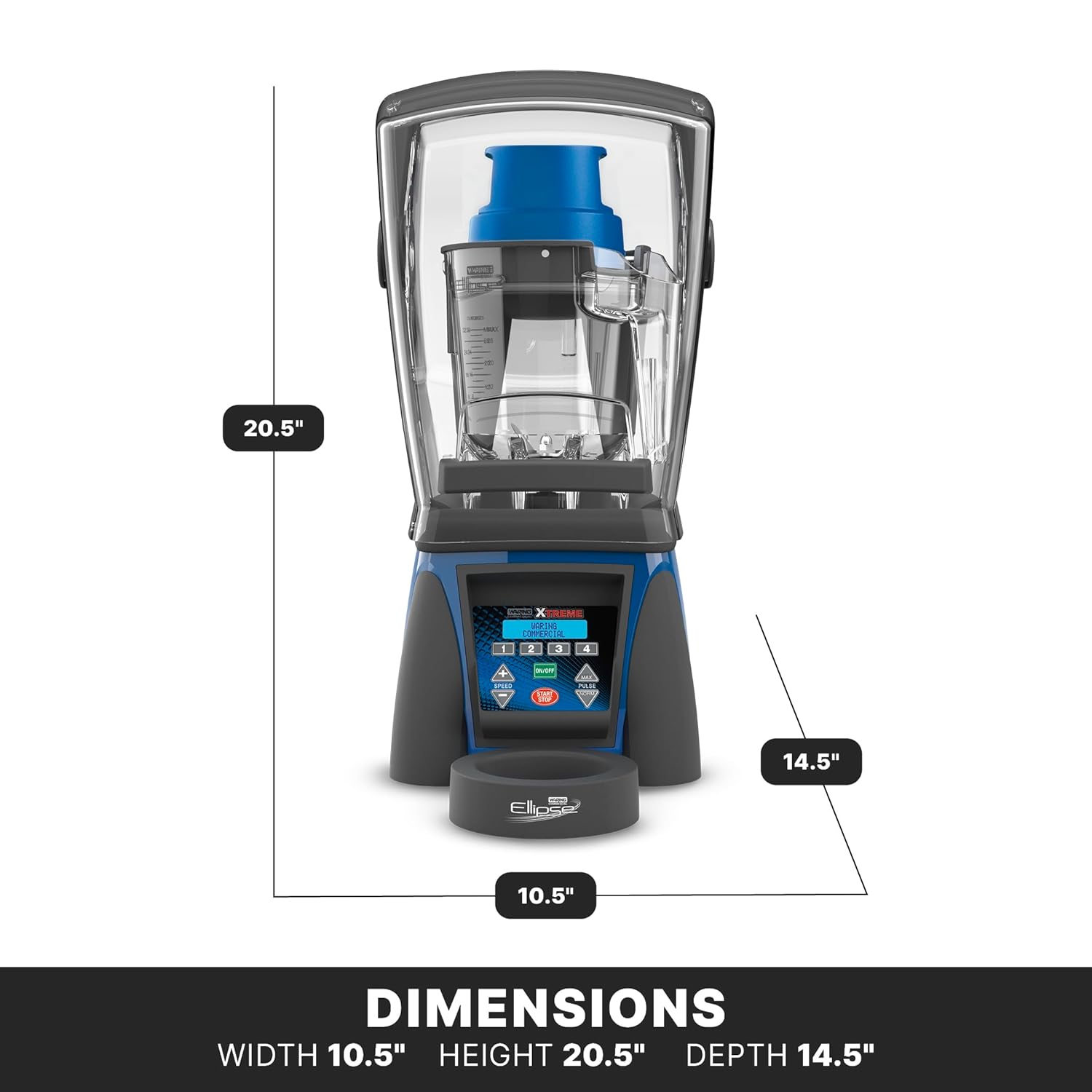
Figure 5: Product dimensions: Width 10.5", Height 20.5", Depth 14.5".
9. Warranty and Support
9.1. Warranty Information
The Waring Commercial Ellipse Blender (Model MXE2000) comes with a comprehensive warranty:
- Limited Three-Year Motor Warranty: Covers the main motor for a period of three years from the date of purchase.
- Two-Year Parts and Labor Warranty: Covers other parts and associated labor for a period of two years from the date of purchase.
Please retain your proof of purchase for warranty claims. The warranty covers defects in materials and workmanship under normal use. It does not cover damage resulting from misuse, abuse, accident, alteration, or unauthorized repair.
9.2. Customer Support
For technical assistance, troubleshooting beyond this manual, or warranty service, please contact Waring Commercial customer support:
- Website: Visit the official Waring Commercial website for support resources, FAQs, and contact information. www.waringcommercialproducts.com
- Phone: Refer to the contact section on the Waring Commercial website for the appropriate customer service phone number for your region.
When contacting support, please have your product model number (MXE2000) and serial number (if applicable) ready.


