Introduction
Thank you for choosing the XPR3SS HCT326 Dual Outlet Digital Irrigation Water Timer. This device is designed to automate your garden watering, providing convenience and efficiency. Please read this manual carefully before operation to ensure proper use and longevity of your product.
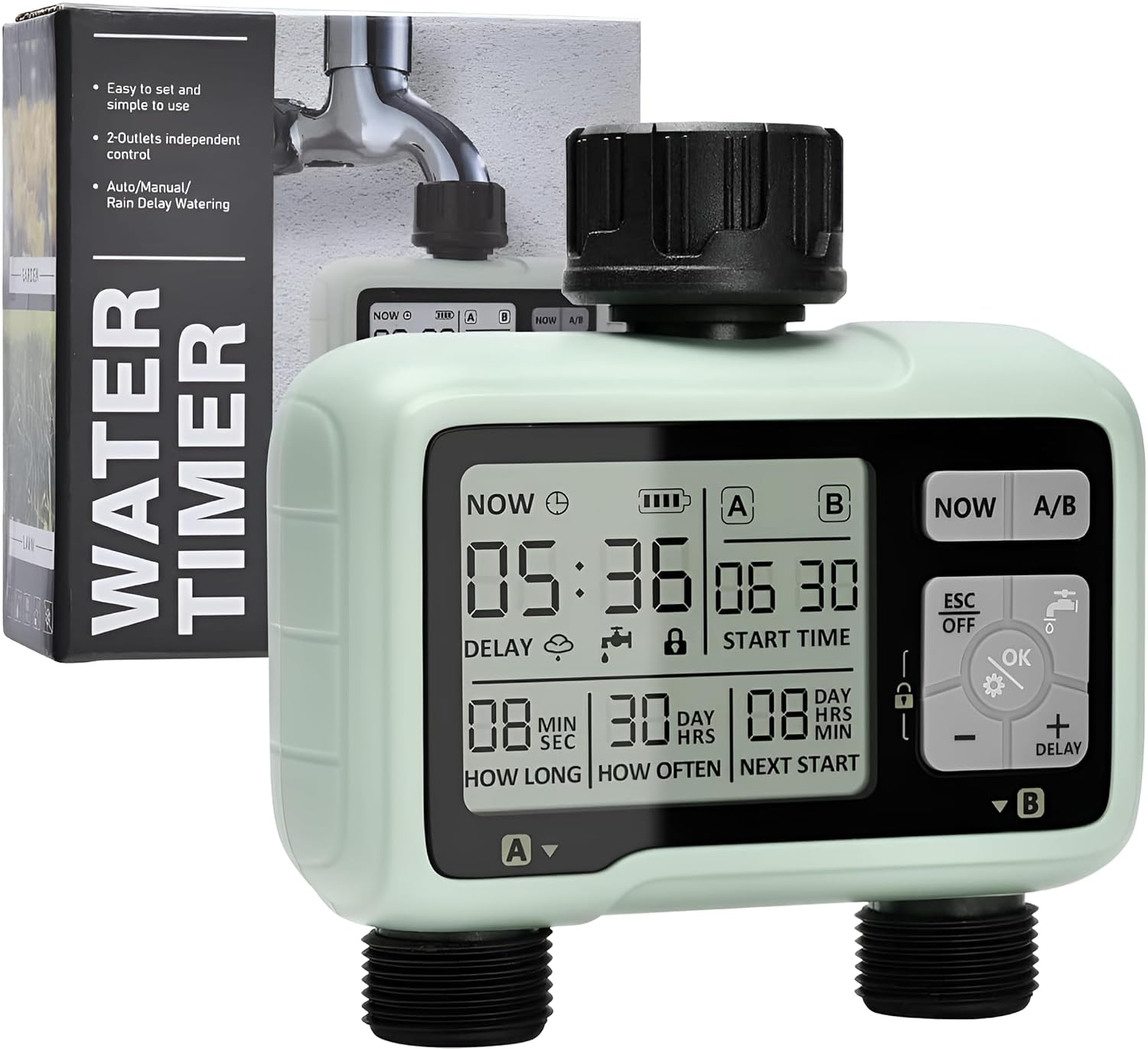
Image: The XPR3SS HCT326 Dual Outlet Digital Irrigation Water Timer, shown with its packaging, highlighting its compact design and clear digital display.
Safety Information
- Do not immerse the timer in water. The unit is IPX5 waterproof, meaning it is protected against low-pressure water jets, but not submersion.
- Use only 2 x 1.5V AA Alkaline batteries. Do not mix old and new batteries, or different types of batteries.
- Ensure all connections are secure to prevent leaks.
- Operate within the specified water pressure range of 0.05-0.8 MPa.
- Do not expose the timer to extreme temperatures outside the 1 to 45 Celsius working range.
- Keep out of reach of children when not in use, and utilize the Child Lock feature during operation.
Package Contents
Please check the box for the following items:
- 1 x XPR3SS HCT326 Water Timer
- 1 x Adapter
- 1 x Quick Connector
- 1 x O-Ring
- 1 x User Manual (this document)
Product Overview
Familiarize yourself with the main components and features of your water timer.
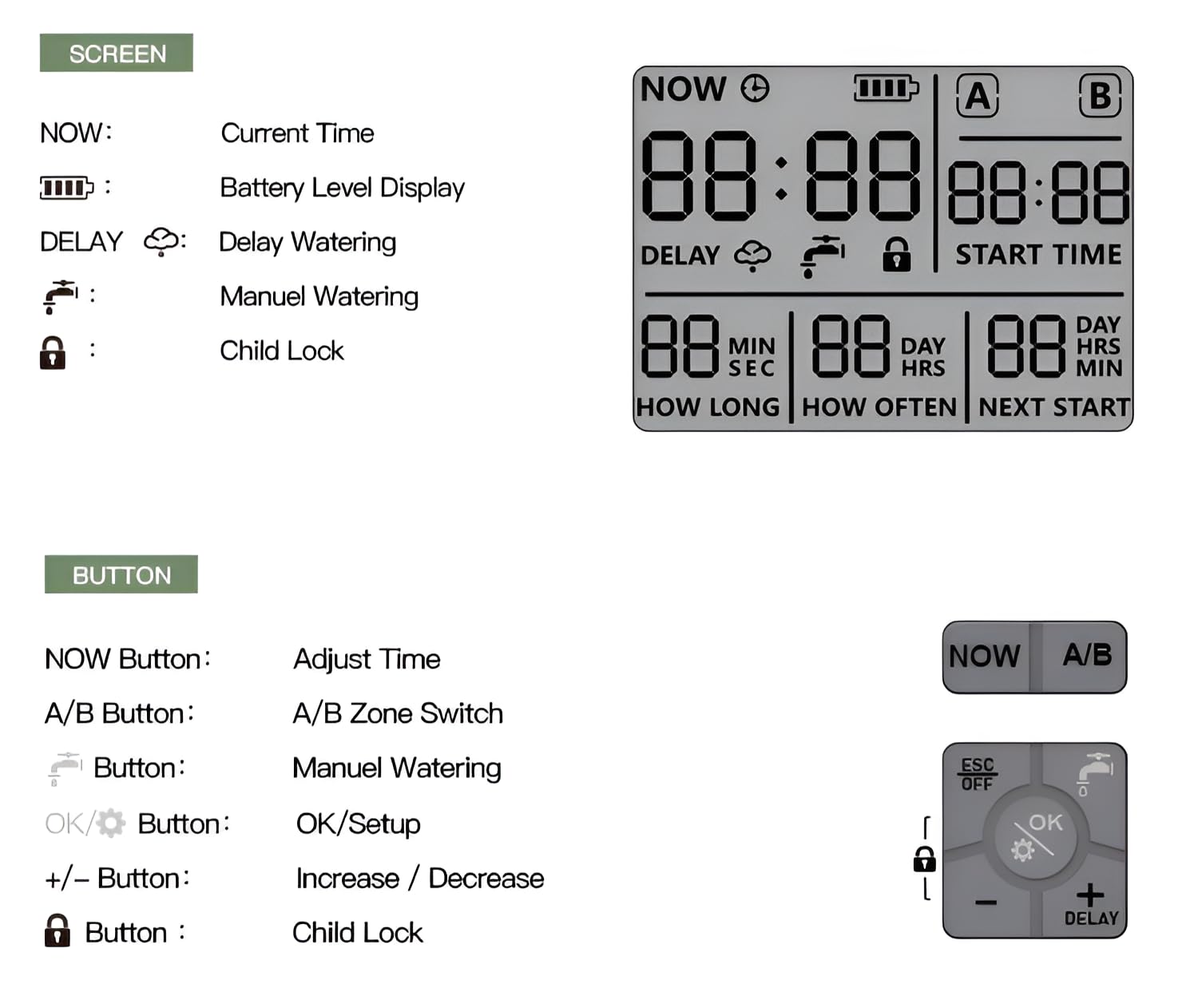
Image: A detailed diagram illustrating the LCD display elements and control buttons of the XPR3SS HCT326 water timer.
Display Elements:
- NOW: Current Time
- Battery Level Display: Indicates remaining battery power.
- DELAY: Indicates Delay Watering mode.
- Manual Watering Icon: Indicates manual watering is active.
- Child Lock Icon: Indicates Child Lock feature is engaged.
- A/B Zones: Separate indicators for Zone A and Zone B programming.
- START TIME: Displays the next scheduled start time.
- HOW LONG: Displays the watering duration (minutes/seconds).
- HOW OFTEN: Displays the watering frequency (hours/days).
- NEXT START: Displays the time until the next scheduled watering cycle.
Buttons:
- NOW Button: Used to adjust the current time.
- A/B Button: Switches between Zone A and Zone B for programming.
- Manual Watering Button: Activates immediate manual watering.
- OK/Setup Button: Confirms settings and enters setup mode.
- +/- Buttons: Increase or decrease values during setting.
- Child Lock Button: Engages or disengages the Child Lock feature.

Image: Visual representation of key features: Large LCD Display, Flexible Program settings, Manual watering, Power Indicator, and Child Lock.
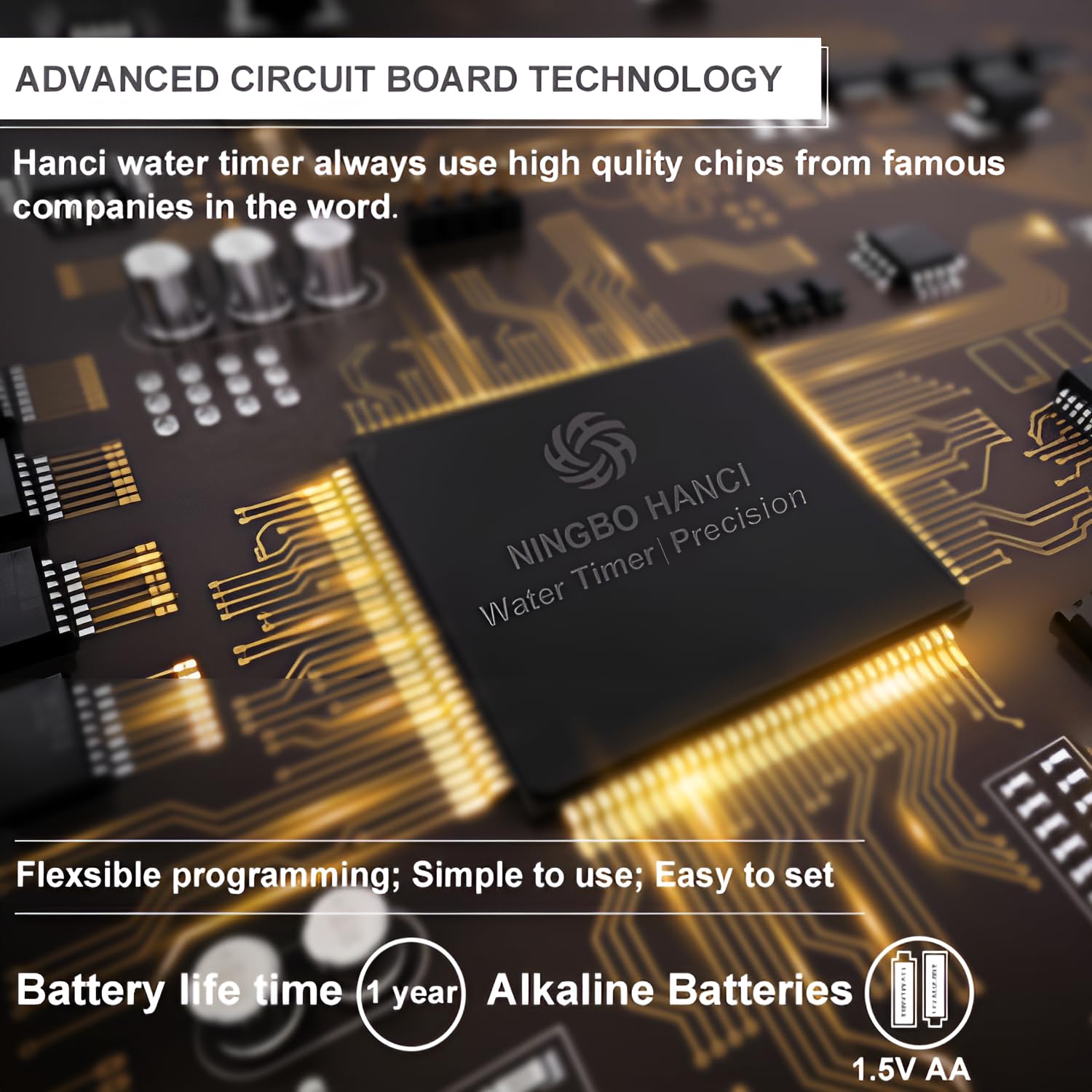
Image: Information on the advanced circuit board technology and the approximate one-year battery life using alkaline batteries.
Setup
1. Battery Installation:
- Locate the battery compartment on the back of the timer.
- Open the battery cover.
- Insert 2 x 1.5V AA Alkaline batteries, ensuring correct polarity (+/-).
- Close the battery cover securely to maintain water resistance.
- The timer will power on and display the current time.
2. Connecting the Timer:
- Ensure your outdoor faucet is turned off.
- Screw the timer's inlet (top connector) onto your faucet. Hand-tighten only. Use the provided O-ring to ensure a watertight seal.
- Connect your garden hose or irrigation system to the desired outlet(s) (bottom connectors). The timer features two independent outlets.
- Turn on your faucet fully. The timer is designed to handle the full water pressure.

Image: Close-up view highlighting the IPX5 waterproof design, durable brass connection, and the dual outlet configuration of the timer.
Operating Instructions
Setting Current Time:
- Press the NOW button. The time display will flash.
- Use the +/- buttons to adjust the hour. Press OK to confirm.
- Use the +/- buttons to adjust the minute. Press OK to confirm.
Programming Watering Schedules (Zone A and Zone B):
The HCT326 features two independent outlets (Zone A and Zone B) that can be programmed separately.
- Press the A/B button to select the zone you wish to program (A or B). The selected zone indicator will be highlighted.
- Press the OK/Setup button to enter programming mode for the selected zone.
- Set Start Time: The "START TIME" will flash. Use +/- to set the desired start hour, then press OK. Repeat for minutes.
- Set Watering Duration ("HOW LONG"): The "HOW LONG" display will flash. Use +/- to set the duration in minutes and seconds. Press OK after setting minutes, then again after setting seconds. Duration can be 1 second to 99 minutes.
- Set Watering Frequency ("HOW OFTEN"): The "HOW OFTEN" display will flash. Use +/- to set the frequency in hours (1-23 hours) or days (1-15 days). Press OK to confirm.
- Press OK/Setup again to save the program and exit programming mode for that zone.
- Repeat steps for the other zone if desired.
Manual Watering:
To water immediately without affecting your programmed schedules:
- Press the Manual Watering button.
- Use the +/- buttons to set the desired manual watering duration.
- Press OK to start manual watering. The water will flow for the set duration.
- To stop manual watering early, press the Manual Watering button again or the ESC/OFF button.
Child Lock Feature:
To prevent accidental changes to settings:
- To activate: Press and hold the Child Lock button for 3 seconds until the lock icon appears on the display.
- To deactivate: Press and hold the Child Lock button for 3 seconds until the lock icon disappears.
Pause Mode (OFF Mode):
To temporarily stop all watering programs for an extended period:
- Press the ESC/OFF button. The display will show "OFF" or similar indication.
- To resume programs, press the ESC/OFF button again.
Delay Watering:
This feature allows you to postpone watering for a set frequency without interrupting the timing plan.
- While in normal display mode, press the +DELAY button.
- Use the +/- buttons to set the delay duration (e.g., 1 hour, 2 hours, etc.).
- Press OK to confirm. The timer will pause scheduled watering for the set delay period.
Maintenance
- Cleaning: Wipe the exterior of the timer with a damp cloth. Do not use abrasive cleaners or solvents.
- Battery Replacement: When the low battery indicator appears, replace the batteries promptly to avoid interruption of watering schedules.
- Winter Storage: In freezing temperatures, remove the timer from the faucet and store it indoors to prevent damage from freezing water.
- Filter Cleaning: Periodically check the inlet filter for debris and clean if necessary to maintain optimal water flow.
Troubleshooting
| Problem | Possible Cause | Solution |
|---|---|---|
| Timer not turning on. | Dead or incorrectly installed batteries. | Replace batteries with new 1.5V AA Alkaline batteries, ensuring correct polarity. |
| No water flow. | Faucet is off; Timer is in OFF mode; Low water pressure; Clogged filter; Incorrect program. | Ensure faucet is fully open; Check if timer is in OFF mode and deactivate; Verify water pressure is within 0.05-0.8 MPa; Clean inlet filter; Review and correct program settings. |
| Water leaking from connections. | Loose connection; Missing or damaged O-ring. | Tighten connections securely (hand-tighten only); Check and replace O-ring if damaged. |
| Programs not running as scheduled. | Incorrect time setting; Program error; Child Lock active; Low battery. | Verify current time setting; Re-program the watering schedule; Deactivate Child Lock; Replace batteries. |
| Display is dim or blank. | Low battery. | Replace batteries immediately. |
Specifications
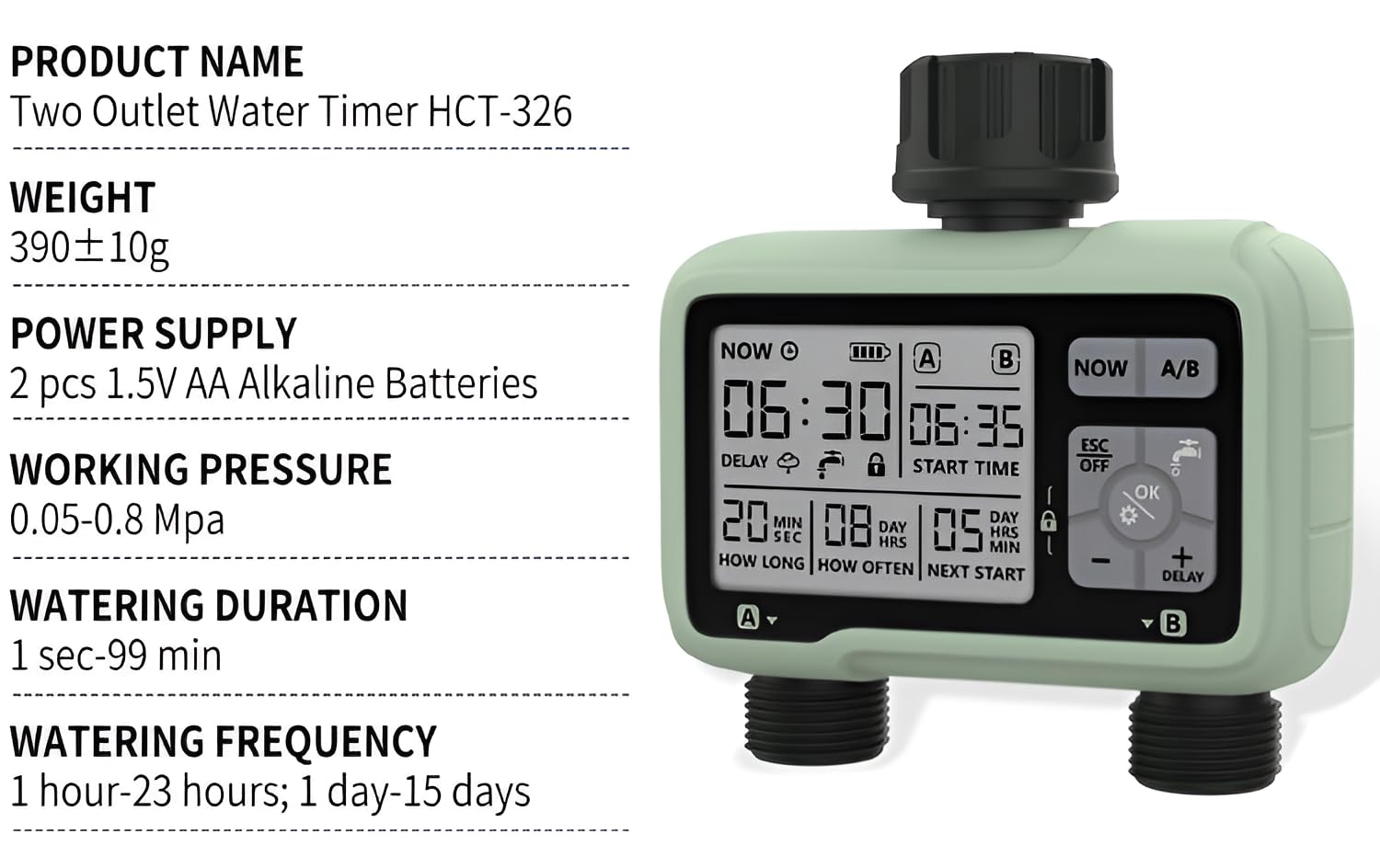
Image: A summary of the XPR3SS HCT326 water timer's key specifications, including product name, weight, power supply, working pressure, watering duration, and frequency.
| Feature | Detail |
|---|---|
| Model | HCT326 |
| Product Size | 120 × 55 × 122 mm |
| Weight | 508g (approx. 390 ± 10g as per image) |
| Connector Material | ABS+Nylon+Brass |
| Rain Sensor | No |
| Watering Duration | 1 to 59 Seconds; 1 to 99 Minutes |
| Watering Frequency | 1 to 23 Hours; 1 to 15 Days |
| Waterproof Level | IPX5 |
| Water Pressure | 0.05 - 0.8 MPa |
| Valve Type | Pulse Solenoid Valve |
| Power Supply | 2 pcs 1.5V AA Alkaline Batteries (not included) |
| Water Inlet | 1/2"; 3/4" BS&NH Thread |
| Water Outlet | 3/4" BS&NH Thread |
| Operating Temperature | 1 to 45 Degrees Celsius |
| Display Type | LCD |
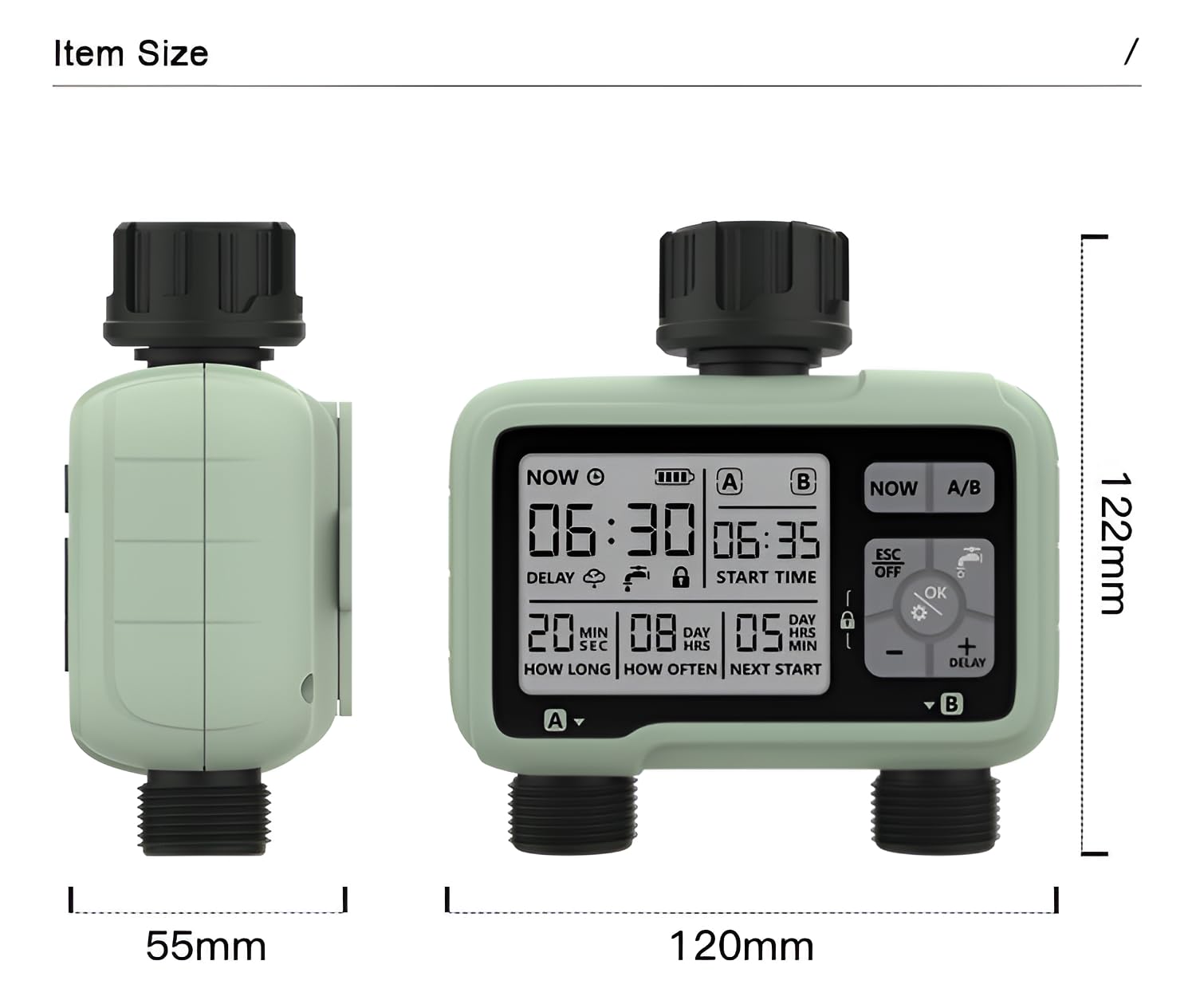
Image: Technical drawing showing the dimensions of the XPR3SS HCT326 water timer: 120mm length, 55mm width, and 122mm height.
Warranty and Support
The XPR3SS HCT326 Water Timer comes with a manufacturer's warranty. Please refer to your purchase documentation for specific warranty terms and duration. For technical support, troubleshooting assistance, or warranty claims, please contact XPR3SS customer service through the retailer where you purchased the product or visit the official XPR3SS website.
Manufacturer: XPR3SS, Bengaluru, India