
1. Introduction
The Easyfone Trackino KW2 is a 4G smart watch specifically designed for children, offering a blend of communication, safety, and activity tracking features. It functions as a reliable mobile phone alternative, enabling parents to manage contacts, track location, and communicate with their child through a dedicated smartphone application. This manual provides detailed instructions for setting up, operating, maintaining, and troubleshooting your Trackino KW2 smart watch.
2. What's in the Box
Upon unboxing your Easyfone Trackino KW2, please verify that all the following items are included:
- Easyfone Trackino KW2 Smart Watch
- USB Charging Cable
- SIM Card Installation Tool
- User Manual
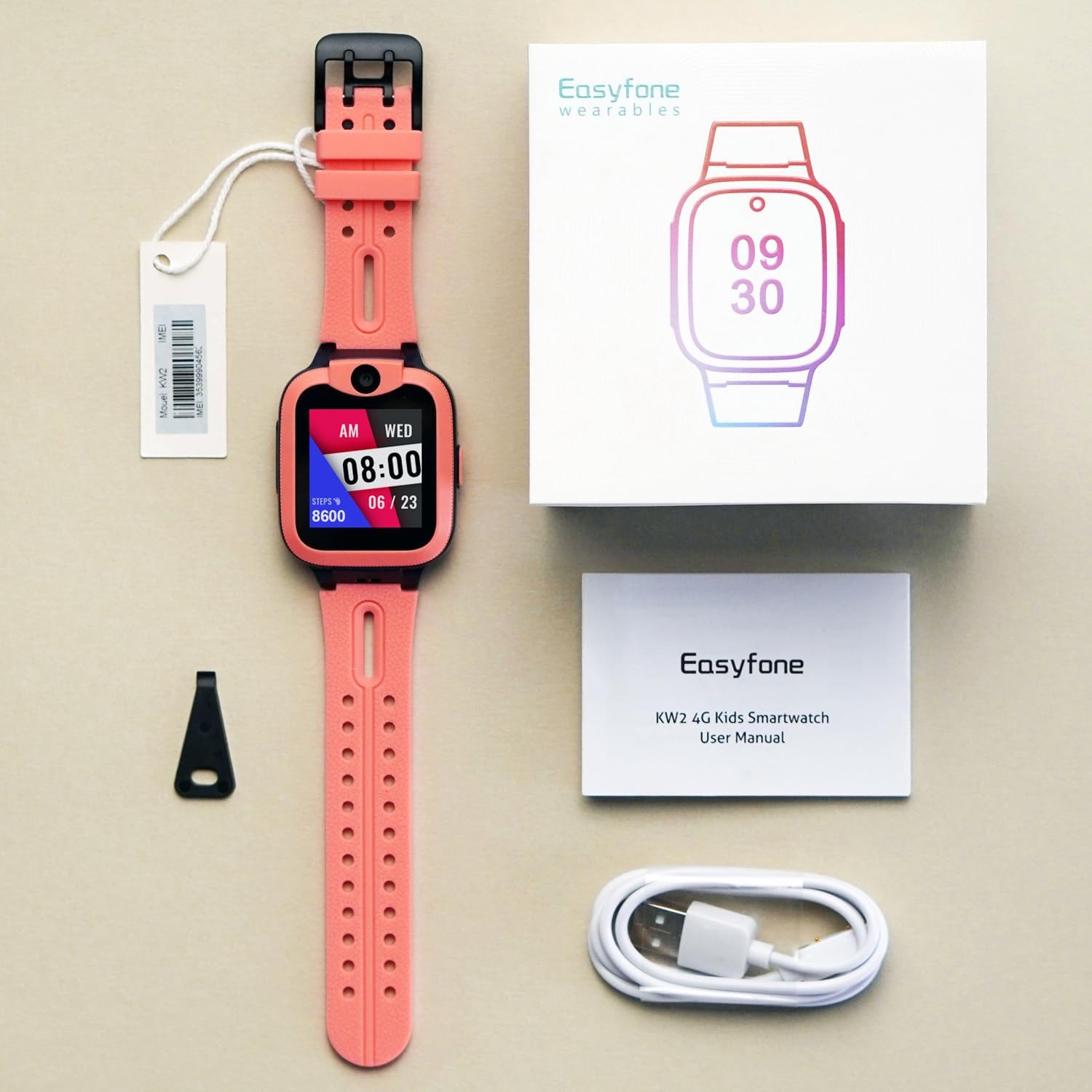
Image: All components included in the Easyfone Trackino KW2 Smart Watch package.
3. Setup Guide
3.1 SIM Card Installation
The Easyfone Trackino KW2 requires a Nano SIM card for 4G cellular connectivity. For optimal performance in Canada, it is recommended to use an activated SIM card from compatible carriers such as Rogers, Bell, Telus, Fido, or Lucky Mobile. A prepaid or BYOP (Bring Your Own Phone) plan with 4G data service is essential for the watch's full functionality.
- Ensure the Easyfone Trackino KW2 smart watch is completely powered off before attempting to insert the SIM card.
- Locate the SIM card slot on the side of the watch.
- Use the provided SIM card installation tool to gently open the SIM card tray.
- Carefully place the Nano SIM card into the tray, ensuring correct orientation as indicated by the diagram on the tray.
- Gently push the SIM card tray back into the slot until it is flush with the watch body.
3.2 App Download and Device Binding
To manage and communicate with the Easyfone Trackino KW2, you must download and use the official 'Trackino' application on your smartphone.
- Download the 'Trackino' app from your smartphone's respective app store (e.g., Apple App Store for iOS, Google Play Store for Android).
- Open the 'Trackino' app and register a new user account.
- Follow the in-app instructions to bind your Easyfone Trackino KW2 smart watch to your account. This process typically involves scanning a unique QR code displayed on the watch screen or manually entering the watch's IMEI number. The IMEI for your device is 353999045623994, which can also be found on the product packaging.
- Once successfully bound, you will be able to configure settings, manage contacts, and utilize all features of the watch through the app.
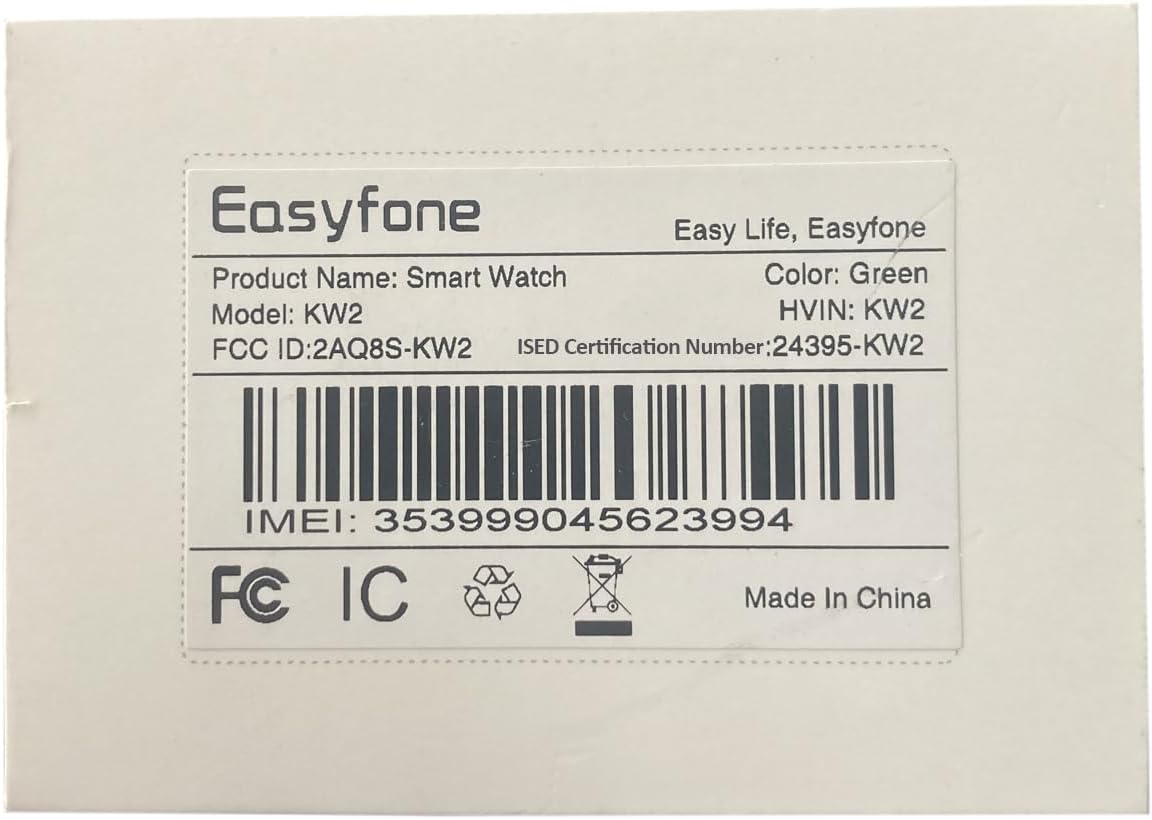
Image: Product label displaying the IMEI number for device binding.
4. Operating the Smart Watch
4.1 Calling
The Trackino KW2 allows your child to make and receive calls from a parent-managed contact list. Parents can set up to 15 trusted contacts through the 'Trackino' app, ensuring communication is limited to known individuals.

Image: The smart watch displaying an incoming call from a parent-managed contact.
4.2 Voice Chat & Messages
Children can send and receive voice messages, providing a simple way to communicate. The watch also supports a selection of 48 pre-set emojis for quick and easy messaging.

Image: The smart watch displaying its voice chat and messaging interface.
4.3 SOS Function
Equipped with an SOS button, the watch allows for quick, one-touch connection to pre-defined emergency contacts in urgent situations.
4.4 GPS Tracking & Safety Features
The Trackino KW2 utilizes a combination of GPS, Wi-Fi, LBS (Location Based Service), AGPS (Assisted GPS), and Accelerometer for fast and accurate positioning. Parents can set custom GPS SafeZones through the app and receive notifications when their child enters or leaves these designated safe areas.

Image: The smart watch and a smartphone app demonstrating GPS tracking capabilities.
4.5 Activity Tracking (Pedometer)
The built-in pedometer tracks your child's steps, helping to monitor their daily activity levels and encourage a healthy lifestyle.

Image: The smart watch and a smartphone app displaying activity tracking data.
4.6 Other Features
The Easyfone Trackino KW2 also includes various other useful functions:
- Clock: Displays time and date.
- Camera: Allows children to take photos.
- Alarms: Set reminders for various activities.
- Gallery: View saved photos.
- Stop Watch: A basic timer function.
- Voice Record: Record short voice notes.
- Add Friends: A feature to connect with other KW2 watches.
5. Maintenance
5.1 Dustproof & Waterproof
The Easyfone Trackino KW2 is designed with IP-68 water resistance and dustproof capabilities, making it durable for everyday use and resistant to splashes. This means it can withstand dust ingress and immersion in up to 1.5 meters of fresh water for up to 30 minutes.
Important Note:
Do not wear the watch when swimming or engaging in other water sports. While resistant to splashes, prolonged immersion in water, especially during active use, can affect call quality and potentially damage the internal components. The watch is not designed for underwater activities.

Image: The smart watch demonstrating its dustproof and water-resistant design.
5.2 Battery Life
The watch is equipped with a Lithium Polymer battery. A full charge provides approximately 2 days of working time and up to 5-7 days of standby time, depending on usage patterns and network conditions. Charge the watch using the provided USB charging cable.
6. Troubleshooting
If you encounter issues with your Easyfone Trackino KW2 smart watch, please refer to the following common troubleshooting steps:
6.1 "Device Not Activated" / SIM Card Issues
- Verify SIM Card: Ensure the Nano SIM card is correctly inserted into the watch and fully activated by your cellular carrier. Power off the watch completely before inserting or removing the SIM card.
- Carrier Compatibility: Confirm that your SIM card's carrier and plan are compatible with the watch's 4G requirements (Rogers, Bell, Telus, Fido, Lucky Mobile in Canada).
- Data Plan: Ensure your cellular plan includes 4G data service, as this is crucial for app communication and location tracking.
6.2 App Connectivity Issues
- Internet Connection: Ensure your smartphone has a stable internet connection (Wi-Fi or cellular data) when using the 'Trackino' app.
- Reboot Watch & App: Try restarting both the smart watch and the 'Trackino' app on your phone.
- Re-bind Device: If connectivity issues persist, you may need to unbind and then re-bind the watch to your account within the 'Trackino' app.
6.3 GPS Accuracy
- Environmental Factors: GPS accuracy can be affected by environmental factors such as dense buildings, heavy tree cover, or indoor locations. For best results, ensure the watch has a clear view of the sky.
- Multiple Positioning: The watch uses multiple positioning methods (GPS, Wi-Fi, LBS, AGPS) to improve accuracy. In areas with weak GPS signals, it will rely on other methods, which may be less precise.
6.4 General Issues
For any persistent problems not covered here, please refer to the official Easyfone support website or contact their customer service for further assistance.
7. Specifications
| Feature | Specification |
|---|---|
| Brand | Easyfone |
| Model | KW2 |
| Model Name | KW2 |
| Model Year | 2023 |
| Operating System | Easyfone OS |
| Display Technology | LCD |
| Display Type | LCD |
| Scanner Resolution | 240 x 240 |
| Compatible Devices | Smartphone |
| Special Features | 4G safe phone call, GPS, Voice message chat, steps counter, touch to make friends |
| Number of Items | 1 |
| Batteries Included | Yes |
| Batteries Required | Yes |
| Battery Cell Composition | Lithium Polymer |
| Wireless Standard | 802.11bgn |
| Cellular Technology | 4G |
| Connector Type | GPS |
| Human Interface Input | Touchscreen |
| Includes Rechargeable Battery | Yes |
| GPS | GPS Enabled |
| Shape | Square |
| Style | Modern |
8. Warranty and Support
For product support, technical assistance, or warranty inquiries regarding your Easyfone Trackino KW2 Smart Watch, please contact Easyfone customer service. The manufacturer is Shen Zhen Yixun Electronic Technology Co., Ltd. Refer to your original purchase documentation for specific warranty terms and conditions.
Easyfone is committed to providing reliable products and responsive customer support to ensure your satisfaction.
