
Introduction
This manual provides essential instructions for the safe and effective operation of your DURLK Rechargeable Walkie Talkies. Please read this manual thoroughly before using the product and retain it for future reference.

Figure 1: DURLK Rechargeable Walkie Talkies (3-Pack)
What's in the Box?
- 3 x Rechargeable Walkie Talkies with Built-in 1800mAh Battery
- 1 x Charging Adapter
- 1 x 3-in-1 USB-C Cable
- 3 x Belt Clips
- 1 x User Manual

Figure 2: Package Contents
Product Overview
The DURLK walkie talkies are designed for reliable communication with a range of features for various outdoor and indoor activities.
Key Features:
- 22 FRS Channels & 121 Privacy Codes: Offers 2,662 secure communication combinations.
- NOAA Weather Alert: Provides real-time weather updates for safety.
- Built-in 1800mAh Li-ion Battery: Rechargeable for extended use.
- USB-C Charging: Convenient 3-in-1 cable for simultaneous charging.
- VOX (Voice-activated) Hands-free: Allows communication without pressing the PTT button.
- LED Flashlight: Integrated for illumination in low-light conditions.
- HD LCD Screen with Backlit: Clear display for channel and status information.
- Additional Functions: Volume adjustment, Auto squelch, Auto memory, Auto scan, Low battery alert, Keypad lock.

Figure 3: Walkie Talkie Components and Controls
Setup
1. Charging the Batteries
The walkie talkies come with built-in 1800mAh Li-ion batteries. Before first use, fully charge all units.
- Connect the 3-in-1 USB-C charging cable to the USB-C charging port on each walkie talkie.
- Plug the USB-A end of the cable into the provided charging adapter.
- Plug the adapter into a standard wall outlet.
- A full charge typically takes approximately 4 hours. The battery indicator on the LCD screen will show charging status.
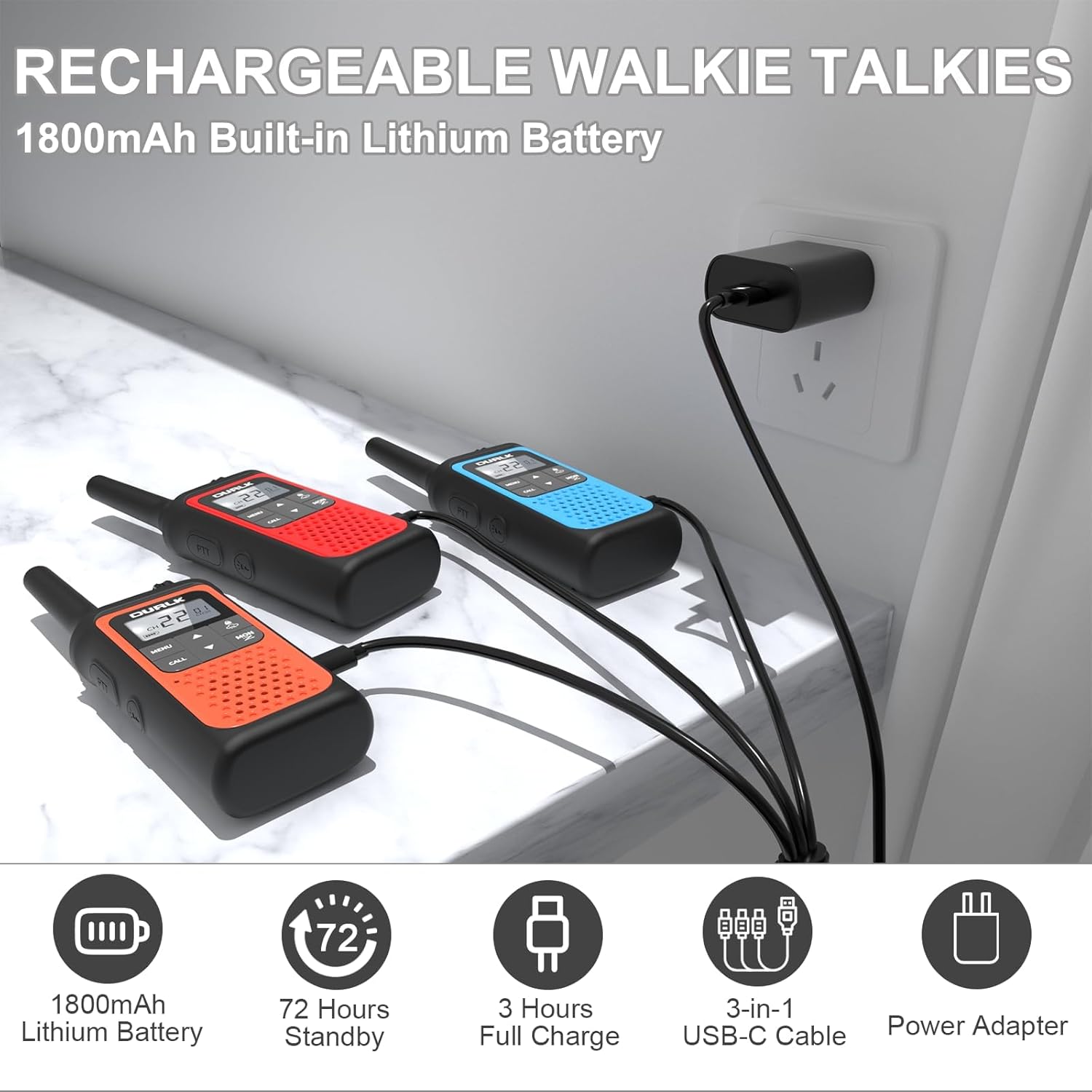
Figure 4: Charging the Walkie Talkies
2. Attaching the Belt Clip
Each walkie talkie includes a removable belt clip for convenient carrying.
- Align the belt clip with the designated slots on the back of the walkie talkie.
- Slide the clip firmly until it locks into place.
Operating Instructions
1. Powering On/Off and Volume Adjustment
- To power on, rotate the Power/Volume knob (located at the top of the unit) clockwise until you hear a click and the LCD screen illuminates.
- To power off, rotate the Power/Volume knob counter-clockwise until you hear a click.
- Adjust the volume by rotating the Power/Volume knob clockwise to increase and counter-clockwise to decrease.
2. Selecting Channels and Privacy Codes
For successful communication, all walkie talkies must be set to the same channel and privacy code.
- Press the MENU button. The channel number will flash.
- Use the UP or DOWN buttons to select your desired channel (1-22).
- Press MENU again to set the privacy code. The privacy code will flash.
- Use the UP or DOWN buttons to select your desired privacy code (1-121).
- Press MENU a third time or wait a few seconds for the setting to save.
3. Push-to-Talk (PTT) Function
To transmit your voice, press and hold the PTT button on the side of the walkie talkie. Speak clearly into the microphone. Release the PTT button to listen for a response.
4. NOAA Weather Alert
The walkie talkies can receive 10 NOAA weather channels to keep you informed of severe weather conditions.
- Press the LOCK/NOAA button (cloud icon) once to activate the NOAA weather scan.
- Use the UP or DOWN buttons to cycle through the weather channels.
- Press the LOCK/NOAA button again to exit weather scan mode.
5. VOX (Voice-activated) Hands-free
VOX mode allows you to transmit without pressing the PTT button. The walkie talkie will automatically transmit when it detects your voice.
- Press the MENU button multiple times until the VOX setting appears on the LCD screen.
- Use the UP or DOWN buttons to select the desired VOX sensitivity level (e.g., 1-3, with 3 being most sensitive).
- Press MENU to confirm and exit.
6. LED Flashlight
To activate the built-in LED flashlight, press the Flashlight button (lightning bolt icon) on the side of the unit. Press it again to turn off.

Figure 5: Walkie Talkie with Flashlight and Feature Icons
7. Keypad Lock
To prevent accidental changes to settings, press and hold the LOCK/NOAA button (cloud icon) for a few seconds until the lock icon appears on the screen. Repeat to unlock.
8. Call Button
Press the CALL button to send an audible call tone to other walkie talkies on the same channel and privacy code.
Communication Range
The effective communication range varies based on terrain, weather, and obstructions.
- Typical Conditions: 0.5 - 1.5 miles
- Ideal Conditions (Open Area, No Obstructions): Up to 3 miles

Figure 6: Long Range Communication
Maintenance
1. Battery Care
- Avoid fully discharging the battery frequently to prolong its lifespan.
- Store the walkie talkies in a cool, dry place when not in use.
- Recharge the batteries periodically if stored for extended periods.
2. Cleaning
Wipe the walkie talkies with a soft, damp cloth. Do not use harsh chemicals or abrasive cleaners.
3. Water Resistance
Note: These walkie talkies are NOT water resistant. Avoid exposure to water or moisture.
Troubleshooting
| Problem | Possible Solution |
|---|---|
| No power | Ensure the Power/Volume knob is turned on. Charge the battery. |
| Cannot communicate with other units | Verify all units are on the same channel and privacy code. Check battery levels. Ensure units are within range. |
| Poor sound quality | Adjust volume. Move to an area with fewer obstructions. Check for interference. |
| NOAA Weather Alert not working | Ensure you are in an area with NOAA coverage. Cycle through different weather channels. |
Specifications
- Brand: DURLK
- Model: B0CGZWK284
- Item Weight: 15.8 ounces
- Product Dimensions: 2.17 x 1.34 x 6.57 inches
- Batteries: 1 Lithium Polymer batteries required (included)
- Number of Channels: 22 FRS Channels
- Privacy Codes: 121
- Frequency Range: 462.5500-462.7250MHz, 462.5625-462.7125 MHz, 467.5625-467.7125MHz
- Talking Range Maximum: 3 Miles (ideal conditions)
- Voltage: 3.7 Volts
- Water Resistance Level: Not Water Resistant
- Special Features: 22 Channels & 121 Privacy Codes, Built-in Rechargeable 1800mAh Li-ion Battery, Long Range & Crystal Clear Sound, NOAA Weather Radio & LED Flashlight, VOX Hands Free & Rotary Switches
Warranty and Support
This DURLK product comes with a 365-day warranty from the date of purchase. For any questions, technical support, or warranty claims, please refer to the contact information provided in your product packaging or visit the official DURLK website.
Official Product Videos
Video 1: DURLK Walkie Talkie 3-Pack Overview. This video provides a general overview of the DURLK walkie talkies, including their features and components.
Video 2: NOAA Weather Alert and Flashlight Demonstration. This video highlights the NOAA weather scanning function and the practical LED flashlight feature.