1. Introduction
This manual provides detailed instructions for the setup, operation, and maintenance of your Nillkin Rugged Keyboard Case. Please read this manual thoroughly to ensure proper use and to maximize your product experience.
1.1. Compatibility
This keyboard case is compatible with the following iPad models:
- iPad Air 5th Gen (Models: A2591/A2589/A2588)
- iPad Air 4th Gen (Models: A2072/A2316/A2324/A2325)
- iPad Pro 11-inch 4th Gen (Models: A2325/A2324/A2316/A2072)
- iPad Pro 11-inch 3rd Gen (Models: A2301/A2377/A2459/A2460)
- iPad Pro 11-inch 2nd Gen (Models: A2228/A2068/A2230/A2231)
- iPad Pro 11-inch 1st Gen (Models: A1980/A2013/A1934/A1979)
Please verify your iPad's model number on the back of your device before installation.

Figure 1: Compatible iPad Models and Identification
2. What's in the Box
The Nillkin Rugged Keyboard Case package includes:
- Keyboard Case
- Charging Cable
- User Manual
3. Setup Guide
3.1. Installing Your iPad into the Case
- Remove the detachable keyboard from the case.
- Tilt the corner of your iPad with the camera into the case's camera cutout.
- Gently press the remaining corners of the iPad into the case, ensuring all edges are securely fitted.
Video 1: Nillkin Bumper Combo Keyboard Case Installation Guide

Figure 2: Case Protection Features
3.2. Connecting the Keyboard via Bluetooth
- Ensure the keyboard is charged.
- Turn on the keyboard using the power switch.
- On your iPad, go to Settings > Bluetooth.
- Enable Bluetooth and select the keyboard from the list of available devices to pair.
4. Operating Instructions
4.1. Detachable Keyboard
The keyboard is magnetically attached and can be easily detached for flexible use. This allows you to use the iPad in tablet mode without the keyboard or position the keyboard separately for ergonomic typing.
Video 2: Nillkin iPad Case with Detachable Keyboard & Trackpad Demonstration

Figure 3: Detachable Keyboard Features
4.2. Enhanced Backlit Keyboard
The keyboard features 7 vibrant backlight colors and 3 adjustable brightness levels. Use the dedicated backlight key on the keyboard to cycle through colors and adjust brightness for comfortable typing in various lighting conditions.

Figure 4: Backlit Keyboard in Use
4.3. Magic Trackpad with Multi-Touch Gestures
The integrated high-sensitive trackpad supports iPadOS multi-touch gestures, allowing for seamless navigation, scrolling, and swiping. It also features anti-mistouch technology to prevent accidental inputs during typing.
Video 3: Trackpad Gesture Demonstration

Figure 5: Trackpad Features
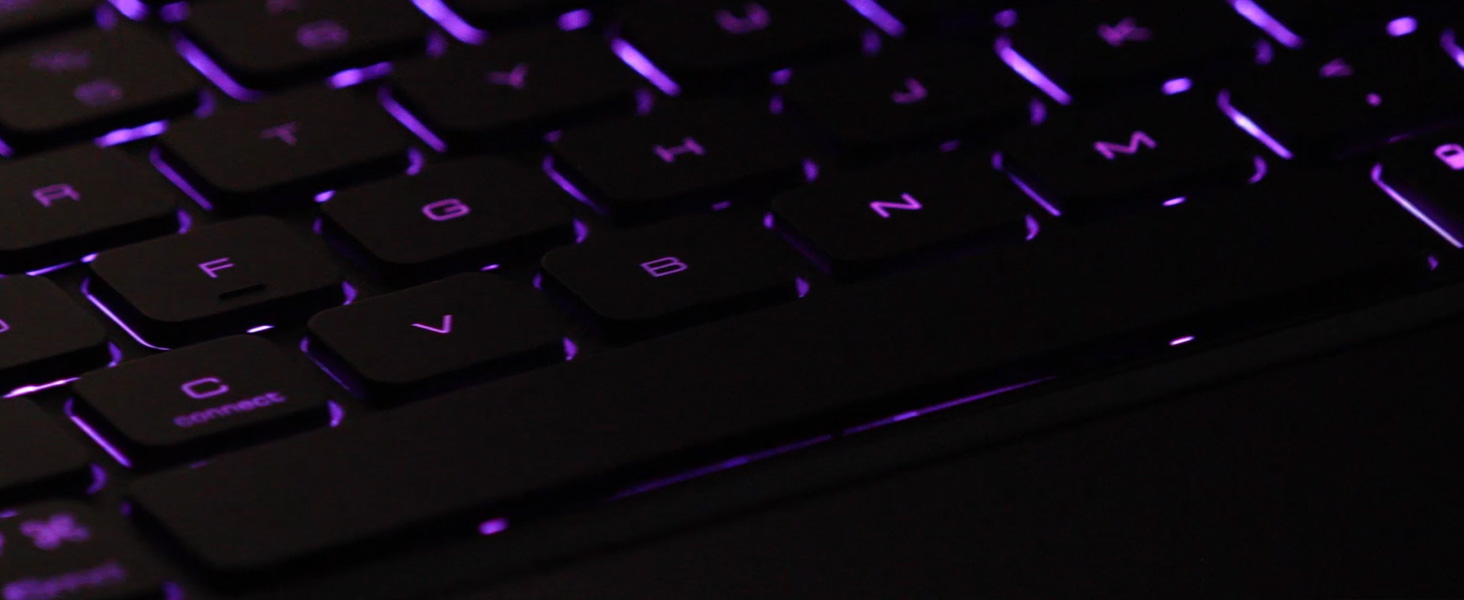
Figure 6: iPadOS Multi-Touch Gestures
4.4. Multiple Viewing Modes
The case features a flexible kickstand that allows for various viewing angles, supporting both portrait and landscape orientations. This adaptability is ideal for typing, drawing, watching videos, or reading.
Video 4: Nillkin Bumper Combo iPad Case with Keyboard - Multiple Modes

Figure 7: Multiple Use Modes
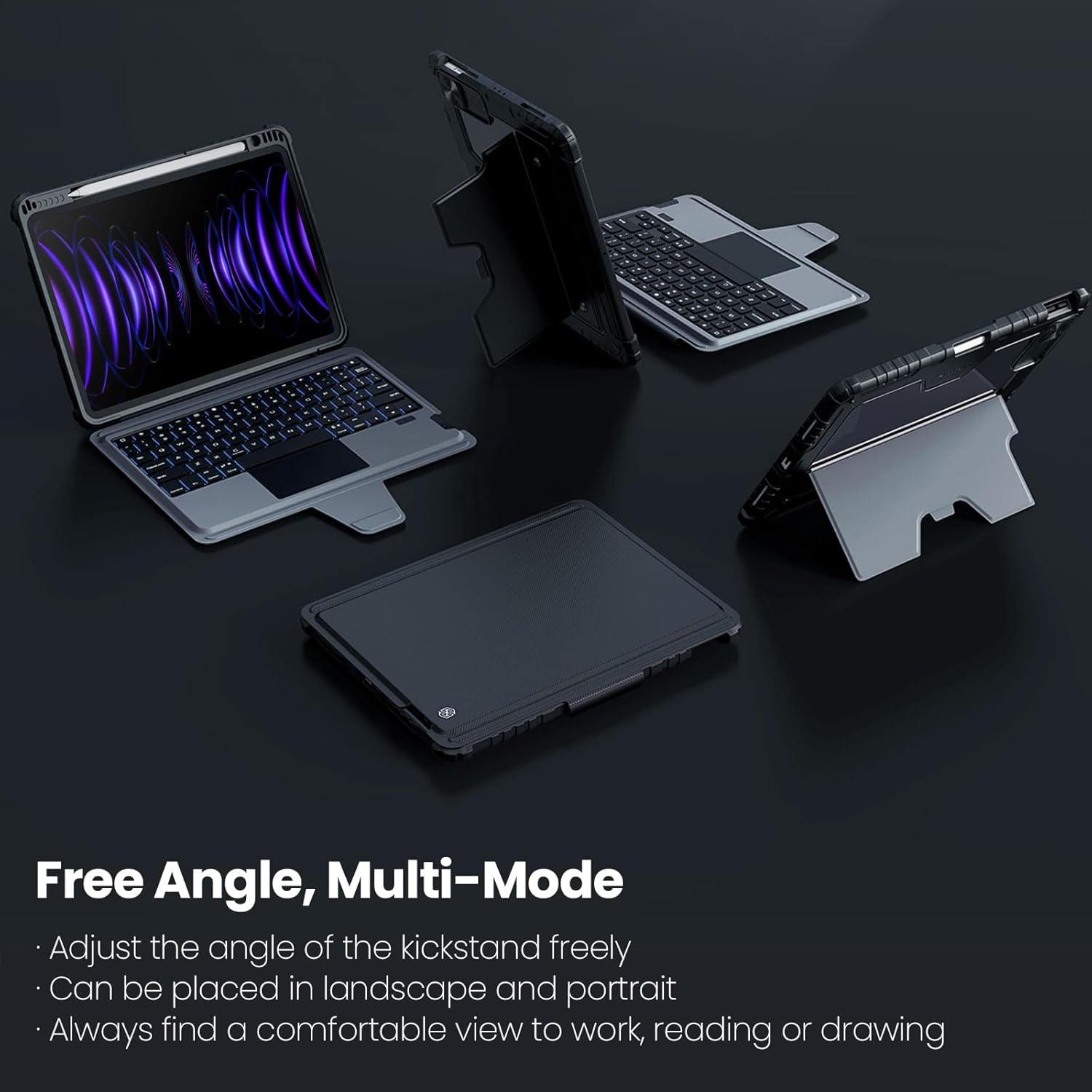
Figure 8: Free Angle, Multi-Mode Functionality
4.5. Apple Pencil Storage
The case includes a dedicated slot for secure storage and charging of your Apple Pencil.

Figure 9: Apple Pencil Storage Slot
5. Maintenance
To maintain the longevity and appearance of your Nillkin Rugged Keyboard Case:
- Wipe the case and keyboard with a soft, damp cloth. Avoid harsh chemicals.
- Keep the charging port free of dust and debris.
- Store the case in a cool, dry place when not in use for extended periods.
6. Troubleshooting
If you encounter issues with your Nillkin Rugged Keyboard Case, please refer to the following common solutions:
- Keyboard Not Connecting: Ensure Bluetooth is enabled on your iPad and the keyboard is powered on and charged. Try re-pairing the keyboard in your iPad's Bluetooth settings.
- Keys Not Responding: Check if the keyboard is sufficiently charged. If the keyboard is folded back, ensure it is powered off to prevent accidental key presses.
- Trackpad Unresponsive: Verify the keyboard is connected via Bluetooth. If issues persist, try restarting both your iPad and the keyboard.
- Charging Issues: Use the provided charging cable and ensure it is properly connected to a power source.
For further assistance, please contact customer support.
7. Specifications
| Feature | Detail |
|---|---|
| Package Dimensions | 12.28 x 8.98 x 1.42 inches |
| Item Weight | 1.94 pounds |
| Manufacturer | Nillkin |
| Language | English |
| Item Model Number | 2024 |
| Batteries | 1 Lithium Ion battery required (included) |
| Date First Available | August 31, 2023 |
| Compatible Devices | iPad Air 4th Gen, iPad Air 5th Gen, iPad Pro 11-inch 1st/2nd Gen, iPad Pro 11-inch 3rd Gen, iPad Pro 11-inch 4th Gen |
| Connectivity Technology | Bluetooth |
| Keyboard Description | Multi Functional |
| Special Feature | Adjustable Stand, Auto Sleep/Wake, Foldable, Heavy Duty Protection, Stylus Holder |
| Color | Black |
| Keyboard Backlighting Color Support | RGB (7 colors) |
| Material | Faux Leather, Metal, Polycarbonate, Thermoplastic Polyurethane (TPU) |
8. Warranty and Support
Nillkin is committed to providing excellent customer service and support for its products.
- Customer Service: 7x24 customer service is available. For any questions, please contact us through the listing or your order page.
- 1-Year Warranty: Within one year after purchase, even if the return window has passed, Nillkin will provide a replacement service.
- Lifetime Support: Nillkin provides lifetime technical support for its products to ensure a great product usage experience.


