
1. Introduction and Overview
The Sightmark Core HX 3-12x56 HDR Rifle Scope is engineered for precision and reliability in various hunting scenarios. This scope features a red illuminated dot duplex reticle for enhanced visibility in low-light conditions, a large 56mm objective lens for superior light gathering, and side focus adjustment to eliminate parallax. Constructed with a single-piece 30mm aircraft-grade aluminum tube, it offers exceptional durability and consistent performance.
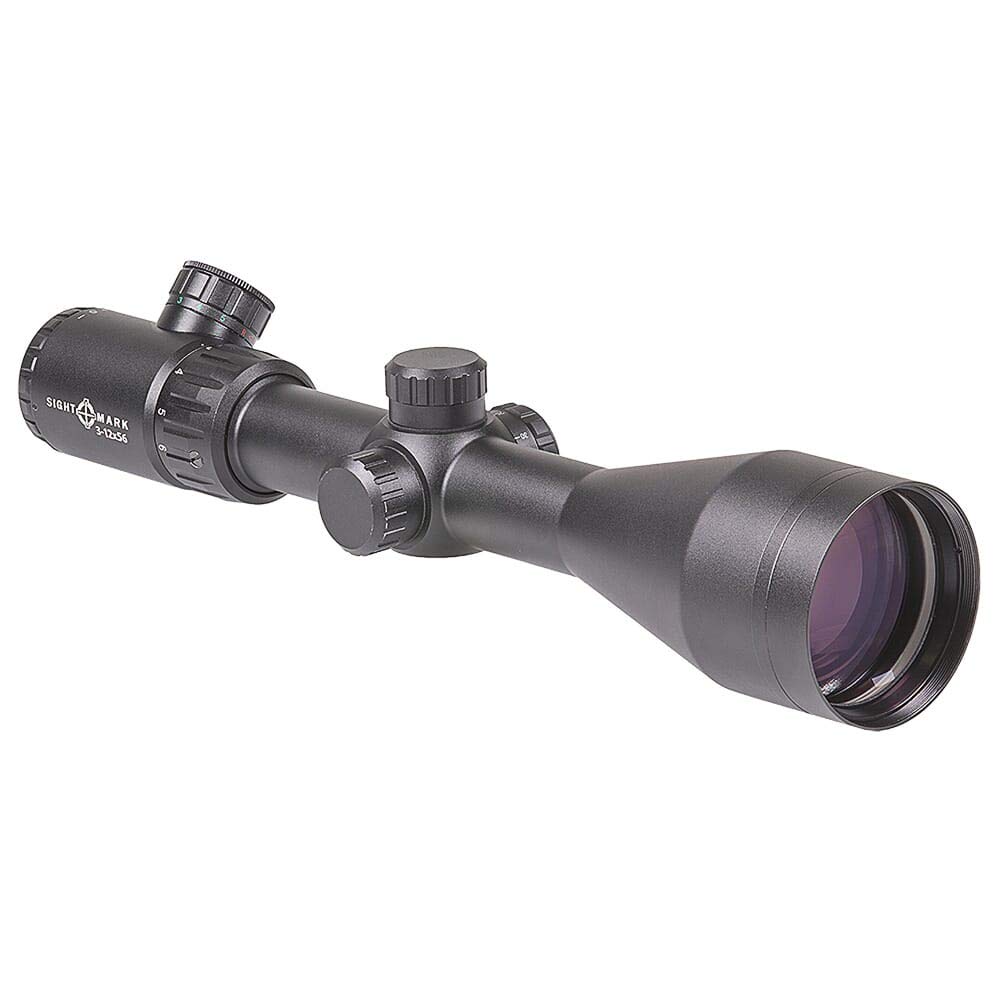
Image: The Sightmark Core HX 3-12x56 HDR Rifle Scope, showcasing its robust design and optical components.
2. What's in the Box
Upon unboxing your Sightmark Core HX 3-12x56 HDR Rifle Scope, please verify that all components are present:
- Sightmark Core HX 3-12x56 HDR Rifle Scope
- 1-inch Scope Rings
- Neoprene Scope Cover
- Battery (for reticle illumination)
3. Setup
3.1 Mounting the Scope
Securely attach the provided 1-inch scope rings to your rifle's mounting base. Place the rifle scope into the rings, ensuring proper eye relief and reticle alignment. Tighten the rings evenly to avoid stressing the scope tube. Refer to your rifle's manual for specific mounting instructions.
3.2 Battery Installation
The illuminated reticle requires a battery. Locate the battery compartment, typically on the illumination control knob. Unscrew the cap, insert the battery with the correct polarity, and re-secure the cap.
3.3 Diopter Adjustment
To achieve a clear reticle image, adjust the diopter. Point the scope at a plain, bright background (like the sky) and quickly glance through the scope. Rotate the diopter adjustment ring until the reticle appears sharp and in focus. Avoid staring through the scope during this adjustment to prevent your eye from compensating.

Image: Close-up of the diopter adjustment ring, used to focus the reticle.
3.4 Parallax Adjustment (Side Focus)
The side focus knob allows for parallax correction. Rotate this knob until the target and reticle appear to be on the same focal plane, eliminating any perceived movement of the reticle relative to the target when you shift your eye. This is crucial for accuracy at varying distances.
3.5 Windage and Elevation Adjustments
The windage and elevation turrets are used to zero the scope. Adjust these turrets to move the point of impact on your target. Typically, 'UP' moves the impact up, and 'R' moves it right. Each click represents a specific change in impact (e.g., 1/4 MOA).

Image: The windage and elevation adjustment turrets on the scope.
4. Operating Instructions
4.1 Powering On/Off Illumination and Brightness Adjustment
Rotate the illumination control knob, usually located on the left side of the scope, to turn on the red illuminated reticle. Continue rotating to cycle through different brightness settings. Turn the knob to the 'OFF' position to conserve battery life.

Image: The illumination control knob for adjusting reticle brightness.
4.2 Magnification Adjustment
Rotate the magnification ring, located near the eyepiece, to adjust the zoom level from 3x to 12x. Ensure a smooth rotation for precise magnification changes.
4.3 Using the HDR Reticle
The HDR (Hunter Dot Reticle) is a classic dot duplex design with a red illuminated center dot. This reticle aids in rapid target acquisition and provides a clear aiming point, especially in challenging lighting conditions. Practice using the reticle at various distances to become familiar with its holdover points, if applicable.

Image: A visual representation of the HDR reticle.
4.4 Official Product Video
Video: An official overview of the Sightmark Core HX 3-12x56 HDR Hunter Dot Riflescope, demonstrating its features and benefits.
5. Maintenance
5.1 Cleaning Lenses
Use a soft, lint-free cloth or a lens pen to gently clean the objective and ocular lenses. For stubborn smudges, use a small amount of lens cleaning solution specifically designed for optics. Avoid using abrasive materials or harsh chemicals.
5.2 Cleaning the Scope Body
Wipe the exterior of the scope with a soft, damp cloth to remove dirt and debris. Ensure all caps and covers are in place to prevent moisture from entering the scope.
5.3 Storage
When not in use, store the rifle scope in a dry, cool place, preferably in its original packaging or with the neoprene scope cover installed to protect it from dust and scratches. Remove the battery if storing for extended periods to prevent leakage.
6. Troubleshooting
| Problem | Possible Cause | Solution |
|---|---|---|
| Blurry image | Improper diopter or parallax adjustment | Adjust diopter for reticle clarity and side focus for target clarity. |
| Reticle not illuminating | Dead battery, incorrect battery orientation, or illumination knob off | Replace battery, check polarity, or turn illumination knob to an active setting. |
| Inaccurate shots | Loose mounts, improper zeroing, or parallax error | Check mount tightness, re-zero the scope, and adjust parallax for the target distance. |
| Fogging inside scope | Extreme temperature changes or seal compromise | Allow scope to acclimate to temperature. If persistent, contact support. |
7. Specifications
| Feature | Detail |
|---|---|
| Brand | Sightmark |
| Model Name | Core HX |
| Model Number | SM13080HDR |
| Magnification | 3-12x |
| Objective Lens Diameter | 56 mm |
| Reticle Type | Red Illuminated Dot Duplex |
| Tube Diameter | 30 mm |
| Material | Aircraft-Grade Aluminum |
| Product Dimensions (L x W x H) | 12.75" x 2.5" x 2" |
| Item Weight | 25 Ounces |
| Compatible Devices | Rifle |
| Mounting Type | Integral Mount |
| UPC | 812495021787 |
8. Warranty and Support
8.1 Warranty Information
The Sightmark Core HX 3-12x56 HDR Rifle Scope is backed by a Limited Lifetime Warranty. This warranty covers defects in materials and workmanship under normal use. Please retain your proof of purchase for warranty claims.
8.2 Customer Support
For technical assistance, warranty service, or any questions regarding your Sightmark product, please visit the official Sightmark website or contact their customer service department. Contact information can typically be found on the manufacturer's website or in the product packaging.


