
1. Getting Started
1.1 What's in the Box
Your Ray-Ban Meta Wayfarer Smart Glasses package includes the following items:
- Ray-Ban Meta Wayfarer Smart Glasses
- Charging Case
- Cleaning Cloth
- User Manual (this document)
- Quick Start Guide
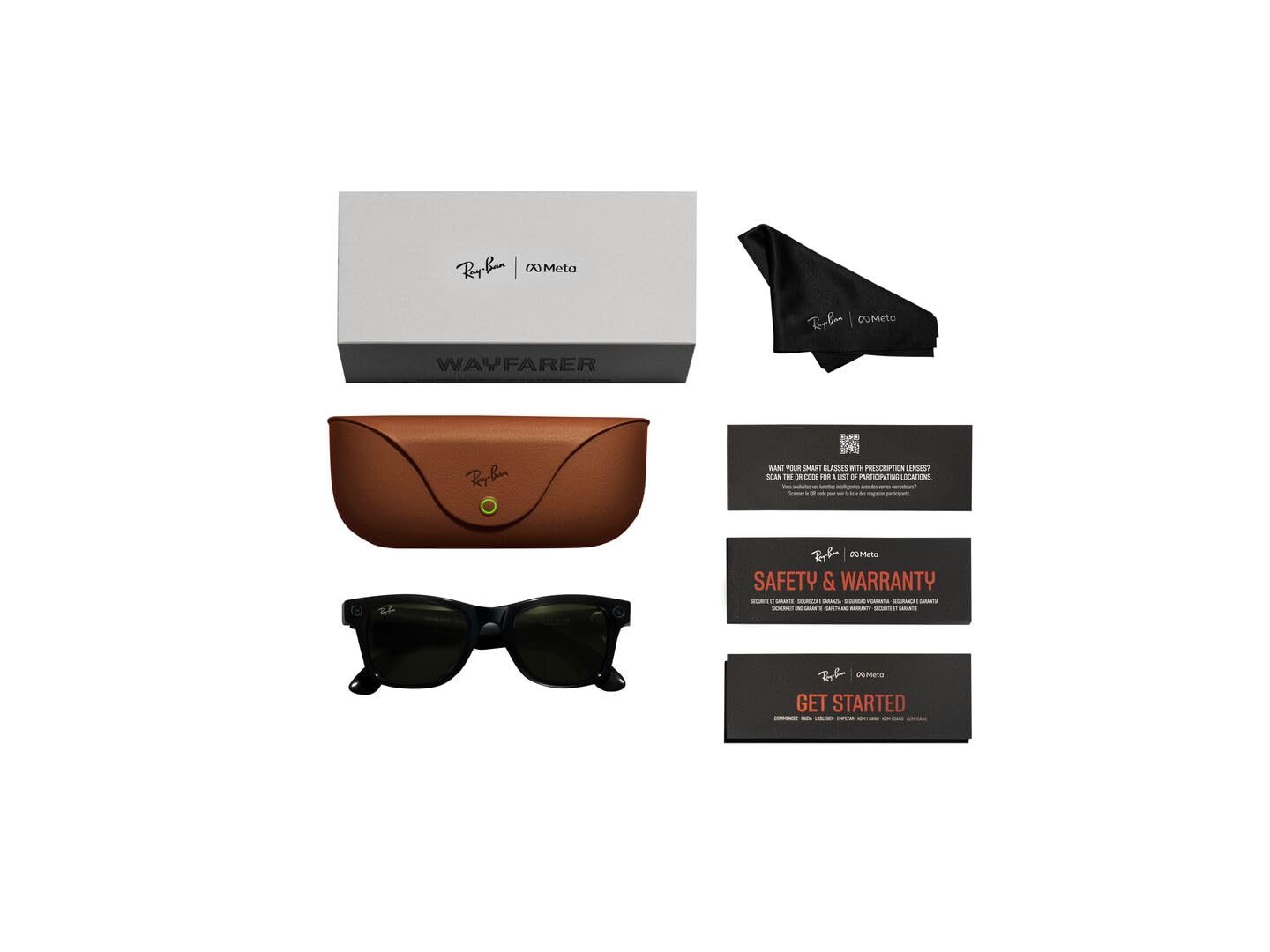
Image: Contents of the Ray-Ban Meta Wayfarer Smart Glasses package.
1.2 Initial Setup
Follow these steps to set up your new smart glasses:
- Charge Your Glasses: Place your Ray-Ban Meta glasses into the charging case. Ensure the case is charged using the provided USB-C cable. The indicator light on the case will show charging status.
- Download the Meta View App: Scan the QR code in your Quick Start Guide or search for 'Meta View' in your device's app store.
- Pair Your Glasses: Open the Meta View app and follow the on-screen instructions to pair your glasses with your smartphone via Bluetooth.
- Complete Setup: Follow the remaining prompts in the app to customize settings and explore features.
2. Product Overview & Features
2.1 Design and Components
The Ray-Ban Meta Wayfarer Smart Glasses integrate advanced technology into a classic design. Key components include:
- 12 MP Ultra-Wide Camera: Located on the front frame, designed for hands-free photo and video capture.
- Five-Mic System: Integrated for clear audio recording and calls, even in windy conditions.
- Open-Ear Speakers: Discreetly built into the temples, providing rich audio without blocking ambient sounds.
- Touchpad: Located on the temple for intuitive control of music, calls, and camera functions.
- Power Switch: A small switch on the temple to turn the glasses on or off, conserving battery.
- LED Indicator: A small light that indicates recording status for privacy.

Image: Labeled components of the smart glasses.
2.2 Key Features
- Hands-Free Capture: Record photos and 1080p videos from your first-person perspective using the 12 MP ultra-wide camera and five-mic system.
- Open-Ear Audio: Enjoy music, podcasts, and calls through integrated open-ear speakers, allowing you to remain aware of your surroundings.
- Meta AI Integration: Access Meta AI for real-time answers and context-rich suggestions based on what you see and hear.
- Hands-Free Communication: Make and receive calls, and send messages directly from your glasses via Bluetooth connection to your phone.
- Real-Time Translation: Utilize live translation features for conversations between supported languages (French, Italian, Spanish, English, German, Portuguese).
- POV Sharing: Instantly switch between your phone's camera and the glasses' camera during video calls to share your perspective.
- Privacy Controls: Manage voice commands and other privacy settings through the Meta View app. An external LED indicator illuminates when recording is active.
3. Operating Instructions
3.1 Capturing Photos and Videos
Capture moments effortlessly with your glasses:
- Voice Command: Say "Hey Meta, take a photo" or "Hey Meta, record a video."
- Touchpad Control: Short press the capture button on the temple to take a photo. Long press to start recording a video.

Image: Built-in HD camera for hands-free capture.
3.2 Listening to Audio and Calls
Your glasses provide an immersive audio experience:
- Play Music: Use voice commands like "Hey Meta, play my workout playlist on Spotify" or control via the touchpad.
- Make/Receive Calls: Answer incoming calls by tapping the temple or using voice commands. The five-mic system ensures clear communication.

Image: Open-ear audio for music and calls.
3.3 Using Meta AI
Engage with Meta AI for assistance throughout your day:
- Ask Questions: Say "Hey Meta" followed by your question to get real-time information.
- Contextual Suggestions: Meta AI can analyze your surroundings and provide relevant suggestions.
- Live Translation: Activate live translation to understand and communicate in different languages.
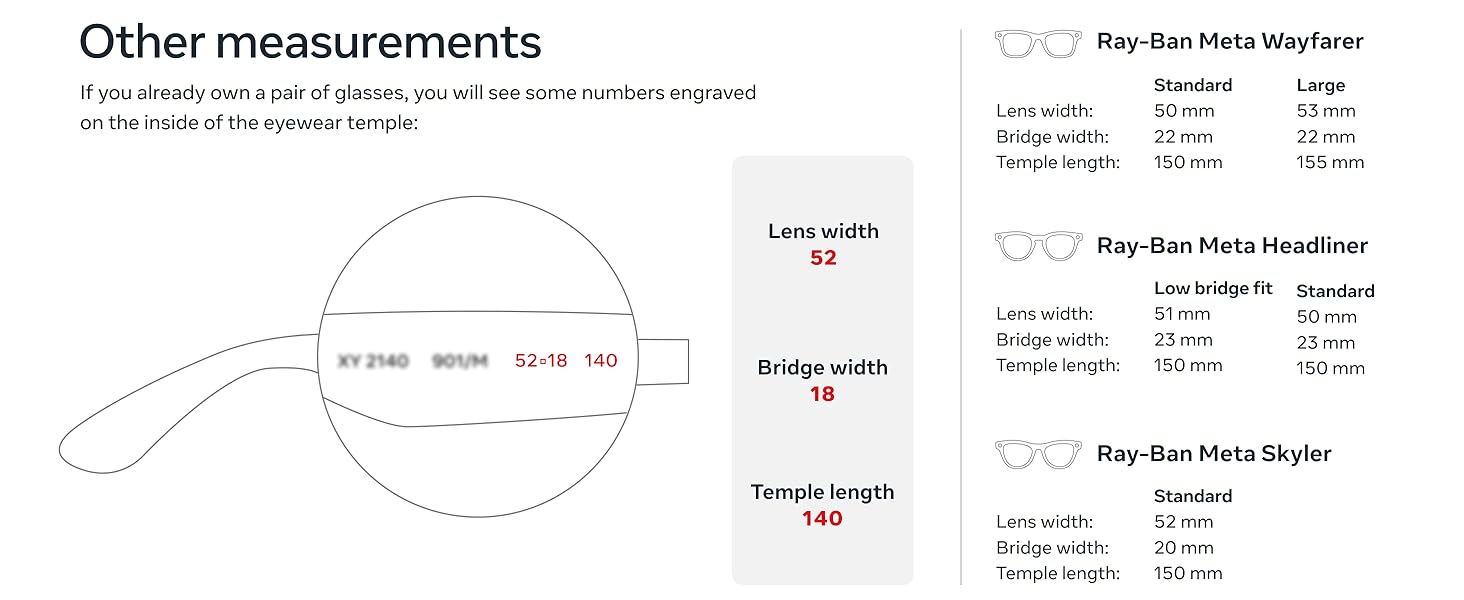
Image: Meta AI providing real-time answers.
4. Battery and Charging
4.1 Battery Life
Your Ray-Ban Meta glasses offer:
- Up to 4 hours of use on a full charge with moderate usage.
- The included charging case provides an additional 32 hours of charge, allowing multiple recharges on the go.

Image: Charging case for extended battery life.
4.2 Charging the Glasses
To charge your glasses:
- Ensure your charging case is adequately charged.
- Fold your glasses and place them securely into the charging case.
- The indicator light on the case will show the charging status.
5. Maintenance and Care
5.1 Cleaning Instructions
To maintain optimal performance and appearance:
- Use the provided cleaning cloth to gently wipe lenses and frames.
- For stubborn smudges, lightly dampen the cloth with water or a lens cleaning solution.
- Avoid harsh chemicals or abrasive materials.
5.2 Water Resistance
The Ray-Ban Meta glasses are IPX4 splash-proof, meaning they are resistant to splashes of water from any direction. They are not waterproof and should not be submerged in water.
6. Troubleshooting
If you encounter any issues with your Ray-Ban Meta glasses, try the following:
- Connectivity Issues: Ensure Bluetooth is enabled on your phone and the glasses are within range. Try unpairing and re-pairing the device in the Meta View app.
- Battery Drain: Reduce continuous video recording or extensive Meta AI usage. Ensure the glasses are fully powered off when not in use.
- Audio Quality: Check for obstructions around the open-ear speakers and microphones. Ensure the glasses are positioned correctly on your face.
- App Not Responding: Close and restart the Meta View app. If the issue persists, try reinstalling the app.
- Glasses Not Responding: Perform a soft reset by holding down the power button for 12 seconds.
7. Specifications
| Specification | Detail |
|---|---|
| Model Number | 0RW4008 |
| ASIN | B0CGXYNWBH |
| Release Date | October 17, 2023 |
| Product Dimensions | 2.13 x 3.94 x 3.94 inches |
| Item Weight | 11.04 ounces |
| Batteries | 1 Lithium Ion battery required (included) |
| Manufacturer | Luxottica |
| Connectivity | Wi-Fi 6 Certified, Bluetooth 5.2 |
| OS Compatibility | iOS 14.4 or newer | Android 10 or newer |
8. Warranty and Support
For warranty information and customer support, please refer to the documentation included with your product or visit the official Meta Store on Amazon:
9. Fit Guide
9.1 Ray-Ban Meta Wayfarer Sizing
Ensure a comfortable fit with the following dimensions:
| Measurement | Standard | Large |
|---|---|---|
| Hinge to Hinge | 131 mm | 137 mm |
| Lens Height | 40.6 mm | 43.6 mm |
| Lens Width | 50 mm | 53 mm |
| Bridge Width | 22 mm | 22 mm |
| Temple Length | 150 mm | 155 mm |
Image: Detailed fit guide for Ray-Ban Meta Wayfarer.
9.2 Lens Types
Ray-Ban Meta glasses are available with various high-performance lens types:
- Sun Lenses: Provide advanced eye protection in bright conditions with 100% UVA & UVB protection.
- Clear Lenses: Blue light filter lenses designed to improve visual comfort by filtering at least 20% of blue light between 380-450nm.
- Transitions® Lenses: Seamlessly adapt to changing light conditions, going from fully clear or slightly tinted indoors to fully dark outdoors.
- Polarized Lenses: Intercept reflections and reduce glare for better contrast and improved clarity, with 100% UVA and UVB protection.
Image: Sun lenses for bright conditions.
Image: Clear lenses with blue light filter.
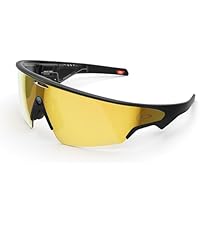
Image: Transitions lenses adapting to light.


