
1. Introduction
This manual provides essential information for the safe and efficient operation of your NEFF T67TTX4L0 N90 Induction Hob. Please read these instructions carefully before installation and use, and keep them for future reference.

Figure 1: The NEFF T67TTX4L0 N90 Induction Hob, showcasing its sleek black glass-ceramic surface and integrated controls.
2. Safety Information
Always adhere to the following safety guidelines to prevent injury or damage to the appliance:
- Ensure the appliance is installed by a qualified professional in accordance with local regulations.
- Do not store flammable materials on or near the hob.
- Keep children away from the appliance during operation and when it is cooling down.
- Use only suitable cookware for induction hobs.
- Do not touch the hob surface immediately after use, as residual heat may be present.
- In case of a fault, disconnect the appliance from the power supply immediately.
3. Setup and Installation
The NEFF T67TTX4L0 N90 Induction Hob requires professional installation. Ensure the cutout dimensions in your countertop match the appliance specifications.
3.1 Dimensions
The product dimensions are approximately 527 x 51 x 700 mm (Depth x Height x Width). The installation cutout dimensions are crucial for proper fit.

Figure 2: Technical diagram showing the dimensions of the NEFF T67TTX4L0 N90 Induction Hob in millimeters. The diagram indicates a width of 710mm and a depth of 527mm, with an immersion depth (A) of 51mm.
3.2 Electrical Connection
The hob operates on 220-240 Volts and has a connection load of 7400 Watts. A dedicated electrical circuit may be required. Consult a qualified electrician for connection.
4. Operating Instructions
Your NEFF T67TTX4L0 N90 Induction Hob offers advanced features for precise and convenient cooking.
4.1 TwistPad Control
The TwistPad is a removable magnetic control knob that allows for precise and comfortable adjustment of all cooking zones. Simply place the TwistPad on the control area and rotate it to select power levels or functions.

Figure 3: Close-up view of the hob's control panel, highlighting the central TwistPad magnetic control and the surrounding touch interface for various functions and timers.
4.2 FlexInduction Zones
The hob features two flexible induction zones. These zones automatically detect the size and position of your cookware, heating only the occupied area. This allows for flexible placement of pots and pans of various shapes and sizes within the 40 cm long zones.
4.3 Power Levels and Functions
- 17 Power Levels: Select from 17 distinct power settings for precise heat control.
- QuickStart: Quickly activate a cooking zone.
- Timer Functions: Utilize the switch-off timer to automatically turn off a zone after a set period, or the countdown timer for general timing.
- 2-Stage Residual Heat Indicator: Indicates when a cooking zone is still hot after use, enhancing safety.
4.4 Smart Features (Home Connect & Smart Hood Automatic)
- Home Connect: Connect your hob to the Home Connect app via Wi-Fi to monitor its status and customize settings from your smartphone or tablet.
- Smart Hood Automatic: When paired with a compatible range hood and connected via Home Connect, the hob can automatically control the hood's operation based on your cooking settings.
4.5 Safety Features
- Child Safety Lock: Prevents accidental activation of the hob.
- Main Switch: Allows for quick and complete deactivation of the hob.
- Automatic Safety Shut-off: The hob will automatically turn off after a certain period of inactivity or if overheating is detected.
5. Maintenance and Cleaning
The glass-ceramic surface of your NEFF induction hob is designed for easy cleaning. For optimal performance and appearance, clean the hob regularly.
- Allow the hob to cool completely before cleaning.
- Use a soft cloth or sponge with a mild detergent for daily cleaning.
- For stubborn stains, use a specialized ceramic hob cleaner.
- Avoid abrasive cleaners, scouring pads, or harsh chemicals that can scratch the surface.
- Ensure the TwistPad control is clean and dry before reattaching.
6. Troubleshooting
If you encounter issues with your hob, refer to the following common troubleshooting steps:
- Hob not turning on: Check if the main switch is activated and if the appliance is properly connected to the power supply. Ensure the child safety lock is not engaged.
- Cooking zone not heating: Verify that suitable induction-compatible cookware is placed correctly on the zone. Check for any error codes displayed.
- Unusual noises: A faint humming or buzzing sound is normal for induction hobs, especially at higher power settings, due to the technology.
- Error codes: If an error code appears on the display, consult the full technical manual or contact customer support.
If the problem persists after attempting these steps, contact NEFF customer service or a qualified technician.
7. Specifications
Detailed technical specifications for the NEFF T67TTX4L0 N90 Induction Hob:
| Feature | Specification |
|---|---|
| Brand | Neff |
| Model | T67TTX4L0 |
| Color | Black |
| Product Dimensions (D x H x W) | 527 x 51 x 700 mm |
| Material | Glass Ceramic |
| Wattage | 7400 Watts |
| Voltage | 220-240 Volts |
| Number of Induction Cooking Zones | 4 (2 flexible zones) |
| Power Levels | 17 |
| Special Features | TwistPad, FlexInduction, Home Connect, Smart Hood Automatic, Child Safety Lock, Main Switch, Automatic Safety Shut-off, 2-Stage Residual Heat Indicator |
| Weight | 1 kg |
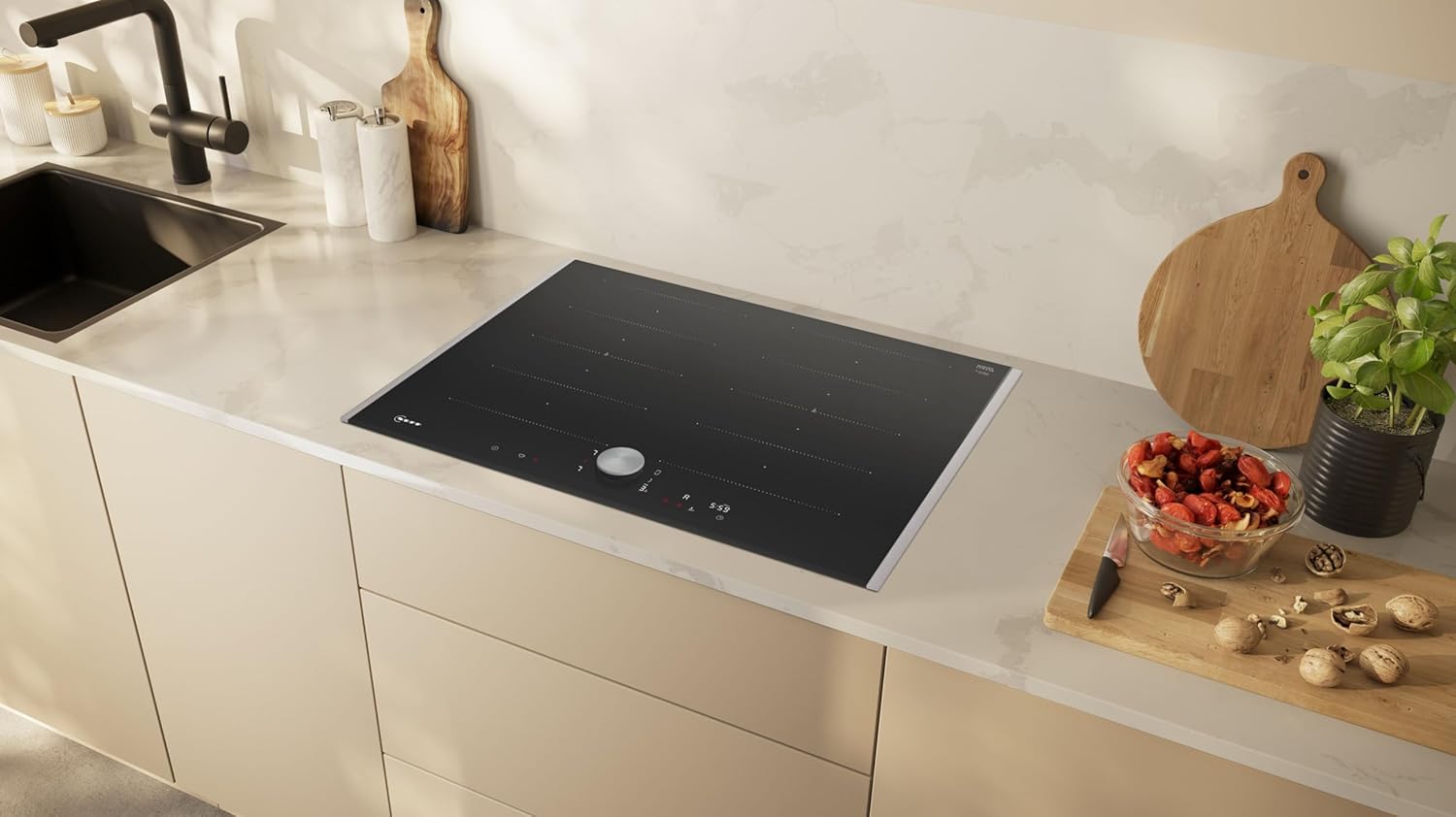
Figure 4: The NEFF T67TTX4L0 N90 Induction Hob seamlessly integrated into a contemporary kitchen countertop, demonstrating its aesthetic appeal and functional design.
8. Warranty and Support
Your NEFF T67TTX4L0 N90 Induction Hob comes with a manufacturer's warranty. Please refer to the warranty card included with your product for specific terms and conditions. For technical assistance, spare parts, or service requests, please contact NEFF customer support through their official website or the contact information provided in your product documentation.


