
1. Introduction
This manual provides essential information for the installation, operation, and maintenance of your FRONTECH Xylo FT-4285 Gaming Computer Cabinet. Please read this manual thoroughly before beginning installation to ensure proper setup and safe usage.
2. Safety Information
- Always disconnect power before installing or servicing components.
- Handle tempered glass panels with care to prevent breakage.
- Ensure proper grounding to avoid electrical hazards.
- Keep the case away from liquids and excessive humidity.
- Do not obstruct ventilation openings.
3. Package Contents
Verify that all items are present in the package:
- FRONTECH Xylo FT-4285 Gaming Computer Cabinet
- 3 x 120mm RGB Fans (pre-installed)
- Accessory kit (screws, cable ties, standoffs)
- User Manual (this document)
4. Product Overview
The FRONTECH Xylo FT-4285 is a mid-tower gaming computer cabinet designed for ATX motherboards. It features a tempered glass side panel, three pre-installed 120mm RGB fans, and optimized airflow for efficient cooling.

Image 1: FRONTECH Xylo FT-4285 Gaming Computer Cabinet with RGB fans visible through the tempered glass panel.
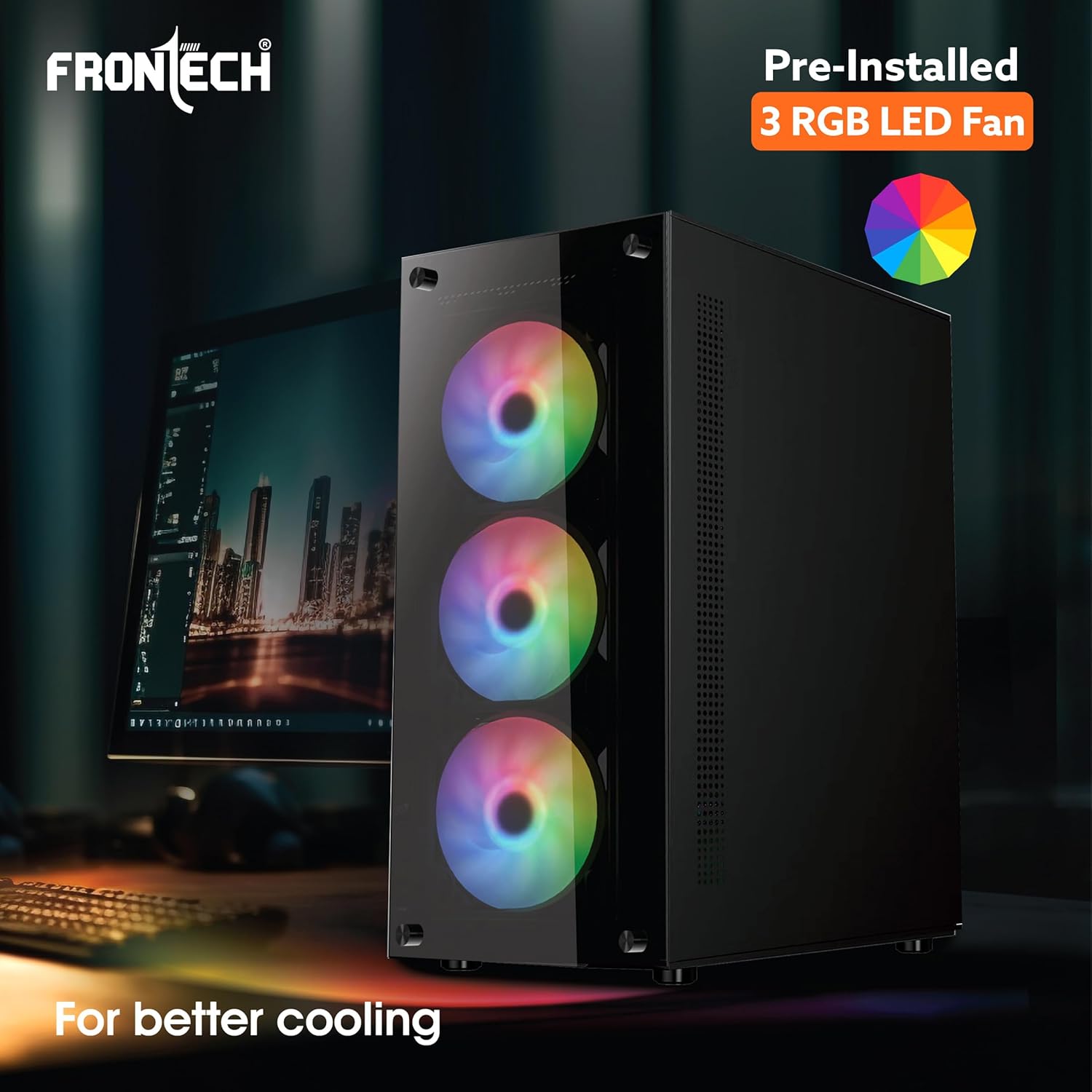
Image 2: The FRONTECH Xylo FT-4285 cabinet showcasing its three pre-installed 120mm RGB LED fans for enhanced cooling and aesthetics.

Image 3: Illustration of the tempered glass front and side panels of the FRONTECH Xylo FT-4285, highlighting easy access and component visibility.

Image 4: Detailed view of the FRONTECH Xylo FT-4285's front panel, showing USB 3.0, USB 1.1 ports, reset button, power button, and audio port.

Image 5: Internal layout of the FRONTECH Xylo FT-4285, indicating compatibility with ATX and M-ATX motherboards and the bottom-mounted SMPS dock.
Video 1: A short preview video showcasing the FRONTECH Xylo FT-4285 Gaming Computer Cabinet's features and design.
5. Setup Instructions
5.1 Preparing the Case
- Place the computer cabinet on a stable, flat surface.
- Carefully remove the tempered glass side panel by unscrewing the thumb screws.
- Identify the motherboard standoffs. Install additional standoffs if required for your motherboard form factor (ATX, Micro-ATX).
5.2 Motherboard Installation
- Align your motherboard with the installed standoffs.
- Gently place the motherboard into the case, ensuring the I/O shield aligns with the rear opening.
- Secure the motherboard with screws.
5.3 Power Supply Installation
- Install your power supply unit (PSU) into the bottom SMPS dock.
- Secure the PSU with screws from the rear of the case.
- Route necessary power cables through the cable management cutouts.
5.4 Storage Drive Installation
- Install 3.5-inch hard drives or 2.5-inch SSDs into the designated drive bays.
- Secure drives with screws or tool-less mechanisms if available.
5.5 Graphics Card and Expansion Cards
- Remove the necessary PCI-E slot covers from the rear of the case.
- Insert your graphics card or other expansion cards into the motherboard's PCI-E slots.
- Secure the cards with screws.
5.6 Cable Management
Utilize the cable management cutouts and tie-down points behind the motherboard tray to route and secure cables. This improves airflow and aesthetics.
5.7 Connecting Front Panel I/O
Connect the front panel cables (USB 3.0, USB 1.1, HD Audio, Power, Reset, LED indicators) to the corresponding headers on your motherboard. Refer to your motherboard manual for specific header locations.
6. Operating Instructions
Once all components are installed and cables are connected, replace the tempered glass side panel. Connect your monitor, keyboard, mouse, and power cable. Press the power button on the front panel to start your system.
6.1 RGB Fan Control
The pre-installed RGB fans may have a dedicated controller or connect to your motherboard's RGB header. Refer to your motherboard's software or the fan controller's instructions for customizing lighting effects.
7. Maintenance
- Dust Filters: Regularly clean the dust filters (e.g., bottom SMPS dock filter) to maintain optimal airflow and prevent dust buildup.
- Interior Cleaning: Periodically open the case and use compressed air to remove dust from components and fans.
- Tempered Glass: Clean tempered glass panels with a soft, lint-free cloth and a non-abrasive glass cleaner.
8. Troubleshooting
8.1 System Not Powering On
- Check all power connections, including the PSU to the wall outlet, PSU to motherboard, and front panel power switch cable to the motherboard.
- Ensure the PSU switch is in the "ON" position.
8.2 Poor Airflow / Overheating
- Verify that all fans are spinning correctly.
- Clean any clogged dust filters.
- Ensure proper cable management to avoid obstructing airflow.
8.3 Front Panel USB/Audio Not Working
- Check if the front panel USB and audio cables are correctly connected to the motherboard headers.
- Refer to your motherboard manual for correct header pinouts.
9. Specifications
| Feature | Specification |
|---|---|
| Brand | FRONTECH |
| Model Name | FT-4285 |
| Case Type | Mid Tower |
| Motherboard Compatibility | ATX, Micro-ATX |
| Enclosure Material | Tempered Glass |
| Pre-installed Fans | 3 x 120mm RGB |
| Front I/O Ports | 1 x USB 3.0, 2 x USB 1.1, HD Audio |
| Power Supply Mounting | Bottom Mount |
| Item Weight | 800 Grams |
| Dimensions (D x W x H) | 39D x 35W x 24H Centimeters |
10. Warranty and Support
This product comes with a 1 Year Limited Warranty. For warranty claims or technical support, please contact FRONTECH customer service. Keep your purchase receipt as proof of purchase.
Manufacturer: Ecocentre, Unit-801, EM-4, Sector - V, Kolkata, West Bengal, 700736, Nuevotech Industries Private Limited
Importer: Frontech Private Limited, Ecocentre, Unit-801, EM-4, Sector - V, Kolkata, West Bengal, 700091


