Introduction
Thank you for choosing PHILIPS True Wireless Earbuds. This manual provides essential information for setting up, operating, and maintaining your earbuds. Please read it carefully before use and retain it for future reference.
Safety Information
- Do not expose the earbuds or charging case to excessive heat, direct sunlight, or open flames.
- Avoid dropping or applying strong impact to the device.
- Keep out of reach of children and pets.
- Do not use abrasive cleaners or sharp objects to clean the earbuds.
- Listening at high volume levels for extended periods can cause hearing damage. Adjust volume to a safe level.
- The earbuds are IPX4 rated for splash and sweat resistance. They are not designed for submersion in water.
What's Included
Your package contains the following items:
- PHILIPS True Wireless Earbuds
- Charging Case
- USB-C Charging Cable
- User Manual

Image: The package contents, showing the earbuds, charging case, USB-C cable, and user manual.
Product Overview
The PHILIPS TAT1138BL/00 True Wireless Earbuds are designed for clear audio and comfortable wear. They feature 13mm drivers for enhanced sound and an AI-assisted microphone for clear calls.

Image: The PHILIPS True Wireless Earbuds and their charging case.
Key Components:
- Earbuds: Left (L) and Right (R) earbuds with touch control surfaces and microphones.
- Charging Case: Stores and charges the earbuds. Features a USB-C charging port.
- 13mm Drivers: Located within each earbud for audio output.
- AI-Assisted Microphone: Integrated into each earbud for call clarity.
Setup
1. Charging the Earbuds and Case
Before first use, fully charge the earbuds and the charging case.
- Place the earbuds into the charging case. Ensure the charging contacts align.
- Connect the USB-C charging cable to the charging port on the case and to a power source.
- The indicator lights on the case will show charging status. A full charge provides up to 15 hours of total playtime (5 hours from earbuds, 10 hours from case).

Image: The charging case indicating 15 hours of total playtime and fast charging.
2. Bluetooth Pairing
Pair your earbuds with your device (smartphone, tablet, etc.) via Bluetooth 5.3 for a stable connection.
- Open the charging case. The earbuds will automatically enter pairing mode.
- On your device, go to Bluetooth settings and ensure Bluetooth is enabled.
- Select "PHILIPS TAT1138" (or similar) from the list of available devices.
- Once connected, a confirmation sound or message will indicate successful pairing.
Operating
1. Wearing the Earbuds
For optimal sound quality and comfort, ensure the earbuds are properly seated in your ears.
- Gently insert each earbud into the corresponding ear (L for left, R for right).
- Rotate slightly to find a secure and comfortable fit. The ergonomic design helps reduce ear fatigue.

Image: Demonstrating the comfortable and secure fit of the earbuds.
2. Touch Controls
The earbuds feature intuitive touch controls for media playback and call management.
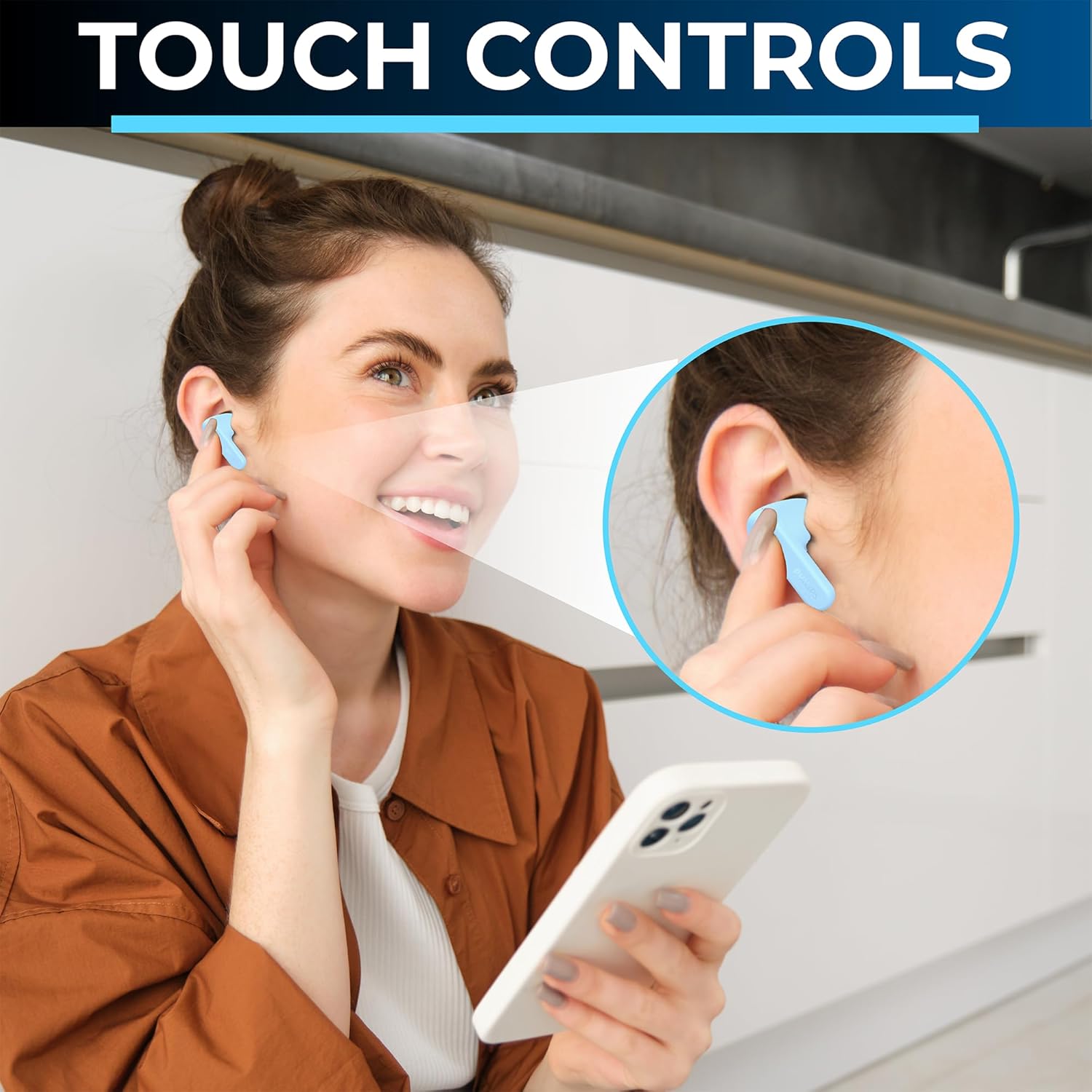
Image: A user interacting with the touch controls on an earbud.
| Action | Left Earbud (L) | Right Earbud (R) |
|---|---|---|
| Play/Pause | One-Tap | One-Tap |
| Volume Down | Twice-Tap | N/A |
| Volume Up | N/A | Twice-Tap |
| Next Track | Tap 1x2 seconds | N/A |
| Previous Track | N/A | Tap 1x2 seconds |
| Answer Call | One-Tap | One-Tap |
| Reject Call | Long Press | Long Press |
| Activate Voice Assistant | Triple-Tap | Triple-Tap |
3. Making and Receiving Calls
The AI-assisted microphone ensures clear communication during calls.
- Answer Call: Tap either earbud once.
- End Call: Tap either earbud once during a call.
- Reject Call: Long press either earbud.

Image: The AI-assisted microphone ensures clear calls by filtering background noise.
Maintenance
1. Cleaning
Regular cleaning helps maintain performance and hygiene.
- Use a soft, dry, lint-free cloth to wipe the earbuds and charging case.
- For stubborn dirt, slightly dampen the cloth with water. Do not use harsh chemicals.
- Ensure charging contacts are clean and dry before placing earbuds in the case.
2. Water Resistance (IPX4)
The earbuds are rated IPX4, meaning they are resistant to splashing water from any direction. This makes them suitable for workouts and light rain.
- Do not submerge the earbuds in water.
- Do not expose them to pressurized water or high-velocity water.
- Ensure earbuds are dry before placing them back in the charging case to prevent damage.

Image: The earbuds are IPX4 water and sweat resistant, suitable for active use.
3. Storage
When not in use, store the earbuds in their charging case to protect them and keep them charged.
Troubleshooting
If you encounter issues with your earbuds, refer to the following common solutions:
- Earbuds not pairing: Ensure both earbuds are charged. Turn off and on your device's Bluetooth. Try forgetting the device in your Bluetooth settings and re-pairing.
- No sound from one earbud: Place both earbuds back in the case, close it, then open it again. Ensure both earbuds are charged.
- Charging issues: Check the USB-C cable and power source. Ensure the charging contacts on the earbuds and case are clean and dry.
- Low volume: Adjust the volume on both your connected device and using the earbud touch controls.
- Poor call quality: Ensure the microphone is not obstructed. Move to an area with less background noise.
If problems persist, consult the Philips support website or contact customer service.
Specifications
Detailed technical specifications for your PHILIPS True Wireless Earbuds TAT1138BL/00:
| Feature | Specification |
|---|---|
| Model Name | TWS In-Ear Wireless Earbuds |
| Item Model Number | TAT1138BL/00 |
| Connectivity Technology | Wireless (Bluetooth) |
| Bluetooth Version | 5.3 |
| Bluetooth Range | 10 Meters |
| Audio Driver Size | 13 Millimeters |
| Audio Driver Type | Dynamic Driver |
| Impedance | 16 Ohms |
| Battery Life | 15 Hours (5 hours earbuds + 10 hours charging case) |
| Charging Time | 5 Hours (for full charge of case and earbuds) |
| Water Resistance Level | IPX4 (Water Resistant) |
| Control Type | Media Control (Touch/Button) |
| Microphone | AI-Enhanced |
| Item Weight | 2.2 Ounces |
| UPC | 840063203181 |

Image: Illustration of the 13mm audio drivers for clear sound.
Warranty and Support
Philips products are designed and manufactured to the highest standards. For detailed warranty information and customer support, please refer to the warranty card included with your product or visit the official Philips support website.
For further assistance, you may visit the Philips Flagship Store on Amazon.


