
1. Introduction
Thank you for choosing the VCK H13 True HEPA Dual Filter Air Purifier. This manual provides important information regarding the safe operation, installation, maintenance, and troubleshooting of your new air purifier. Please read this manual thoroughly before using the product and retain it for future reference.
2. Important Safety Instructions
To reduce the risk of fire, electric shock, or injury, please observe the following safety precautions:
- Read all instructions before operating the appliance.
- Always unplug the air purifier before moving, cleaning, or performing any maintenance.
- Do not operate the appliance if the power cord or plug is damaged. Contact customer support for assistance.
- Keep the air purifier away from water or other liquids. Do not use in wet or damp environments.
- Ensure that the air inlets and outlets are not blocked. Maintain at least 8 inches (20 cm) clearance from walls and furniture.
- This appliance is not intended for use by persons (including children) with reduced physical, sensory, or mental capabilities, or lack of experience and knowledge, unless they have been given supervision or instruction concerning use of the appliance by a person responsible for their safety.
- Do not insert fingers or foreign objects into the air inlets or outlets.
- Use only VCK authorized replacement filters.
3. Package Contents
Please check the package contents upon opening:
- VCK H13 True HEPA Dual Filter Air Purifier
- H13 True HEPA Dual Filters (pre-installed)
- User Manual (this document)
4. Product Overview
The VCK H13 True HEPA Dual Filter Air Purifier is designed to improve indoor air quality by capturing airborne particles and odors. It features a comprehensive filtration system and user-friendly controls.
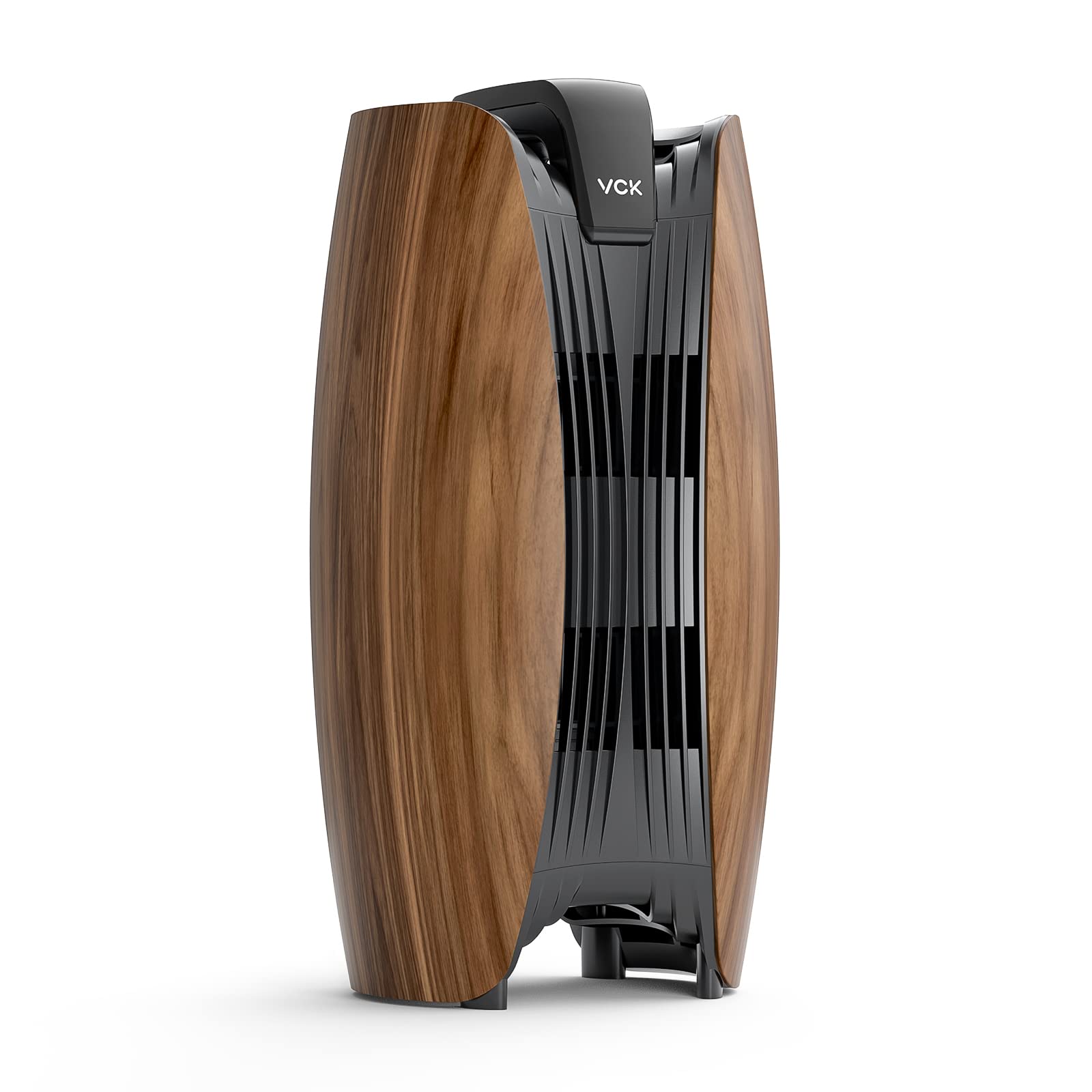
Figure 4.1: VCK H13 True HEPA Dual Filter Air Purifier
Key Features:
- H13 True HEPA Dual Filter System: Captures at least 99.97% of airborne particles 0.3 microns in size, including dust, pollen, pet dander, and mold spores.
- Activated Carbon Filter: Absorbs pet odors, cooking smells, smoke, VOCs, harmful gas, and fumes.
- Multiple Fan Speeds: Offers 3 adjustable fan speeds for various air purification needs.
- 12-Hour Timer: Allows for scheduled operation.
- Sleep Mode: Operates at a low noise level (as low as 24dB) for undisturbed rest.
- Child Lock: Prevents accidental changes to settings.
- Filter Replacement Reminder: Indicates when filters need to be replaced.

Figure 4.2: Dual Filter Design featuring H13 HEPA and Active Carbon filters.
5. Setup
Follow these steps to prepare your air purifier for first use:
- Unpack the Unit: Carefully remove the air purifier from its packaging and remove all plastic wraps or protective materials.
- Remove Filter Packaging: Open the side cover(s) of the air purifier. The filters are typically pre-installed but wrapped in plastic for protection during shipping. Remove the plastic packaging from both the H13 True HEPA filter and the Activated Carbon filter.
- Reinstall Filters: Place the filters back into their designated compartments, ensuring they are oriented correctly.
- Close the Cover: Securely close the side cover(s). Ensure the cover is properly aligned and latched. The unit features a safety switch that prevents operation if the cover is not closed correctly.

Figure 5.1: Ensure the cover is properly closed and the safety switch is engaged before connecting power.
- Placement: Place the air purifier on a firm, level surface. For optimal performance, ensure there is at least 8 inches (20 cm) of space around the unit for proper airflow.
- Connect Power: Plug the power cord into a suitable electrical outlet. The unit is now ready for operation.
6. Operating Instructions
The VCK Air Purifier is controlled via a button control panel located on the top of the unit.
Control Panel Functions:
- Power Button: Press to turn the unit ON or OFF.
- Fan Speed Button: Press to cycle through fan speeds (Low, Medium, High).
- Timer Button: Press to set the operating timer (e.g., 1H, 2H, up to 12H). The unit will automatically turn off after the set time.
- Sleep Mode Button: Activates Sleep Mode, which operates the fan at the lowest speed and dims indicator lights for quiet operation.
- Child Lock Button: Press and hold for a few seconds to activate or deactivate the Child Lock function, preventing accidental button presses.
- Filter Reset Indicator: A light will illuminate when it's time to replace the filters. After replacing filters, press and hold the Filter Reset button (or a combination of buttons as indicated on the unit) to reset the indicator.

Figure 6.1: The air purifier operates quietly in Sleep Mode, ensuring restful sleep.
7. Maintenance
Regular maintenance ensures optimal performance and extends the lifespan of your air purifier.
Filter Replacement:
The filter replacement indicator light will illuminate when it is time to replace the filters. Filter lifespan varies depending on air quality and usage, typically every 3-6 months.

Figure 7.1: Example of VCK Dual Filter Air Purifier Replacement Filter.
- Unplug the Unit: Always unplug the air purifier from the power outlet before replacing filters.
- Open Cover: Open the side cover(s) of the air purifier.
- Remove Old Filters: Carefully remove the used H13 True HEPA and Activated Carbon filters. Dispose of them properly.
- Install New Filters: Insert the new VCK H13 True HEPA Dual Filters into the unit, ensuring correct orientation. Remove any plastic packaging from new filters.
- Close Cover: Close the side cover(s) securely until it clicks into place.
- Reset Filter Indicator: Plug the unit back in. With the unit powered on, press and hold the Filter Reset button (refer to your unit's control panel for the specific button or combination) for 3-5 seconds until the indicator light turns off.
Cleaning the Exterior:
Wipe the exterior of the air purifier with a soft, dry cloth. Do not use abrasive cleaners or solvents. Ensure no water enters the unit.
8. Troubleshooting
If you encounter issues with your air purifier, refer to the following table for common problems and solutions:
| Problem | Possible Cause | Solution |
|---|---|---|
| Unit does not turn on. | Power cord not securely plugged in. Side cover not closed properly. No power from outlet. | Ensure power cord is firmly plugged into unit and outlet. Check that the side cover(s) are fully closed and latched. Test the outlet with another device. |
| Weak airflow or no air purification. | Filters are dirty or clogged. Filter packaging not removed. Air inlets/outlets are blocked. | Replace filters if the indicator light is on or if airflow is noticeably reduced. Ensure all plastic packaging has been removed from filters. Clear any obstructions from the air inlets and outlets. |
| Unusual noise. | Foreign object inside unit. Filters not installed correctly. | Unplug the unit and check for any foreign objects. Remove carefully. Ensure filters are seated correctly in their compartments. |
| Filter replacement indicator remains on after changing filters. | Filter reset function not performed. | After replacing filters, press and hold the Filter Reset button for 3-5 seconds to reset the indicator. |
9. Specifications
Product specifications for the VCK H13 True HEPA Dual Filter Air Purifier:

Figure 9.1: Product dimensions of the VCK Air Purifier.
| Feature | Detail |
|---|---|
| Model | H13 True HEPA Dual Filter |
| Product Dimensions | 9.8 x 7.6 x 17.7 inches |
| Weight | 7.15 Pounds |
| Noise Level | 24 Decibels (in Sleep Mode) |
| Controller Type | Button Control |
| Color | Brown |
10. Warranty and Support
VCK products are manufactured to high-quality standards. For warranty information or technical support, please refer to the warranty card included with your purchase or contact VCK customer service through the retailer where the product was purchased. Please have your product model and purchase date available when contacting support.