
1. Introduction
Thank you for choosing the VRURC 30000mAh Power Bank. This high-capacity portable charger is designed to provide reliable power for your mobile devices on the go. With its multiple input and output ports, fast charging capabilities, and robust design, it is an ideal companion for daily use, travel, and outdoor activities. Please read this manual carefully before use to ensure optimal performance and safety.

Image: The VRURC 30000mAh Power Bank, a black rectangular device with a textured upper surface and smooth lower surface, displaying its various charging ports and an illuminated indicator light. A USB-A to USB-C cable is shown alongside it.
2. Safety Information
To ensure safe operation and prolong the lifespan of your power bank, please observe the following safety precautions:
- Do not expose the power bank to extreme temperatures (above 60°C/140°F or below 0°C/32°F), direct sunlight, or high humidity.
- Avoid dropping, hitting, or disassembling the device. Unauthorized disassembly will void the warranty and may cause damage or injury.
- Keep the power bank away from water and other liquids.
- Use only certified charging cables and adapters.
- Do not use the power bank if it is visibly damaged, swollen, or leaking.
- Keep out of reach of children.
- Dispose of the power bank responsibly according to local regulations. Do not dispose of it with household waste.
3. Package Contents
Please check the package for the following items:
- VRURC 30000mAh Power Bank x1
- USB A to Micro USB Cable x1
- User Manual x1
4. Product Overview
The VRURC 30000mAh Power Bank features a compact design with multiple ports for versatile charging. Its digital display provides clear indication of the remaining battery level.
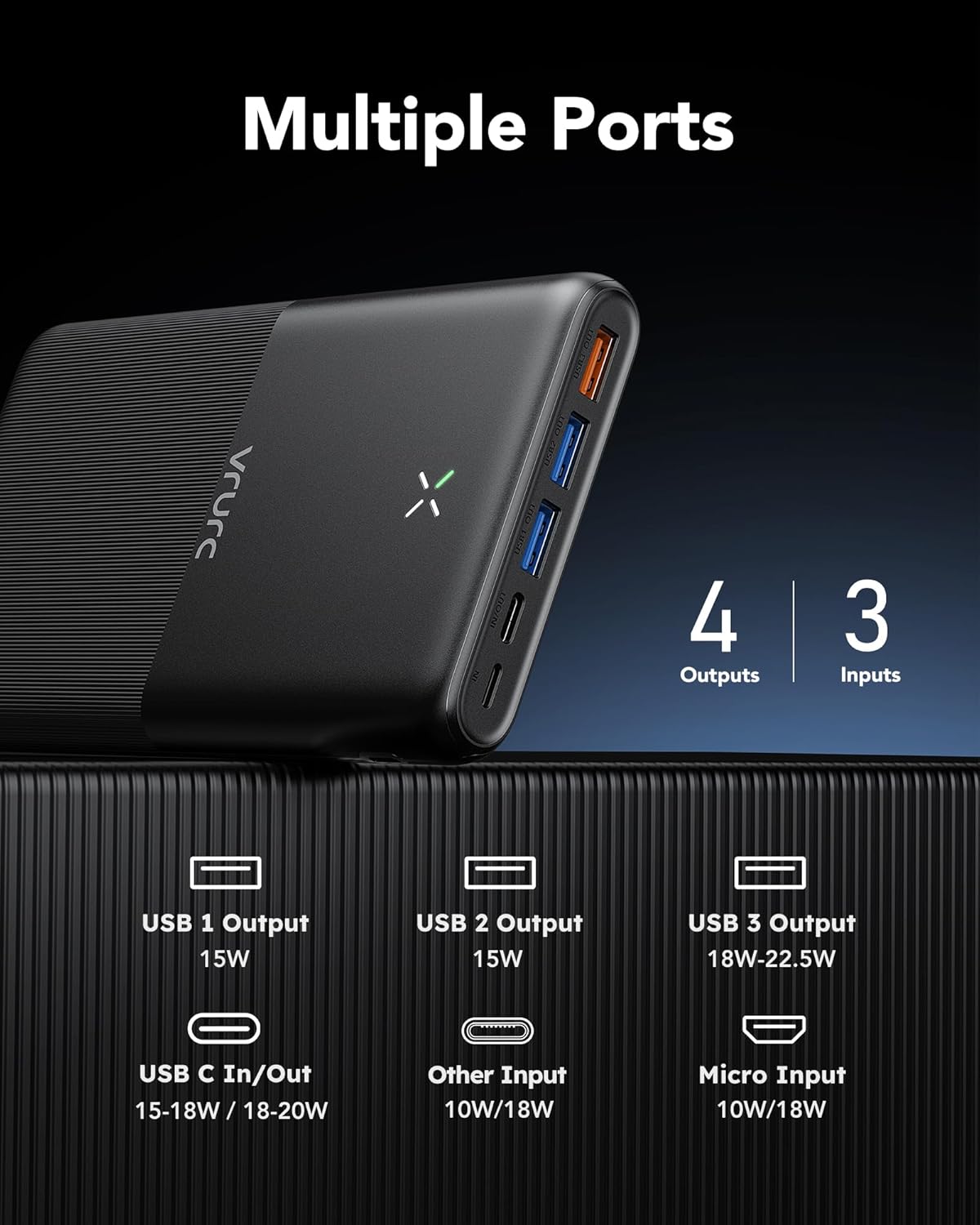
Image: A detailed view of the VRURC power bank's end, highlighting its four output ports (three USB-A and one USB-C) and three input ports (USB-C, Micro USB, and an additional input), along with their respective power ratings.
Key features include:
- High Capacity: 30000mAh battery for extended use.
- Multiple Ports: Equipped with 4 outputs (3 USB-A, 1 USB-C) and 3 inputs (Micro USB, USB-C, and another input type).
- Fast Charging: Supports PD 20W and QC 3.0 for rapid charging of compatible devices.
- Digital Display: Accurate digital display shows remaining energy at a glance.

Image: A visual comparison demonstrating the VRURC power bank's slim profile compared to two other thicker power bank models, emphasizing its compact design despite its high capacity.
5. Setup
5.1 Initial Charging of the Power Bank
Before first use, it is recommended to fully charge your VRURC Power Bank. This ensures the battery is calibrated and ready for optimal performance.
- Connect the provided USB A to Micro USB cable, or a USB-C cable (not included), to one of the input ports on the power bank (Micro USB, USB-C, or the 'Other Input').
- Connect the other end of the cable to a suitable USB wall charger (5V/2A or higher recommended for faster charging).
- The digital display will show the charging progress. A full charge from 0% to 100% can take approximately 9 hours with a 20W PD charger.
- Once fully charged, the display will show 100%. Disconnect the power bank from the charger.
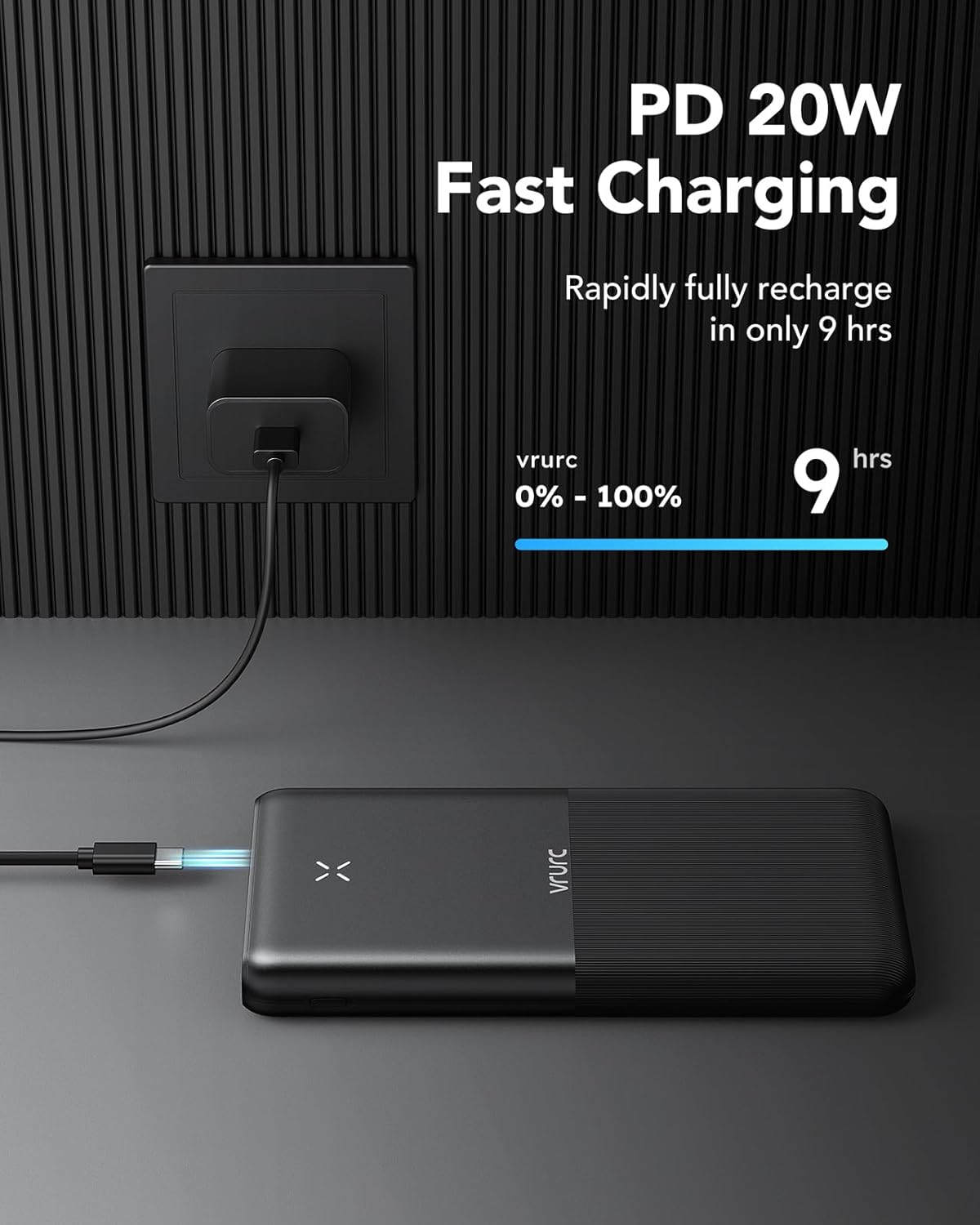
Image: The VRURC power bank connected to a wall charger via a USB-C cable, illustrating the fast charging capability that allows it to reach 100% charge in approximately 9 hours.
6. Operating Instructions
6.1 Charging Your Devices
The VRURC Power Bank can charge up to four devices simultaneously using its various output ports.
- Connect your device's charging cable to one of the power bank's output ports (USB 1, USB 2, USB 3, or USB C).
- Connect the other end of the cable to your device.
- The power bank will automatically begin charging your device. The digital display will show the remaining battery percentage.
- Disconnect your device once it is fully charged or when you no longer need to charge it.

Image: The VRURC power bank simultaneously charging a smartphone, a tablet, and wireless earbuds, demonstrating its multi-device charging capability.
6.2 Recharging the Power Bank
When the power bank's battery level is low, indicated by the digital display, recharge it using one of the input ports.
- Use a Micro USB, USB-C, or compatible 'Other Input' cable to connect the power bank to a wall charger or computer USB port.
- For fastest recharging, use a PD (Power Delivery) compatible USB-C charger.
6.3 Compatibility
The VRURC Power Bank is widely compatible with various devices, including:
- Smartphones (iPhone, Samsung, Huawei, Pixel, Xiaomi, OPPO, etc.)
- Tablets (iPad, iPad Pro, iPad mini, Galaxy Tab)
- Drones (e.g., DJI Mini)
- Earphones/Earbuds (e.g., AirPods, Bluetooth headsets)
- Smartwatches
- Action Cameras (e.g., GoPro)

Image: The VRURC power bank positioned among various electronic devices such as smartphones, tablets, a drone, and earphones, visually representing its broad compatibility with different types of gadgets.

Image: A person seated at a table, actively charging a tablet and a smartphone using the VRURC power bank, with a drone visible in the background, depicting a typical use scenario.
7. Maintenance
Proper maintenance helps extend the life of your power bank:
- Cleaning: Use a soft, dry cloth to clean the surface of the power bank. Do not use harsh chemicals or abrasive materials.
- Storage: Store the power bank in a cool, dry place away from direct sunlight and extreme temperatures. If storing for a long period, charge it to about 50-70% every 3 months to prevent deep discharge.
- Avoid Over-Discharge: Do not let the power bank completely drain to 0% frequently, as this can reduce its overall lifespan.
8. Troubleshooting
| Problem | Possible Cause | Solution |
|---|---|---|
| Power bank not charging | Loose cable connection; Faulty cable/adapter; Power bank fully charged. | Ensure cables are securely connected. Try a different cable or adapter. Check digital display for 100% charge. |
| Device not charging from power bank | Power bank battery low; Loose cable connection; Incompatible cable; Device charging port issue. | Recharge the power bank. Ensure cables are securely connected. Try a different cable. Check your device's charging port. |
| Slow charging | Using a non-fast charging port/cable; Device not supporting fast charge; Multiple devices charging simultaneously. | Use the designated fast charging ports (USB 3 or USB C) and a compatible cable. Ensure your device supports fast charging. Charging multiple devices may reduce individual charging speeds. |
| Digital display not working | Power bank is off; Internal malfunction. | Press the power button to activate the display. If issue persists, contact customer support. |
9. Specifications
| Feature | Detail |
|---|---|
| Model Number | T3016 |
| Battery Capacity | 30000mAh |
| Battery Type | Lithium Polymer |
| Inputs | Micro USB (10W/18W), USB-C (10W/18W), Other Input (10W/18W) |
| Outputs | USB 1 (15W), USB 2 (15W), USB 3 (18W-22.5W), USB-C (15-18W / 18-20W) |
| Product Dimensions | 18.6 x 2.4 x 11 cm |
| Weight | 476 g |
| Manufacturer | Dong guan Utopia-Originality Technology Co., Ltd |

Image: An X-ray style diagram of the 30000mAh power bank, illustrating its internal battery cells and highlighting its capacity to provide approximately 6.0 iPhone 14 charges, 5.2 Galaxy S22 charges, and 2.2 iPad Pro charges.
10. Warranty and Support
VRURC products come with a standard warranty. For specific warranty terms and conditions, please refer to the warranty card included in your package or visit the official VRURC website.
If you encounter any issues or have questions regarding your VRURC Power Bank, please contact our customer support team:
- Manufacturer: Dong guan Utopia-Originality Technology Co., Ltd
- Official Website: www.vrurcpower.com
- Email: support@vrurcpower.com
- VRURC Store: Visit the VRURC Store on Amazon
Please have your model number (T3016) and purchase details ready when contacting support.


