
VRURC T3016
VRURC 30000 mAh Power Bank User Manual
Model: T3016
Introduction
Thank you for choosing the VRURC 30000 mAh Power Bank. This portable charger is designed to provide reliable and fast charging for your electronic devices on the go. With its high capacity and multiple charging ports, it is an ideal companion for travel, business trips, and daily use. This manual provides essential information on how to set up, operate, maintain, and troubleshoot your power bank.

Figure 1: VRURC 30000 mAh Power Bank with included USB-C cable.
Product Features
- High Capacity: 30000 mAh battery, capable of charging an iPhone 8-14 series 5-8 times, Galaxy series 4-6 times, and an iPad Air 2 times.
- Multiple Ports: Equipped with 4 output ports (3 USB-A, 1 USB-C) and 3 input ports (Micro USB, USB-C).
- Fast Charging: 22.5W output with QC 3.0 (USB-A + USB-C) and PD (USB-C) support, allowing devices to charge over 50% in just 30 minutes.
- USB-C Bidirectional: The USB-C port functions as both an input and an output for versatile charging.
- Compact Design: Despite its high capacity, the power bank maintains a relatively compact form factor.

Figure 2: The VRURC power bank's slim profile compared to other models.

Figure 3: Demonstrating the 22.5W fast charging capability.

Figure 4: Detailed view of the 4 output and 3 input ports.
Setup and Initial Use
Charging the Power Bank
Before first use, fully charge the power bank. You can use either the Micro USB or USB-C input port to recharge the power bank. For optimal charging speed, use a PD 20W compatible charger with the USB-C input.
- Connect the provided USB-A to Micro USB cable, or a USB-C to USB-C cable (not included), to the corresponding input port on the power bank.
- Connect the other end of the cable to a suitable USB wall adapter (e.g., a 5V/2A or PD 20W charger).
- The LED indicator on the power bank will show the charging status. A full charge typically takes approximately 9 hours with a PD 20W charger.

Figure 5: Recharging the power bank using a PD 20W charger.
Checking Battery Level
The power bank features an LED indicator to display the remaining battery capacity. Press the power button once to activate the display and check the current charge level.
Operating Instructions
Charging Your Devices
The VRURC power bank can charge up to four devices simultaneously.
- Identify the appropriate charging cable for your device (USB-A to Lightning/USB-C/Micro USB, or USB-C to USB-C).
- Connect one end of the charging cable to an available output port on the power bank (USB 1, USB 2, USB 3, or USB C Out).
- Connect the other end of the cable to your device.
- The power bank will automatically begin charging your device. If charging does not start, press the power button once.
The power bank supports wide compatibility, including smartphones, tablets, drones, and earphones.
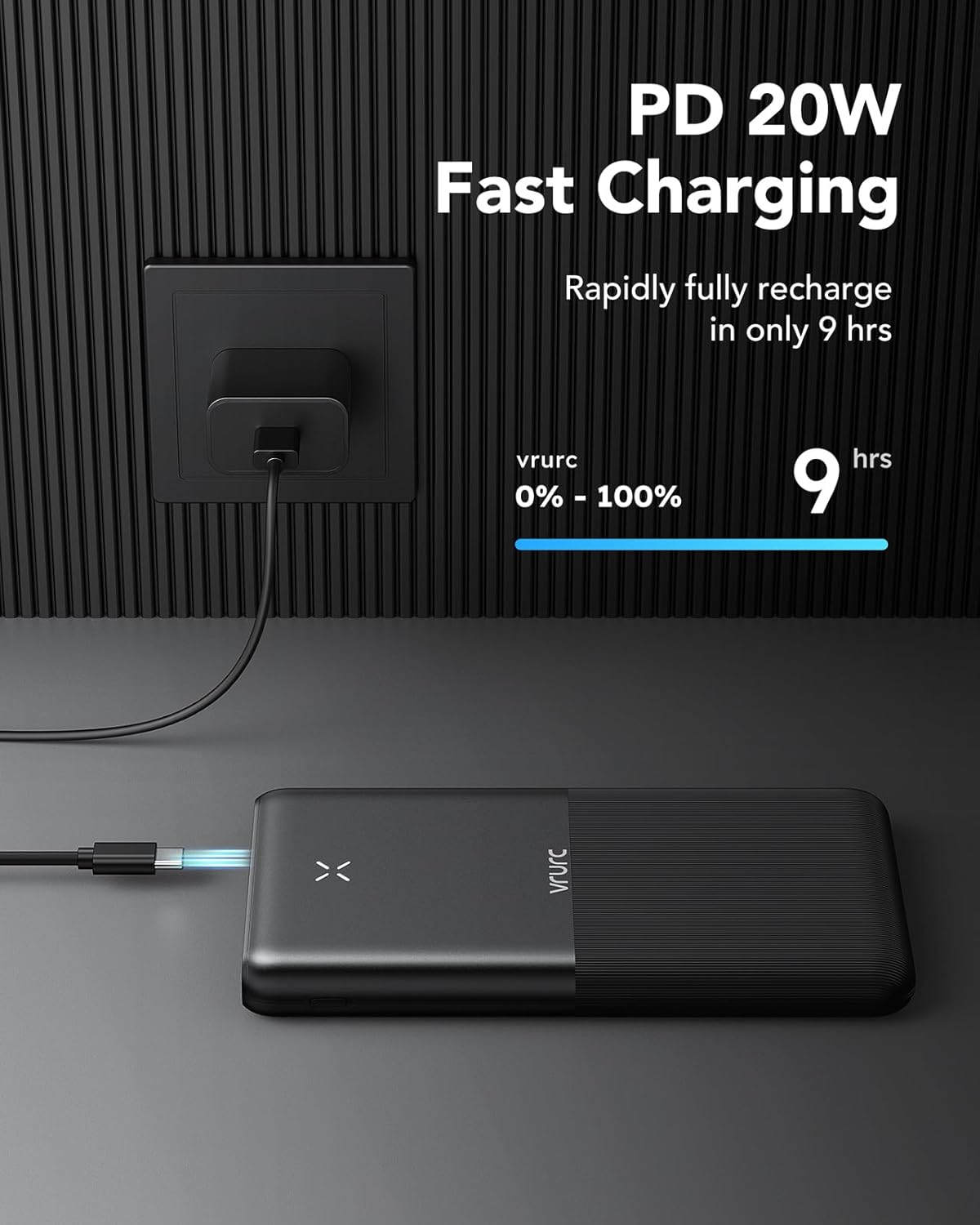
Figure 6: Charging multiple devices simultaneously.
Figure 7: Port specifications for optimal charging.
Maintenance
To ensure the longevity and optimal performance of your VRURC Power Bank, follow these maintenance guidelines:
- Storage: Store the power bank in a cool, dry place away from direct sunlight and extreme temperatures.
- Cleaning: Use a soft, dry cloth to clean the surface of the power bank. Do not use liquid cleaners or abrasive materials.
- Charging Cycles: For best battery health, avoid completely draining the power bank before recharging it. Recharge it regularly, even if not in frequent use.
- Avoid Drops: Protect the power bank from drops and impacts, which can damage internal components.
Troubleshooting
If you encounter issues with your VRURC Power Bank, please refer to the following common troubleshooting steps:
- Power Bank Not Charging:
- Ensure the charging cable is securely connected to both the power bank's input port and the wall adapter.
- Try a different charging cable or wall adapter.
- Verify the wall adapter is functioning correctly and provides sufficient power (e.g., 5V/2A or PD 20W).
- Device Not Charging from Power Bank:
- Ensure the power bank has sufficient charge. Check the LED indicator.
- Press the power button on the power bank to activate output.
- Try a different output port on the power bank.
- Try a different charging cable for your device.
- Ensure your device's charging port is clean and free of debris.
- Slow Charging:
- Ensure you are using a fast-charging compatible cable and your device supports fast charging.
- Verify that the power bank's output port used supports fast charging (e.g., USB-C PD or USB-A QC 3.0).
- Charging multiple devices simultaneously may reduce individual charging speeds.
If the issue persists, please contact VRURC customer support for further assistance.
Specifications
| Feature | Specification |
|---|---|
| Model Number | T3016 |
| Battery Capacity | 30000 mAh |
| Input (Micro USB) | 10W/18W |
| Input (USB-C) | 10W/18W (Bidirectional) |
| Output (USB 1) | 15W |
| Output (USB 2) | 15W |
| Output (USB 3) | 18W-22.5W (QC 3.0) |
| Output (USB-C) | 15-18W / 18-20W (PD) |
| Dimensions | 14.5 x 4 x 2 cm |
| Weight | 530 grams |
| Special Features | Lightweight, Overcharge Protection, Pocket Size, Fast Charging, Automatic Shutdown |
| Battery Type | Lithium Polymer |
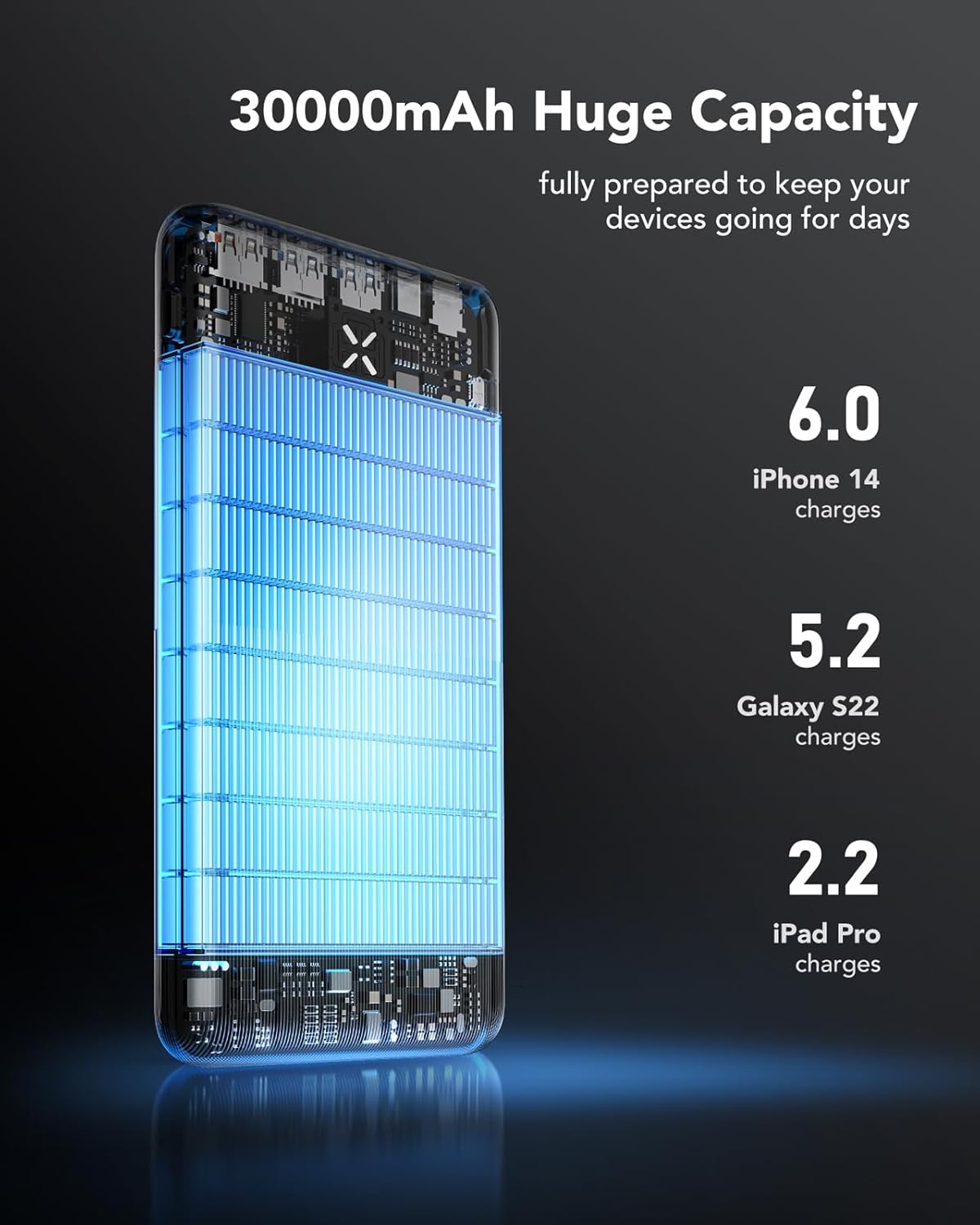
Figure 8: Internal capacity and device charge estimates.
Warranty and Support
VRURC is committed to providing high-quality products and excellent customer service.
- Warranty: This product comes with a 1-year warranty from the date of purchase, covering any quality or manufacturing issues.
- Exchange Service: Our company offers an exchange service within 30 days from the date of purchase.
- Technical Support: Lifetime technical support is provided for this product.
- Returns: For information regarding returns within 30 days of receipt, or for defective/damaged products, please refer to the Amazon return policy or contact customer support.
For any inquiries or support, please visit the official VRURC store or contact their customer service.
VRURC is specialized in producing phone accessories. Through unique innovation design, we recreate and provide our users with a more convenient charging experience.
Related documentsT3016


Ask a question about this manual
Ask about setup, troubleshooting, compatibility, parts, safety, or missing instructions. Manuals+ will review the question and use this page’s manual context to help answer it.