
1. Introduction
Thank you for choosing the JYX Mini Karaoke Machine. This portable Bluetooth speaker with wireless microphones is designed to provide high-quality audio and entertainment for various occasions. Please read this manual thoroughly before use to ensure proper operation and maintenance.
2. What's in the Box
- JYX Mini Karaoke Machine (Speaker Unit)
- Wireless Microphones (x2)
- Charging Cable
- Audio Cable
- User Specification Manual (this document)

3. Product Overview
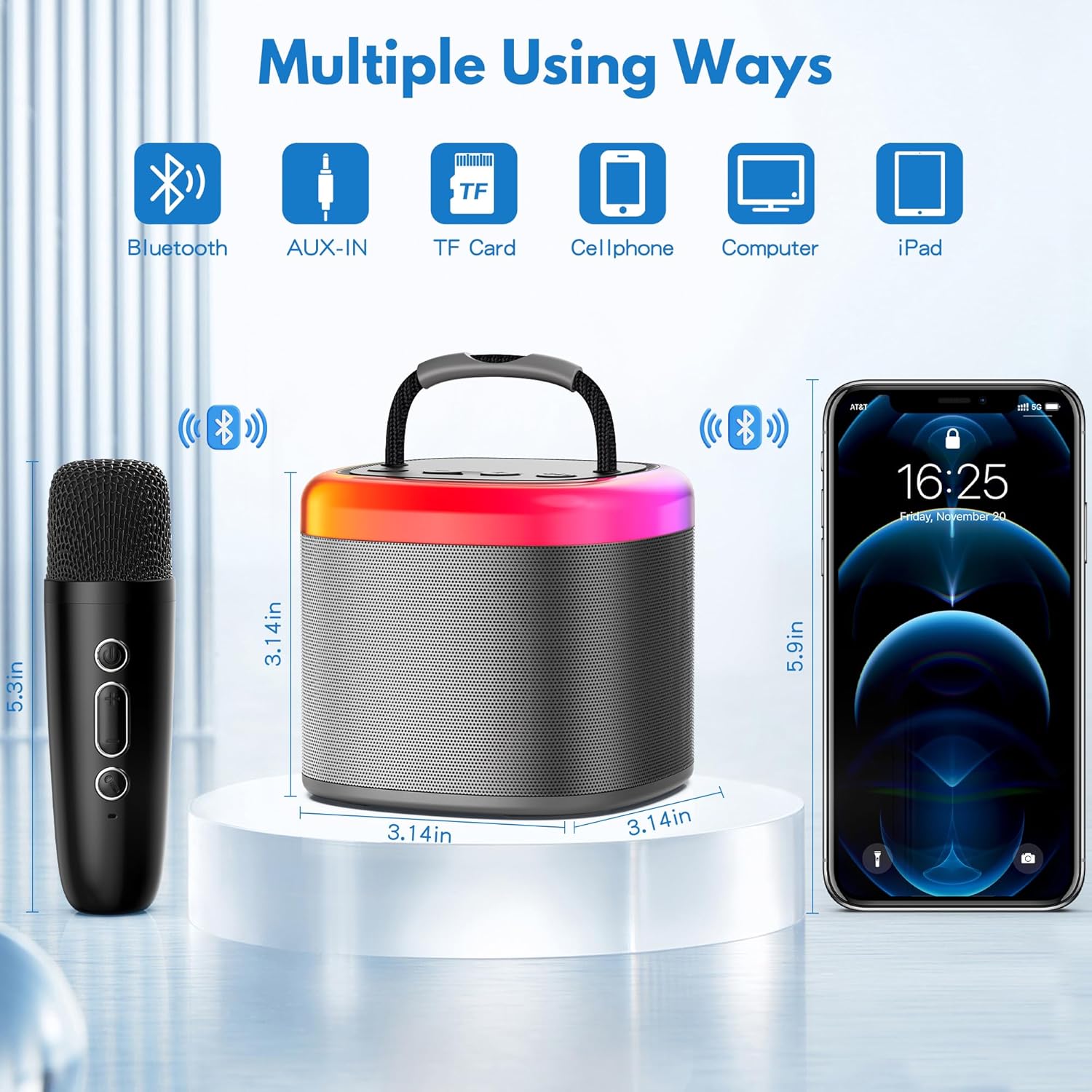
The JYX Mini Karaoke Machine features a compact design with intuitive controls and vibrant LED lighting. It includes two wireless microphones for duet performances.


4. Setup
4.1 Charging the Device
Before first use, fully charge the karaoke machine and microphones. The built-in rechargeable battery provides 6-8 hours of playtime and takes approximately 2-3 hours to fully charge.
- Connect the charging cable to the speaker's charging port and a USB power adapter (not included).
- Connect the microphones to their respective charging ports using the provided cables.
4.2 Power On/Off
Press and hold the power button on the speaker unit to turn it on or off. Similarly, press and hold the power button on each microphone to activate or deactivate them.
4.3 Connecting to Audio Sources
The JYX Mini Karaoke Machine offers multiple connectivity options:
- Bluetooth 5.0: For quick pairing and stable transmission with mobile phones, iPads, tablets, and PCs.
- Micro TF Card: Insert a Micro TF card into the designated slot for direct music playback.
- AUX-in: Use the provided audio cable to connect devices via the AUX-in port.

5. Operating Instructions
5.1 Microphone Operation
Each wireless microphone has controls for power, volume, and voice effects.
- Power Button: Press and hold to turn on/off.
- Volume Control: Use the +/- buttons to adjust microphone volume.
- Voice Change: The microphones feature 4 kinds of magic sound: Original, KTV, Monster, and Female voice.
- Vocal Removal: Double-click the designated button on the microphone to remove or restore music vocals freely.

5.2 Speaker Controls
The speaker unit has controls for music playback and LED lights.
- Volume Control: Use the +/- buttons on the speaker to adjust the overall music volume.
- Play/Pause: Press the play/pause button to control music playback.
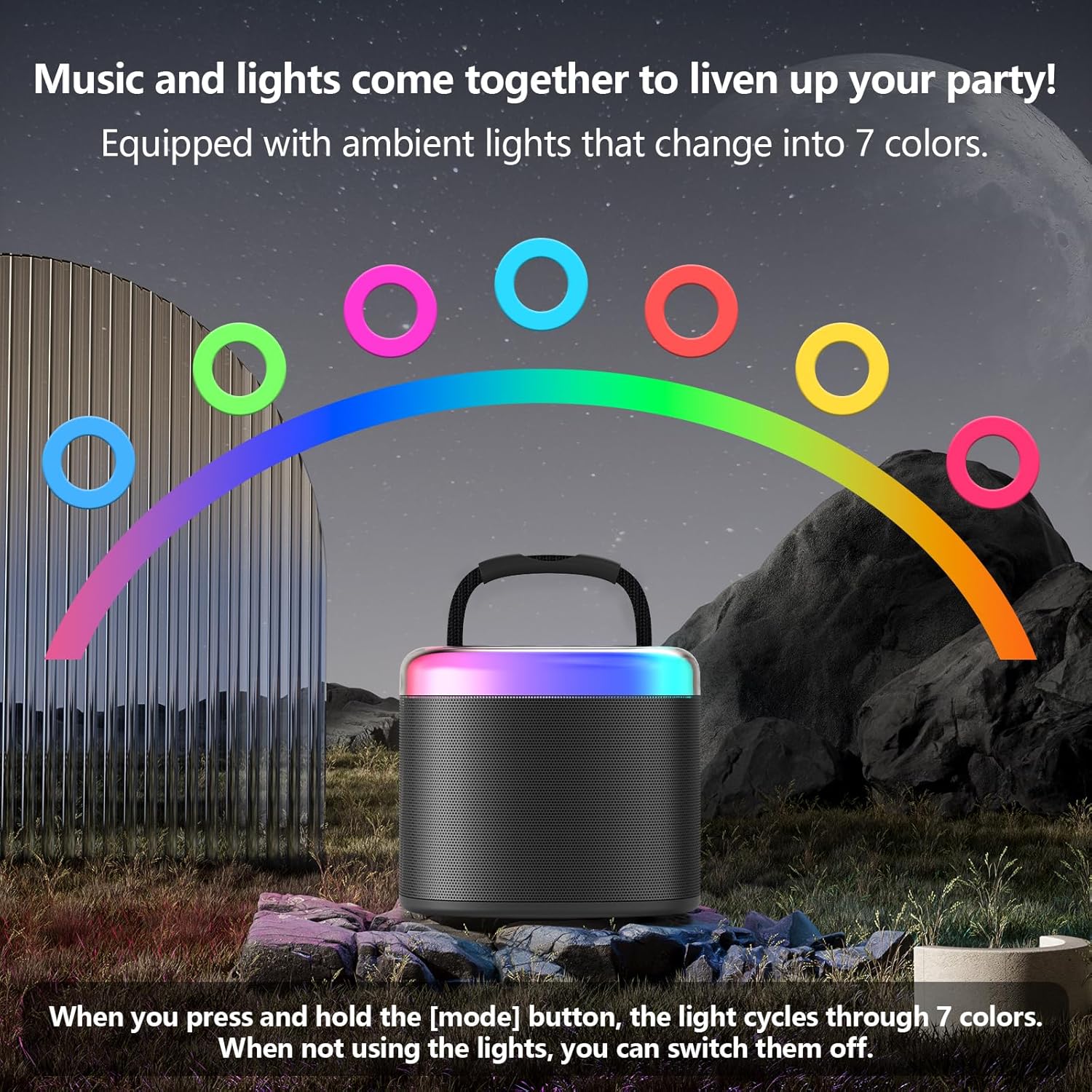
- LED Lights: The speaker is equipped with dynamic dancing lights that change into 7 colors. Press and hold the 'M' (Mode) button to cycle through the light colors. When not using the lights, you can switch them off.

6. Maintenance
- Keep the device dry. Do not expose it to water or excessive moisture.
- Clean the speaker and microphones with a soft, dry cloth. Avoid using harsh chemicals or abrasive cleaners.
- Store the device in a cool, dry place away from direct sunlight and extreme temperatures.
- When not in use for extended periods, charge the battery periodically to maintain its lifespan.
7. Troubleshooting
| Problem | Possible Cause | Solution |
|---|---|---|
| Device does not power on. | Low battery. | Charge the device fully. |
| No sound from speaker. | Volume too low; Incorrect input mode; Device not connected. | Increase volume; Switch input mode (Bluetooth/AUX/TF); Reconnect device. |
| Microphone not working. | Microphone off; Low microphone battery; Microphone not paired. | Turn on microphone; Charge microphone; Re-pair microphone with speaker. |
| Bluetooth connection unstable. | Device too far; Interference. | Move devices closer; Avoid obstacles or other wireless devices. |
| Short battery life. | Battery not fully charged; Old battery. | Ensure full charge (2-3 hours); Contact customer service if issue persists. |
8. Specifications
- Model Number: D17G-T
- Item Weight: 1.23 pounds
- Product Dimensions: 3.54 x 4.33 x 3.94 inches
- Batteries: 1 A battery (included)
- Color: Gray-2Mic
- Connector Type: 3.5 mm Jack
- Speaker Count: 1
- Power Source: Battery Powered
- Special Feature: Portable, Lightweight, Light Up Speaker, Rechargeable
- Included Components: Microphone, Battery
- Recommended Uses: Home Parties, Outdoor Events, Family Gatherings, Birthdays, Conferences, Classes, Children’s Gifts
9. Warranty and Support
JYX offers a 1-year warranty for this product. Our dedicated customer service team is available 24 hours a day to assist you with any questions or issues you may encounter.
For technical support or warranty claims, please contact us at: service@jyxspeaker.com