
KIKIDO KIKIDO Hair Clippers and T-Blade Trimmer Kit
KIKIDO Hair Clippers and T-Blade Trimmer Kit User Manual
Model: KIKIDO Hair Clippers and T-Blade Trimmer Kit
Introduction
This manual provides detailed instructions for the safe and effective use of your KIKIDO Hair Clippers and T-Blade Trimmer Kit. Please read all instructions carefully before operating the device and retain this manual for future reference.
Package Contents
Your KIKIDO Hair Clippers and T-Blade Trimmer Kit includes the following items:
- 1x Professional Hair Clipper
- 1x T-Blade Trimmer
- 8x Guide Combs for Hair Clipper (3, 6, 10, 13, 16, 19, 22, 22 mm)
- 4x Guide Combs for T-Blade Trimmer
- 1x Barber Cloak
- 1x Cleaning Brush
- 1x Scissors
- 1x Barber's Comb
- 1x USB Charging Cable
- 1x Blade Oil

Image: The complete KIKIDO Hair Clippers and T-Blade Trimmer Kit, showcasing both clippers, various guide combs, scissors, comb, and charging cable.
Product Features
- Multifunctional Design: Integrates hair clipper and beard trimmer functions with zero-clearance T-blade for precise trimming of sideburns, neck, contour, and beard.
- Powerful Motor: Features a high-torque motor with 4-speed settings (5500r, 6000r, 6500r, 7000r) suitable for various hair types, including thick or wet hair.
- LED Display: Built-in digital display shows power reminder, lubrication reminder, and charging status.
- Long-lasting Battery: High-capacity lithium-ion battery (2500 mAh) provides up to 5 hours of use after 180 minutes of charging.
- Ergonomic Design: Comfortable to hold and easy to maneuver for extended use.
- Carbon Steel Blades: Precise, sharp, and durable carbon steel blades with adjustable length for smooth and close cutting.

Image: A close-up view of the carbon steel blade on the KIKIDO hair clipper, highlighting its precise height adjustment.
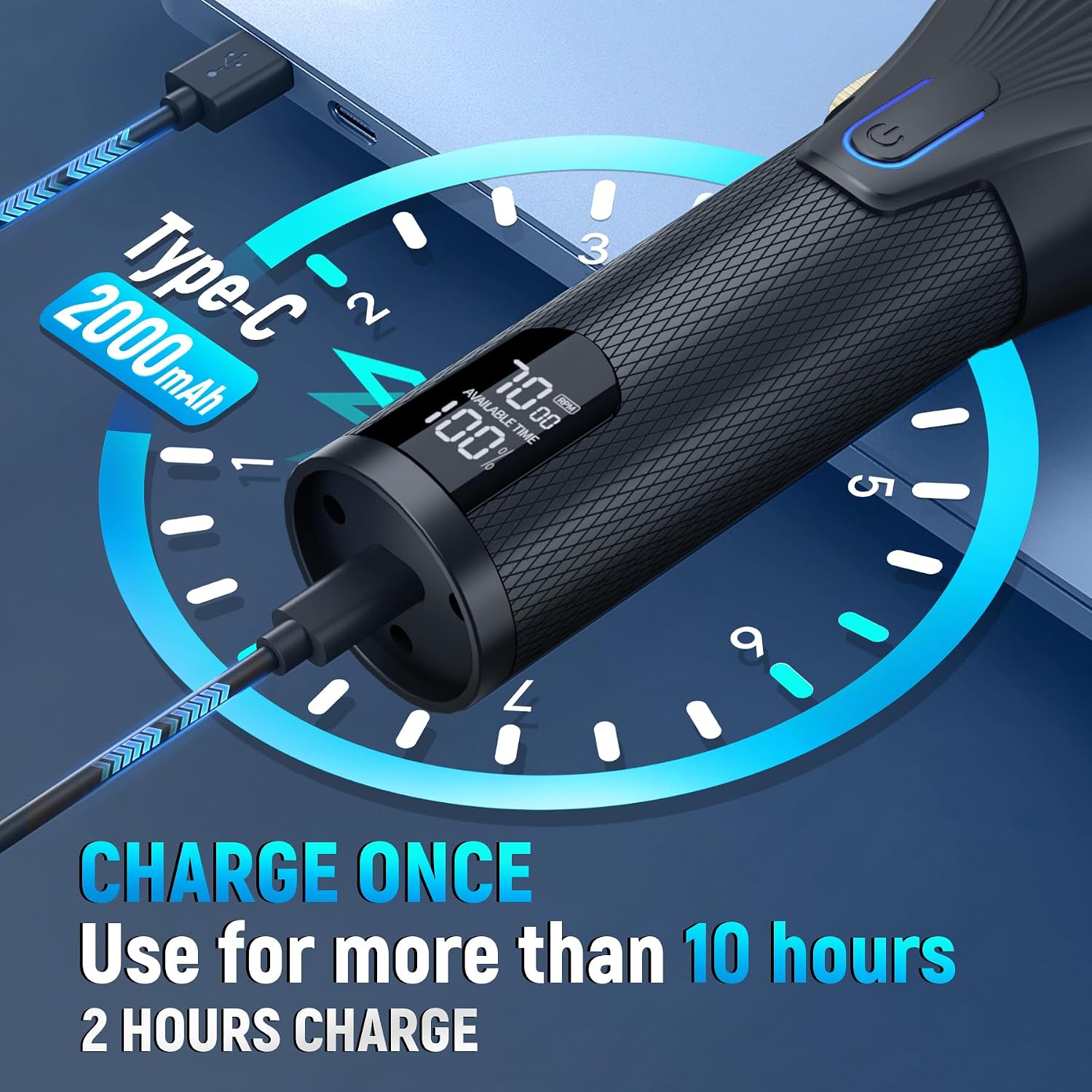
Image: The KIKIDO hair clipper's waterproof deluxe LED display, indicating motor speed, available time, charging notice, and add oil reminder.
Setup
1. Initial Charging
Before first use, fully charge both the hair clipper and T-blade trimmer. Connect the provided USB charging cable to the device and a suitable USB power adapter (not included). The LCD display will indicate the charging status.

Image: The KIKIDO hair clipper being charged via a USB-C cable, illustrating the charging process and battery indicator.
2. Attaching Guide Combs
Select the desired guide comb for your preferred hair length. Align the comb with the clipper blade and firmly snap it into place. Ensure the comb is securely attached before use.
3. Blade Adjustment
The main hair clipper features an adjustable taper lever for fine-tuning cutting length (0.45mm/0.8mm). Adjust the lever to achieve the desired closeness of cut. For the T-blade trimmer, ensure the blades are aligned correctly to prevent pulling. If pulling occurs, loosen the screws on the blade, align them, and retighten.
Operating Instructions
1. Powering On/Off and Speed Settings
Press the power button to turn the device on. The LCD display will show the current speed and battery level. Press the power button repeatedly to cycle through the 4 available speed settings (5500r, 6000r, 6500r, 7000r). To turn off, press and hold the power button.

Image: The KIKIDO hair clipper illustrating its 4-speed powerful rotating motor, with speeds ranging from 5500r to 7000r.
2. Using the Hair Clipper
Attach the appropriate guide comb. Hold the clipper firmly and move it against the direction of hair growth. Use smooth, even strokes. For fading, gradually switch to shorter guide combs or adjust the taper lever.
3. Using the T-Blade Trimmer
The T-blade trimmer is designed for precise detailing, outlining, and close trimming. Use it without a guide comb for sharp lines around the neckline, sideburns, and beard. Hold the trimmer at a slight angle and gently guide it along the desired area.

Image: The KIKIDO T-Blade Outliner Trimmer demonstrating its ability to cut 0.1MM for trimming hair, beard, and edges around ears.
4. Hair Cutting Demonstration Video
Video: A demonstration of the KIKIDO hair clipper in use, showing its effectiveness for various hair cutting tasks.
Maintenance
1. Cleaning
After each use, turn off the device and remove any attached guide combs. Use the provided cleaning brush to remove loose hairs from the blades and the device body. For thorough cleaning, the blades can be rinsed under running water (ensure the device is off and unplugged if applicable, though these are cordless and waterproof).
2. Oiling the Blades
Regularly oil the blades to maintain optimal performance and extend their lifespan. Apply a few drops of the included blade oil to the teeth of the blades. Turn on the device for a few seconds to distribute the oil evenly. The LCD display may show a lubrication reminder.
3. Storage
Store the clippers and all accessories in a dry, cool place, away from direct sunlight and moisture. Keep out of reach of children.
Troubleshooting
- Hair Pulling/Biting: This can occur if blades are misaligned or dull. Ensure blades are correctly aligned by loosening screws, adjusting, and retightening. Regularly oil blades.
- Device Not Turning On: Check battery level on the LCD display. Recharge the device if the battery is low.
- Reduced Performance: Clean blades thoroughly and apply blade oil. Ensure guide combs are free of hair buildup.
- Battery Draining Quickly: Ensure the device is fully charged before use. If battery life significantly degrades, contact customer support.
Specifications
- Brand: KIKIDO
- Model Name: KIKIDO Hair Clippers
- Power Source: Cordless, Rechargeable Lithium-Ion Battery (2500 mAh)
- Charging Time: Approximately 180 minutes
- Run Time: Up to 5 hours
- Motor Speeds: 4 adjustable speeds (5500r, 6000r, 6500r, 7000r)
- Blade Material: Carbon Steel
- Adjustable Taper Lever: 0.45mm/0.8mm
- Display: LCD (Power, Lubrication, Charging Status)
- Package Dimensions: 11.77 x 8.82 x 2.52 inches
- Item Weight: 2.31 Pounds
Safety Information
Not intended for use in water or with wet hair. Always ensure the device is turned off before cleaning or attaching/removing accessories. Keep out of reach of children. Do not disassemble the device. If the device malfunctions, discontinue use and contact customer support.
Warranty and Support
KIKIDO offers professional after-sales service. If you encounter any problems during use, please contact us for assistance. We are committed to helping you resolve any issues.
Related documentsKIKIDO Hair Clippers and T-Blade Trimmer Kit

Ask a question about this manual
Ask about setup, troubleshooting, compatibility, parts, safety, or missing instructions. Manuals+ will review the question and use this page’s manual context to help answer it.