
1. Introduction
This manual provides essential information for the installation and use of your OWC 16GB (2x8GB) DDR3 1066 PC3-8500 CL7 2Rx8 240-pin 1.5V Non-ECC UDIMM Memory RAM Module Kit. Please read these instructions carefully before proceeding with installation to ensure proper function and system stability.

Image: Two OWC 8GB DDR3 1066MHz 240-pin DIMM memory modules, showing the blue PCB and OWC branding on the label.
2. Product Overview
The OWC 16GB DDR3 Memory Kit is designed to enhance your computer's performance. This kit includes two 8GB DDR3 1066 PC3-8500 CL7 2Rx8 240-pin 1.5V Desktop DIMM memory modules. OWC memory modules are manufactured to meet or exceed OEM specifications, ensuring compatibility and reliable operation.
- Increased Performance: Memory upgrades are an effective way to boost your PC's overall performance and responsiveness.
- 100% Compliant: JEDEC-Standard and ROHS Compliant, designed and tested for compatibility and reliability.
- Quality Components: Built with name brand ICs and top-tier components for speed, performance, and stability.

Image: The OWC 16GB (2x8GB) DDR3 memory kit displayed in its clear retail packaging.

Image: A graphic showcasing an OWC DDR3 Unbuffered DIMM memory module with the text "Designed for Speed," highlighting its performance characteristics.

Image: OWC memory modules installed in a computer motherboard, illustrating the product's integration into a system and emphasizing reliability.
3. Specifications
| Feature | Detail |
|---|---|
| RAM Capacity | 16 GB (2 x 8GB modules) |
| RAM Type | DDR3 UDIMM |
| Memory Speed | 1066 MHz (PC3-8500) |
| CAS Latency | CL7 |
| Rank | 2Rx8 |
| Pin Count | 240-pin |
| Voltage | 1.5V |
| Error Correction | Non-ECC |
| Form Factor | Unbuffered DIMM (Desktop) |
| Model Number | OWC8U5D32R8016P-B243-SF |
| Item Weight | 4 ounces |
| Package Dimensions | 6 x 4 x 0.5 inches |

Image: A detailed view of an OWC DDR3 memory module, highlighting its form factor (Unbuffered DIMM), memory type (DDR3), and pin count (240-pin).

Image: A graphic featuring an OWC DDR3 Unbuffered DIMM memory module, accompanied by the text "Compatibility You Can Count On," indicating broad system compatibility.
4. Setup and Installation
Installing memory modules is generally a straightforward process. However, it is crucial to follow proper procedures to avoid damage to your components. OWC provides installation instructions and instructional videos to assist you.
4.1 Before You Begin
- Compatibility Check: Ensure your computer's motherboard supports DDR3 UDIMM memory at 1066MHz. Refer to your computer's or motherboard's manual for specific memory requirements.
- Power Off: Completely shut down your computer and disconnect all power cables.
- Static Precautions: Wear an anti-static wrist strap or periodically touch a grounded metal object (like the computer's unpainted metal chassis) to discharge static electricity.
- Locate Memory Slots: Open your computer case and identify the DIMM slots on the motherboard.
4.2 Installation Steps
- Gently push down the clips at both ends of the DIMM slot to open them.
- Align the notch on the OWC memory module with the key in the DIMM slot. Ensure correct orientation.
- Insert the module firmly into the slot. Apply even pressure to both ends until the clips snap into place, securing the module.
- Repeat for the second memory module if installing both.
- Close your computer case, reconnect power, and power on your system.
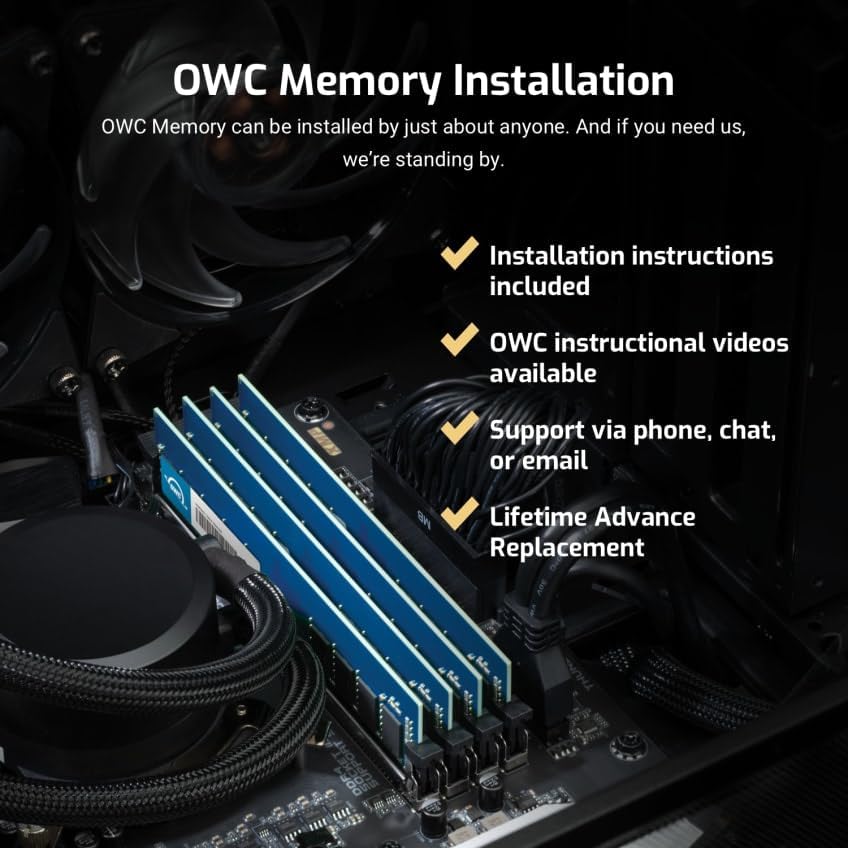
Image: OWC memory modules correctly installed into the DIMM slots of a desktop computer motherboard, demonstrating the installation process.
For visual guidance, OWC offers basic installation videos. Please visit the official OWC support website for access to these resources.
5. Operating and Usage Considerations
Once installed, the OWC memory modules operate automatically with your system. The operating system will detect the new memory, and it will be utilized to improve multitasking, application responsiveness, and overall system performance.
- BIOS/UEFI Settings: In most cases, the system's BIOS/UEFI will automatically configure the memory to its optimal settings. If issues arise, you may need to manually verify memory settings (speed, voltage, timings) in the BIOS/UEFI.
- System Stability: Ensure your system's cooling is adequate, especially if you have made other hardware changes, to maintain optimal operating temperatures for all components, including RAM.
6. Maintenance and Care
Memory modules generally require minimal maintenance. Proper handling during installation is the most critical aspect of care.
- Handling: Always handle memory modules by their edges to avoid touching the gold contacts or the integrated circuits (ICs).
- Storage: If storing modules, keep them in anti-static bags to protect against electrostatic discharge.
- Cleaning: Do not attempt to clean the gold contacts with abrasive materials. If necessary, use a soft, lint-free cloth and isopropyl alcohol.
7. Troubleshooting
If you encounter issues after installing your OWC memory, consider the following troubleshooting steps:
- System Not Booting/No Display:
- Ensure memory modules are fully seated in their slots and the clips are locked.
- Verify that the modules are installed in the correct slots according to your motherboard's manual (e.g., specific slots for dual-channel operation).
- Try installing only one module at a time to identify a potentially faulty module or slot.
- Reset your motherboard's CMOS (refer to your motherboard manual for instructions).
- Incorrect Memory Detected:
- Check your system's BIOS/UEFI settings to confirm the detected memory amount and speed.
- Ensure your operating system is 64-bit to fully utilize 16GB of RAM.
- System Instability/Crashes:
- Run a memory diagnostic tool (e.g., Windows Memory Diagnostic, MemTest86) to check for errors.
- Ensure your system's drivers, especially chipset drivers, are up to date.
If these steps do not resolve your issue, please contact OWC Technical Support for further assistance.
8. Warranty and Support
OWC stands behind its products with comprehensive warranty and support services.
- Limited Lifetime Warranty: OWC memory modules are backed by a Limited Lifetime Warranty. This warranty covers defects in materials and workmanship for the life of the product.
- Advanced Replacement Program: In the event of a warranty claim, OWC offers a consumer-friendly Advanced Replacement Program. This allows for a replacement product to be shipped to you before you return the defective item, minimizing downtime.
- Free Technical Support: Experienced OWC Tech Support is available to assist you with installation, troubleshooting, and any product-related inquiries. Support can be reached via phone, chat, or email.

Image: A graphic detailing OWC's customer support offerings, including a Lifetime Replacement Warranty, an Industry Leading Advance Replacement Policy, and available Tech Support via phone, chat, or email.
For detailed warranty terms and to access support, please visit the official OWC website.