
1. Introduction
Thank you for choosing the Bestier Reversible L-Shaped Corner Desk. This manual provides essential information for the safe assembly, operation, and maintenance of your new desk. Please read these instructions carefully before beginning assembly and retain them for future reference.

Image 1.1: Bestier L-Shaped Corner Desk in a gaming setup.
2. Safety Information
To ensure safe use of your Bestier L-Shaped Corner Desk, please observe the following safety guidelines:
- Correct Assembly: Ensure all components are assembled correctly according to the provided instructions. Incorrect assembly can lead to instability and potential injury.
- Weight Limit: Do not exceed the maximum recommended weight limit of 100 kg (220 lbs) for the desk surface. Distribute weight evenly.
- Stability: For enhanced stability and to prevent tipping, securely attach the desk to a wall using appropriate anchoring hardware if necessary.
- Electrical Safety: When using the integrated power outlets and LED lights, ensure all electrical connections are secure and follow local electrical safety standards. Do not overload the power strip.
- Children and Pets: Keep small parts and packaging materials away from children and pets during assembly.
3. Product Overview
The Bestier L-Shaped Corner Desk is designed for versatility and functionality, ideal for home offices, gaming setups, or study areas. Key features include:
- Reversible L-Shape Design: Allows for flexible configuration to fit various room layouts.
- Integrated Power Outlets: Equipped with 3 AC outlets and 2 USB ports for convenient device charging.
- RGB LED Lighting: Features under-shelf LED strips with 7 main colors and 22 dynamic modes for customizable ambiance.
- Storage Solutions: Includes double storage shelves, a headphone hook, and a removable computer stand.
- Durable Construction: Made with a metal frame and a carbon fiber finish desktop.
Dimensions
| Measurement | Value |
|---|---|
| Overall Dimensions (L x D x H) | 106.5 cm x 82 cm x 91.2 cm |
| Weight | 14.8 kg |
| Maximum Load Capacity | 100 kg |
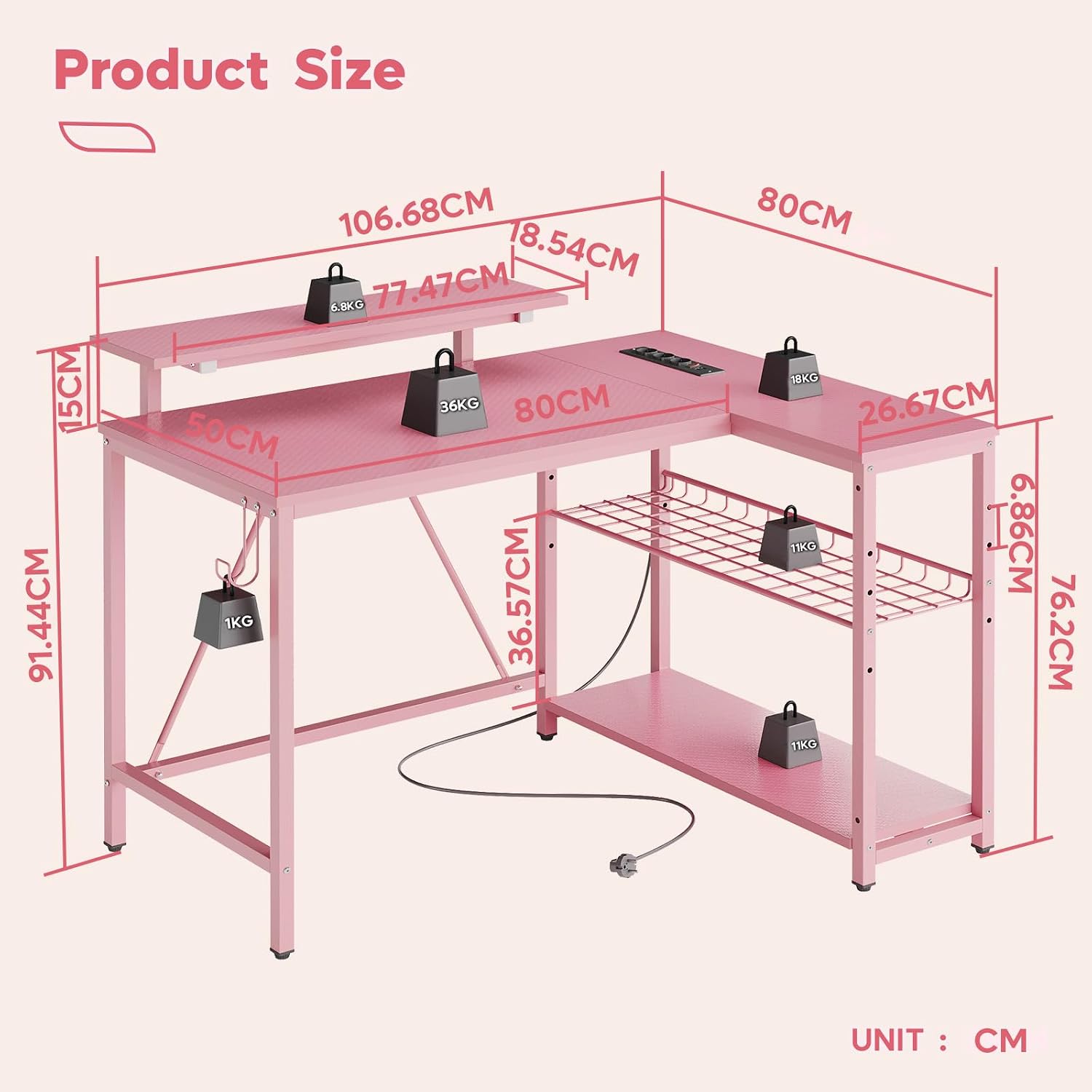
Image 3.1: Product dimensions diagram.
4. Setup and Assembly
The Bestier L-Shaped Corner Desk is designed for straightforward assembly. It is recommended that two people assemble the desk to ensure stability and ease of construction.
4.1 Before You Begin
- Unpack: Carefully unpack all components and check against the parts list provided in the separate assembly manual.
- Tools: Basic assembly tools are typically included. Ensure you have a Phillips head screwdriver and possibly a rubber mallet for certain steps.
- Workspace: Clear a spacious area for assembly to prevent damage to the desk or your flooring.
4.2 Assembly Steps
- Follow the step-by-step instructions and diagrams provided in the dedicated assembly manual included with your product.
- Ensure all screws and fasteners are tightened securely at each step, but do not overtighten until the final assembly.
- The desk features a reversible L-shape design. Decide on your preferred orientation (left or right-hand L) before attaching the main desktop sections.

Image 4.1: Various assembly configurations for the reversible L-shaped desk.
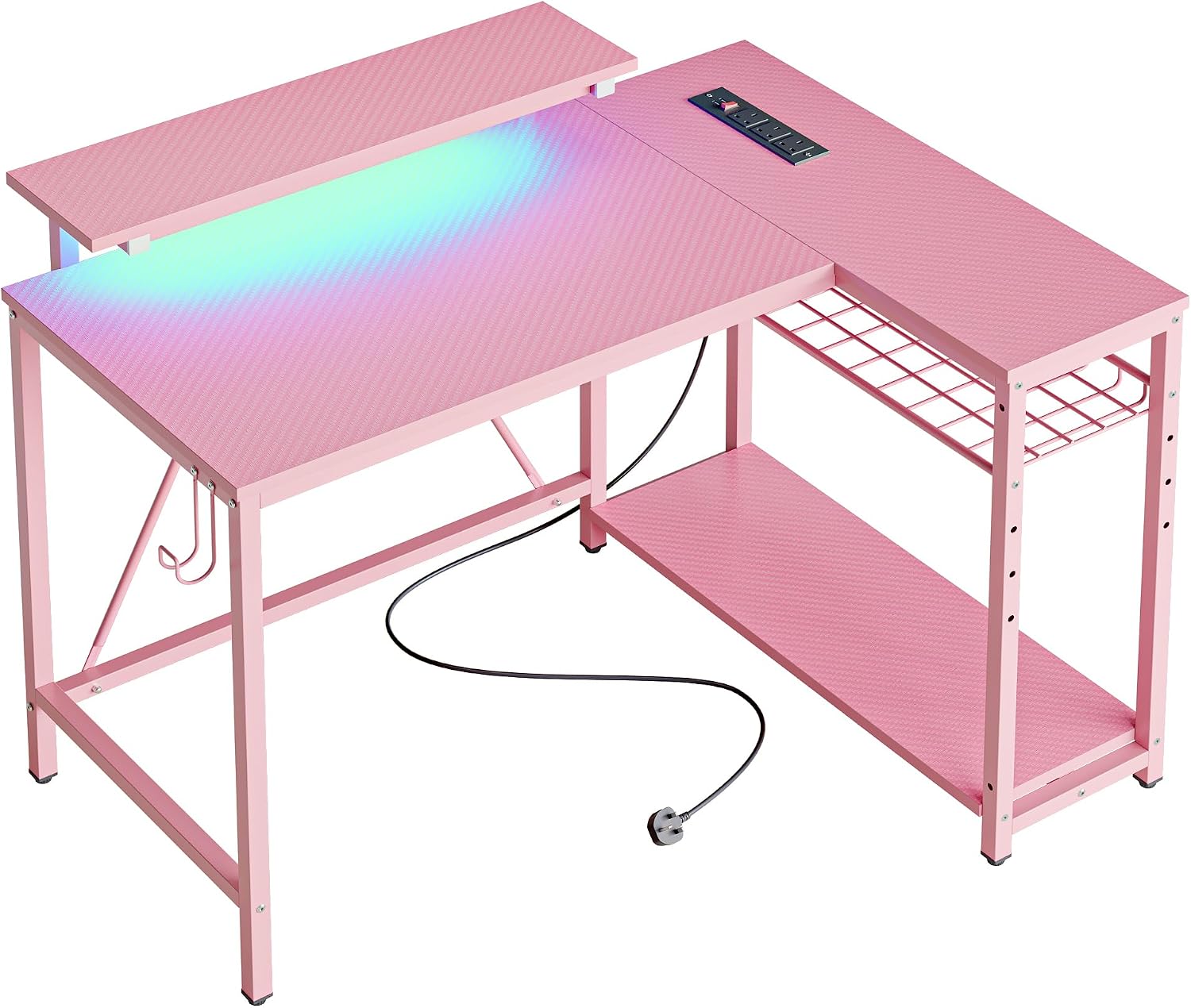
Image 4.2: Assembled desk with power strip and LED lighting visible.
5. Operating Instructions
5.1 Integrated Power Outlets
The desk includes a built-in power strip with 3 standard AC outlets and 2 USB charging ports. To use:
- Connect the desk's power cord to a grounded wall outlet.
- Plug your devices (e.g., laptop, monitor, smartphone) into the AC outlets or USB ports.
- Ensure the power switch on the power strip is in the 'ON' position.
Caution: Do not exceed the maximum electrical load capacity of the power strip. Refer to the power strip's label for specific ratings.

Image 5.1: Integrated power outlets and USB ports.
5.2 RGB LED Lighting
The desk features RGB LED lighting strips located under the monitor shelf. To operate the lights:
- Ensure the desk's power cord is connected to a power source.
- Locate the control button or remote (if included) for the LED lights.
- Press the button to cycle through 7 main colors and 22 dynamic lighting modes.
- Press and hold (or use the remote) to turn the lights off.

Image 5.2: RGB LED lighting in operation.
6. Maintenance
Regular maintenance will help prolong the life and appearance of your desk.
- Cleaning: Wipe the desk surfaces with a soft, damp cloth. Avoid using abrasive cleaners, harsh chemicals, or solvents, as these can damage the finish.
- Dusting: Regularly dust the desk and its components to prevent buildup.
- Fasteners: Periodically check all screws and fasteners to ensure they remain tight. Retighten if necessary.
- Electrical Components: Keep the power outlets and LED light strips free from dust and moisture. Do not attempt to repair electrical components yourself.
7. Troubleshooting
If you encounter issues with your Bestier L-Shaped Corner Desk, refer to the following common problems and solutions:
7.1 Power Outlets Not Working
- Check Power Connection: Ensure the desk's main power cord is securely plugged into a functional wall outlet.
- Power Strip Switch: Verify that the power switch on the integrated power strip is in the 'ON' position.
- Circuit Breaker: Check your home's circuit breaker panel to ensure the outlet is receiving power.
- Overload: If too many devices are connected, the power strip's internal breaker might have tripped. Unplug some devices and reset the power strip (if it has a reset button).
7.2 LED Lights Not Functioning
- Power Connection: Confirm the desk is powered on and the power strip is active.
- Control Button/Remote: Ensure you are using the LED control button or remote correctly. Try cycling through modes.
- Connections: Check if the LED strip's power cable is securely connected to its power source (usually within the desk's wiring).
7.3 Desk Instability or Wobbling
- Tighten Fasteners: Re-check and tighten all assembly screws and bolts.
- Level Surface: Ensure the desk is placed on a flat, level surface. Use the adjustable feet (if present) to compensate for uneven flooring.
- Wall Anchoring: If instability persists, consider using the provided wall anchoring hardware to secure the desk to a wall.
8. Specifications
| Feature | Detail |
|---|---|
| Brand | Bestier |
| Model Number | 6106-PDCF |
| Overall Dimensions (L x D x H) | 106.5 cm x 82 cm x 91.2 cm |
| Weight | 14.8 kg |
| Maximum Load Capacity | 100 kg |
| Material (Frame) | Metal |
| Material (Desktop) | Wood with Carbon Fiber Finish |
| Power Outlets | 3 AC, 2 USB |
| LED Lighting | RGB, 7 Main Colors, 22 Dynamic Modes |
| Assembly Recommendation | 2 people |
| Special Features | Reversible design, Headphone Hook, Removable Computer Stand |
9. Warranty and Support
9.1 Limited Warranty
This Bestier product comes with a limited warranty. Please refer to the warranty card included with your purchase for specific terms, conditions, and duration of coverage. The warranty typically covers manufacturing defects under normal use.
9.2 Customer Support
For any questions, missing parts, or assistance with assembly or operation, please contact Bestier customer support. Contact information can usually be found on the Bestier website or on the packaging materials.
Please have your model number (6106-PDCF) and purchase information ready when contacting support.


