Introduction
This manual provides detailed instructions for the setup, operation, and maintenance of your SANOTO Bluetooth 5.3 2-in-1 Transmitter Receiver (Model C49). Please read this manual thoroughly before using the device to ensure proper functionality and to maximize its lifespan.
The SANOTO Bluetooth adapter is a versatile device that functions as both a Bluetooth transmitter (TX) and a Bluetooth receiver (RX), allowing you to wirelessly stream audio to and from various devices. It features Bluetooth 5.3 technology and supports aptX low latency for high-quality audio synchronization.
Product Overview
Familiarize yourself with the components and controls of your SANOTO Bluetooth adapter.

Figure 1: SANOTO Bluetooth Adapter with key components labeled. This image shows the device with its 3.5mm audio jack, Type-C power input, power button, volume controls, and TX/RX mode switch.
Package Contents:
- SANOTO Bluetooth 5.3 2-in-1 Transmitter Receiver
- 3.5mm Audio Cable (integrated)
- USB Type-C Charging Cable
- User Manual (this document)
- Airplane Adapter
- Keyring attachment
Device Features:
- Bluetooth 5.3 for stable and fast transmission.
- aptX Low Latency technology for synchronized audio and video.
- 2-in-1 functionality: Transmitter (TX) and Receiver (RX) modes.
- Multi-device connection: Pair two audio devices simultaneously in TX mode.
- Long battery life: Up to 14 hours on a single charge.
- Compact and portable design.
Setup
Charging the Device:
- Connect the USB Type-C charging cable to the device's Type-C power input port.
- Connect the other end of the cable to a USB power source (e.g., computer USB port, USB wall adapter).
- The indicator light will show charging status (refer to product specific light behavior if available).
- A full charge provides up to 14 hours of operation.
Powering On/Off:
- Power On: Press and hold the Power Button (refer to Figure 1) for approximately 3 seconds until the indicator light illuminates.
- Power Off: Press and hold the Power Button for approximately 3 seconds until the indicator light turns off.
Operating Modes
The SANOTO adapter supports two primary modes: Transmitter (TX) and Receiver (RX). Use the TX/RX mode switch on the side of the device to select the desired mode.
Transmitter (TX) Mode:
In TX mode, the device transmits audio from a non-Bluetooth source (e.g., TV, PC, airplane entertainment system) to Bluetooth-enabled headphones or speakers.

Figure 2: Using the SANOTO adapter in TX mode with an airplane entertainment system. The adapter allows wireless audio streaming to Bluetooth headphones.

Figure 3: The SANOTO adapter in TX mode connected to a television, enabling audio transmission to two pairs of Bluetooth headphones simultaneously.
- Switch the device to TX mode.
- Connect the 3.5mm audio jack of the SANOTO adapter to the audio output port (e.g., headphone jack) of your non-Bluetooth device (TV, PC, MP3 player, PS4, Nintendo Switch).
- Ensure your Bluetooth headphones or speaker are in pairing mode.
- The SANOTO adapter will automatically search for and connect to nearby Bluetooth audio devices. The indicator light will change to confirm connection.
- Multi-Device Connection (TX Mode): After connecting the first device, put the second Bluetooth headphone/speaker into pairing mode. The adapter will attempt to connect to the second device. You can share audio with two devices simultaneously.
Receiver (RX) Mode:
In RX mode, the device receives audio wirelessly from a Bluetooth-enabled source (e.g., smartphone, tablet, laptop) and outputs it to a non-Bluetooth audio system (e.g., car stereo, home speaker, wired headphones).

Figure 4: The SANOTO adapter in RX mode, connected to a car's AUX input, allowing wireless audio streaming from a smartphone to the car stereo.
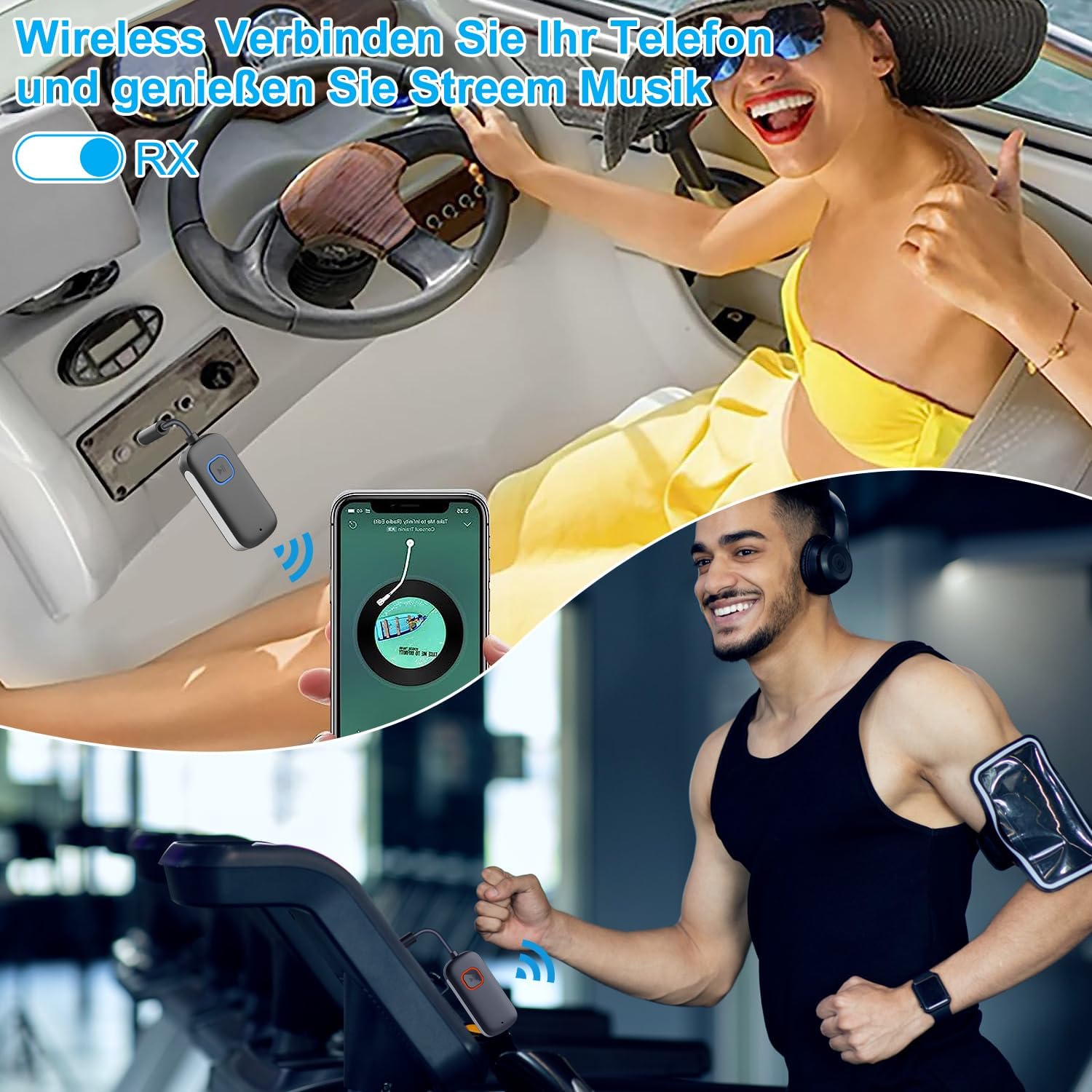
Figure 5: Examples of using the SANOTO adapter in RX mode, such as connecting to gym equipment or a boat's audio system to stream music wirelessly from a phone.
- Switch the device to RX mode.
- Connect the 3.5mm audio jack of the SANOTO adapter to the AUX input of your non-Bluetooth audio system (e.g., car stereo, home speaker, wired headphones).
- On your Bluetooth-enabled source device (smartphone, tablet, laptop), enable Bluetooth and search for "SANOTO C49" (or similar device name) in the list of available devices.
- Select the SANOTO adapter to pair. The indicator light will confirm successful pairing.
- Once connected, audio from your source device will stream wirelessly to your connected audio system.
Volume Control:
- Use the Volume + button to increase the audio output volume.
- Use the Volume - button to decrease the audio output volume.
Maintenance and Care
- Keep the device dry. Moisture and liquids can damage the internal circuitry.
- Do not expose the device to extreme temperatures (hot or cold).
- Avoid dropping or subjecting the device to strong impacts.
- Clean the device with a soft, dry cloth. Do not use harsh chemicals or abrasive cleaners.
- Store the device in a clean, dust-free environment when not in use.
Troubleshooting
| Problem | Possible Cause | Solution |
|---|---|---|
| Device does not power on. | Low battery. | Charge the device fully. |
| No audio in TX mode. | Incorrect mode selected. Headphones/speaker not in pairing mode. Audio cable not fully inserted. Source device volume too low. | Ensure device is in TX mode. Put headphones/speaker into pairing mode. Check 3.5mm audio jack connection. Increase volume on source device and adapter. |
| No audio in RX mode. | Incorrect mode selected. Source device not paired. Audio cable not fully inserted. Speaker/car stereo volume too low. | Ensure device is in RX mode. Pair the source device with the adapter. Check 3.5mm audio jack connection. Increase volume on speaker/car stereo and adapter. |
| Poor audio quality or disconnections. | Interference. Device too far from source/receiver. Low battery. | Move away from other wireless devices. Reduce distance between devices (max 15m range). Charge the device. |
Specifications
| Feature | Detail |
|---|---|
| Model Number | C49 |
| Bluetooth Version | 5.3 |
| Audio Codec Support | aptX Low Latency |
| Operating Modes | Transmitter (TX) / Receiver (RX) |
| Multi-Device Pairing | Yes (up to two devices in TX mode) |
| Battery Life | Up to 14 hours |
| Charging Port | USB Type-C |
| Audio Interface | 3.5mm Audio Jack |
| Wireless Communication Standard | Bluetooth |
| Input Voltage | 5 Volts (DC) |
Warranty and Support
For warranty information and technical support, please refer to the documentation provided with your purchase or contact SANOTO customer service directly. Keep your proof of purchase for warranty claims.
Note: Specific warranty terms and support contact details may vary by region and retailer.


