
1. Introduction
This manual provides essential information for the safe and effective use of your Sony FE 16-35mm F2.8 GM II lens. This lens is designed to deliver exceptional image quality and performance for full-frame E-mount cameras.
Key Features:
- The world’s smallest and lightest full-frame F2.8 wide-angle zoom lens.
- Breathtaking G Master™ image quality with high resolution and exquisite bokeh.
- Smooth, precise, quiet, and lightning-fast autofocus performance.
- Refined movie imagery with minimized focus breathing, focus, and axial shift.
2. Setup and First Use
2.1 What's in the Box
Upon opening the package, ensure all components are present:
- Sony FE 16-35mm F2.8 GM II Lens
- Lens hood
- Lens front cap
- Lens rear cap
- Soft case
- Case strap
2.2 Attaching the Lens
- Ensure your camera is turned off.
- Remove the rear lens cap and the camera body cap.
- Align the white index mark on the lens barrel with the white index mark on your camera's E-mount.
- Push the lens gently into the camera mount and rotate it clockwise until it clicks into place. Do not force the lens.

Figure 2.2.1: The Sony FE 16-35mm F2.8 GM II lens properly mounted on a compatible Sony E-mount camera.
2.3 Attaching the Lens Hood
Align the red dot on the lens hood with the red dot on the front of the lens. Rotate the hood clockwise until it locks into position. The lens hood helps to block unwanted light and protect the front element of the lens.
3. Operating the Lens
3.1 Zooming
To adjust the focal length, rotate the zoom ring located on the lens barrel. The lens offers a versatile zoom range from 16mm (wide-angle) to 35mm (standard wide-angle).
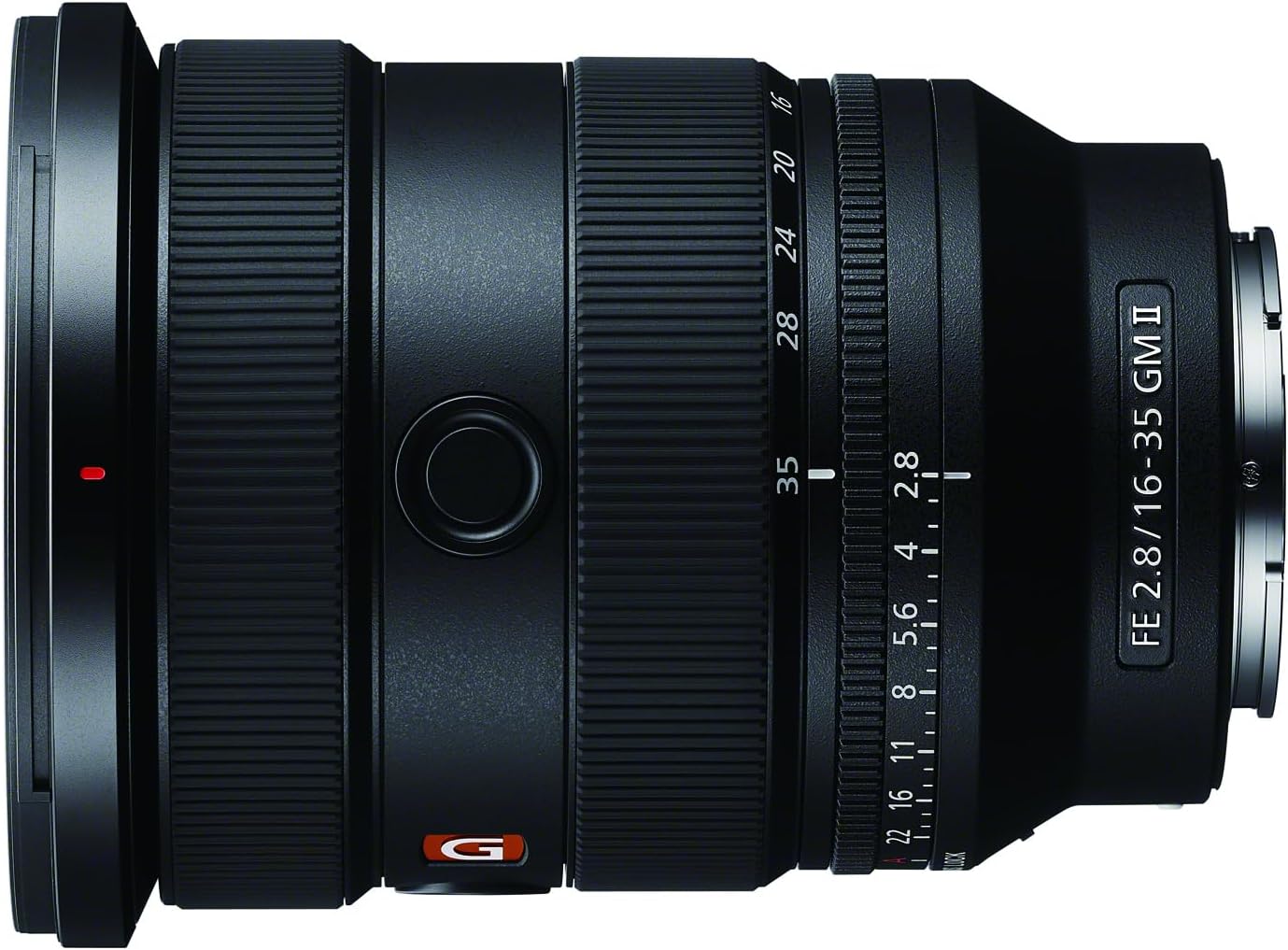
Figure 3.1.1: Side view of the lens, highlighting the zoom ring and other operational controls.
3.2 Focusing (AF/MF Switch)
The lens features an AF/MF (Autofocus/Manual Focus) switch on the side of the barrel. This allows you to quickly switch between autofocus and manual focus modes.
- AF (Autofocus): For automatic focusing. The lens will use the camera's autofocus system to achieve sharp focus.
- MF (Manual Focus): For manual focusing. Rotate the focus ring to adjust focus manually.

Figure 3.2.1: Front view of the lens, showing the AF/MF switch and customizable focus hold button.
3.3 Aperture Control (Iris Ring)
The lens is equipped with an aperture ring (iris ring) for direct control over the aperture. You can set the aperture from F2.8 to F22.
- IRIS LOCK Switch: This switch locks the aperture ring in either the 'A' (Auto) position or within the F2.8 to F22 range, preventing accidental changes.
- CLICK ON | OFF Switch: This switch enables or disables the click stops on the aperture ring. 'ON' provides tactile feedback for still photography, while 'OFF' allows for smooth, silent aperture adjustments, ideal for video recording.
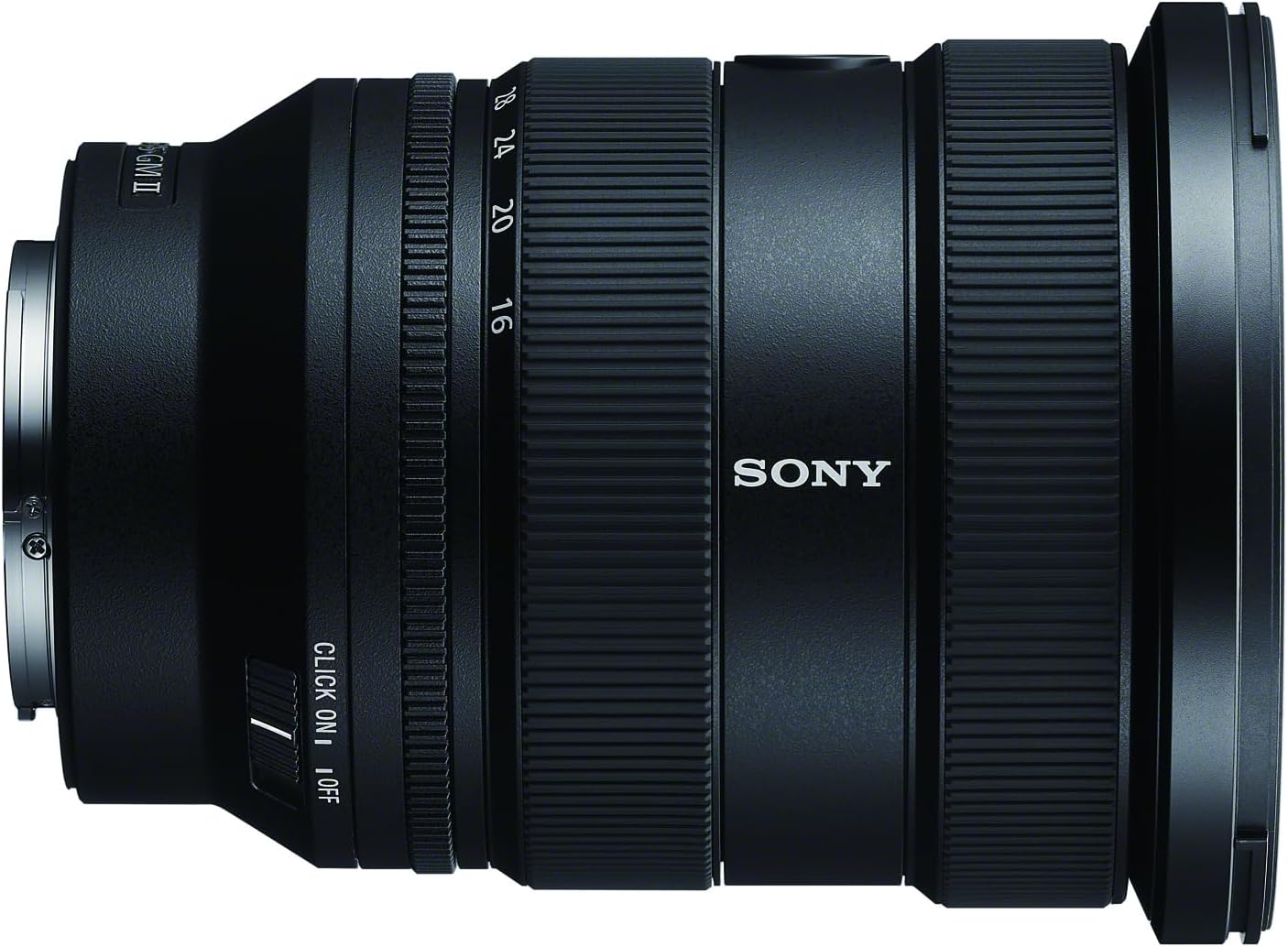
Figure 3.3.1: Rear view of the lens, detailing the aperture ring and its associated control switches.
3.4 Focus Hold Button
The customizable focus hold button can be assigned various functions via your camera's menu, such as focus hold, Eye AF, or other frequently used settings.
3.5 Optical Design Overview
The advanced optical design of the FE 16-35mm F2.8 GM II includes multiple specialized elements to achieve its high image quality and compact size. This includes XA (extreme aspherical) elements for high resolution and ED (Extra-low Dispersion) glass to suppress chromatic aberration.

Figure 3.5.1: Illustrative diagram of the internal optical elements within a G Master lens, showcasing complex lens construction.
4. Maintenance and Care
4.1 Cleaning the Lens
- Use a blower brush to remove dust from the lens surface.
- For smudges or fingerprints, use a soft, clean microfiber cloth specifically designed for optical lenses. Breathe lightly on the lens surface before wiping if necessary.
- Do not use organic solvents such as thinner or benzene to clean the lens.
4.2 Storage
- Always attach the front and rear lens caps when the lens is not in use.
- Store the lens in its provided soft case to protect it from dust and scratches.
- Avoid storing the lens in direct sunlight or in places with high temperature or humidity.
5. Troubleshooting
If you encounter issues with your lens, refer to the following common problems and solutions:
| Problem | Possible Cause / Solution |
|---|---|
| Lens not recognized by camera | Ensure the lens is securely attached to the camera body. Turn the camera off and on again. Clean the lens and camera contacts with a dry cloth. |
| Autofocus is slow or inaccurate | Check the AF/MF switch on the lens and camera. Ensure there is sufficient light for autofocus. Update camera firmware if available. |
| Images are blurry or out of focus | Verify focus mode (AF/MF). Check shutter speed to avoid camera shake. Ensure lens elements are clean. |
| Aperture ring does not click | Check the CLICK ON | OFF switch on the lens. Set it to 'ON' for tactile clicks. |
If the problem persists, please contact Sony customer support or an authorized service center.
6. Specifications
Detailed technical specifications for the Sony FE 16-35mm F2.8 GM II lens:
| Feature | Detail |
|---|---|
| Product Dimensions | 4.5 x 3.5 x 3.5 inches |
| Item Weight | 1.2 pounds (approx. 19.3 oz) |
| Item Model Number | SEL1635GM2 |
| Brand | Sony |
| Focal Length Description | 16-35mm |
| Lens Type | Wide Angle Zoom |
| Compatible Mountings | Sony E-mount |
| Camera Lens Description | 35 mm (full-frame equivalent) |
| Filter Diameter | 82 mm |
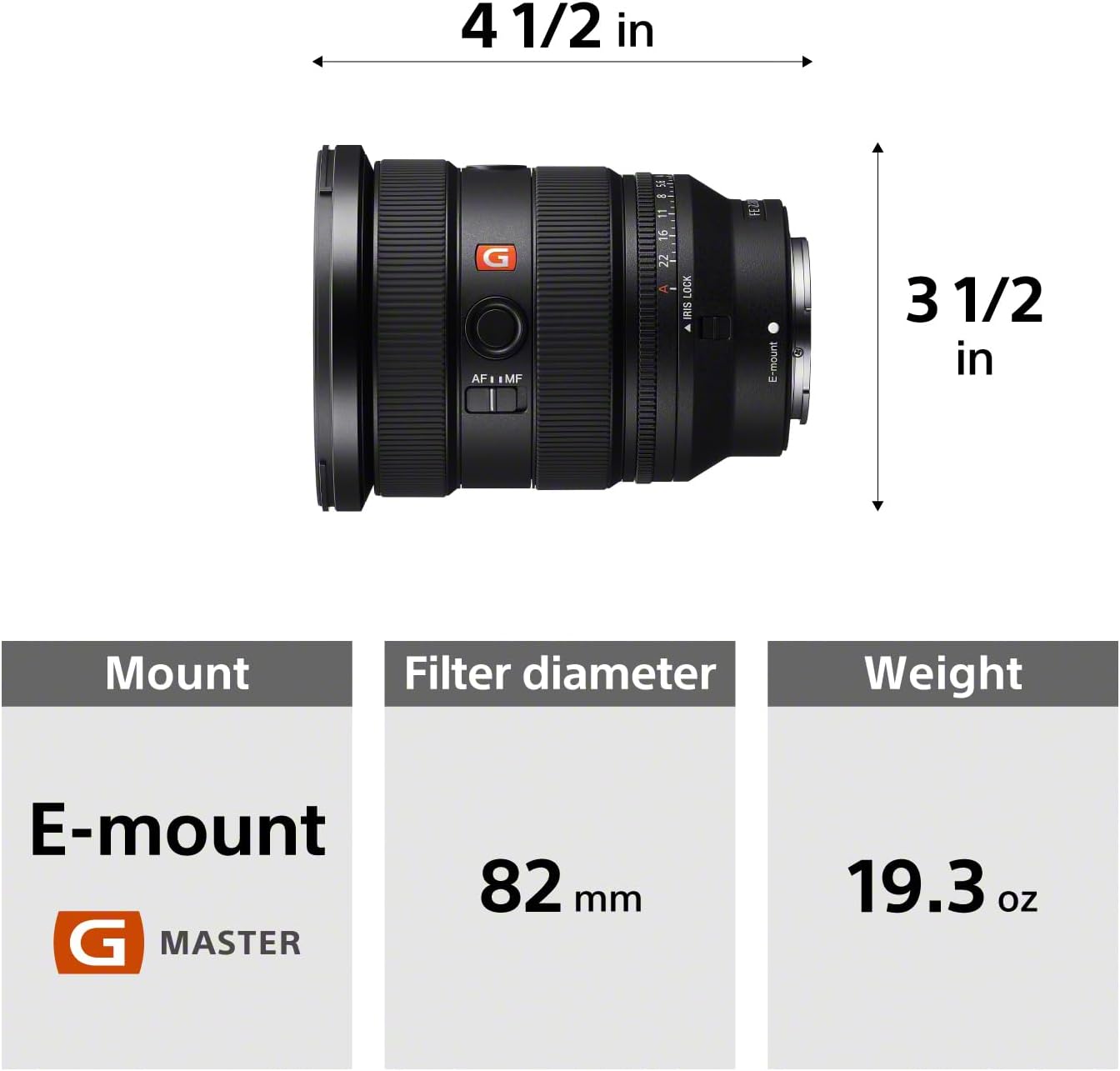
Figure 6.1.1: Key physical specifications of the lens, including dimensions and weight.
7. Support & Warranty Information
7.1 Manufacturer's Warranty
This Sony product is covered by a manufacturer's warranty. Please refer to the warranty card included with your product or visit the official Sony website for detailed terms and conditions regarding warranty coverage, duration, and service procedures.
7.2 Customer Support
For further assistance, technical support, or service inquiries, please visit the official Sony support website or contact their customer service directly. You can find more information and resources at the Sony Store on Amazon or the main Sony website.
7.3 Product Videos
No official product videos from the seller were found in the provided data for this model. For general product overviews or usage tips, please check the official Sony YouTube channel or product pages.


