
Introduction
The Neporal MagicGlow rechargeable light bulbs offer a versatile and convenient lighting solution for various needs, from everyday use to emergency situations. These A19 standard LED bulbs feature multiple color temperatures, stepless dimming, and convenient control options, providing up to 24 hours of continuous light.

Image: Neporal MagicGlow rechargeable light bulbs with remote control and hanging hooks.
What's Included
Your Neporal MagicGlow package contains the following items:
- 2 x Neporal MagicGlow Rechargeable Light Bulbs
- 1 x Remote Controller
- 2 x USB-C Charging Cables
- 2 x Portable Hooks

Image: Diagram showing the contents of the Neporal MagicGlow package: two light bulbs, one remote control, one USB-C charging cable, and two portable hooks.
Setup
Initial Charging
For optimal performance, fully charge your MagicGlow bulbs before first use.
- Connect the provided USB-C cable to the charging port on the bulb.
- Plug the USB-A end into a compatible USB power source (e.g., wall adapter, computer USB port).
- The charging indicator light on the bulb will illuminate red while charging.
- The indicator light will turn green when fully charged (approximately 4 hours).

Image: USB-C charging port and indicator lights on the bulb, showing red for charging and green for fully charged.
Operating Instructions
Remote Control Functions
The included remote control allows for convenient operation of your MagicGlow bulbs from a distance.

Image: Diagram of the remote control showing buttons for ON/OFF, color temperature selection (Warm White, Neutral White, Cool White), dimming (plus/minus, 50%, 100%), and timer settings (15min, 30min, 60min, 120min).
- ON/OFF: Press the "ON" button to turn the bulb on, and "OFF" to turn it off.
- Color Temperature Shift: Select between Warm White (WW), Neutral White (NW), and Cool White (CW) to set the desired ambiance.
- Stepless Dimming: Use the "+" and "-" buttons for gradual brightness adjustment. Quick access buttons for 50% and 100% brightness are also available.
- Timer Function: Set the bulb to automatically turn off after 15, 30, 60, or 120 minutes.
Touch Control Functions
The bulbs can also be controlled directly via touch, offering an alternative to the remote.

Image: Demonstration of touch control: press 3 seconds to turn on, long tap to change brightness, short tap to change color.
- Turn On/Off: Press and hold the power button on the bulb for 3 seconds.
- Change Brightness: Long tap the power button to cycle through brightness levels.
- Change Color: Short tap the power button to switch between color temperatures.
Portable Use
Utilize the included portable hook to transform your MagicGlow bulb into a versatile light source.
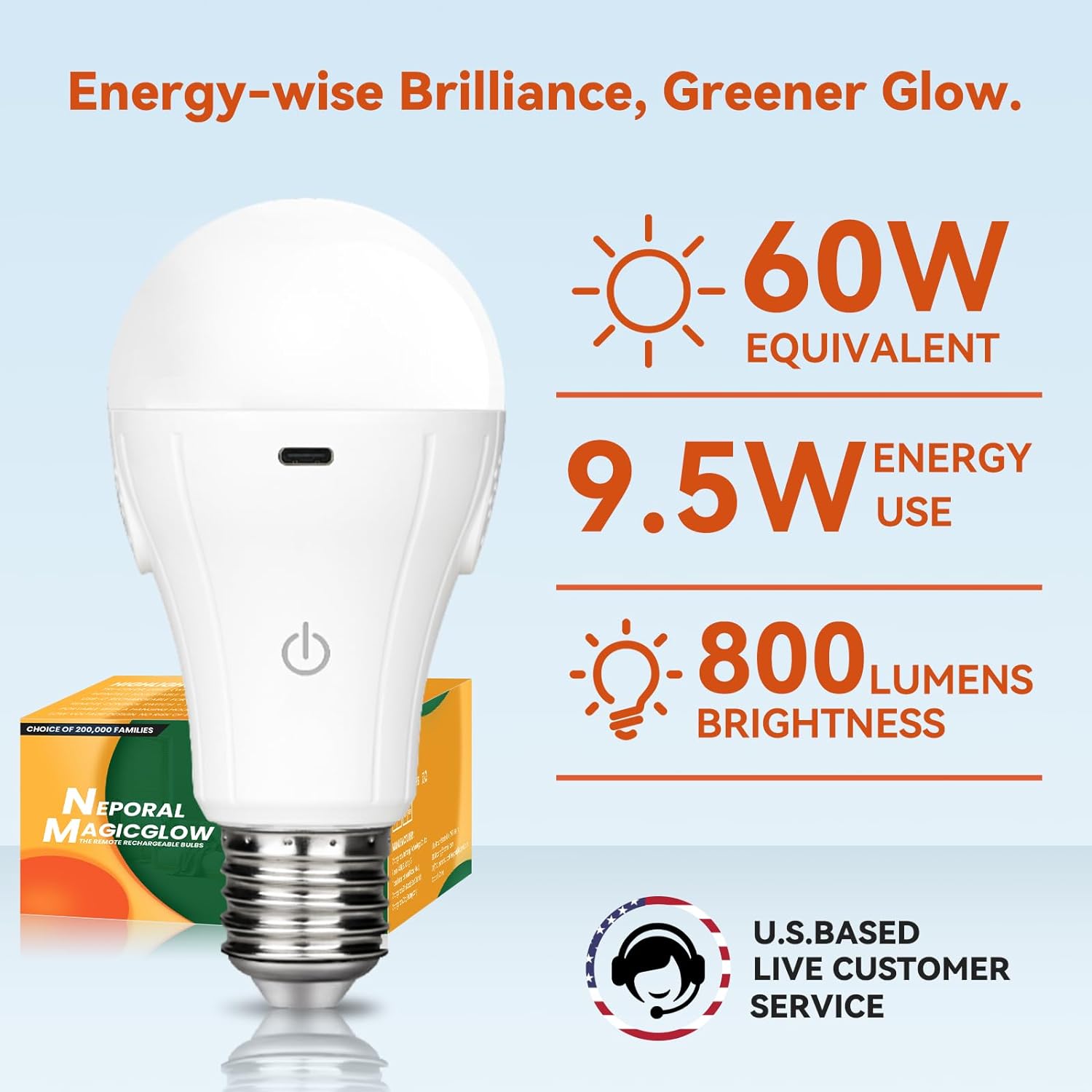
Image: The portable hook attached to the bulb, demonstrating its use as a portable light source for camping or emergencies.
- Attach the portable hook to the base of the bulb.
- Hang the bulb in desired locations for temporary lighting, such as in a tent, closet, or during power outages.
Specifications
| Feature | Detail |
|---|---|
| Brand | Neporal |
| Light Type | LED |
| Wattage | 15 watts |
| Bulb Shape Size | A19 |
| Bulb Base | E26 |
| Incandescent Equivalent Wattage | 60 Watts |
| Voltage | 5 Volts |
| Unit Count | 2.0 Count |
| Brightness | 800 Lumen |
| Material | Plastic |
| Model Name | MagicGlow |
| Connectivity Technology | USB |
| Indoor/Outdoor Usage | Outdoor, Indoor |
| Control Method | Remote, Touch |
| Item Weight | 0.176 ounces |
| Product Dimensions | 1.97 x 1.97 x 2.36 inches |
| Battery Cell Type | Lithium Ion |
Maintenance
Cleaning
To maintain the appearance and functionality of your bulbs, regularly wipe them with a soft, dry cloth. Do not use abrasive cleaners, solvents, or harsh chemicals.
Battery Care
Proper battery care ensures longevity and consistent performance.
- Recharge the bulbs when the charging indicator turns red to avoid complete discharge.
- If storing the bulbs for an extended period, charge them to approximately 50% and store in a cool, dry place.
- Avoid exposing the bulbs to extreme temperatures.

Image: Illustration showing the charging process of the bulb with red indicator for charging and green for fully charged.
Troubleshooting
| Problem | Solution |
|---|---|
| Bulb not turning on | Ensure the bulb is fully charged. Check if the remote control battery (CR2025) is working and correctly inserted. |
| Remote not responding | Ensure the remote is pointed directly at the bulb. Replace the remote control battery if necessary. |
| Light is dim or flickers | Charge the bulb fully. Adjust brightness using the remote or touch control. If flickering persists, the battery may be nearing end-of-life. |
| Bulb not charging | Verify the USB-C cable is securely connected to both the bulb and the power source. Try a different USB-C cable or power adapter. Ensure the charging port is clean and free of debris. |
Safety Information
Please read and follow these safety guidelines to ensure safe operation and prevent damage to the product or injury.
- Do not disassemble, modify, or attempt to repair the bulb. This may void the warranty and pose a safety risk.
- Keep the bulbs away from water, moisture, and excessive heat.
- Use only the provided or compatible USB-C charging cables.
- Dispose of batteries and electronic components according to local regulations.
- These bulbs are not suitable for use with standard dimmer switches or existing electrical circuits. They are designed for standalone, rechargeable use.
Warranty and Support
Warranty: Neporal offers a 2-year manufacturer's warranty for the MagicGlow rechargeable light bulbs, covering defects in materials and workmanship.
Technical Support: For technical assistance, troubleshooting, or warranty claims, please contact Neporal customer support. Our family-first philosophy ensures dedicated support for our products.

Image: Graphic highlighting safety features like overcurrent, short-circuit, over-discharge, and overcharge protection.