
1. Introduction
Thank you for choosing the Carpuride C3 Portable Car Stereo Receiver. This device offers a seamless integration of wireless Apple CarPlay and Android Auto, enhancing your driving experience with navigation, communication, and entertainment features. This manual provides detailed instructions for installation, operation, and troubleshooting to ensure optimal performance and safe use.
2. Package Contents
Please verify that all items listed below are included in your package:
- 1 x Carpuride C3 Car Stereo Receiver
- 2 x Adjustable Mounts (Dashboard/Windshield)
- 1 x Car Charger (12-24V)
- 1 x User Manual
- 1 x 3.5mm Audio Cable

Image: Overview of the Carpuride C3 package contents, including the main unit, car charger, user manual, adjustable mounts, and audio cable. It also illustrates two installation methods.
3. Setup and Installation
3.1 Mounting Options
The Carpuride C3 comes with two adjustable mounts for flexible installation. You can choose to fix the device on your dashboard or windshield. Both mounts offer full 360° rotation and swivel, allowing you to adjust the screen to your preferred viewing angle. No complex disassembly of your car's console is required; simply plug and play.
Image: Demonstrates two installation methods for the Carpuride C3: one using a self-adhesive bracket on the dashboard and another using a suction cup bracket on the windshield, both showing adjustable angles.
3.2 Power Connection
Connect the Carpuride C3 to your vehicle's cigarette lighter socket using the provided car charger. The system supports a voltage range of 12V to 24V, making it compatible with most cars, RVs, SUVs, pickups, and trucks. The device will automatically power on when the car starts and turn off with the engine.
3.3 Initial Power On
After connecting the power, the device will boot up. Follow the on-screen prompts for initial setup, including language selection and time zone settings.
4. Operating Instructions
4.1 Wireless Apple CarPlay & Android Auto
The Carpuride C3 supports both wireless Apple CarPlay and Android Auto. Connect your smartphone to access navigation, phone contacts, emails, music, notifications, and messages directly on the 7-inch HD touchscreen.
- For Wireless CarPlay: Requires an iPhone 6 or higher with iOS 10 or above. Ensure Siri is activated.
- For Wireless Android Auto: Requires a phone that supports 5GHz Wi-Fi and Android 11 or higher. Ensure the Android Auto app is installed and updated.
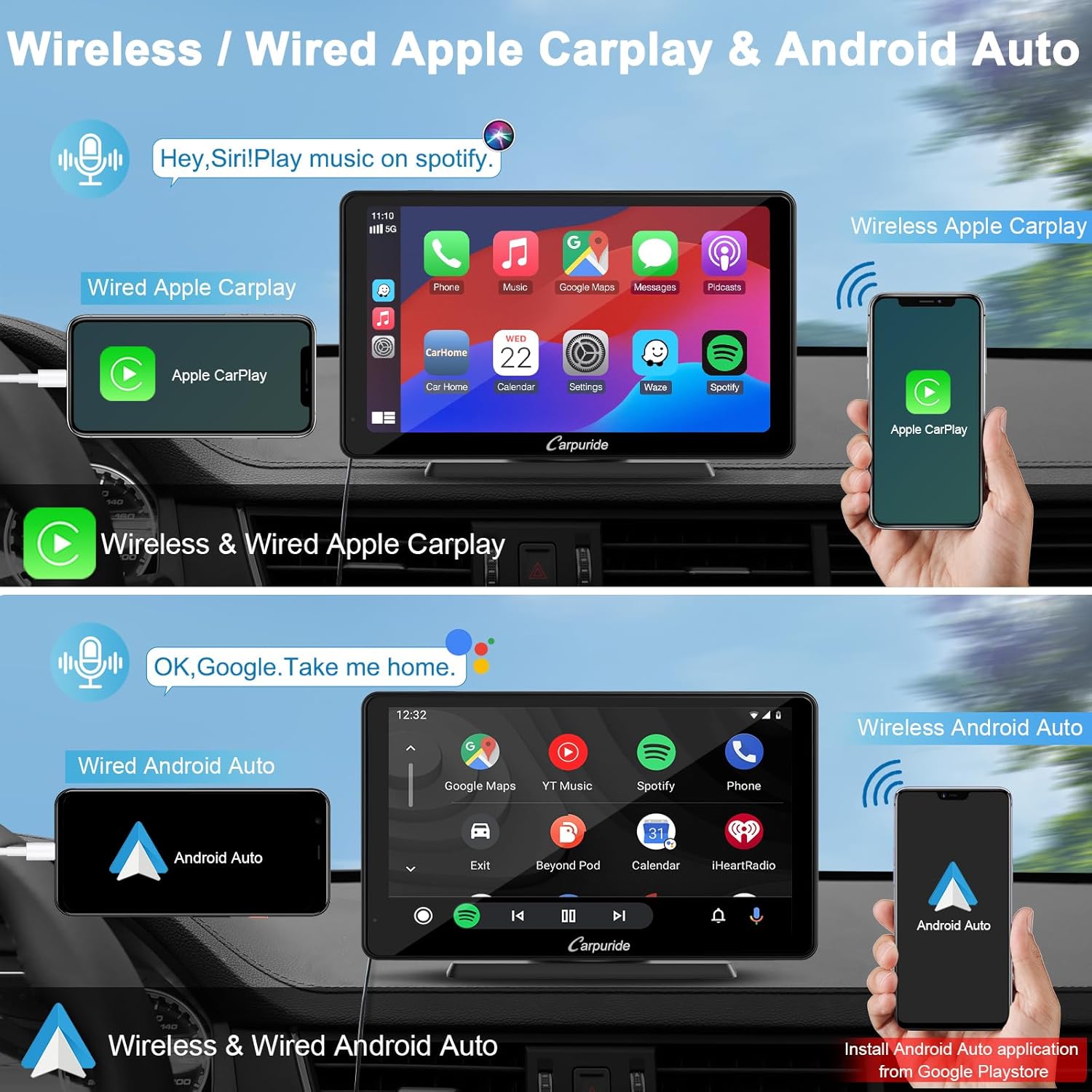
Image: Illustrates the wireless and wired connection options for both Apple CarPlay and Android Auto on the Carpuride C3 display, showing smartphone integration.

Image: Shows a smartphone wirelessly connected to the Carpuride C3, displaying the Apple CarPlay interface.

Image: Displays a smartphone wirelessly connected to the Carpuride C3, showing the Android Auto interface.
4.2 Voice Control (Siri & Google Assistant)
Utilize voice commands via Siri or Google Assistant to control various functions, keeping your hands free and your focus on the road. This includes making calls, sending messages, playing music, and getting navigation directions.
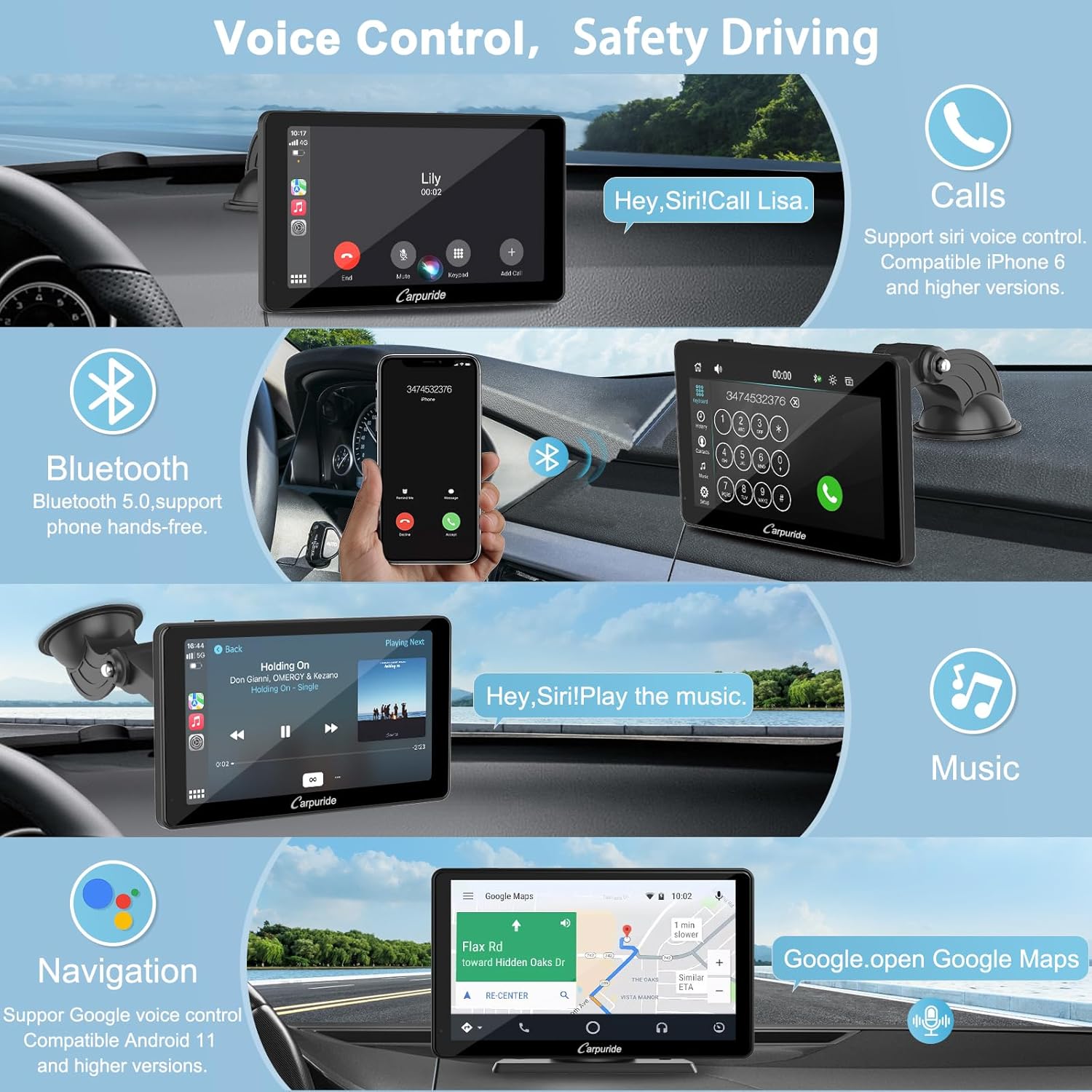
Image: Illustrates the voice control functionality for calls and music, along with Bluetooth hands-free calling on the Carpuride C3 screen.
4.3 Bluetooth 5.0 Connectivity
The Carpuride C3 features Bluetooth 5.0 for stable wireless hands-free calls and audio streaming from your smartphone. Pair your device once for automatic connection on subsequent uses.
4.4 Mirror Link Function (iOS Airplay / Android Autolink)
The Mirror Link function allows you to synchronize audio, video, games, and app content from your phone to the Carpuride C3 screen in real-time. This provides a richer display and functional experience.
- iOS Airplay: Supports wireless and wired mirror link for iPhone 6 and above.
- Android Autolink: Supports wired mirror link only for Android 11 or above and 5GHz WF Android phones. Requires the AutoLink application from the Google Play Store.
Note: i-play and Airplay functions cannot be connected simultaneously. Incompatible with apps such as Netflix, Hulu, Pandora.

Image: Demonstrates both wireless Airplay for iOS and wired Autolink for Android, showing phone screens mirrored onto the Carpuride C3 display.
4.5 Brightness Adjustment
The device features a sensor light design that automatically adjusts screen brightness to protect your eyes. You can also manually select between night mode and daytime mode, each with 0-10 adjustment levels. The sun icon represents daytime mode, and the moon and stars icon represents night mode.
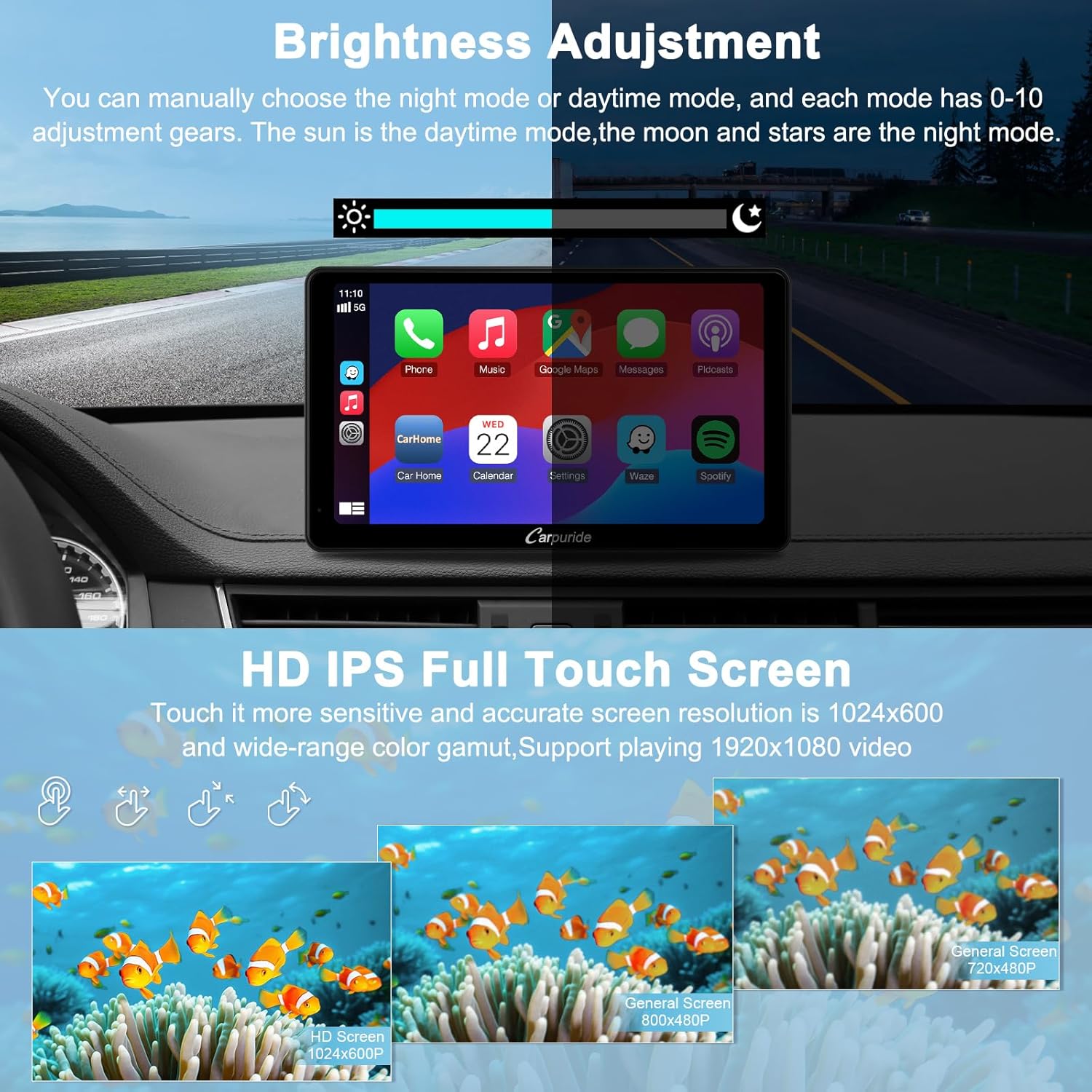
Image: Shows the brightness adjustment interface with day and night modes, and highlights the 7-inch HD IPS full touchscreen with 1024x600 resolution.
4.6 Audio Output Modes
The Carpuride C3 offers three methods for audio output:
- Built-in Speaker: The unit has an 8Ω2W local speaker for standalone audio output.
- AUX to Car's Audio: Use the provided 3.5mm AUX cable to connect the Carpuride C3 to your car's AUX input. This routes audio through your vehicle's speakers.
- FM Transmit: Set the Carpuride C3's FM frequency to match an unused FM frequency on your car's radio. This transmits audio wirelessly to your car's speakers.

Image: Illustrates the three audio output options: built-in speaker, AUX cable connection to car audio, and FM transmission to the car's radio.
4.7 Other Functions
The Carpuride C3 provides additional functionalities:
- Navigation: Access map applications through CarPlay or Android Auto.
- Calls: Make and receive calls hands-free.
- Video: Play videos (via Mirror Link, not compatible with all streaming services).
- Music: Stream music from various applications.
- Equalizer: Integrated preset equalizer and custom 16-band HD equalizer with 12 adjustable frequency ranges for personalized audio.
- Boot Logo Customization: Customize the boot logo to match your vehicle model or display a personal image.

Image: Displays various functions available on the Carpuride C3, including navigation, phone calls, video playback via mirroring, and music streaming.
4.8 Reverse Camera Support
The stereo supports a reverse camera (not included) with automatic image display when the vehicle is put into reverse gear.
5. Maintenance
To ensure the longevity and optimal performance of your Carpuride C3, follow these maintenance guidelines:
- Keep the screen clean using a soft, lint-free cloth. Avoid abrasive cleaners.
- Protect the device from extreme temperatures and direct sunlight for prolonged periods.
- Ensure all cable connections are secure.
6. Troubleshooting
6.1 Polarized Glasses Incompatibility
The Carpuride C3 series is not compatible with polarized glasses and does not feature anti-glare properties. If you wear polarized glasses while driving, the screen may appear darkened or difficult to view. It is recommended to purchase an appropriate anti-glare protective film for the screen to mitigate this issue.

Image: Compares screen visibility for a driver wearing polarized glasses (left, showing a dark screen) versus a driver without polarized glasses using the Carpuride C3 with a detachable sunshade (right, showing clear visibility).
6.2 Volkswagen Reverse Camera Note
For Volkswagen owners, an additional relay may be required to install a reverse camera, as the camera is not included in the package. Please consult a professional for installation if needed.
7. Product Specifications
| Feature | Specification |
|---|---|
| Brand | CARPURIDE |
| Model Number | C3 |
| Color | C3 |
| Screen Size | 7 inches |
| Screen Resolution | 1024 x 600 |
| Connectivity Technology | Bluetooth 5.0, Wi-Fi |
| Special Features | Airplay, Autolink, Built-in Bluetooth, Voice Control, Apple CarPlay, Android Auto, FM Transmission, Equalizer, USB, TF Card Slot, Settings |
| Compatible Devices | Smartphone, Car Speakers |
| Connector Type | 3.5 mm Jack |
| Audio Output Mode | Stereo |
| Power Supply | 12-24V (Cigarette Lighter) |
| Video Encoding | H.264, H.265/HEVC, VP9, AV1, MPEG-4 |
8. Warranty and Support
The Carpuride customer service team is committed to providing satisfactory support. If you encounter any issues during the use of your Carpuride C3, please contact us via email or call the provided customer service number. Professional staff are available to assist you with problem resolution.
For contact information, please refer to the packaging or the official Carpuride website.


