
ErGear EGESD7B-4
ErGear Large Electric Standing Desk User Manual
Model: EGESD7B-4
Brand: ErGear
Introduction
This manual provides comprehensive instructions for the assembly, operation, maintenance, and troubleshooting of your ErGear Large Electric Standing Desk. Designed for home office and computer workstation use, this adjustable height desk offers ergonomic benefits and a spacious work surface. Please read this manual thoroughly before use to ensure proper setup and safe operation.
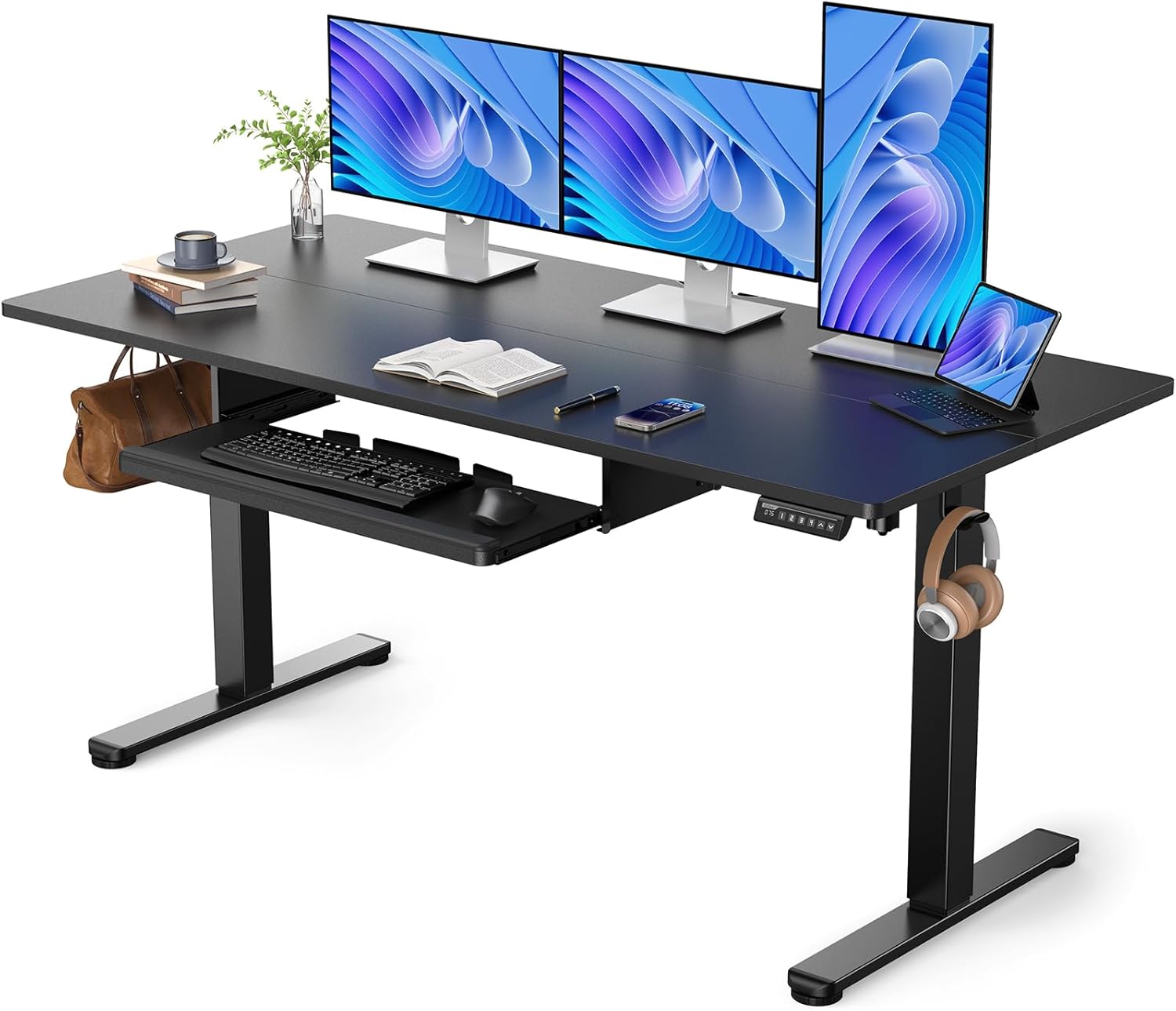
Figure 1: ErGear Large Electric Standing Desk (63x28 Inch Black model)
Important Safety Information
To ensure safe operation and prevent damage, please adhere to the following guidelines:
- Always keep the desk within its height adjustment range and avoid leaving it unattended at any height.
- Do not exceed the maximum weight limit of 176 lbs (80 kg) to maintain stability.
- Keep the desk away from children and pets to prevent accidental height adjustment or injury.
- Ensure all cables are properly managed and do not interfere with the desk's movement.
- Avoid placing liquids directly on the desk surface without proper coasters or protection.
Assembly Instructions
The ErGear Electric Standing Desk is designed for straightforward assembly. It is recommended that two people assemble the desk to ensure ease and safety. All necessary tools for assembly are included.
Required Tools:
- Included Assembly Tools
- Optional: Drill (for faster assembly)
General Steps:
- Unpack all components and verify against the parts list provided in the packaging.
- Assemble the desk frame according to the detailed diagrams in the included assembly guide.
- Attach the desktop panels securely to the assembled frame.
- Install the keyboard tray and any additional accessories like headphone hooks.
- Connect the power cable and ensure all electrical connections are secure.
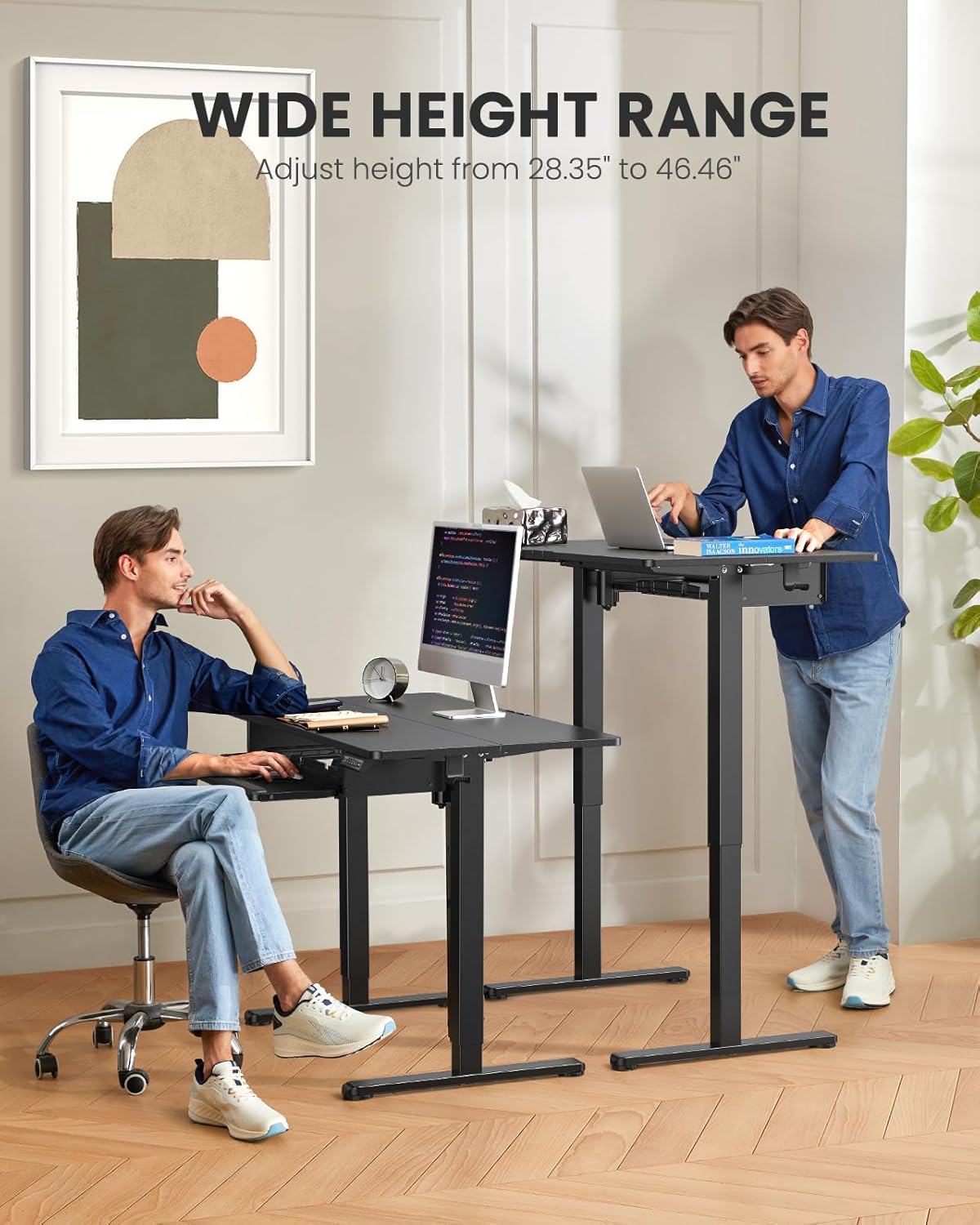
Figure 2: Components of the ErGear Electric Standing Desk during assembly.
Operating Instructions
Height Adjustment
The ErGear Electric Standing Desk allows for smooth and quiet height adjustment, ranging from 28.35 inches (72 cm) to 46.46 inches (118 cm). Use the control panel located on the desk to adjust the height.
- Use the Up and Down arrows on the control panel to manually adjust the desk height.
- The desk features 3 programmable memory settings. To save a preferred height, adjust the desk to the desired level, then press the "M" button followed by one of the numbered preset buttons (1, 2, or 3). The desk will then move to this saved height with a single press of the corresponding button.

Figure 3: Control panel for height adjustment and memory settings.
Figure 4: Demonstrating the wide height adjustment range from sitting to standing positions.
Keyboard Tray Usage
The integrated keyboard tray provides an ergonomic position for typing and gaming, helping to clear your main desk surface. It is designed to be spacious enough for a large keyboard and mouse, with a maximum load capacity of 22 lbs (10 kg).

Figure 5: Detailed view of the sturdy and stable keyboard tray.

Figure 6: Ergonomic design of the desk with the keyboard tray in use.
Spacious Surface and Dependable Lifting
The 63x28 inch desktop provides ample space for multiple monitors and accessories. The desk features a powerful motor for dependable lifting, tested for over 50,000 cycles with a full load of up to 176 lbs (80 kg).

Figure 7: The spacious 28-inch deep desktop provides ample workspace.

Figure 8: The desk's robust lifting system is tested for dependable performance.
Quiet Operation
The electric lifting mechanism operates with low noise, ensuring minimal disturbance in your work environment. This allows you to adjust the desk height without interrupting your focus or disturbing others nearby.
Cable Management and Accessories
The desk includes features to help organize cables and accessories. It has a cord channel in the back to manage power cords and other wires, keeping your workspace tidy. Additionally, headphone hooks are included on both sides for convenient storage of headphones or other small items.

Figure 9: Desk dimensions and accessory placement.
Maintenance
To maintain the appearance and functionality of your ErGear Electric Standing Desk, follow these simple care instructions:
- Clean the desk surface regularly with a dry cloth. Avoid abrasive cleaners or harsh chemicals.
- Periodically check all screws and fasteners to ensure they are tight. Retighten if necessary.
- Keep the motor and lifting columns free from dust and debris.
Troubleshooting
If you encounter any issues with your ErGear Electric Standing Desk, please refer to the following common solutions:
| Problem | Possible Cause | Solution |
|---|---|---|
| Desk does not move or respond to controls. | Power cable disconnected; control panel error. | Check power connection. Unplug and replug the desk. Refer to the full troubleshooting guide in the included manual for specific error codes. |
| Desk is wobbly at full height. | Uneven floor; loose fasteners; excessive weight. | Ensure the desk is on a level surface. Check and tighten all assembly fasteners. Do not exceed the maximum weight capacity of 176 lbs. |
| Motor noise is louder than usual. | Obstruction in lifting mechanism; dust/debris. | Inspect lifting columns for any obstructions. Clean dust and debris from moving parts. If noise persists, contact customer support. |
For more detailed troubleshooting steps, please consult the complete manual provided with your product or contact ErGear customer support.
Product Specifications
| Feature | Detail |
|---|---|
| Brand | ErGear |
| Model Number | EGESD7B-4 |
| Product Dimensions (D x W x H) | 28"D x 63"W x 46.46"H |
| Color | Black |
| Style | Modern |
| Top Material Type | Engineered Wood |
| Base Material | Alloy Steel (Leg) |
| Special Features | Adjustable Height, Electric, Ergonomic, Keyboard Tray Included |
| Recommended Uses | Gaming, Working, Writing |
| Maximum Weight Recommendation | 176 Pounds (80 kg) |
| Minimum Height | 28 Inches (71.12 cm) |
| Maximum Height | 46.46 Inches (118 cm) |
| Number of Height Positions | 3 (Programmable) |
| Lifting Mechanism | Electric |
| Required Assembly | Yes |
| Recommended Number of People for Assembly | 2 |
| Includes All Assembly Tools | Yes |
| UL Listed | Yes |

Figure 10: Certifications for the ErGear Electric Standing Desk.
Warranty and Support
Warranty Information:
The ErGear Large Electric Standing Desk comes with a Limited Warranty. Please refer to the warranty card included with your product for full details on coverage and terms.
Customer Support:
For any questions, assistance, or to report issues, please contact ErGear customer support. You can find contact information on the official ErGear website or through your purchase platform.
Visit the ErGear Store on Amazon for more information and support.
Related documentsEGESD7B-4


Ask a question about this manual
Ask about setup, troubleshooting, compatibility, parts, safety, or missing instructions. Manuals+ will review the question and use this page’s manual context to help answer it.