
1. Introduction
This manual provides essential information for the proper setup, operation, and maintenance of your Onlyfly Smart Camera Bird Feeder. Please read these instructions carefully before use to ensure optimal performance and longevity of your device.
2. Safety Information
- Ensure the device is securely mounted to prevent falling and potential injury or damage.
- Keep the device away from open flames or extreme heat sources.
- Do not attempt to disassemble or repair the device yourself. Contact customer support for assistance.
- This device supports 2.4 GHz Wi-Fi only. It is not compatible with 5 GHz networks.
- Fully charge the camera before its first use. Solar power will maintain the charge thereafter.
- Some advanced AI features may require a subscription after a 30-day free trial. Core functions remain available without subscription.
3. Package Contents
Verify that all items are present in your package:
- 1x Onlyfly Smart Camera Bird Feeder
- 1x Camera Module (pre-installed)
- 2x Metal Straps & 1x Velcro Strap (for mounting)
- 2x USB-C to USB-C Cables (for charging)
- Mounting Kit (screws, anchors)
- 1x Stand/Perch
- Nectar Feeders, Fruit Forks, Jelly Feeder (DIY Add-ons)

Image: Onlyfly Smart Camera Bird Feeder with included DIY add-ons like nectar feeders, fruit forks, and a jelly feeder.
4. Product Overview
The Onlyfly Smart Camera Bird Feeder combines a durable bird feeder with a high-definition camera, solar charging, and intelligent features for an enhanced birdwatching experience.

Image: Onlyfly Smart Camera Bird Feeder in blue, showing the integrated camera, solar panel, and a cardinal on the perch.
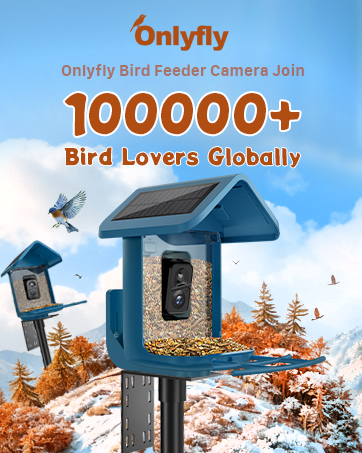
Image: Close-up of the Onlyfly Smart Camera Bird Feeder with a bird on the perch.
5. Setup
5.1 Initial Charging
Before first use, fully charge the camera module using one of the provided USB-C cables. The dual-sided 4W built-in solar panels will maintain the charge for up to 180 days of uninterrupted use after the initial charge.

Image: Onlyfly Smart Camera Bird Feeder showing dual solar panels for long-lasting power.

Image: Onlyfly Smart Camera Bird Feeder highlighting its solar-powered feature.
5.2 App Download & Wi-Fi Connection
Download the dedicated app (e.g., Vicohome) to your smartphone. Follow the in-app instructions to connect the camera to your 2.4 GHz Wi-Fi network. Note that 5 GHz Wi-Fi is not supported.
Video: Onlyfly 2.4GHz Wifi 2KHD Smart Bird Feeder Camera - By Walt. This video demonstrates the unboxing and initial setup process, including app connection.
Video: Unboxing the Onlyfly Bird Feeder Camera. This video provides a detailed look at the package contents and initial assembly steps.
5.3 Mounting Options
The feeder offers multiple mounting solutions:
- Tree Mount: Use the provided Velcro strap or metal straps to secure the feeder to a tree.
- Wall/Fence Mount: Use the included screws and anchors to attach the feeder to a wall or fence.
- Pole Mount: Metal clips are provided for mounting on poles of various sizes.
- Tripod Mount: The feeder can also be mounted on a standard camera tripod.

Image: Onlyfly Smart Camera Bird Feeder showing various installation options: tree, wall, fence, and pole mounts.

Image: Diagram illustrating the step-by-step installation process for the Onlyfly Smart Camera Bird Feeder.
Video: Install Onlyfly smart bird feeder camera to your yard. This video demonstrates the installation of the bird feeder in a backyard setting.
Video: Viubird bird feeder with camera installation. This video shows the installation process of a similar bird feeder.
Video: How to fix 5-prongs base on the land (New). This video demonstrates how to install a ground stake for the feeder.
6. Operating Instructions
6.1 Live View & Notifications
The 2K HD camera provides a live stream of bird activity directly to your smartphone. Receive instant notifications when birds are detected, ensuring you never miss a moment.

Image: Onlyfly Smart Camera Bird Feeder app notification showing motion detected and a bird on the feeder.

Image: Onlyfly Smart Camera Bird Feeder showing motion detection and AI identification features.
6.2 AI Identification & Auto Capture
The AI bird recognition feature identifies different bird species visiting your feeder and automatically captures 5MP photos and videos. New users receive a 30-day free trial for AI features.

Image: Onlyfly Smart Camera Bird Feeder app displaying AI identification of a Northern Cardinal.

Image: Collage of close-up bird photos captured by the Onlyfly Smart Camera Bird Feeder, identifying Finch, Cardinal, and Blue Jay.
6.3 Two-Way Audio & Squirrel Deterrent
Utilize the two-way audio feature to listen to birds or deter unwanted visitors like squirrels with a siren or warning light. The camera can also detect other critters.

Image: Onlyfly Smart Camera Bird Feeder showing a squirrel being repelled by a siren or warning light feature.

Image: Onlyfly Smart Camera Bird Feeder capturing images of other animals like a squirrel and a dog, indicating its ability to detect various critters.
6.4 Sharing & App Features
Share interesting moments and videos with loved ones. The app allows real-time birdwatching with up to four people simultaneously. Explore various app features for motion detection sensitivity and bird AI.

Image: Onlyfly Smart Camera Bird Feeder app supporting multiple simultaneous online viewers for sharing birdwatching experiences.

Image: Onlyfly Smart Camera Bird Feeder app features including motion detection and bird AI recognition.
Video: Onlyfly Bird Feeder with Camera. This video provides a general overview of the product's features and app functionality.
7. Maintenance
7.1 Refilling Bird Seed
The feeder has a 1.8-liter capacity. To refill, simply open the top lid and pour in the birdseed. The wide opening makes refilling easy and mess-free.
7.2 Cleaning
Regularly clean the feeder to prevent mold and bacteria buildup. The durable ABS material is designed for easy cleaning. Ensure the camera module is securely sealed before cleaning.
7.3 Battery Care
The dual solar panels continuously charge the camera's battery. In periods of low sunlight, you may need to manually charge the camera using the provided USB-C cable. Avoid prolonged exposure to extreme temperatures.
8. Troubleshooting
- No Wi-Fi Signal: Ensure the feeder is within range of your 2.4 GHz Wi-Fi router. 5 GHz networks are not supported.
- Camera Not Charging: Verify solar panels are clean and receiving direct sunlight. Ensure the USB-C cable is securely connected if manual charging.
- AI Identification Issues: Ensure the camera lens is clean and unobstructed. Clear, well-lit images improve AI accuracy.
- Motion Detection Not Working: Check app settings for motion detection sensitivity.
9. Specifications
- Model Number: JL0001-01
- Brand: Onlyfly
- Color: Blue
- Material: Acrylonitrile Butadiene Styrene (ABS)
- Product Dimensions: 11.4"L x 10.2"W x 7.6"H
- Item Weight: 5.26 pounds
- Power Source: Solar Powered
- Camera Resolution: 2K HD Video, 5MP Photos
- Special Features: AI Identification (10,000+ species), Motion Detection, Two-Way Audio, Rain Proof, Weatherproof (IP65 rated)
- Capacity: 1.8 Liters
- Wi-Fi: 2.4 GHz Only
- Storage: Cloud (3-day rolling history free) or Micro SD card up to 128 GB (not included)

Image: Onlyfly Smart Camera Bird Feeder highlighting its IP65 waterproof and dustproof camera.

Image: Comparison image showing Onlyfly camera with 160° super wide angle versus others with 130° wide angle.
10. Warranty & Support
For warranty information or technical support, please refer to the contact details provided in your product packaging or visit the official Onlyfly website.
Important Note: Some advanced AI features require a subscription after a 30-day free trial. Basic functionalities like live viewing and sharing remain available without subscription.


