
1. Introduction
This manual provides essential information for the safe and efficient use of your LG 98UM5K-B UHD Large Screen Signage Display. Please read this manual thoroughly before operating the product and retain it for future reference. This display is designed for commercial signage applications, offering a large, high-resolution screen with advanced features for various environments.
2. Safety Information
WARNING: To reduce the risk of electric shock, do not remove the cover (or back). No user-serviceable parts inside. Refer servicing to qualified service personnel.
- Ensure proper grounding of the product.
- Do not expose the display to rain or moisture.
- Avoid placing the display in direct sunlight or near heat sources.
- Do not block ventilation openings.
- Use only the power cord supplied by the manufacturer.
- Disconnect the power plug during lightning storms or when unused for long periods.
- Handle the large display with care during installation to prevent injury or damage. Professional installation is recommended.
3. Package Contents
Verify that all components are present before installation. If any items are missing or damaged, contact your dealer.
- LG 98UM5K-B UHD Large Screen Signage Display
- Remote Control with Batteries
- Power Cord
- HDMI Cable
- RS232C Cable
- User Manual (this document)
- Warranty Card
4. Setup
4.1 Physical Installation
Due to the size and weight of the 98-inch display, professional installation is highly recommended. Ensure the mounting surface or stand can support the display's weight (approximately 217 pounds or 98.4 kg). The display supports both portrait and landscape orientations.
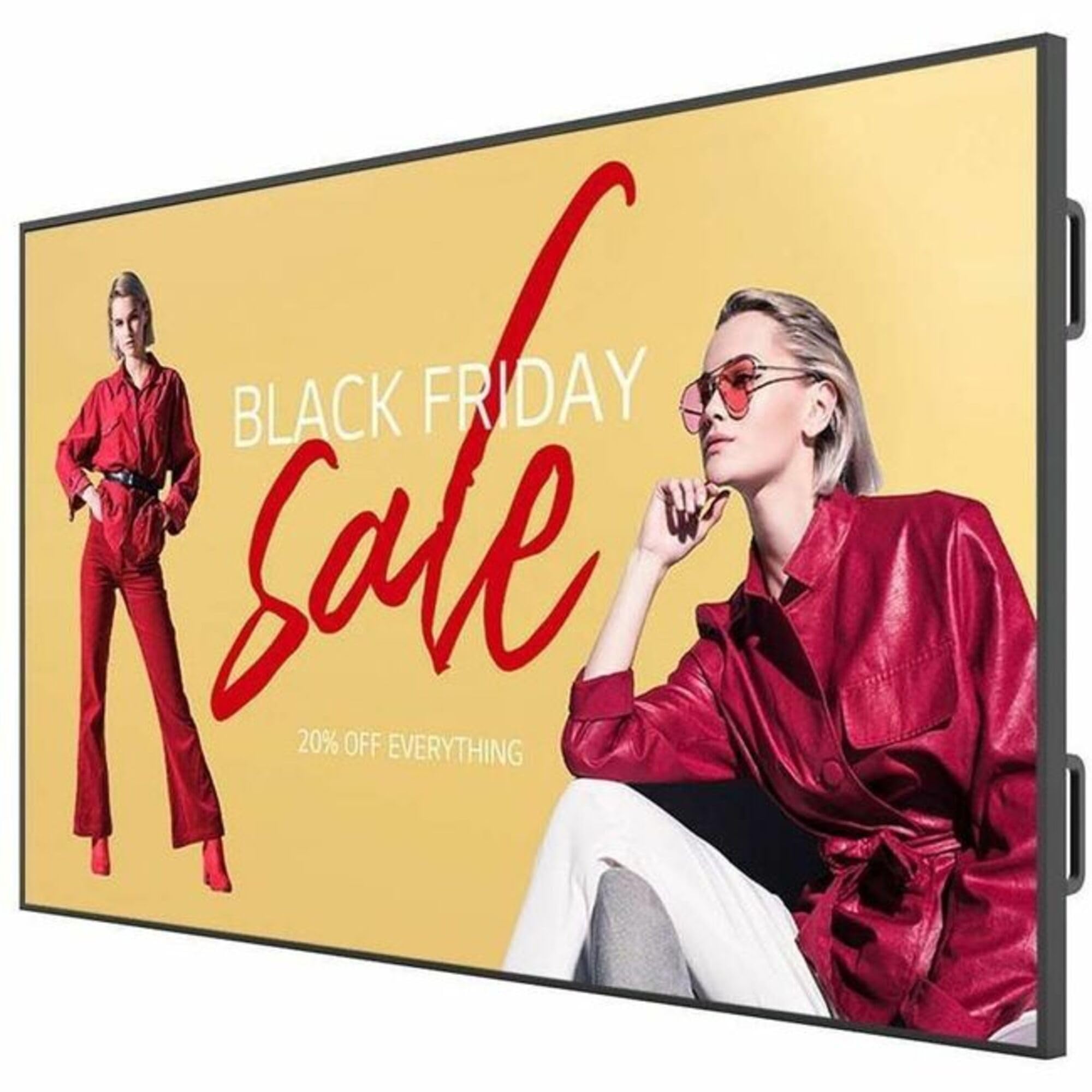
Figure 1: Front view of the LG 98UM5K-B UHD Large Screen Signage Display, showcasing its large screen and slim bezels, suitable for commercial environments.
4.2 Connecting External Devices
Connect external devices to the display's input ports as required. Ensure all connections are secure before powering on the display.
- HDMI (3 ports): For high-definition video and audio from sources like media players, PCs, or set-top boxes.
- DisplayPort (DP): For high-resolution video and audio from compatible PCs.
- DVI-D: For digital video input.
- USB 2.0: For connecting USB storage devices for media playback or firmware updates.
- RS232C: For serial control from a central control system.
- RJ45 (Ethernet): For network connectivity and remote management.
- Audio In/Out: For external audio devices.
- IR: For infrared remote control extension.
After connecting all necessary cables, plug the power cord into the display and then into a grounded electrical outlet.
5. Operating the Display
5.1 Power On/Off
- To Power On: Press the Power button on the remote control or the display's control panel.
- To Power Off: Press the Power button again. The display will enter standby mode.
5.2 Input Source Selection
To switch between connected devices, press the Input button on the remote control and select the desired source (e.g., HDMI1, DP, DVI-D) from the on-screen menu.
5.3 Menu Navigation (webOS 6.0)
The LG 98UM5K-B display features webOS 6.0, providing an intuitive interface for managing content, settings, and network functions. Use the remote control's navigation buttons (Up, Down, Left, Right, OK) to browse the menu.
- Press the Settings button to access the main menu.
- Navigate through categories such as Picture, Sound, Network, General, and Signage.
- Adjust settings like brightness, contrast, color, network configuration, and scheduling for signage content.
5.4 Key Features
- ULTRA HD (3840 x 2160) Resolution: Delivers crisp, detailed images.
- 500 nit Brightness: Ensures clear visibility in various lighting conditions.
- webOS 6.0: Integrated smart platform for content management and system control.
- Built-in Speaker (10 W + 10 W): Provides integrated audio output.
- Versatile Connectivity: Multiple HDMI, DP, DVI-D, USB, and network ports.
6. Maintenance
6.1 Cleaning the Display
- Always unplug the display before cleaning.
- Use a soft, lint-free cloth to gently wipe the screen and frame.
- For stubborn marks, lightly dampen the cloth with water or a mild, non-abrasive screen cleaner. Do not spray cleaner directly onto the screen.
- Avoid using harsh chemicals, abrasive pads, or solvents.
6.2 Storage
If storing the display for an extended period, ensure it is powered off, unplugged, and stored in a cool, dry place, preferably in its original packaging to protect it from dust and physical damage.
7. Troubleshooting
Before contacting service, refer to the following table for common issues and solutions.
| Problem | Possible Cause | Solution |
|---|---|---|
| No power | Power cord not connected; power outlet issue | Check power cord connection; test outlet with another device. |
| No image on screen | Incorrect input source; loose video cable; device not powered on | Select correct input source; check video cable connections; ensure source device is on. |
| No sound | Volume too low; mute activated; audio cable issue | Increase volume; check mute status; ensure audio cables are connected correctly. |
| Remote control not working | Dead batteries; obstruction; incorrect pairing | Replace batteries; remove obstructions; re-pair remote if necessary. |
8. Specifications
| Feature | Specification |
|---|---|
| Model Number | 98UM5K-B |
| Screen Size | 98 inches |
| Panel Technology | ADS, Direct LED |
| Native Resolution | 3840 x 2160 (UHD) |
| Brightness (Typ.) | 500 nit |
| Contrast Ratio | 1,200:1 |
| Dynamic CR | 200,000:1 |
| Viewing Angle (H x V) | 178 x 178 degrees |
| Response Time | 8 ms (G to G) |
| Color Depth | 1.07 Billion Colors (8 bits + FRC) |
| Refresh Rate | 60 Hz |
| Surface Treatment (Haze) | 25% |
| Lifetime | 30,000 Hrs (Min.) |
| Operation Hours | 16 hours / 7 days |
| Aspect Ratio | 16:9 |
| Built-in Speaker | 10 W + 10 W |
| Operating System | webOS 6.0 |
| Connectivity | HDMI (3), DisplayPort, DVI-D, USB 2.0, RS232C, RJ45, Audio In/Out, IR |
| Product Dimensions (W x H x D) | 97 x 58 x 12 inches (approx.) |
| Item Weight | 217 pounds (approx.) |
9. Warranty and Support
For detailed warranty information, please refer to the warranty card included with your product or visit the official LG Electronics website. For technical support, service, or inquiries, please contact LG customer service in your region. Keep your purchase receipt and model number (98UM5K-B) handy when contacting support.
Online Resources: For the latest drivers, software, and additional support documents, visit LG Support.