
OPPO OPPO_RENO10PRO_5G_12_256_PURPLE_
OPPO Reno 10 Pro 5G Smartphone User Manual
Model: OPPO_RENO10PRO_5G_12_256_PURPLE_ | Brand: OPPO
Introduction
Welcome to the user manual for your new OPPO Reno 10 Pro 5G smartphone. This guide provides essential information on setting up, operating, maintaining, and troubleshooting your device. Please read this manual carefully to ensure optimal performance and longevity of your smartphone.

Image: Front and back view of the OPPO Reno 10 Pro 5G smartphone in Glossy Purple.
What's in the Box
Before you begin, please verify that all items are present in your product packaging:
- Phone x 1
- Charger x 1
- USB Data Cable x 1
- SIM Ejector Tool x 1
- Quick Guide x 1
- Safety Guide x 1
Setup
SIM Card Installation
Your OPPO Reno 10 Pro supports Dual-SIM functionality. Follow these steps to install your SIM card(s):
- Locate the SIM card tray on the side of the phone.
- Insert the SIM ejector tool into the small hole next to the tray and press gently until the tray pops out.
- Place your Nano-SIM card(s) into the designated slots on the tray, ensuring the gold contacts face downwards.
- Carefully push the SIM tray back into the phone until it is flush with the device body.
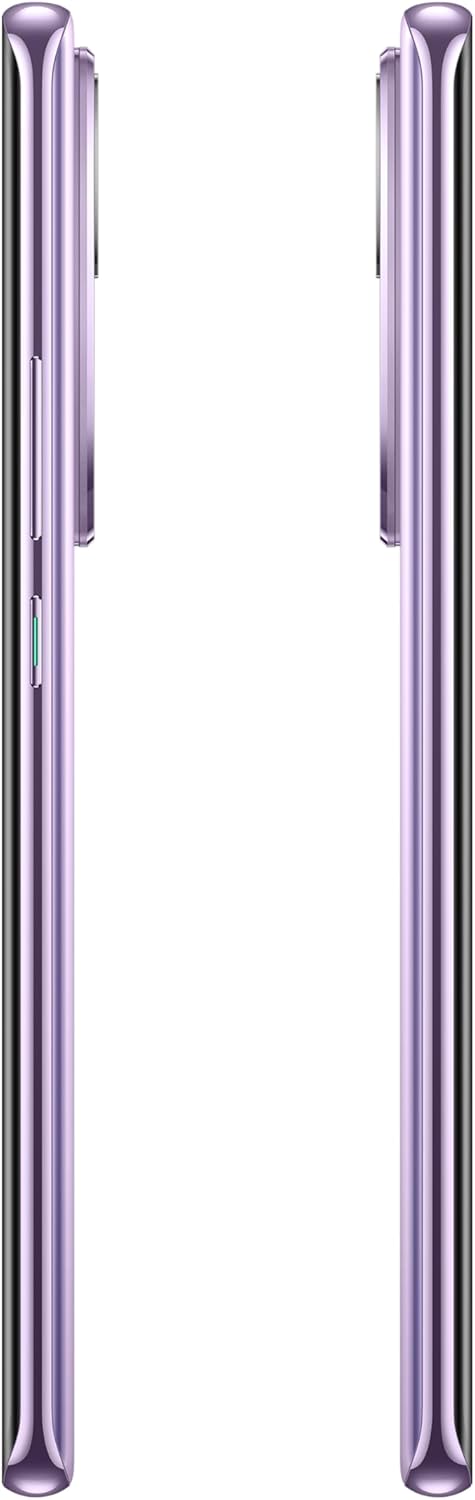
Image: Side view of the OPPO Reno 10 Pro, highlighting the SIM card tray and power/volume buttons.
Initial Power On
To power on your device for the first time:
- Press and hold the Power button (located on the right side) until the OPPO logo appears on the screen.
- Follow the on-screen prompts to complete the initial setup, including language selection, Wi-Fi connection, and Google account setup.
Operating Your Device
Basic Navigation
Your OPPO Reno 10 Pro features a 6.7-inch AMOLED display with 1080 x 2412 pixels resolution. Navigation is primarily touch-based:
- Tap: Select an item or open an application.
- Swipe: Scroll through screens or lists.
- Pinch: Zoom in or out on images and web pages.
- Long Press: Access contextual menus or move icons.
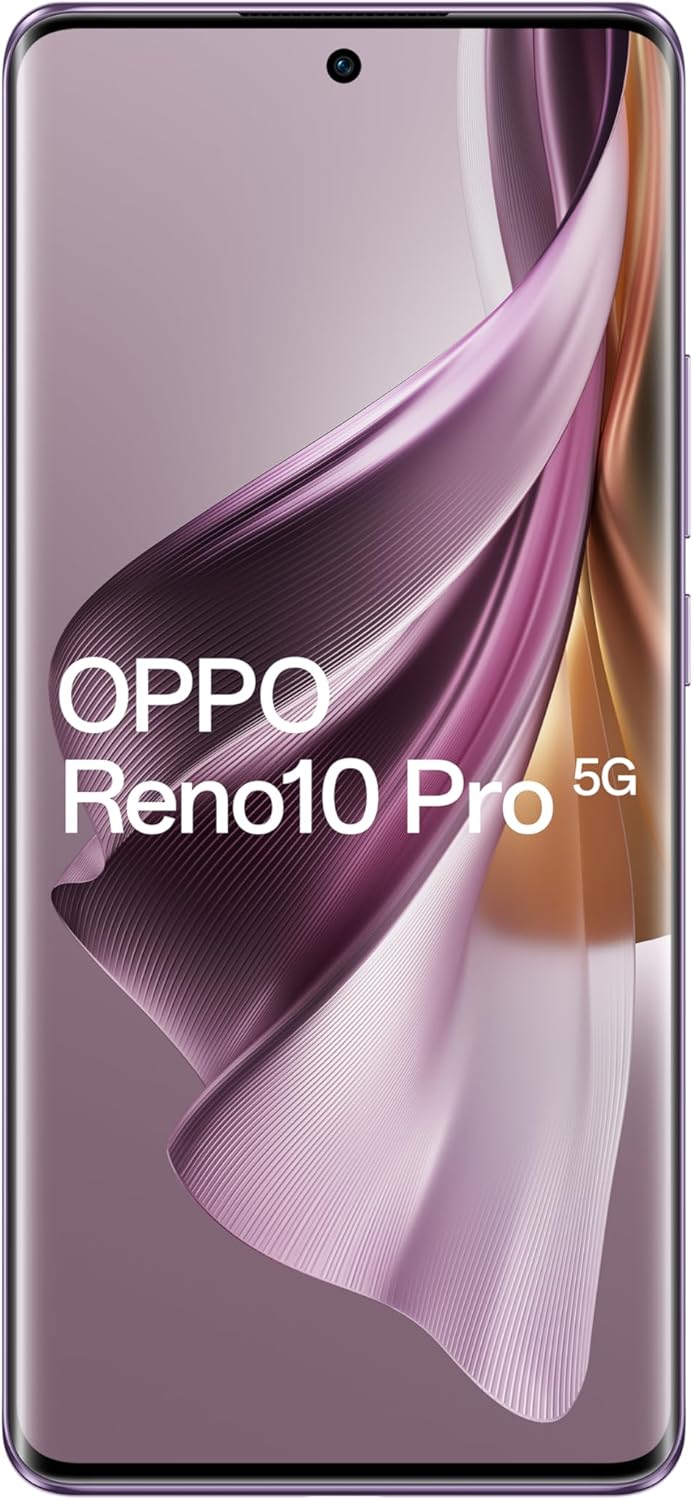
Image: Front view of the OPPO Reno 10 Pro, showcasing its AMOLED display.
Network Connectivity
The device supports 4G and 5G cellular networks. Ensure your SIM card is active and your network provider supports the device's frequencies for optimal connectivity. For USA buyers, note that this smartphone is not compatible with CDMA networks (e.g., Verizon, Sprint, US Cellular).
Camera Usage
The OPPO Reno 10 Pro is equipped with a versatile camera system:
- Rear Camera System: Features a 50 MP wide lens with OIS, a 32 MP telephoto lens with 2x optical zoom, and an 8 MP ultrawide lens.
- Front Camera: A 32 MP wide lens for high-quality selfies.
To open the camera, tap the Camera icon on your home screen. Select your desired mode (Photo, Video, Portrait, etc.) and tap the shutter button to capture images or start recording.

Image: Back view of the OPPO Reno 10 Pro, highlighting the triple camera module.
Maintenance
Battery Care
Your device is powered by a 4600 mAh battery. To maximize battery life:
- Avoid extreme temperatures.
- Use the official charger and USB data cable provided.
- Avoid fully discharging the battery frequently.
- Optimize settings like screen brightness and background app refresh.
Cleaning Your Device
To clean your smartphone:
- Use a soft, lint-free cloth.
- Avoid using harsh chemicals or abrasive materials.
- Do not expose the device to excessive moisture.
Troubleshooting
This section addresses common issues you might encounter:
| Issue | Possible Solution |
|---|---|
| Device won't turn on | Ensure the battery is charged. Press and hold the Power button for at least 10 seconds to force restart. |
| Poor network signal | Check SIM card installation. Move to an area with better network coverage. Restart the device. |
| Apps crashing or freezing | Close and reopen the app. Clear the app's cache. Update the app or the phone's operating system. |
| Battery drains quickly | Reduce screen brightness. Close unused background apps. Disable unnecessary features like GPS or Bluetooth when not in use. |
Specifications
Key technical specifications for your OPPO Reno 10 Pro 5G:
| Feature | Specification |
|---|---|
| Model Name | Oppo Reno 10 Pro |
| Operating System | Android 13.0 |
| Display | 6.7 inches AMOLED, 1080 x 2412 pixels |
| Processor | Snapdragon 778G 5G (6 nm), Octa-core |
| RAM | 12 GB |
| Storage | 256 GB |
| Rear Camera | 50 MP (wide) + 32 MP (telephoto) + 8 MP (ultrawide) |
| Front Camera | 32 MP (wide) |
| Battery Capacity | 4600 mAh |
| Connectivity | 4G, 5G, Wi-Fi, Bluetooth, GPS |
| Color | Glossy Purple |
| Item Weight | 1.14 pounds |
Warranty and Support
Your OPPO Reno 10 Pro 5G comes with a manufacturer's warranty. Please refer to the Safety Guide included in your product packaging for detailed warranty terms and conditions. For technical support, software updates, or service inquiries, please visit the official OPPO support website or contact their customer service.
For more information, you can visit the official OPPO website: www.oppo.com
Related documentsOPPO_RENO10PRO_5G_12_256_PURPLE_


Ask a question about this manual
Ask about setup, troubleshooting, compatibility, parts, safety, or missing instructions. Manuals+ will review the question and use this page’s manual context to help answer it.