
1. Setup and Installation
This section provides instructions for the proper setup and initial installation of your Panasonic NA-F80X10CRB washing machine.
Unpacking and Placement
Carefully unpack the washing machine. Ensure all packaging materials are removed. The washing machine is designed for freestanding installation. Place the unit on a firm, level surface to prevent vibrations and noise during operation.
- Dimensions (D x W x H): 60.4 x 52.5 x 103.5 Centimeters. Ensure adequate space for installation and operation.
- Access: The unit features a top-load design with an easy wide opening and a soft-closing lid for convenient loading and unloading.
Connecting to Power and Water
Connect the washing machine to a suitable power outlet and water supply as per local regulations. Ensure the water inlet and drain hoses are securely attached to prevent leaks.
Smart Features Setup (MirAIe App)
To utilize the smart features, download and install the Panasonic MirAIe application on your smartphone. Follow the in-app instructions to connect your washing machine to your home Wi-Fi network. This enables remote control, customized wash programs, and monitoring.
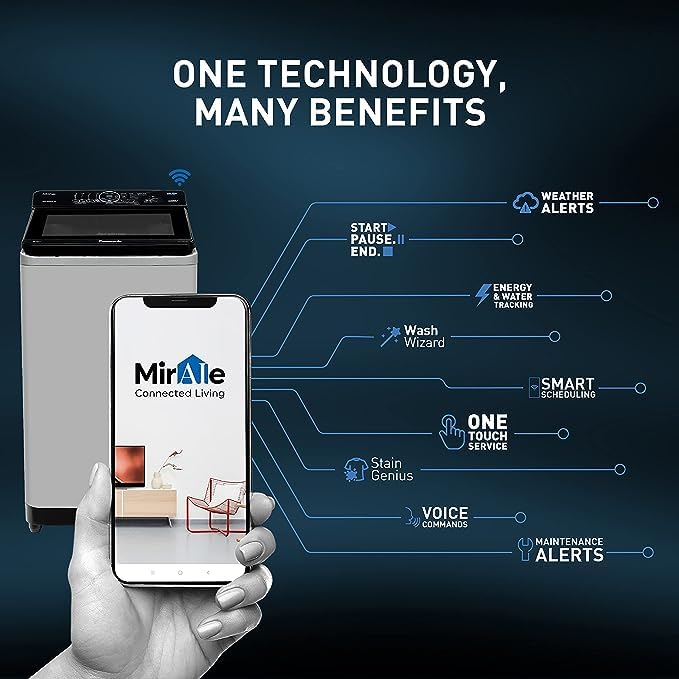
Image 1: Front view of the Panasonic NA-F80X10CRB washing machine. This image illustrates the overall design and top-loading access of the appliance.
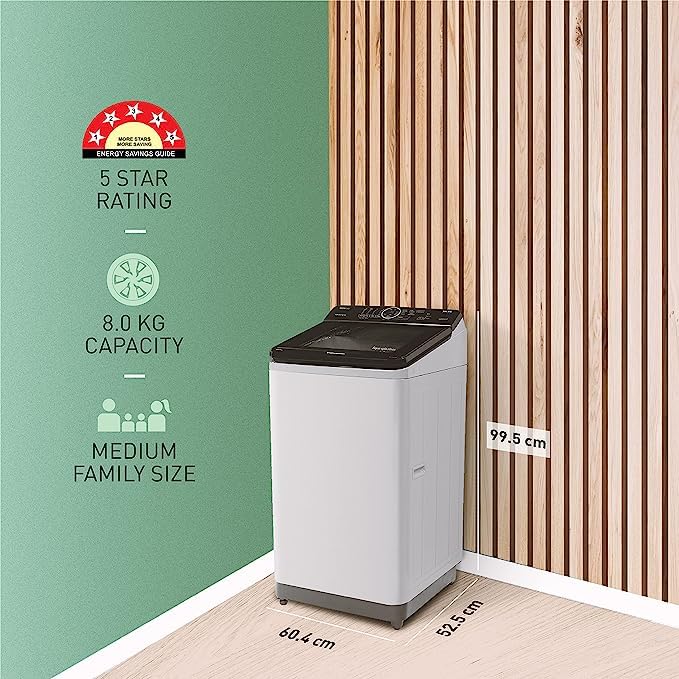
Image 2: This image displays the dimensions (60.4 cm depth, 52.5 cm width, 99.5 cm height) and highlights the 8.0 Kg capacity, suitable for a medium-sized family. It also indicates a 5-star energy rating.
2. Operating Instructions
This section details how to operate your fully-automatic washing machine, including wash programs and smart features.
Control Panel Overview
The washing machine operates in a fully automatic mode. Control is managed via a combination of push buttons, a knob, and a dial located on the top panel. These controls allow you to select wash programs, adjust settings, and start/pause cycles.
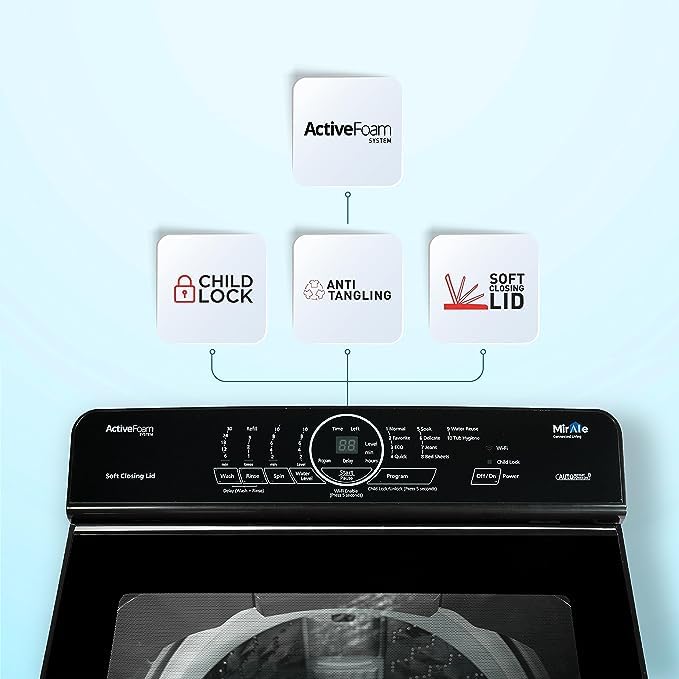
Image 3: Close-up view of the washing machine's control panel, highlighting features such as the ActiveFoam System, Child Lock, Anti Tangling function, and Soft Closing Lid.
Wash Programs and Cycles
The washing machine offers 12 distinct wash programs to cater to various fabric types and soil levels. A standard 'Rinse' cycle option is also available. Refer to the control panel for specific program selections.
Smart Features via MirAIe App
- Wash Wizard: This AI-enabled feature allows the MirAIe app to customize wash cycles based on fabric type, color, and dirt level. Choose from over 100 wash options.
- Stain Genius: Utilize the app to identify stains by taking a picture. The MirAIe cloud will recognize the stain and provide a pre-treatment guide.
- Auto Pause: Customize programs to pause at specific stages:
- After Soaking: To add clothes that do not require soaking.
- After Washing: To add hand-washed clothes requiring only rinsing.
- After Rinsing: To add clothes requiring only spin drying.
- Before Last Rinse: To pause the cycle if you need to step out, keeping clothes fresh upon return.
- Remote Control: Control your washing machine from anywhere using the MirAIe app.
Image 4: This graphic illustrates the various benefits and features accessible through the MirAIe app, including Weather Alerts, Start/Pause/End control, Energy & Water Tracking, Wash Wizard, Smart Scheduling, One Touch Service, Stain Genius, Voice Commands, and Maintenance Alerts.
3. Maintenance and Care
Proper maintenance ensures the longevity and efficient operation of your washing machine.
Cleaning the Lint Filter
The washing machine is equipped with a big lint filter for effective lint removal. Regularly clean the lint filter to maintain optimal washing performance and prevent lint accumulation on clothes.
Drum Care
The drum is made of stainless steel. Periodically clean the drum to remove any residue or odors. Consult the MirAIe app or the full user manual for specific drum cleaning cycles or recommendations.
Energy and Water Efficiency
- Tracking: Monitor energy and water consumption through the MirAIe app to optimize usage.
- Water Reuse: Utilize the water reuse course option to save up to 23% of water by reusing water from the final rinse cycle for your next load.
4. Troubleshooting
This section provides guidance for common issues and how to seek assistance.
Common Issues and Alerts
The MirAIe app provides alerts and recommendations for various operational aspects. If you encounter an issue, check the app for diagnostic information or error codes.
Seeking Service
If a problem persists or requires professional attention, you can conveniently raise a service request directly through the MirAIe app. The app allows you to schedule a visit, track service history, and manage repair requests.
5. Product Specifications
| Feature | Specification |
|---|---|
| Brand | Panasonic |
| Model Name | NA-F80X10CRB |
| Capacity | 8 Kg |
| Product Dimensions (D x W x H) | 60.4D x 52.5W x 103.5H Centimeters |
| Item Weight | 8 Kilograms |
| Colour | Charcoal Inox Grey |
| Laundry Appliance Drum Material | Stainless Steel |
| Operation Mode | Fully Automatic |
| Controls Type | Push Button, Knob, Dial |
| Installation Type | Freestanding |
| Special Features | High Efficiency, Portable (Note: 'Portable' may refer to ease of relocation rather than small size) |
| Included Components | Washing machine |
| Manufacturer | PANANSONIC INDIA PVT LTD |
| Energy Rating | 5 Star |
6. Warranty Information
Your Panasonic NA-F80X10CRB washing machine comes with the following warranty:
- Comprehensive Warranty: 2 Years
- Motor Warranty: 10 Years
Please retain your purchase receipt for warranty claims. For detailed terms and conditions, refer to the warranty card included with your product or contact Panasonic customer support.
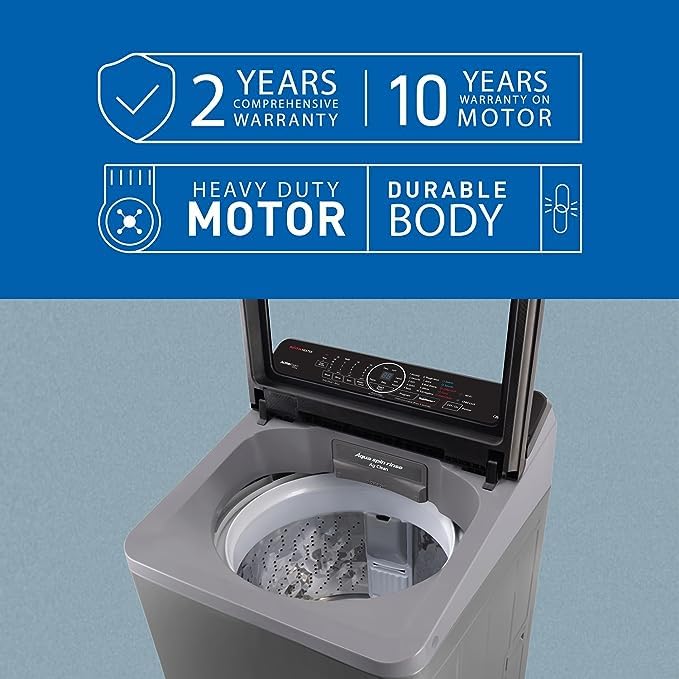
Image 5: This image highlights the 2-year comprehensive warranty and 10-year motor warranty, emphasizing the heavy-duty motor and durable body construction of the washing machine.
7. Customer Support
For any queries, technical assistance, or service requests, please utilize the following support channels:
- MirAIe App: The Panasonic MirAIe app is your primary tool for customer support. You can raise service requests, schedule technician visits, and track the status of your service history directly through the app.
- Panasonic Website: Visit the official Panasonic India website for product information, FAQs, and contact details for customer service.


