
1. Introduction
The Linksys Velop Pro 7 WiFi Mesh System delivers advanced whole-home WiFi coverage using Wi-Fi 7 technology. This system is designed to provide high-speed, reliable internet connectivity across your entire home, supporting numerous devices for streaming, gaming, and general use. Powered by Cognitive Mesh technology, it intelligently optimizes your network for superior performance and coverage.

Figure 1: An overview of the Linksys Velop Pro 7 system, highlighting its BE11000 Tri-Band speed, coverage for 4+ bedroom houses with 3 nodes, and capacity to connect up to 200 devices. Available in 1, 2, and 3-pack configurations.
Key features include:
- Wi-Fi 7 Technology: Provides significantly faster speeds and improved efficiency compared to previous Wi-Fi standards.
- Cognitive Mesh: An intelligent, self-optimizing system that detects interference and congestion, allocating devices to less crowded frequencies.
- Tri-Band System: Utilizes 2.4GHz, 5GHz, and 6GHz bands for optimized device connections.
- Extensive Coverage: Each node covers up to 3,000 sq. ft., expandable to meet larger home needs.
- Enhanced Security: Features WPA3 encryption, domain-based, and MAC address blocking.
2. What's in the Box
Your Linksys Velop Pro 7 WiFi Mesh System package includes the following items:
- Velop Pro 7 Router WIFI 7 System Node(s)
- Ethernet Cable
- Quick Start Guide
3. Setup Guide
Setting up your Linksys Velop Pro 7 system is designed to be quick and straightforward. Follow these steps to get your mesh network operational.

Figure 2: This image visually guides users through the simple setup process: 1. Download the Linksys app (iOS & Android). 2. Connect one node to your modem, plug it in, and switch it on. 3. Open the app and follow the on-screen instructions to get online.
3.1 Initial Setup
- Download the Linksys App: On your smartphone or tablet, download and install the Linksys app from the Apple App Store (for iOS devices) or Google Play Store (for Android devices).
- Connect the Parent Node: Choose one Velop Pro 7 node to be your Parent Node. Connect this node to your Internet Service Provider (ISP) provided modem using the included Ethernet cable. Plug the Ethernet cable into the 2.5 Gigabit WAN port on the Velop node and the corresponding port on your modem.
- Power On: Plug the power adapter into the Parent Node and then into a power outlet. Wait for the node's LED indicator to show a solid blue light, indicating it is ready for setup.
- Launch the App: Open the Linksys app on your mobile device. The app will guide you through the remaining setup steps, including creating a Linksys account (if you don't have one), naming your Wi-Fi network, and setting a password.
3.2 Adding Child Nodes (for Multi-Pack Systems)
If you have a multi-pack system, you will add additional nodes as Child Nodes to extend your Wi-Fi coverage.
- Placement: Place your Child Nodes strategically throughout your home to ensure optimal coverage. Aim for locations roughly equidistant from the Parent Node and other Child Nodes, avoiding major obstructions.
- Power On Child Nodes: Plug each Child Node into a power outlet. Wait for the LED indicator to show a solid blue light.
- Add via App: In the Linksys app, navigate to the option to add a new node. The app will detect the new node and guide you through the process of adding it to your existing mesh network.
For optimal performance, ensure the Cognitive Mesh node is set up as the Parent Node (connected to the modem) and Intelligent Mesh Nodes are configured as child nodes.
4. Operating Instructions
Once your Linksys Velop Pro 7 system is set up, you can manage and optimize your network using the Linksys app.
4.1 Cognitive Mesh Technology

Figure 3: This image illustrates the core benefits of Linksys Cognitive Mesh: nodes ready in under 10 minutes, support access via the app, and advanced security options for safe browsing.
Cognitive Mesh is an intelligent system that continuously monitors your network environment. It detects interference and congestion, then smartly allocates devices to less crowded frequencies and optimal nodes. This ensures a consistent and reliable connection, even in high-density environments.
4.2 Network Management via Linksys App
The Linksys app provides comprehensive control over your mesh network:
- Device Prioritization (QoS): Prioritize specific devices or applications (e.g., gaming consoles, streaming services) to ensure they receive maximum bandwidth.
- Guest Access: Create a separate, secure Wi-Fi network for guests. This keeps your main network private and secure.
- Parental Controls: Set internet bedtime schedules for your children's devices and block access to specific websites.
- Network Security: Monitor connected devices, block unwanted devices, and manage security settings like WPA3.
- Network Health: View the status of your nodes, connected devices, and internet connection.
4.3 Tri-Band System
The Velop Pro 7 utilizes three distinct Wi-Fi bands to optimize performance:
- 2.4GHz: Offers wider coverage and better penetration through walls, suitable for general browsing and smart home devices.
- 5GHz: Provides faster speeds over shorter distances, ideal for streaming and online gaming.
- 6GHz: The newest band, offering the fastest speeds and lowest latency, especially beneficial for Wi-Fi 7 compatible devices in close proximity.

Video 1: Official video demonstrating the features and benefits of the Linksys Velop Pro 7 WiFi Mesh System.
5. Maintenance
To ensure optimal performance and longevity of your Linksys Velop Pro 7 system, consider the following maintenance tips:
- Firmware Updates: The Linksys app will notify you of available firmware updates. It is recommended to install these updates promptly as they often include performance improvements, security patches, and new features.
- Physical Cleaning: Keep your Velop nodes clean and free from dust. Use a soft, dry cloth to wipe down the exterior. Ensure ventilation openings are not obstructed.
- Optimal Placement: Periodically review the placement of your nodes. If you rearrange furniture or add new devices, you might need to adjust node positions for better signal strength.
6. Troubleshooting
If you encounter issues with your Linksys Velop Pro 7 system, try the following troubleshooting steps:
- No Internet Connection:
- Check if your modem is working correctly. Restart your modem and wait a few minutes.
- Ensure the Ethernet cable connecting the Parent Node to the modem is securely plugged in.
- Restart your Parent Node by unplugging its power adapter for 10 seconds and then plugging it back in.
- Poor Wi-Fi Signal/Slow Speeds:
- Check the placement of your nodes. Ensure they are not too far apart or obstructed by thick walls or large appliances.
- Use the Linksys app to check the signal strength between nodes. Relocate nodes if necessary.
- Ensure your devices are connecting to the optimal band (5GHz or 6GHz for faster speeds).
- Device Cannot Connect to Wi-Fi:
- Verify you are using the correct Wi-Fi password.
- Restart the device you are trying to connect.
- Temporarily disable any MAC address filtering or access controls in the Linksys app to see if that resolves the issue.
- App Issues:
- Ensure your Linksys app is updated to the latest version.
- Try force-closing and reopening the app.
- Ensure your mobile device is connected to the Velop Wi-Fi network.
7. Specifications
Below are the technical specifications for the Linksys Velop Pro 7 WiFi Mesh System (MBE7003).
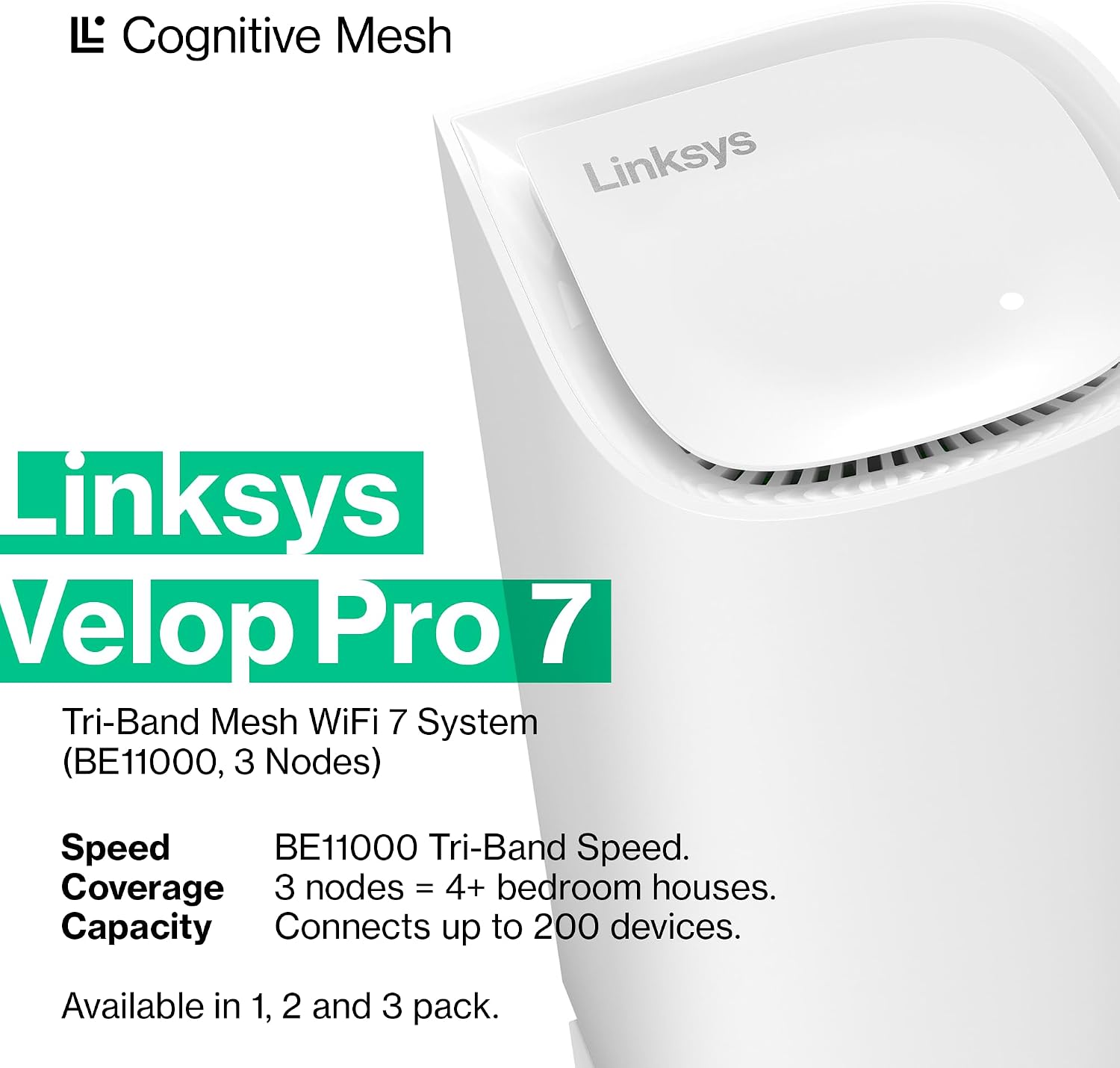
Figure 4: A detailed view of the rear of a Velop Pro 7 node, displaying its four Gigabit LAN ports, one 2.5 Gigabit WAN port, and power input. Accompanying text lists technical specifications including WiFi Range (up to 3,000 sq ft per node), WiFi Bands (2.4 GHz, 5 GHz, & 6 GHz), Security (WPA2/WPA3), Processor (1.5GHz Quad-core A73), and Technology Protocols (IPv4, IPv6).
| Feature | Detail |
|---|---|
| Brand | Linksys |
| Model Name | Velop Pro 7 |
| Model Number | MBE7003-AMZ |
| Wi-Fi Generation | Wi-Fi 7 (802.11be) |
| Frequency Band Class | Tri-Band (2.4GHz, 5GHz, 6GHz) |
| Data Transfer Rate | Up to 11000 Mbps (combined) |
| Coverage | Up to 9,000 sq. ft. (3-pack) |
| Number of Devices | Connects 200+ devices |
| Ports | 1x 2.5 GbE WAN port, 4x 1 GbE LAN ports |
| Security Protocol | WPA3 |
| Control Method | Linksys App |
| Special Features | Cognitive Mesh, Guest Mode, Parental Controls |
| Dimensions (L x W x H) | 3.74"L x 3.74"W x 8.74"H |
| Item Weight | 16 ounces |
| UPC | 745883872626 |
8. Warranty and Support
8.1 Warranty Information
The Linksys Velop Pro 7 WiFi Mesh System comes with an extended 3.5 Year Warranty from the date of purchase. Please retain your proof of purchase for warranty claims.
8.2 Customer Support
For any questions, technical assistance, or troubleshooting beyond this manual, Linksys offers 24/7 Tech Support.
- Phone Support (US): +1-800-326-7114
- Online Support: Visit the official Linksys support website for FAQs, knowledge base articles, and further assistance.