
1. Introduction
Thank you for choosing the FLYLINKTECH JF-H-40DC 2-in-1 Folding Treadmill. This manual provides essential information for the safe and efficient operation, maintenance, and care of your new treadmill. Please read this manual thoroughly before first use and keep it for future reference.
The FLYLINKTECH JF-H-40DC is a versatile fitness machine designed for both high-speed running and under-desk walking, making it suitable for various environments including homes, apartments, and offices. Its compact, foldable design ensures easy storage and portability.
2. Product Overview and Features
The FLYLINKTECH JF-H-40DC treadmill offers a range of features to enhance your workout experience:
- 2-in-1 Design: Functions as a traditional running treadmill and an under-desk walking pad.
- Powerful 2.25 HP Motor: Provides quiet and consistent performance for both walking and running.
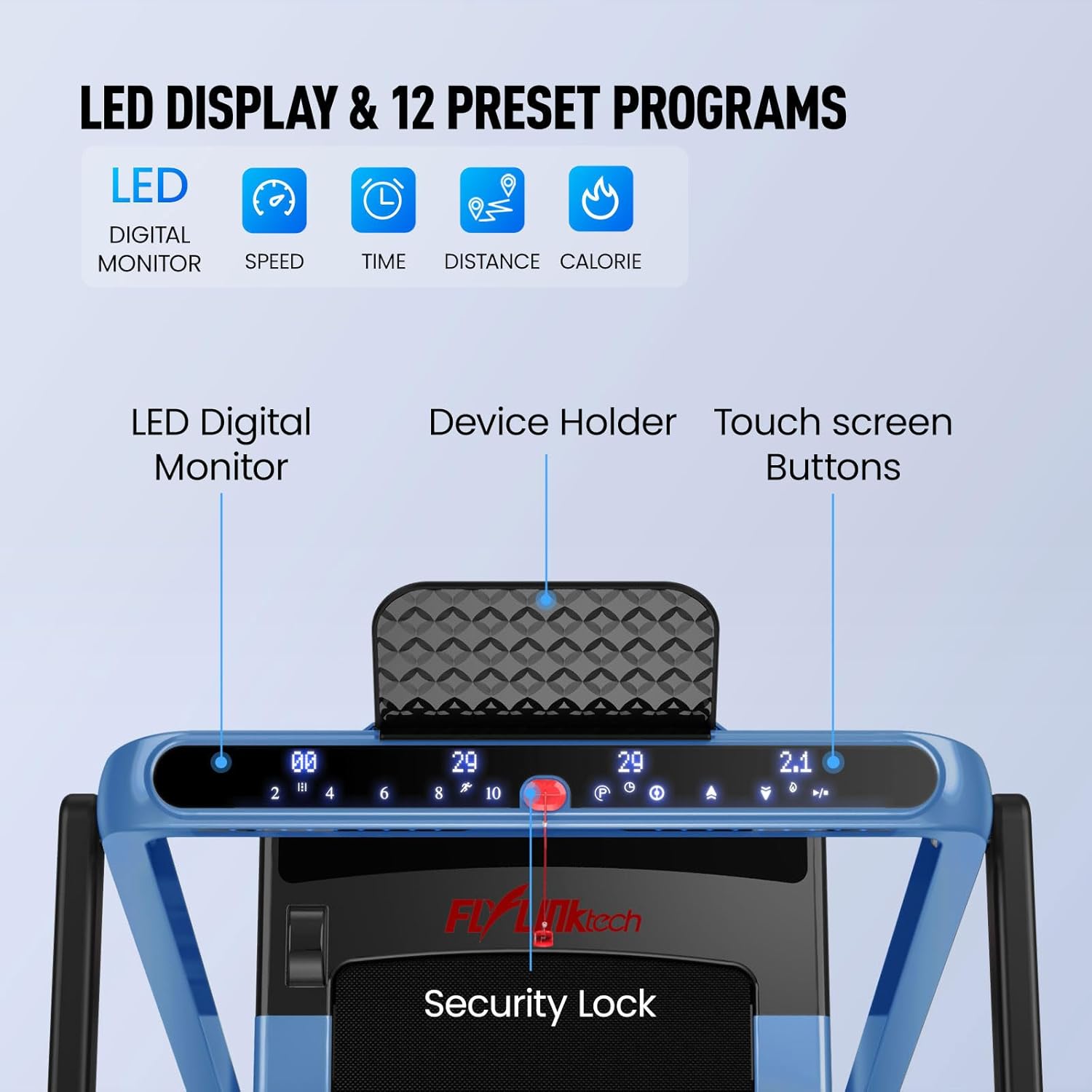
- LED Digital Monitor: Displays key workout data including speed, time, distance, and calories burned.
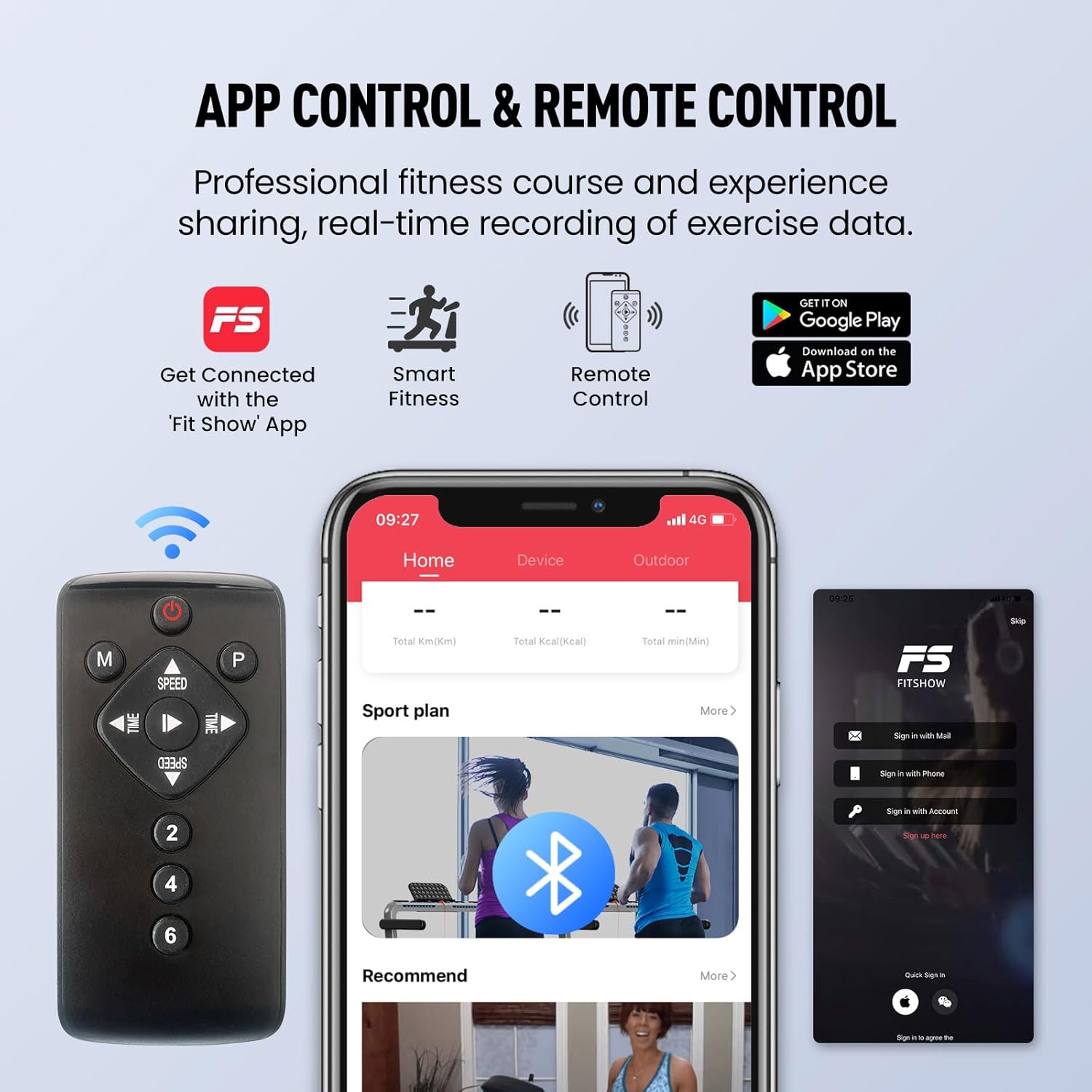
- App & Remote Control: Conveniently adjust settings and track progress via a smart app or the included remote control.
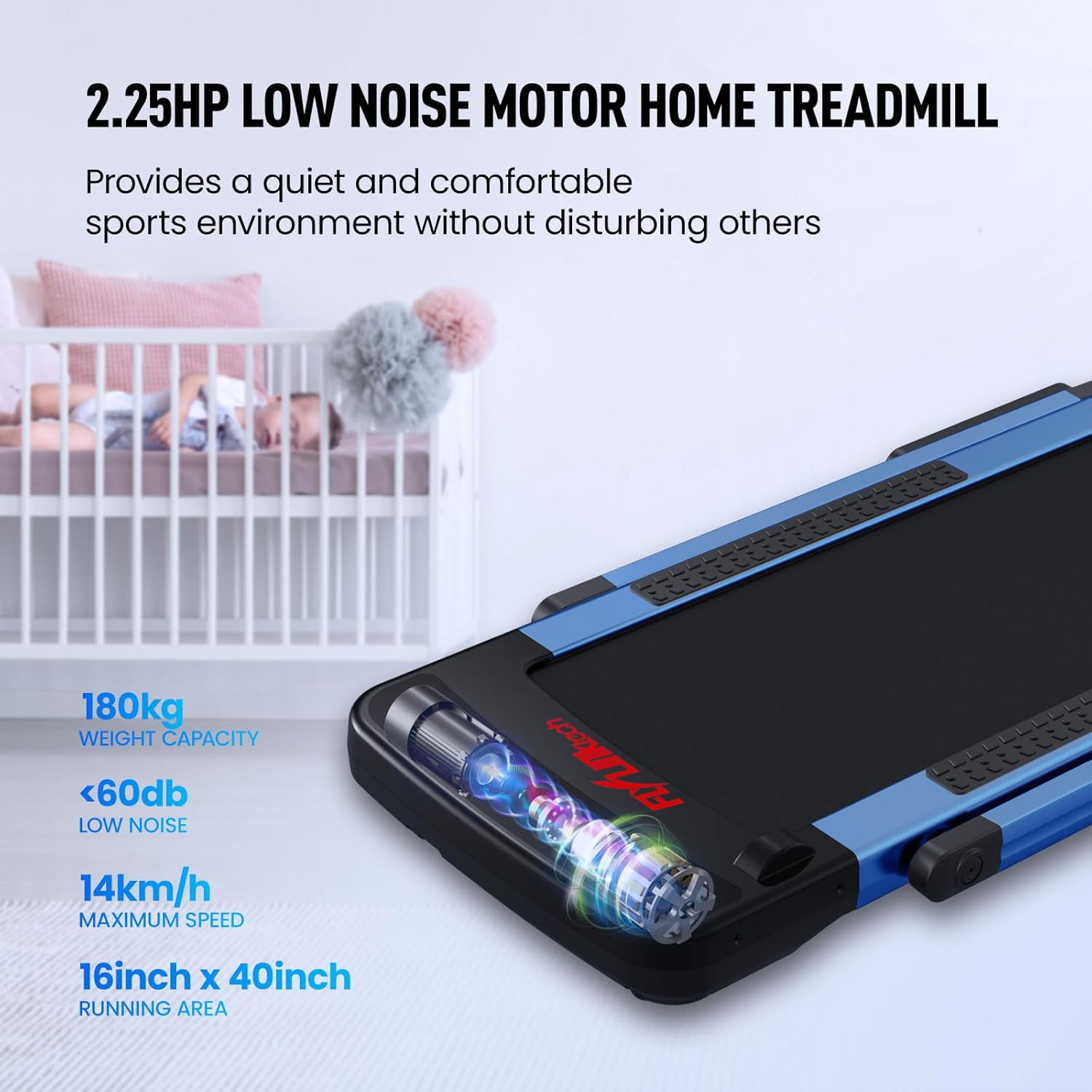
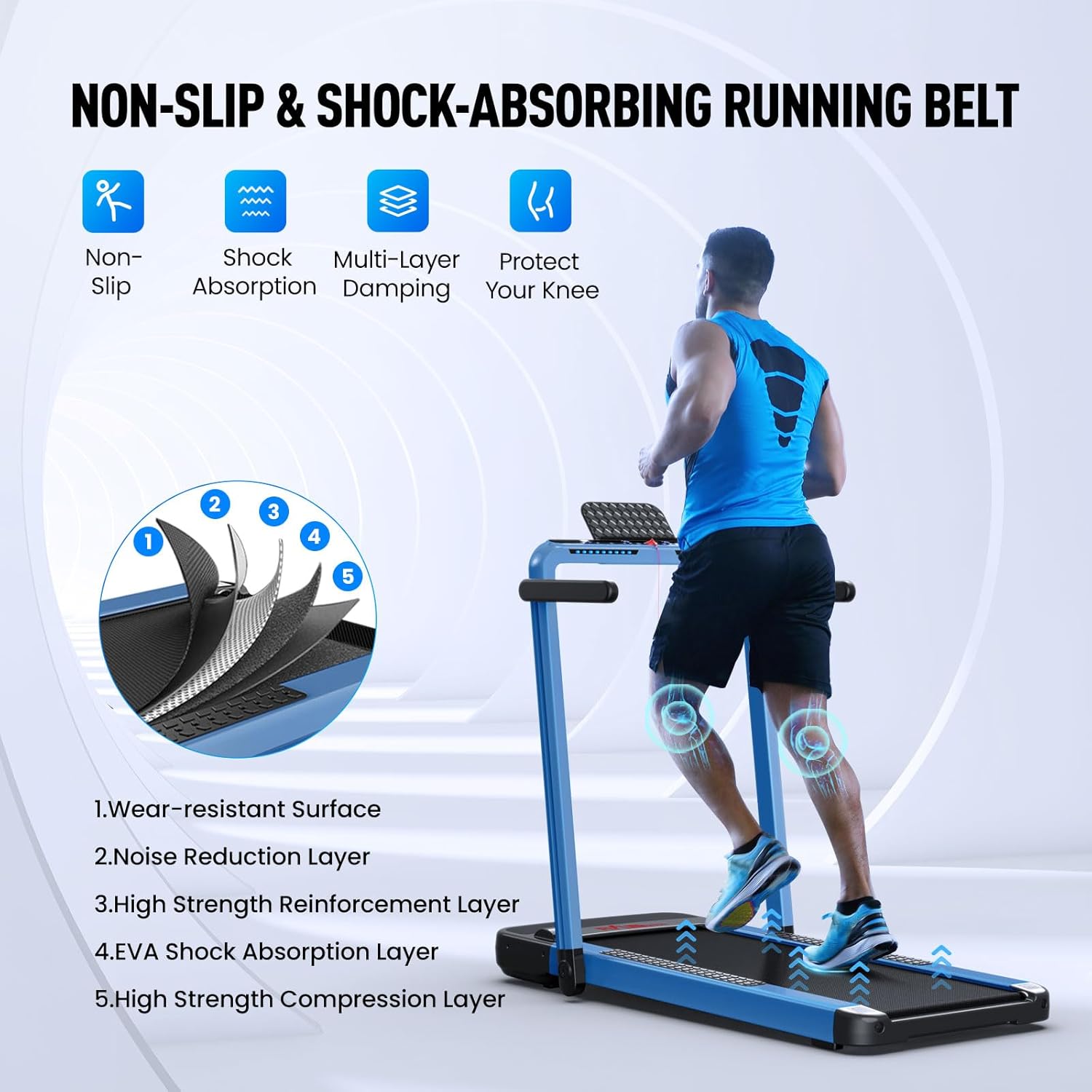
- 5-Layer Shock-Absorbing Running Belt: Designed for comfort and joint protection during exercise.
- 12 Preset Programs: Offers varied workout routines to simulate different terrains.
- No Assembly Required: Ready to use directly out of the box.
- Compact Folding Design: Easy to move and store, saving space.
Product Modes
The treadmill supports two primary modes:
- Walking Mode: Speed range of 0.6 – 2.5 MPH (1 – 4 Km/H). Ideal for light exercise or use while working.
- Running Mode: Speed range of 2.5 – 8.7 MPH (4 – 14 Km/H). Suitable for more intense cardio workouts.

Control Panel and Display
The integrated LED digital monitor provides real-time feedback on your workout.
Running Belt Technology
The treadmill features a multi-layer running belt designed for optimal performance and user comfort.
3. Setup
The FLYLINKTECH JF-H-40DC treadmill requires no assembly. It is designed for immediate use upon unboxing.
Unfolding and Placement
- Carefully remove the treadmill from its packaging.
- Place the treadmill on a flat, stable surface. Ensure there is adequate clear space around the treadmill for safe operation (at least 2 meters behind and 0.6 meters on each side).
- Unfold the treadmill according to the quick start guide included in the box.
- Connect the power cord to a grounded electrical outlet.
Space-Saving Design
The treadmill's compact folding design allows for easy storage, such as under a couch.

4. Operating Instructions
Operating your FLYLINKTECH JF-H-40DC treadmill is straightforward.
Starting a Workout
- Ensure the treadmill is plugged in and the safety key is properly attached.
- Press the power button on the control panel or remote control to turn on the treadmill.
- Select your desired mode (walking or running) and adjust the speed using the controls.
- Begin your workout.
Using the Remote Control and Smart App
The treadmill can be controlled via a remote control or a dedicated smart application.
- Remote Control: Use the remote to adjust speed, start/stop the treadmill, and select preset programs.
- Smart App: Download the "Fit Show" app (available on Google Play and App Store) to connect to your treadmill via Bluetooth. The app allows you to record exercise data, access professional fitness courses, and interact with other users.
Preset Programs
The treadmill includes 12 preset programs that simulate various natural terrains, offering diverse workout options. Refer to the quick start guide for details on how to select and use these programs.
5. Maintenance
Regular maintenance ensures the longevity and optimal performance of your treadmill.
Cleaning
- Always unplug the treadmill before cleaning.
- Wipe down the console and other surfaces with a soft, damp cloth. Avoid using abrasive cleaners or solvents.
- Regularly vacuum or wipe the area around the treadmill to prevent dust and debris from accumulating under the belt.
Belt Lubrication
The running belt may require periodic lubrication to maintain smooth operation. Refer to the quick start guide for specific instructions on how and when to lubricate the belt. Use only approved treadmill lubricant.
Belt Adjustment
If the running belt becomes misaligned or too loose/tight, it may need adjustment. Consult the quick start guide for detailed instructions on how to adjust the belt tension and alignment.
6. Specifications
| Specification | Detail |
|---|---|
| Model Number | JF-H-40DC |
| Brand | FLYLINKTECH |
| Color | Silver |
| Material | Alloy Steel |
| Motor Power | 2.25 HP |
| Maximum Speed | 12 Miles/Hour (Note: Running mode typically reaches up to 8.7 MPH / 14 Km/H as indicated in product features.) |
| Weight Capacity | 380 Pounds (Note: Also stated as 180 kg / 370 pounds in product features.) |
| Product Dimensions (L x W x H) | 141.99 x 73.66 x 14.73 cm (approx. 55.9 x 29 x 5.8 inches) |
| Product Weight | 32.88 kg (approx. 72.5 lbs) |
| Running Area | 40 inches x 16 inches |
| Target Audience | Adult |
7. Warranty and Support
The FLYLINKTECH JF-H-40DC treadmill comes with a 12-month warranty.
For any questions, concerns, or support needs regarding your product, please contact our customer support team. We aim to respond to all inquiries within 24 hours.
Please refer to your purchase documentation for specific contact details or visit the official FLYLINKTECH website for further assistance.