
Introduction
This manual provides detailed instructions for the setup, operation, and maintenance of your Armitron Sport Men's Digital Chronograph Watch, model 40/8309. Please read this manual thoroughly to ensure proper use and to maximize the functionality of your watch.
Key features of your watch include:
- Digital time display with seconds, day, and date.
- Chronograph (stopwatch) with lap time function.
- Daily alarm.
- Dual time zone display.
- Military time (24-hour) option.
- Electroluminescent (EL) backlight for low-light conditions.
- Water resistance up to 100 meters (330 feet).
Product Overview
Familiarize yourself with the buttons and display areas of your watch.

Image 1: Front View of Watch. This image displays the watch face, showing the digital time, date, and various function indicators. The four control buttons are visible around the bezel.
Button Functions:
- MODE Button (Bottom Left): Used to cycle through different watch modes (Time, Chronograph, Alarm, Dual Time).
- EL Button (Bottom Right): Activates the electroluminescent backlight.
- ST/STP Button (Top Right): Used to start/stop functions in Chronograph mode and adjust settings in setting modes.
- RESET Button (Top Left): Used to reset functions in Chronograph mode and select items in setting modes.

Image 2: Side View of Watch. This image shows the profile of the watch, highlighting the resin case and the textured buttons on the side.
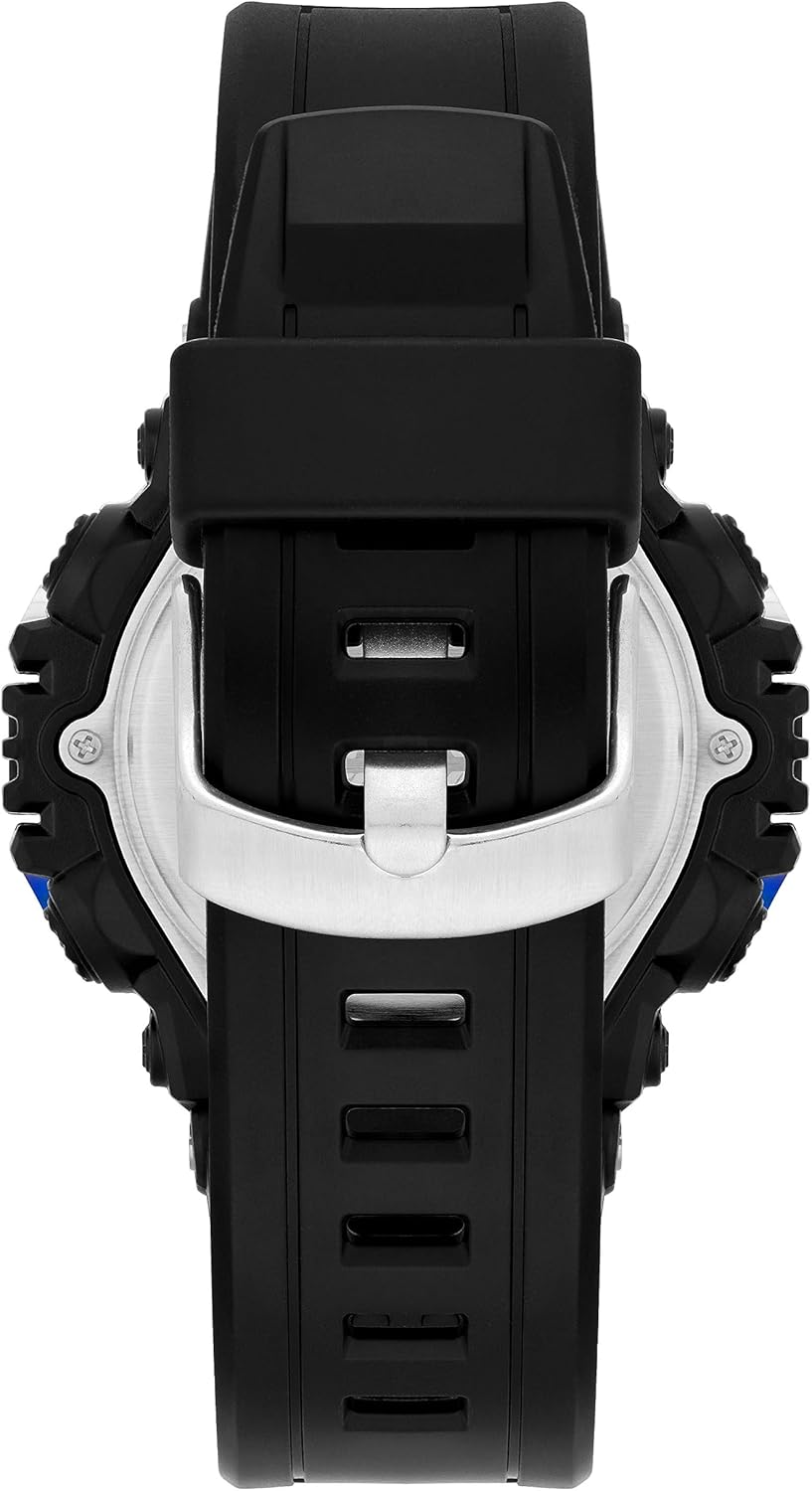
Image 3: Back View of Watch. This image displays the back of the watch case and the resin strap with its stainless steel buckle closure.
Setup
1. Initial Activation
Your watch is typically ready for use upon purchase. If the display is blank, it may require a battery replacement (refer to the Maintenance section) or activation by removing a plastic battery tab, if present. If a tab is present, gently pull it out to activate the battery.
2. Setting Time and Date
- From the normal time display, press the MODE button repeatedly until the seconds begin to flash. This indicates you are in time setting mode.
- Press the RESET button to cycle through the setting options: seconds → hour → minute → month → date → day of week.
- While the desired item is flashing, press the ST/STP button to adjust the value. Hold the ST/STP button to advance values quickly.
- To switch between 12-hour and 24-hour (military) time format, adjust the hour setting past 12 or 24. An "A" or "P" indicator will appear for 12-hour format.
- Once all settings are correct, press the MODE button to exit the setting mode and return to the normal time display.
Operating Instructions
1. Mode Navigation
Press the MODE button to cycle through the watch's functions in the following order:
Normal Time → Chronograph → Alarm → Dual Time → Normal Time
2. Chronograph (Stopwatch)
The chronograph measures elapsed time. It can also record lap times.
- Press the MODE button until "CHRONO" or "STW" appears on the display.
- Press the ST/STP button to start the chronograph.
- To record a lap time, press the RESET button while the chronograph is running. The lap time will display briefly, and the chronograph will continue running in the background. Press RESET again to return to the running chronograph display.
- Press the ST/STP button again to stop the chronograph.
- Press the RESET button to clear the chronograph to zero.
3. Alarm Setting
Your watch features a daily alarm.
- Press the MODE button until "ALARM" or "AL" appears on the display.
- Press the RESET button to select the hour or minute setting. The selected digit will flash.
- Press the ST/STP button to adjust the flashing hour or minute. Hold to advance quickly.
- Once the desired alarm time is set, press the MODE button to exit.
- To activate or deactivate the alarm, press the ST/STP button while in Alarm mode (without any digits flashing). An alarm icon will appear or disappear to indicate its status.
4. Dual Time
The dual time function allows you to track a second time zone.
- Press the MODE button until "DUAL TIME" or "DT" appears on the display.
- Press the RESET button to select the hour or minute setting. The selected digit will flash.
- Press the ST/STP button to adjust the flashing hour or minute. Hold to advance quickly.
- Once the dual time is set, press the MODE button to exit.
5. Backlight (EL)
To illuminate the display in low-light conditions, press the EL button (bottom right). The backlight will remain on for a few seconds.
Maintenance
1. Battery Replacement
The watch uses one product-specific battery (included). When the display becomes dim or functions become erratic, it is time to replace the battery. It is recommended to have the battery replaced by a qualified watch technician to ensure proper sealing and water resistance.
2. Water Resistance
Your Armitron Sport watch is water resistant to 100 meters (330 feet). This means it is suitable for showering, swimming, and snorkeling. However, it is important to:
- DO NOT operate any buttons while the watch is submerged in water.
- Ensure the watch is completely dry before operating buttons after exposure to water.
- Avoid exposing the watch to extreme temperature changes, which can affect the water seals.
3. Cleaning
To clean your watch, wipe it with a soft, damp cloth. Avoid using harsh chemicals or abrasive materials, which can damage the case or strap.
Troubleshooting
| Problem | Possible Cause | Solution |
|---|---|---|
| Display is blank or dim. | Low or dead battery. | Replace the battery. See "Battery Replacement" in Maintenance. |
| Time is incorrect. | Time not set correctly or reset accidentally. | Re-set the time and date. See "Setting Time and Date" in Setup. |
| Buttons are unresponsive. | Watch may be wet, or internal issue. | Ensure watch is dry. If problem persists, contact customer support. |
| Water inside the display. | Water resistance compromised. | Stop using the watch immediately and seek professional repair to prevent further damage. |
Specifications
- Model Number: 40/8309
- Display Type: Digital LCD
- Functions: Chronograph, Lap Time, Alarm, Dual Time, Military Time, Backlight (EL)
- Water Resistance: 100 meters (330 feet)
- Case Material: Resin
- Strap Material: Resin
- Buckle: Stainless Steel
- Battery: 1 Product Specific battery (included)
- Manufacturer: Armitron Sport
Warranty and Support
For warranty information or technical support, please refer to the documentation included with your purchase or visit the official Armitron website. Keep your proof of purchase for warranty claims.
For general inquiries or assistance, you may contact Armitron customer service.


