
Introduction
This instruction manual provides essential information for the safe and effective use of your Hercules 12" Foam Rubber Cutter Kit, Model 1575H. This heavy-duty cutting tool is designed for fast, production cutting of various densities of foam rubber and flexible plastic foams. Please read this manual thoroughly before operation to ensure proper setup, usage, and maintenance.

Image: The Hercules 12" Foam Rubber Cutter Kit, Model 1575H, illustrating all components included in the package.
Safety Information
Always prioritize safety when operating power tools. Failure to follow these instructions may result in serious injury or property damage.
- Read All Instructions: Before using the tool, read and understand all safety warnings and instructions provided in this manual.
- Wear Eye Protection: Always wear ANSI-approved safety goggles or safety glasses with side shields.
- Wear Hand Protection: Use appropriate gloves to protect hands from sharp blades.
- Keep Work Area Clean: Cluttered work areas invite accidents. Ensure your workspace is well-lit and free of obstructions.
- Secure Workpiece: Always secure the material being cut to prevent movement during operation.
- Avoid Accidental Starting: Ensure the switch is in the OFF position before plugging in the tool.
- Do Not Overreach: Maintain proper footing and balance at all times.
- Disconnect Power: Always disconnect the tool from the power source before making any adjustments, changing accessories, or storing the tool.
- Inspect Tool Before Use: Check for damaged parts, misalignment, or any other condition that may affect its operation. Do not use if damaged.
- Use Correct Blades: Only use Hercules-approved 12-inch blade pairs designed for this model.
- Keep Children Away: Do not allow children or untrained persons to operate this tool.
Package Contents
Your Hercules 12" Foam Rubber Cutter Kit (Model 1575H) includes the following components:
- 1x Hercules 1575H Foam Rubber Cutter Unit
- 1x 12-inch Blade Guide
- 1x 12-inch Blade Pair (2 blades)
- 1x Cutting Footplate

Image: The main Hercules 1575H Foam Rubber Cutter unit, showing the motor housing and power cord.
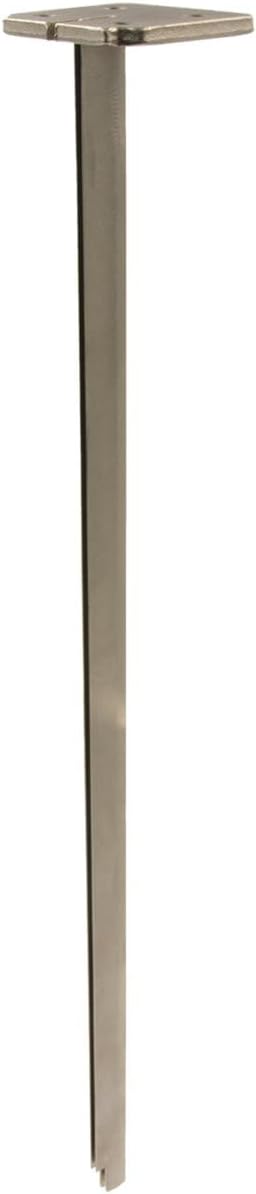
Image: The 12-inch blade guide, a component that helps stabilize the blades during cutting.

Image: The 12-inch blade pair, featuring serrated edges for effective foam cutting.

Image: The cutting footplate, made of aluminum with brass wheels, designed to glide smoothly over the work surface.
Setup Instructions
Follow these steps to properly assemble your Hercules Foam Rubber Cutter:
- Unpack Components: Carefully remove all components from the packaging and inspect them for any damage.
- Install Blade Guide:
- Locate the blade guide slot on the front of the cutter unit.
- Slide the 12-inch blade guide into this slot until it is securely seated. Ensure it is aligned correctly.
- Install Blade Pair:
- With the blade guide in place, insert the two 12-inch blades into the guide. The tool-free blade change system allows for quick installation.
- Ensure the blades are properly engaged with the reciprocating mechanism inside the cutter unit. The blades should move freely when manually actuated.
- Caution: Blades are extremely sharp. Handle with care.
- Attach Footplate:
- Align the cutting footplate with the bottom of the blade guide and the cutter unit.
- Secure the footplate using the provided fasteners (if any, typically screws or quick-release mechanisms). Ensure it is firmly attached and does not wobble. The brass wheels should be facing down.
- Power Connection: Plug the power cord into a standard electrical outlet. Ensure the power switch on the tool is in the OFF position before plugging it in.

Image: Side view of the assembled Hercules foam cutter, showing the blade guide and blades in position.
Operating Instructions
This section details the proper procedure for operating your foam rubber cutter to achieve precise and efficient cuts.
- Prepare Workpiece: Place the foam rubber or flexible plastic foam on a stable, flat, and clean work surface. Mark your desired cut line clearly.
- Position the Cutter: Place the footplate of the cutter onto the foam, aligning the blades with your marked cut line. The brass wheels on the footplate are designed to roll effortlessly, ensuring accuracy and preventing surface damage.
- Start Cutting:
- Ensure your hands are clear of the blades.
- Press the power switch to turn on the cutter. The twin counter-reciprocating blade action will begin.
- Gently guide the cutter along the marked line. Apply steady, even pressure. Do not force the tool; allow the blades to do the work.
- The counter-reciprocating action minimizes vibration and noise while providing a clean, precise cut through various foam densities.
- Maintain Control: Keep a firm grip on the tool's handle. The ergonomic design helps maintain control during extended use.
- Complete the Cut: Continue guiding the cutter until the cut is complete.
- Turn Off Tool: Release the power switch to turn off the cutter. Wait for the blades to come to a complete stop before setting the tool down or performing any adjustments.
- Unplug: Always unplug the tool from the power source after use.
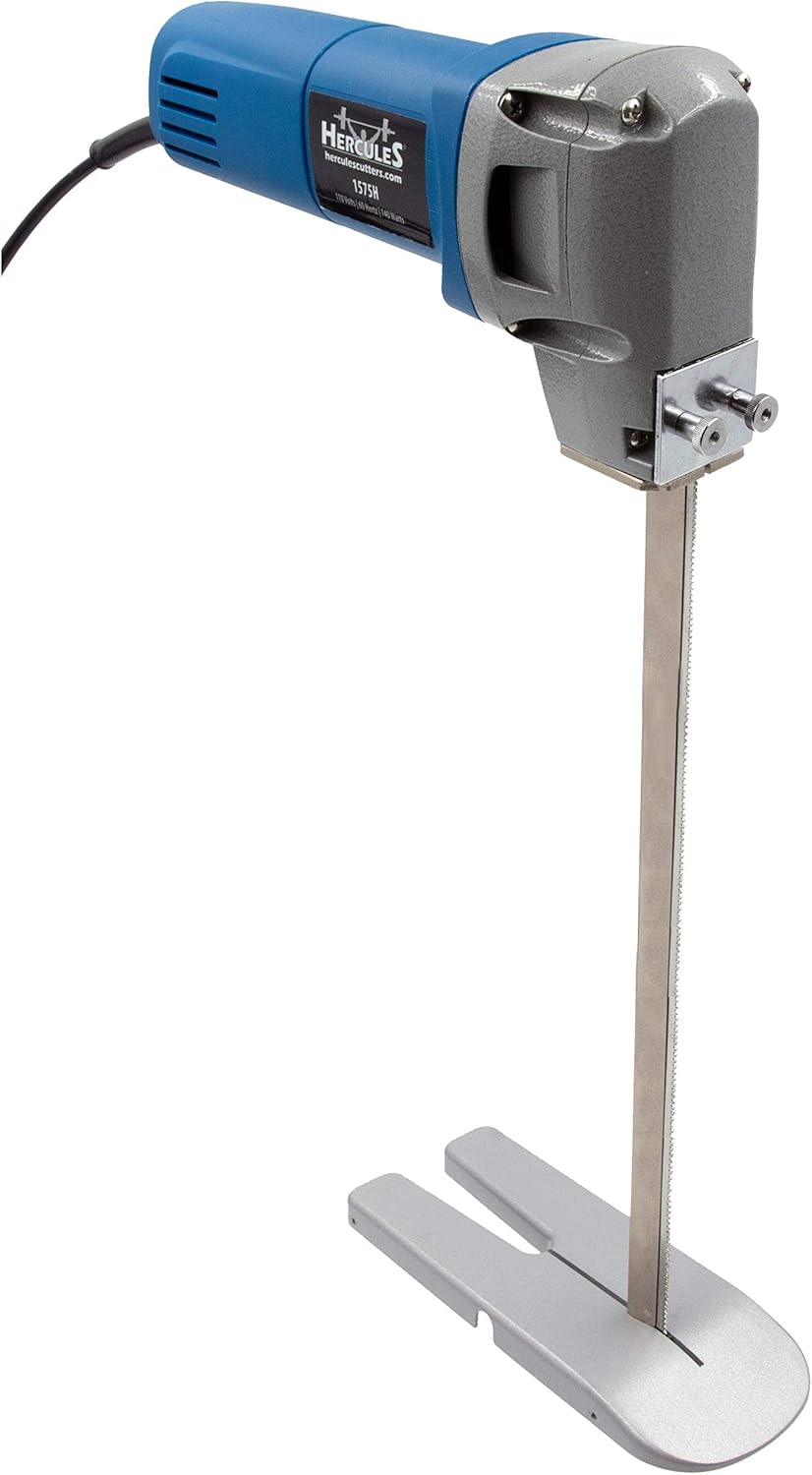
Image: An angled view of the Hercules foam cutter, demonstrating its design for ease of use during cutting operations.
Maintenance
Regular maintenance ensures the longevity and optimal performance of your Hercules Foam Rubber Cutter.
- Cleaning: After each use, unplug the tool and use a soft brush or compressed air to remove foam dust and debris from the blades, blade guide, and motor vents. Do not use solvents or harsh chemicals.
- Blade Inspection: Regularly inspect the blades for wear, dullness, or damage. Dull blades can lead to poor cut quality and increased strain on the motor. Replace worn blades promptly using the tool-free blade change system.
- Blade Lubrication: Periodically apply a small amount of dry lubricant (e.g., silicone spray) to the reciprocating mechanism and blade guide to ensure smooth operation. Avoid oil-based lubricants that can attract dust.
- Cord Inspection: Check the power cord for any cuts, fraying, or damage. If the cord is damaged, have it replaced by a qualified service technician.
- Storage: Store the cutter in a clean, dry place, out of reach of children. Ensure the blades are protected to prevent accidental injury or damage.
Troubleshooting
If you encounter issues with your Hercules Foam Rubber Cutter, refer to the following common problems and solutions:
| Problem | Possible Cause | Solution |
|---|---|---|
| Cutter does not start. |
|
|
| Poor cut quality or rough edges. |
|
|
| Excessive vibration or noise. |
|
|
| Footplate dragging or scratching surface. |
|
|
Specifications
Key technical specifications for the Hercules 12" Foam Rubber Cutter Kit, Model 1575H:
- Model: 1575H
- Brand: Hercules
- Material: Metal (Tool Body), High Strength Steel (Blades), Aluminum/Rubber (Handle), Aluminum (Footplate)
- Blade Length: 12 Inches
- Item Weight: Approximately 5.4 pounds
- Color: Blue (Tool Body)
- Power Source: Corded Electric (Batteries Not Included/Required)
- UPC: 850054307125
- Part Number: AMZ1073
Warranty & Support
For warranty information, technical support, or to purchase replacement parts, please contact Hercules customer service. Keep your purchase receipt as proof of purchase.
Contact Information: Please refer to the contact details provided with your product packaging or visit the official Hercules website for the most up-to-date support information.
Note: The manufacturer reserves the right to make changes to product design and specifications without prior notice.