Introduction
This manual provides detailed instructions for the installation, operation, and maintenance of your COOSPO BK9 Bike Cadence and Speed Sensor. The BK9 sensor set includes both a speed sensor (BK9S) and a cadence sensor (BK9C), designed to track your cycling data with high accuracy and transmit it via Bluetooth 5.0 and ANT+ to compatible devices and applications.

Image: The COOSPO BK9 set, showing both the cadence and speed sensors side-by-side.
Setup and Installation
The COOSPO BK9 sensors are designed for easy, magnet-free installation. Each sensor can be mounted to specific parts of your bicycle using the included mounts.
1. Cadence Sensor (BK9C) Installation
- Attach the cadence sensor to the crank arm of your bicycle.
- Ensure the sensor is securely fastened using the provided silicone ring or field buckle.
- The sensor should be positioned to detect crank rotations accurately.
2. Speed Sensor (BK9S) Installation
- Mount the speed sensor to the wheel hub of either the front or rear wheel.
- Use the provided silicone ring or field buckle to ensure a firm attachment.
- Verify that the sensor is stable and does not interfere with wheel rotation.

Image: Step-by-step guide for installing the cadence sensor on a bicycle crank arm.

Image: Step-by-step guide for installing the speed sensor on a bicycle wheel hub.
3. Pairing with Devices and Apps
The BK9 sensors support both Bluetooth 5.0 and ANT+ connectivity, allowing them to pair with a wide range of cycling computers, smartwatches, and fitness applications.
- Activation: Rotate the sensor (e.g., spin the wheel for speed, pedal for cadence) to wake it up before pairing.
- Smartphone Apps:
- Ensure Bluetooth is enabled on your smartphone.
- Open your preferred cycling app (e.g., CoospoRide, Rouvy, Peloton, Wahoo, Zwift).
- Navigate to the sensor pairing section within the app.
- Select the detected COOSPO sensor(s) from the list and confirm pairing.
- Note: Some apps, like Wahoo, may not allow simultaneous pairing of two sensors from other brands.
- GPS Bike Computers:
- Refer to your bike computer's manual for specific sensor pairing instructions.
- Typically, you will access the sensor menu, search for new sensors, and select the COOSPO BK9.

Image: Visual guide demonstrating the correct method for connecting COOSPO BK9 sensors to smartphone applications, highlighting the importance of activating the sensor and pairing within the app.

Image: The COOSPO BK9 sensors displayed alongside a smartphone screen showing compatibility with various fitness applications like CoospoRide, Rouvy, Peloton, Wahoo, and Zwift.

Image: The COOSPO BK9 sensors shown with two different GPS bike computers, illustrating their compatibility for displaying cycling data.
Operation
Once installed and paired, the COOSPO BK9 sensors automatically begin tracking and transmitting your cycling data.
- Speed Sensor (BK9S): Provides real-time cycling speed data with an accuracy of ±0.1 km/h. This data is displayed on your connected bike computer or cycling application.
- Cadence Sensor (BK9C): Provides real-time cycling cadence (revolutions per minute, RPM) data with an accuracy of ±1 rpm. Monitoring cadence can help improve cycling efficiency and endurance.
- The sensors utilize built-in dual meters (accelerometer and geomagnetometer) for enhanced precision and stability without requiring magnets.

Image: A cyclist on a road bike with an overlay showing real-time speed and cadence data graphs, illustrating how the sensors measure and display performance metrics.
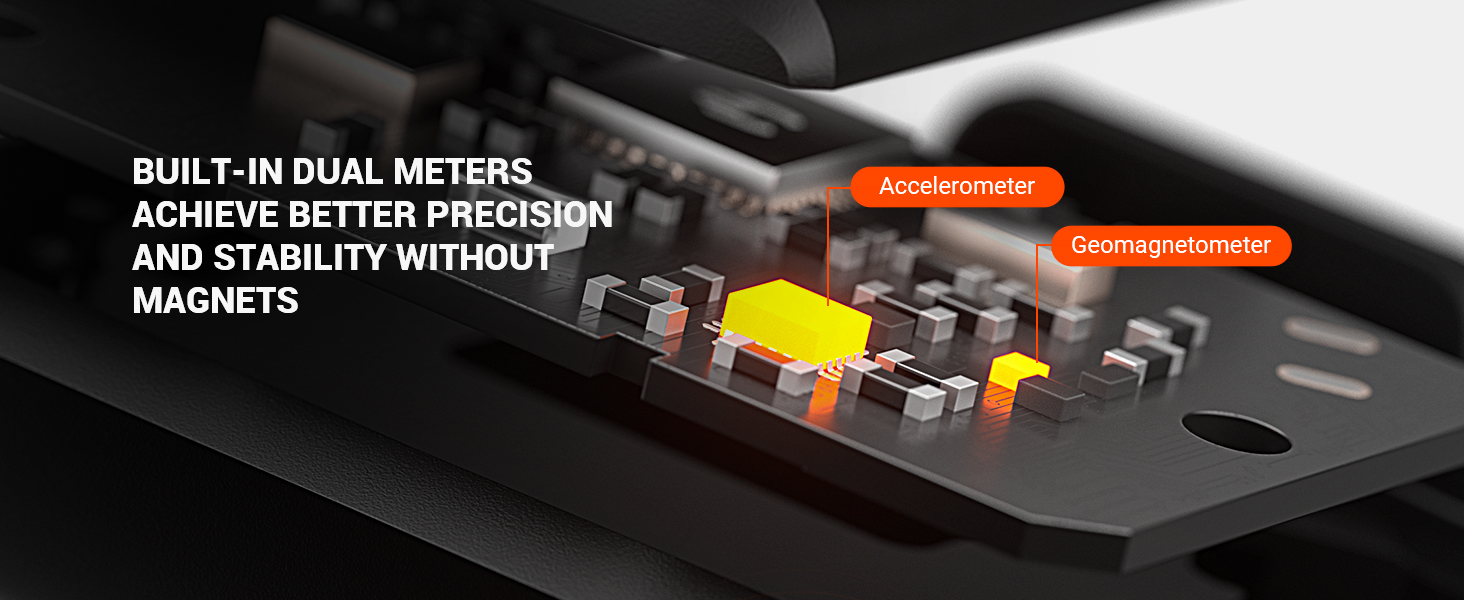
Image: A close-up diagram of the sensor's internal circuit board, highlighting the accelerometer and geomagnetometer, which contribute to precise and stable measurements without magnets.
Maintenance
Battery Replacement
The COOSPO BK9 sensors feature a tool-free battery replacement design for convenience. The sensors use a standard CR2032 coin cell battery, offering approximately 300 hours of battery life.
- To replace the battery, twist the sensor cover counter-clockwise to open.
- Remove the old CR2032 battery and insert a new one with the positive (+) side facing up.
- Align the cover and twist clockwise to secure it.
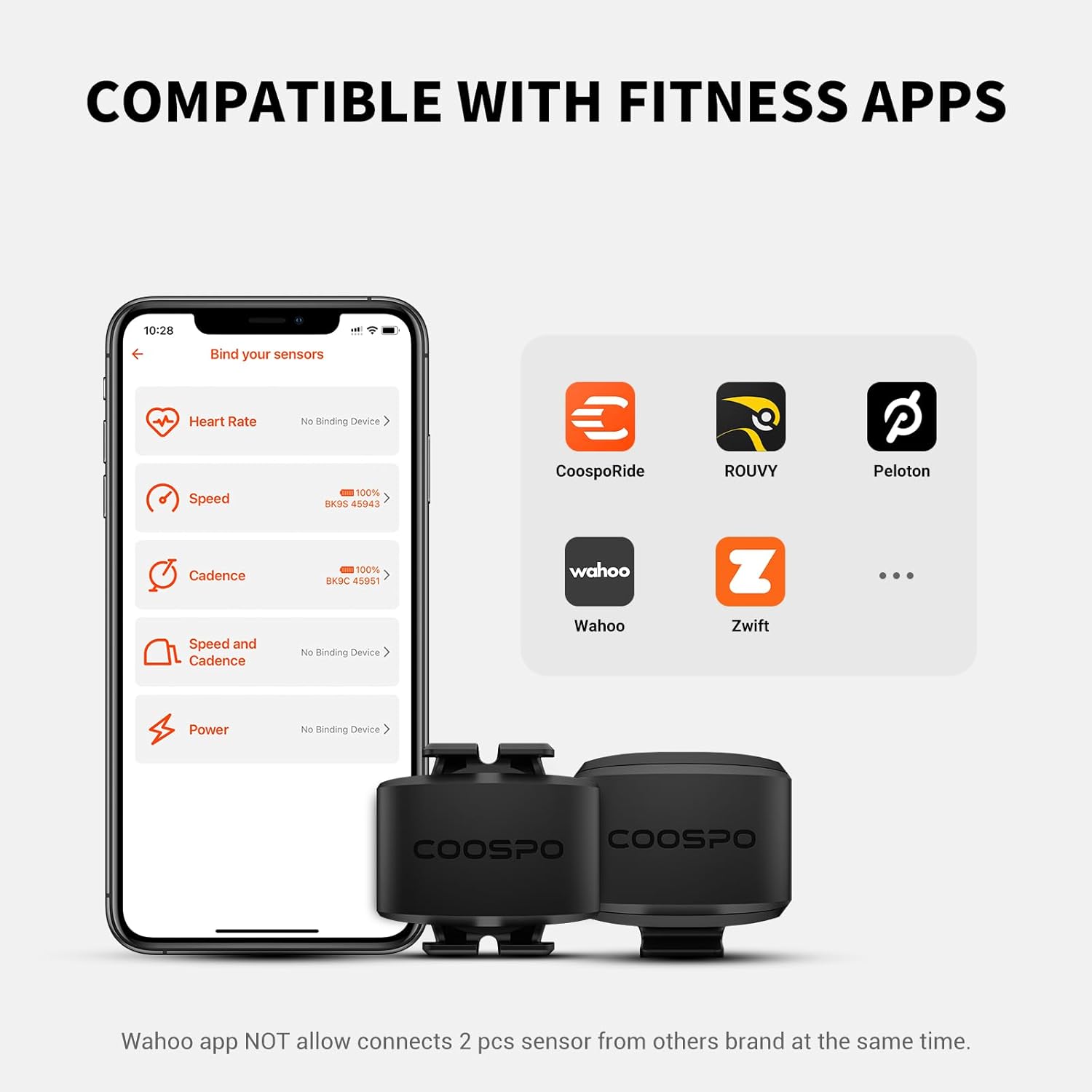
Image: A comparison showing the COOSPO BK9's tool-free battery compartment design versus other sensors that require tools for battery replacement.

Image: The COOSPO BK9 sensors highlighting their long battery life of approximately 300 hours, with an illustration of the CR2032 battery.
Waterproofing
The COOSPO BK9 sensors are rated IP67 waterproof, meaning they are protected against dust and can withstand immersion in water up to 1 meter for 30 minutes. This allows for reliable performance in various weather conditions.
- Avoid prolonged soaking or high-pressure cleaning, as this may compromise the waterproof seal.
- Ensure the battery cover is securely closed after replacement to maintain waterproofing.

Image: The COOSPO BK9 sensors submerged in water, illustrating their IP67 waterproof rating. A note indicates to avoid soaking and high-pressure cleaning.
Troubleshooting
- Sensor Not Detected:
- Ensure the sensor is awake by rotating it (spin wheel for speed, pedal for cadence).
- Check if Bluetooth or ANT+ is enabled on your receiving device.
- Verify the battery is correctly installed and has sufficient charge. Replace if necessary.
- Move the sensor closer to the receiving device during pairing.
- Inaccurate Readings:
- Ensure the sensor is securely mounted and not shifting during activity.
- For speed sensors, confirm the wheel size setting in your cycling app or computer is accurate.
- Interference from other electronic devices can sometimes affect readings. Try moving away from potential sources of interference.
- Connectivity Issues with Wahoo App:
- The Wahoo app may not allow simultaneous pairing of two sensors from other brands. If you are using both a speed and cadence sensor, you might need to use a different compatible app or a GPS bike computer that supports multiple third-party sensor connections.
Specifications
| Feature | Detail |
|---|---|
| Model Name | BK9 (BK9S Speed Sensor, BK9C Cadence Sensor) |
| Brand | CooSpo |
| Connectivity | Bluetooth 5.0, ANT+ |
| Speed Measurement Accuracy | ±0.1 km/h (BK9S) |
| Cadence Measurement Accuracy | ±1 rpm (BK9C) |
| Waterproof Rating | IP67 |
| Battery Type | CR2032 Coin Cell |
| Battery Life | Approx. 300 hours |
| Material | Plastic |
| Item Weight | 0.04 Kilograms |
| Mounting Type | Silicone Ring/Field Buckle |
Warranty Information
The COOSPO BK9 Cadence and Speed Sensor comes with a 12-month warranty from the date of purchase. This warranty covers manufacturing defects under normal use. Please retain your proof of purchase for warranty claims.
The warranty does not cover damage caused by misuse, accidents, unauthorized modifications, or normal wear and tear.
Support
For further assistance, technical support, or inquiries regarding your COOSPO BK9 sensor, please visit the official CooSpo website or contact their customer service department. Refer to the product packaging or the CooSpo website for the most current contact information.
Online Resources: CooSpo Official Store on Amazon


