
Introduction
Thank you for choosing the MAXIMUS LED Flashlight M-FL-025-DU. This manual provides essential information for the safe and effective use, setup, operation, and maintenance of your flashlight. Please read these instructions thoroughly before using the product and retain them for future reference.
The MAXIMUS LED Flashlight is designed for reliability and performance, offering 105 lumens of brightness and a beam distance of up to 42 meters. Its durable aluminum construction and IP20 rating make it suitable for various environments.
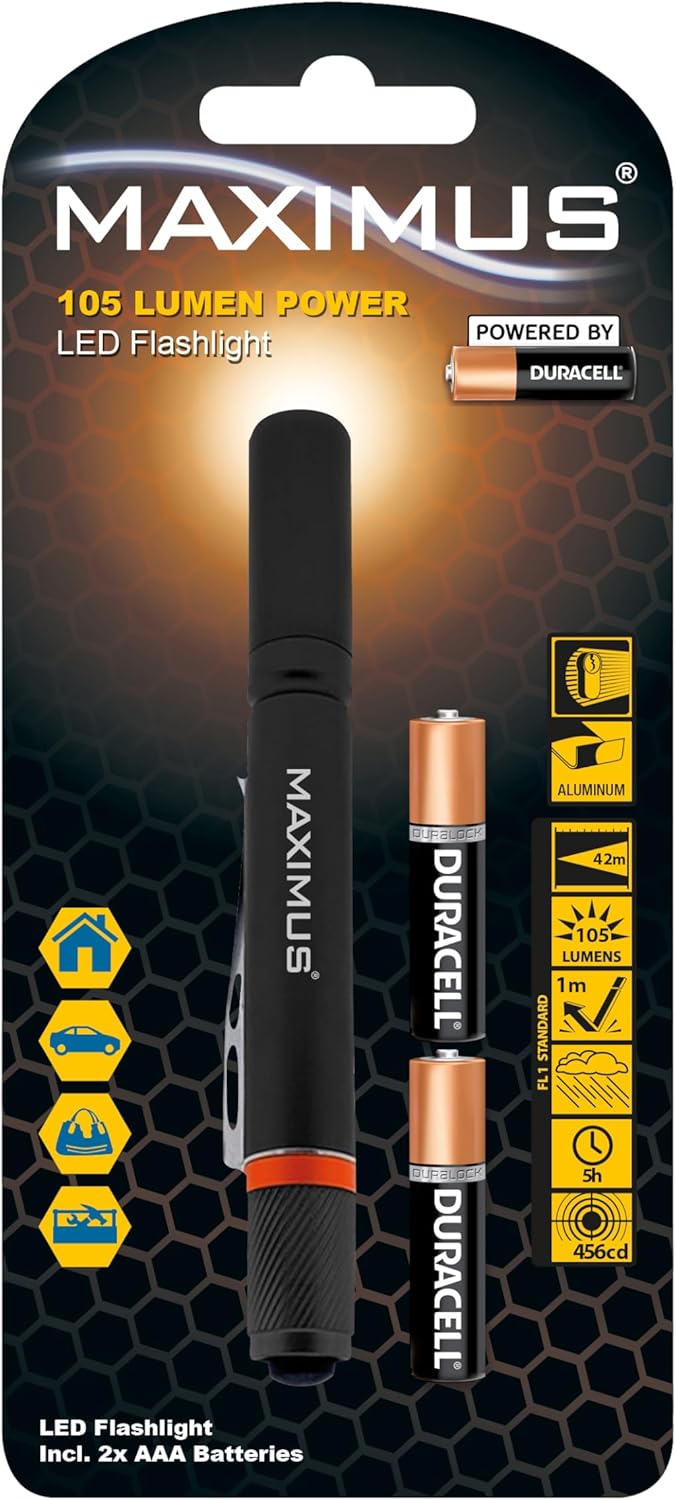
Image: MAXIMUS LED Flashlight M-FL-025-DU in its retail packaging, showcasing key features and design.
Setup
1. Unpacking
- Carefully remove all components from the packaging.
- Verify that all items listed in the "What's in the Box" section are present.
- Retain packaging for future storage or transport.
2. Battery Installation
The MAXIMUS LED Flashlight requires 2 x AAA alkaline batteries (included). Follow these steps to install them:
- Unscrew the tail cap of the flashlight by turning it counter-clockwise.
- Insert two AAA batteries into the battery compartment, ensuring the positive (+) and negative (-) terminals align correctly with the markings inside the flashlight.
- Screw the tail cap back on clockwise until it is securely tightened. Do not overtighten.

Image: Close-up view of the MAXIMUS LED Flashlight, illustrating the body and tail cap for battery access.
Important: Always use fresh batteries of the specified type. Do not mix old and new batteries, or different types of batteries.
Operating Instructions
1. Power On/Off
To turn the flashlight ON, press the button located on the tail cap. To turn the flashlight OFF, press the button again.
2. Lighting Modes
The MAXIMUS LED Flashlight features multiple lighting modes. To cycle through the available modes (e.g., high brightness, energy-saving, strobe, SOS), press the tail cap button repeatedly while the flashlight is on. Each press will advance to the next mode.
- High Brightness: Provides maximum illumination (105 lumens).
- Energy-Saving Mode: Reduces brightness to conserve battery life.
- Strobe/SOS: Flashing modes for signaling or emergency situations.
The flashlight will typically remember the last used mode when turned off and on again, or it may default to high brightness. Refer to practical use for specific mode cycling behavior.
Maintenance
1. Cleaning
- Wipe the flashlight body with a soft, damp cloth.
- Do not use abrasive cleaners or solvents, as these may damage the finish.
- Ensure the lens is clean for optimal light output.
2. Battery Replacement
When the light output diminishes, it is time to replace the batteries. Follow the "Battery Installation" steps in the Setup section to replace the 2 x AAA alkaline batteries.
3. Storage
- If the flashlight will not be used for an extended period, remove the batteries to prevent leakage and potential damage.
- Store the flashlight in a cool, dry place, away from direct sunlight and extreme temperatures.
4. Light Bulb Recycling and Disposal
LEDs are generally long-lasting, but proper disposal is important. For information on recycling and safe disposal of light bulbs and batteries, please consult your local waste management guidelines or recycling centers. Specific information regarding light bulb breakage and clean-up procedures should also be followed according to local regulations.
Troubleshooting
| Problem | Possible Cause | Solution |
|---|---|---|
| Flashlight does not turn on. |
|
|
| Light is dim or flickers. |
|
|
Specifications
| Brand | MAXIMUS |
| Model Number | M-FL-025-DU |
| Light Source Type | LED |
| Luminous Flux | 105 Lumens |
| Beam Distance | Up to 42 meters |
| Power Source | Battery Powered |
| Battery Type | 2 x AAA Alkaline (included) |
| Runtime | Up to 5 hours |
| Material | Aluminium |
| Waterproof Rating | IP20 |
| Product Dimensions | 10.5 x 51.5 x 2.5 cm |
| Item Weight | 80 g |
| Special Features | Adjustable Light Modes |
Warranty Information
This product is covered by a standard manufacturer's warranty. For specific details regarding warranty terms, duration, and claims procedures, please refer to the documentation provided at the time of purchase or contact your retailer. Keep your proof of purchase for warranty validation.
Customer Support
If you encounter any issues or have questions regarding your MAXIMUS LED Flashlight M-FL-025-DU that are not addressed in this manual, please contact the retailer from whom you purchased the product. They will be able to provide assistance or direct you to the appropriate support channels.
For general inquiries about MAXIMUS products, you may also visit the official MAXIMUS website (if available) for further information.
