Introduction
This instruction manual provides detailed guidance for the UGREEN USB to USB C Adapter 2 Pack, Model 35001. This product includes two distinct adapters: one USB C male to USB A female adapter and one USB A male to USB C female adapter. These adapters facilitate seamless connectivity between various USB C and USB A devices, supporting both data transfer and charging functionalities.
Package Contents
- 1x USB C Male to USB A Female Adapter
- 1x USB A Male to USB C Female Adapter
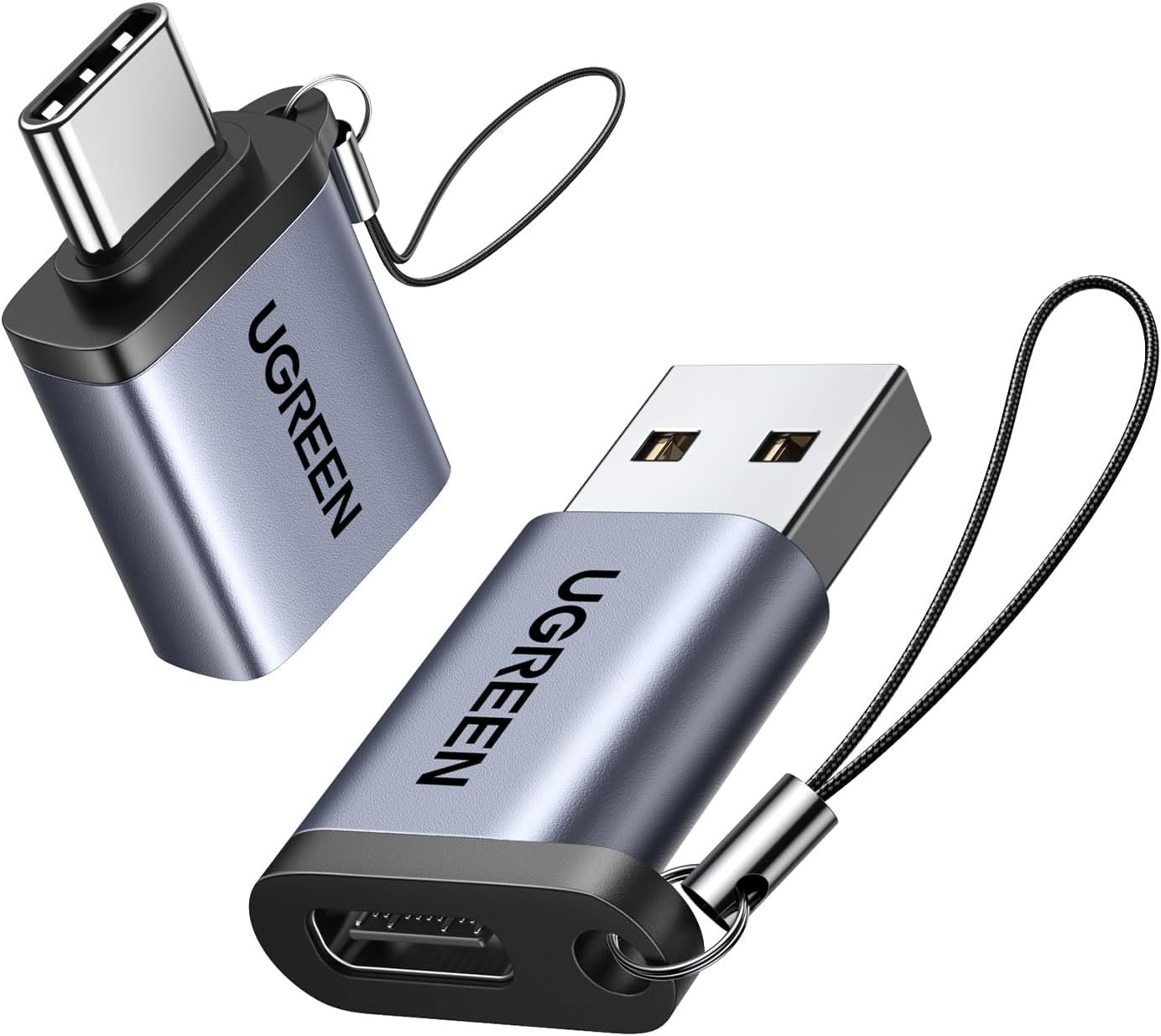
Key Features
- High-Speed Data Transfer & Charging: Supports up to 10Gbps data transfer speed and 3A charging. Backward compatible with USB 3.0 and USB 2.0.
- Enhanced Durability: Constructed from high-quality, scratch-resistant aluminum alloy for excellent wear resistance and heat dissipation. Designed for up to 10,000 plug and unplug cycles.
- Compact and Portable Design: Small size with integrated lanyards for easy attachment to keychains, ensuring they are always accessible and less likely to be lost.
- Wide Compatibility: Connects various USB C/A peripherals to USB C/A laptops, tablets, and smartphones.


Setup and Operation
1. USB C Male to USB A Female Adapter
This adapter allows you to connect USB-C peripherals to devices with standard USB-A ports. Simply plug the USB C male end of the adapter into your USB-A device (e.g., laptop, desktop computer, car charger). Then, connect your USB-C peripheral (e.g., flash drive, mouse, keyboard, external hard drive, printer, card reader, USB-C headphones, charging cable) into the USB A female port of the adapter.

2. USB A Male to USB C Female Adapter
Use this adapter to convert a standard USB-A port into a USB-C port. Plug the USB A male end of the adapter into your USB-A device (e.g., wall charger, car charger, power bank). You can then connect any USB-C cable or device into the USB C female port of the adapter for charging or data transfer. This is particularly useful for upgrading older USB-A chargers to support newer USB-C devices like the Apple MagSafe Watch or iPhone 15.
Compatibility
The UGREEN USB to USB C Adapter 2 Pack offers broad compatibility, allowing you to connect a wide range of devices across different USB standards.
Compatible USB-A Host Devices (for USB C Male to USB A Female Adapter):
- Laptops
- Desktop Computers
- USB Chargers
- Car Chargers
Compatible USB-C Devices (for USB A Male to USB C Female Adapter):
- iPads (e.g., iPad Pro 2022/2021)
- Smartphones (e.g., iPhone 15/15 Pro, Samsung Galaxy S23/S20/S10)
- USB C Sticks
- USB C Hard Drives
- MagSafe Chargers
- Apple Watch Magnetic Chargers (e.g., Watch 9/8/7/SE/Ultra)
- MacBook Pro/Air 2023/2022
- Thunderbolt 4/3 Devices


Important Notes
- Optimal Performance: To achieve the maximum 10Gbps data transfer speed, ensure that both the connected devices and the cable used support 10Gbps transmission. For best results, the connected cable should be within 3.3 feet (1 meter) in length.
- Durability: The adapters are engineered for long-term use, featuring a robust design that can withstand frequent plugging and unplugging.
- Portability: Each adapter includes a small lanyard loop, allowing you to attach it to a keychain or bag, making it easy to carry and reducing the risk of misplacement.


Specifications
| Feature | Detail |
|---|---|
| Product Dimensions | 0.98 x 0.55 x 0.28 inches |
| Item Weight | 0.352 ounces |
| Item Model Number | 35001 |
| Connector Type | USB to USB C Adapter |
| Color | Silver |
| Manufacturer | Ugreen Group Limited |
Troubleshooting
- Slow Data Transfer/Charging: Ensure all connected devices and cables support the desired speed (e.g., 10Gbps for data, 3A for charging). Cable length can also affect performance; shorter cables are generally better for high speeds.
- Device Not Recognized: Verify that both the adapter and the connected device are fully inserted. Try connecting the device directly to the port without the adapter to rule out other issues.
- Overheating: While designed for heat dissipation, prolonged high-power usage or faulty cables/devices can cause warmth. Disconnect and allow to cool if excessive heat is detected.
Maintenance
- Cleaning: Use a dry, soft cloth to gently wipe the adapters. Avoid liquid cleaners.
- Storage: Store in a cool, dry place away from direct sunlight and extreme temperatures. The included lanyards can help prevent loss.
- Handling: Avoid excessive force when plugging or unplugging to prevent damage to the connectors.
Warranty and Support
For warranty information or technical support regarding your UGREEN USB to USB C Adapter 2 Pack, please refer to the official UGREEN website or contact their customer service directly. It is recommended to keep your purchase receipt for any warranty claims.


